
1. معلومات هامة حول السلامة
Please read all instructions carefully before using this monitor. Keep this manual for future reference.
- لا تعرض الشاشة للمطر أو الرطوبة أو درجات الحرارة القصوى.
- تأكد من التهوية المناسبة حول الشاشة لمنع ارتفاع درجة الحرارة.
- استخدم فقط محول الطاقة المرفق مع الشاشة.
- تجنب وضع أشياء ثقيلة على سلك الطاقة أو الشاشة.
- افصل قابس الطاقة من المقبس إذا لم يتم استخدام الشاشة لفترة طويلة.
- لا تحاول صيانة الشاشة بنفسك. قم بإحالة جميع أعمال الصيانة إلى فنيين مؤهلين.
2. محتويات العبوة
تأكد من وجود جميع العناصر في الحزمة الخاصة بك:
- 27-inch QHD 210Hz Monitor (1 unit)
- Monitor Stand (1 unit)
- Quick Start Guide (QSG) (1 unit)
- DP Cable (1 unit)
- Power Adaptor (1 unit)
- سلك الطاقة (وحدة واحدة)
- Shielding Hood (2 units)

Video: KTC 27M1 27 Inch 210Hz Gaming Monitor. This video provides a visual overview of the monitor and its features.
3. تعليمات الإعداد
3.1 تجميع حامل الشاشة
- قم بإزالة مكونات الشاشة والحامل من العبوة بعناية.
- Attach the stand base to the stand arm using the provided screw.
- Align the stand arm with the mounting slot on the back of the monitor and push until it clicks into place.
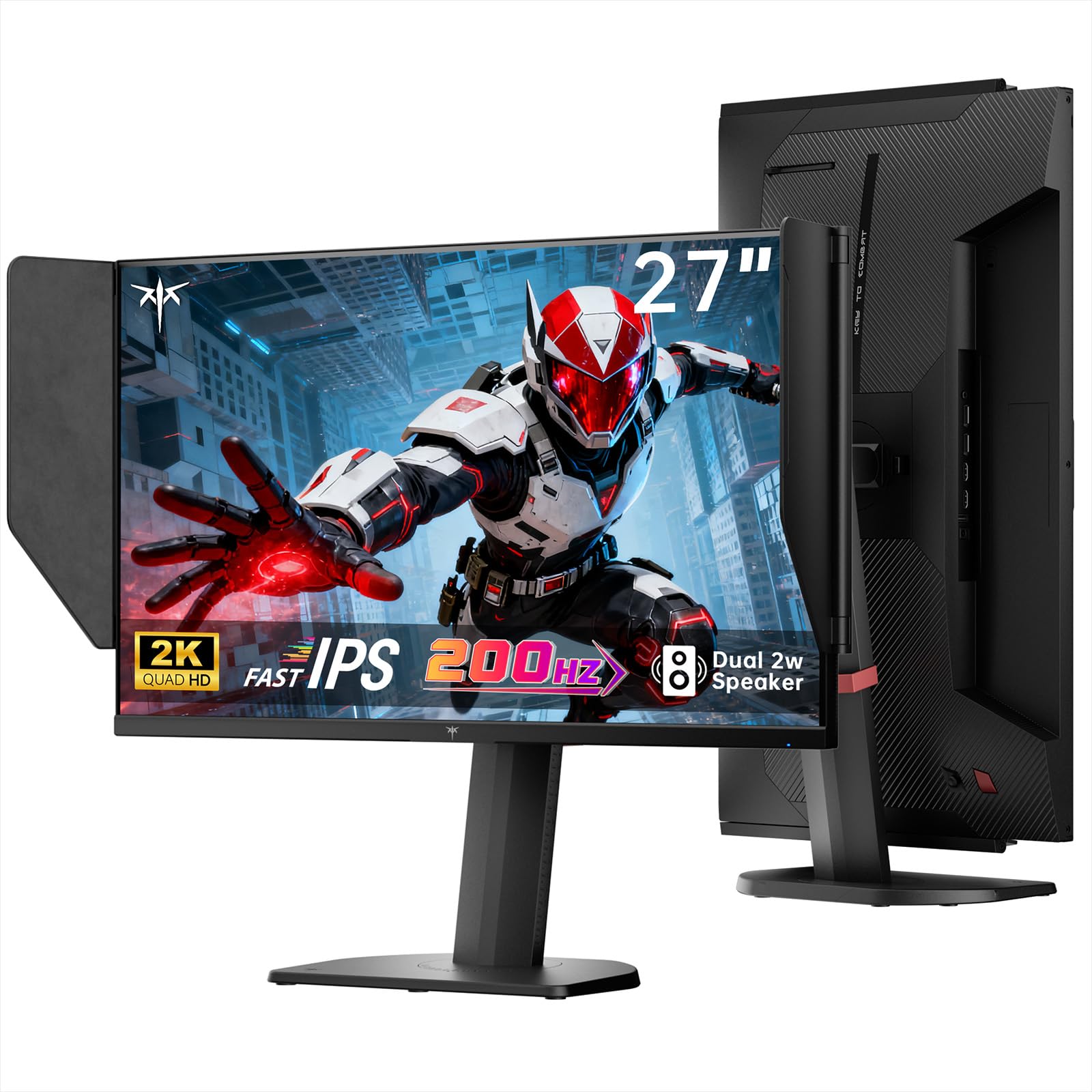
Image: The KTC 27M1 monitor with its stand fully assembled, ready for use.
3.2 Attaching the Shielding Hood
The shielding hood helps reduce glare and reflections for an optimal viewتجربة رائعة.
- Locate the two shielding hood pieces.
- Align each piece with the designated slots on the sides of the monitor and gently slide them into place until secure.

Image: The KTC 27M1 monitor shown with the shielding hood attached, designed to block reflected light.
3.3 توصيل الكابلات
قم بتوصيل الشاشة بالكمبيوتر أو الأجهزة الأخرى باستخدام الكابلات المناسبة:
- منفذ العرض (DP): For 200Hz (overclockable to 210Hz) refresh rates, connect the DP cable from your graphics card to the monitor's DP 1.4 port.
- HDMI: For 144Hz refresh rates, connect an HDMI 2.0 cable from your device to one of the monitor's HDMI ports.
- قوة: Connect the power adapter to the DC input on the monitor, then plug the power cord into a wall outlet.
- صوتي: Connect headphones or external speakers to the 3.5mm earphone jack if desired.

الصورة: عن قرب view of the KTC 27M1 monitor's rear ports, including HDMI, DisplayPort, USB, and earphone jack.
4. تعليمات التشغيل
4.1 تشغيل/إيقاف التشغيل
Press the 5-way navigation joystick located on the back of the monitor to power it on or off.
4.2 التنقل في قائمة OSD
The 5-way navigation joystick is used to access and navigate the On-Screen Display (OSD) menu:
- اضغط على عصا التحكم لفتح قائمة OSD.
- Move the joystick Up/Down/Left/Right to navigate through menu options.
- اضغط على عصا التحكم مرة أخرى لتحديد خيار أو تأكيد إعداد ما.
- Move the joystick Left to go back to the previous menu or exit the OSD.
4.3 ضبط إعدادات العرض
يمكنك ضبط إعدادات العرض المختلفة من خلال قائمة OSD:
- السطوع / التباين: اضبط مستويات الإضاءة والتباين الإجمالية.
- إعدادات الألوان: Modify color temperature (Warm, Cool, User), gamma, hue, and saturation. The monitor offers 130% sRGB color gamut and ΔE<2 for accurate color reproduction.
- إعداد الألعاب: Enable/disable Adaptive Sync (FreeSync/G-Sync Compatible), adjust Overdrive (Ultra Fast recommended for gaming), and activate Game Assist features.
- الإعدادات المتقدمة: Toggle HDR (Auto/Off) and OverClock (to achieve 210Hz refresh rate).
- مدخل: Manually select the input source (DP, HDMI1, HDMI2).
- مجموعة النظام: Change OSD language, LED indicator, audio volume, and other system preferences.
4.4 التعديلات المريحة
The monitor stand supports multiple ergonomic adjustments for comfortable viewعمل:
- ضبط الارتفاع: Adjust the monitor height by 150±5mm.
- الإمالة: Tilt the screen from -5° to 35°.
- قطب: Swivel the monitor ±60°.
- المحور: Pivot the screen from -5° to 90° for vertical orientation.

Image: Visual representation of the KTC 27M1 monitor's tilt, swivel, elevate, and pivot adjustments.
5. المميزات
- عرض: 27-inch QHD (2560x1440) Fast IPS panel.
- معدل التحديث: 200Hz, overclockable to 210Hz.
- وقت الاستجابة: 1ms (MPRT) for sharp visuals.
- دقة اللون: 130% sRGB color gamut, 99% DCI-P3 coverage, ΔE<2, 450 cd/m² brightness, 1.07 Billion Colors, 1000:1 Contrast Ratio.
- المزامنة التكيفية: FreeSync and G-Sync Compatible to eliminate screen tearing.
- العناية بالعين: Flicker-free and low blue light modes for extended comfortable viewعمل.
- صوتي: Built-in dual 2W speakers.
- الاتصال: 2x HDMI 2.0 ports, 1x DisplayPort 1.4 port, 1x USB 2.0 port, 1x Earphone jack.
- التركيب: 100x100mm VESA mount compatible.
- تصميم: Includes a detachable shielding hood to block reflected light.

Image: The KTC 27M1 monitor displaying vibrant colors, highlighting its color accuracy and brightness features.
6. المواصفات
| ميزة | مواصفة |
|---|---|
| ماركة | KTC |
| رقم الموديل | H27T8 (Marketed as 27M1) |
| حجم الشاشة | 27 بوصة |
| الدقة الأصلية | 2560x1440 (QHD) |
| تكنولوجيا العرض | IPS سريع |
| معدل التحديث | 200 Hz (Overclockable to 210 Hz) |
| وقت الاستجابة | 1 مللي ثانية (MPRT) |
| سطوع | 450 شمعة (cd/m²) |
| نسبة التباين | 1000:1 |
| مجموعة الألوان | 130% sRGB، 99% DCI-P3 |
| Viewزاوية جي | 178 درجة |
| دعم HDR | نعم |
| المزامنة التكيفية | FreeSync, G-Sync Compatible |
| مكبرات صوت مدمجة | 2x 2W Speakers |
| الاتصال | 2x HDMI 2.0, 1x DisplayPort 1.4, 1x USB 2.0, 1x Earphone |
| VESA Mount | 100×100 ملم |
| بيئة العمل | Height, Tilt, Swivel, Pivot Adjustment |
| استهلاك الطاقة | 48 واط |
7. الصيانة والعناية
- تنظيف الشاشة: امسح الشاشة برفق بقطعة قماش ناعمة وخالية من الوبر. لإزالة البقع الصعبة، استخدمampen the cloth with a mild, non-abrasive screen cleaner.
- تنظيف Casing: استخدم قطعة قماش ناعمة وجافة لتنظيف الشاشة.asinز. تجنب استخدام المنظفات القوية أو المنظفات الكاشطة.
- تهوية: Ensure the ventilation openings on the monitor are clear and unobstructed to prevent overheating.
- تخزين: في حال تخزين الشاشة لفترة طويلة، افصلها عن مصدر الطاقة وخزنها في مكان بارد وجاف.
8. استكشاف الأخطاء وإصلاحها
8.1 لا يوجد طاقة
- تأكد من توصيل سلك الطاقة بشكل آمن بالشاشة ومأخذ الطاقة.
- تأكد من أن منفذ الطاقة يعمل بشكل صحيح عن طريق توصيل جهاز آخر.
- تأكد من توصيل محول الطاقة بشكل صحيح.
8.2 No Signal/Blank Screen
- Confirm that the video cable (DP or HDMI) is securely connected to both the monitor and your computer/device.
- Press the OSD joystick to open the menu and manually select the correct input source.
- تأكد من أن جهاز الكمبيوتر/الجهاز قيد التشغيل وليس في وضع السكون.
- Try using a different video cable or port to rule out cable/port issues.
8.3 Flickering/Distorted Image
- افحص كابل الفيديو بحثًا عن أي تلف أو توصيلات مفكوكة.
- Adjust the refresh rate in your computer's display settings to match the monitor's native refresh rate (200Hz or 210Hz if overclocked).
- Enable Adaptive Sync (FreeSync/G-Sync Compatible) in the monitor's OSD menu and your graphics card settings.
- تأكد من أن برامج تشغيل بطاقة الرسومات لديك محدثة.
8.4 No Sound from Built-in Speakers/Earphone Jack
- Check the volume settings in the monitor's OSD menu and your computer's operating system.
- تأكد من تحديد جهاز إخراج الصوت الصحيح في إعدادات الصوت بجهاز الكمبيوتر الخاص بك.
- Verify that the audio cable (if using external speakers) or headphones are properly connected.
9. الضمان والدعم
KTC is committed to providing quality service and support for your monitor.
- ضمان: يأتي هذا المنتج مع ضمان جودة لمدة عامين.
- الدعم الفني: Lifetime technical support is available for all KTC products.
- اتصل بنا: If you have any questions or encounter issues, please contact KTC customer support. Solutions will be provided within 24 hours.