
1. انتهى المنتجview
The DDPAI N5 Dual is a screenless dash camera system designed for vehicles, offering both front and rear recording capabilities. It captures high-definition video footage to provide evidence for accident disputes and insurance claims. The system includes a front camera, a rear camera, and a 64GB SD card for storage.

Image: The DDPAI N5 Dual dash camera, showcasing its compact design and connectivity with a smartphone application for viewجي والتحكم.
المميزات الرئيسية:
- التسجيل المزدوج: Captures 2160P (4K) video from the front camera and 1080P video from the rear camera.
- Screenless Design: Compact form factor without an integrated screen, managed via a smartphone app.
- التخزين المدمج: Features 32GB built-in eMMC storage for data security.
- مساحة تخزين قابلة للتوسعة: Supports an external TF card up to 512GB (card not included, but a 64GB SD card is provided with this product).
- وضع وقوف السيارات: Offers 72-hour parking monitoring with radar motion detection (requires optional radar module and hardwire kit).
- الاتصال: Equipped with 5GHz WiFi for fast data transfer to smartphones and built-in GPS for location tracking.
- أنظمة مساعدة السائق المتقدمة (ADAS): Provides smart voice reminders for front vehicle movement and fatigue driving.
- الرؤية الليلية: Utilizes AI ISP Night Vis 3.0 technology with F1.8 aperture and a 6-layer lens for enhanced low-light recording.
2. الإعداد والتثبيت
2.1 تركيب كاميرا لوحة القيادة
- Clean the windshield area where the front camera will be mounted. Ensure it does not obstruct your view.
- Attach the front camera to the windshield using the provided adhesive mount.
- Route the power cable neatly along the windshield edge and down to the vehicle's power outlet (cigarette lighter or hardwire kit).
- قم بتركيب الكاميرا الخلفية على الزجاج الأمامي الخلفي، مع التأكد من وضوح الرؤية. view. Connect it to the front camera using the provided cable.

Image: Illustration of the dual recording capability, showing the wide-angle views of both the front (4K UHD) and rear (1080P) cameras.
2.2 توصيل الطاقة
- Connect the power cable to the dash cam and then to your vehicle's 12V power outlet.
- For 24-hour parking mode, a hardwire kit (ASIN: B0F21Z5V7D) is required and sold separately.
- For 72-hour parking mode with radar motion detection, an optional radar module (ASIN: B0D4YNL8R8) is also required and sold separately.
2.3 الإعداد الأولي وتوصيل التطبيق
- Download the DDPAI app from your smartphone's app store (iOS or Android).
- Turn on your vehicle's ignition to power the dash cam.
- Open the DDPAI app and follow the on-screen instructions to connect to the dash cam's 5GHz WiFi network.
- بمجرد الاتصال ، يمكنك ذلك view يعيش فوtage, adjust settings, and download recordings.
3. تعليمات التشغيل
3.1 أوضاع التسجيل
- التسجيل المتكرر: The dash cam continuously records, overwriting the oldest footagعندما يكون التخزين ممتلئًا.
- التسجيل في حالات الطوارئ: The built-in G-sensor detects sudden impacts or collisions and automatically locks the current video segment to prevent it from being overwritten.
- مراقبة وقوف السيارات: When properly hardwired and with optional radar module, the dash cam can monitor your vehicle while parked. Radar motion detection triggers recording when movement is detected around the vehicle.
3.2 GPS and ADAS Features
- تتبع نظام تحديد المواقع: The built-in GPS records your driving route, speed, and location data, which can be viewed via the DDPAI app.
- ADAS Voice Reminders: The system provides audio alerts for events such as the vehicle ahead starting to move (to prevent delayed starts) and fatigue driving reminders to enhance safety.
3.3 إدارة التخزين
The DDPAI N5 Dual features 32GB of built-in eMMC storage for enhanced data security and reliability. Additionally, it supports an external TF (microSD) card up to 512GB for extended recording capacity. A 64GB SD card is included with this product.
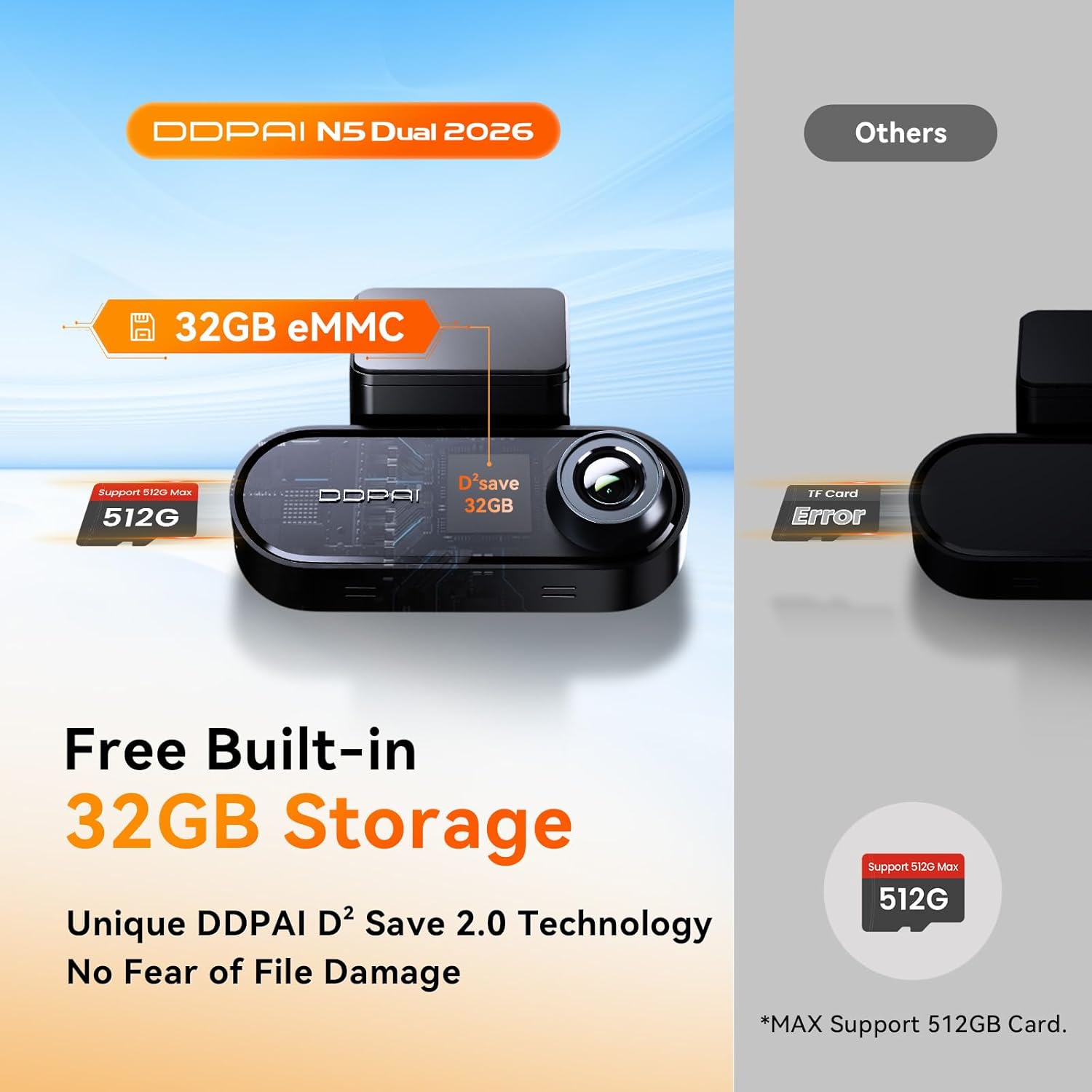
Image: Diagram illustrating the built-in 32GB eMMC storage and the capability to support an additional TF card up to 512GB.

Image: A 64GB SD card, which is included with the DDPAI N5 Dual dash cam for immediate use.
- To access or manage recordings, connect to the dash cam via the DDPAI app.
- قم بعمل نسخ احتياطية منتظمة للملفات المهمةtagهـ لمنع الخسارة.
- Format the TF card periodically (e.g., monthly) through the app to maintain optimal performance and prevent data corruption.
4. الصيانة
4.1 التنظيف
- امسح عدسات الكاميرا بقطعة قماش ناعمة وخالية من الوبر لضمان جودة فيديو واضحة.
- Keep the dash cam body clean and free from dust.
4.2 تحديثات البرامج الثابتة
- Check for firmware updates regularly through the DDPAI app.
- Perform updates over-the-air (OTA) via the app to ensure your dash cam has the latest features and bug fixes.
4.3 Storage Card Care
- Use high-quality TF cards from reputable brands to ensure reliable recording.
- Format the TF card regularly (e.g., once a month) using the dash cam's app to prevent data errors and extend the card's lifespan.
5. استكشاف الأخطاء وإصلاحها
- كاميرا لوحة القيادة لا تعمل: Check the power cable connection to both the dash cam and the vehicle's power outlet. Ensure the vehicle's ignition is on.
- مشاكل التسجيل: Ensure a TF card is inserted and properly formatted. Check if the storage is full; if so, format the card or replace it.
- مشاكل في اتصال الواي فاي: Restart the dash cam and your smartphone. Ensure you are within range of the dash cam's WiFi signal.
- جودة الفيديو رديئة: Clean the camera lenses. Ensure the dash cam is securely mounted and not vibrating. Check app settings for resolution.
- نظام تحديد المواقع العالمي (GPS) لا يعمل: تأكد من أن كاميرا السيارة الأمامية تعمل بشكل واضح view of the sky. GPS signal acquisition may take a few minutes after startup.
6. المواصفات
| ميزة | مواصفة |
|---|---|
| ماركة | DDPAI |
| نموذج | N5 ثنائي |
| دقة الكاميرا الأمامية | 2160P (4K) |
| دقة الكاميرا الخلفية | 1080 بكسل |
| Front Camera Wide Angle | 140° |
| تخزين مدمج | 32 جيجابايت من ذاكرة إي إم إم سي |
| دعم التخزين الخارجي | Up to 512GB TF card |
| بطاقة SD مرفقة | بطاقة SD سعة 64 جيجابايت |
| واي فاي | 5 جيجاهرتز |
| نظام تحديد المواقع العالمي (جي بي اس) | مدمج |
| وضع وقوف السيارات | 72H (with optional radar module and hardwire kit) |
| مساعدة السائق المتقدمة | Yes (Voice Reminders) |
| الرؤية الليلية | AI ISP Night Vis 3.0, F1.8 Aperture, 6-Layer Lens |
7. الضمان والدعم
للحصول على معلومات الضمان والدعم الفني، يرجى الرجوع إلى موقع DDPAI الرسمي webالموقع أو تواصل مع خدمة العملاء مباشرةً. احتفظ بإيصال الشراء كإثبات للشراء في حال وجود أي مطالبات بالضمان.