
مقدمة
Welcome to the user manual for your new TABWEE T50 11-inch Android Tablet. This guide provides essential information on setting up, operating, maintaining, and troubleshooting your device. The TABWEE T50 combines the latest Android 16 system with Gemini AI for a fast, intelligent, and smooth user experience. It features an Unisoc T7250 Octa-Core processor, 24GB RAM, 128GB ROM (expandable to 2TB), an 8000mAh battery, a 90Hz HD+ display, and 13MP rear and 8MP front cameras.
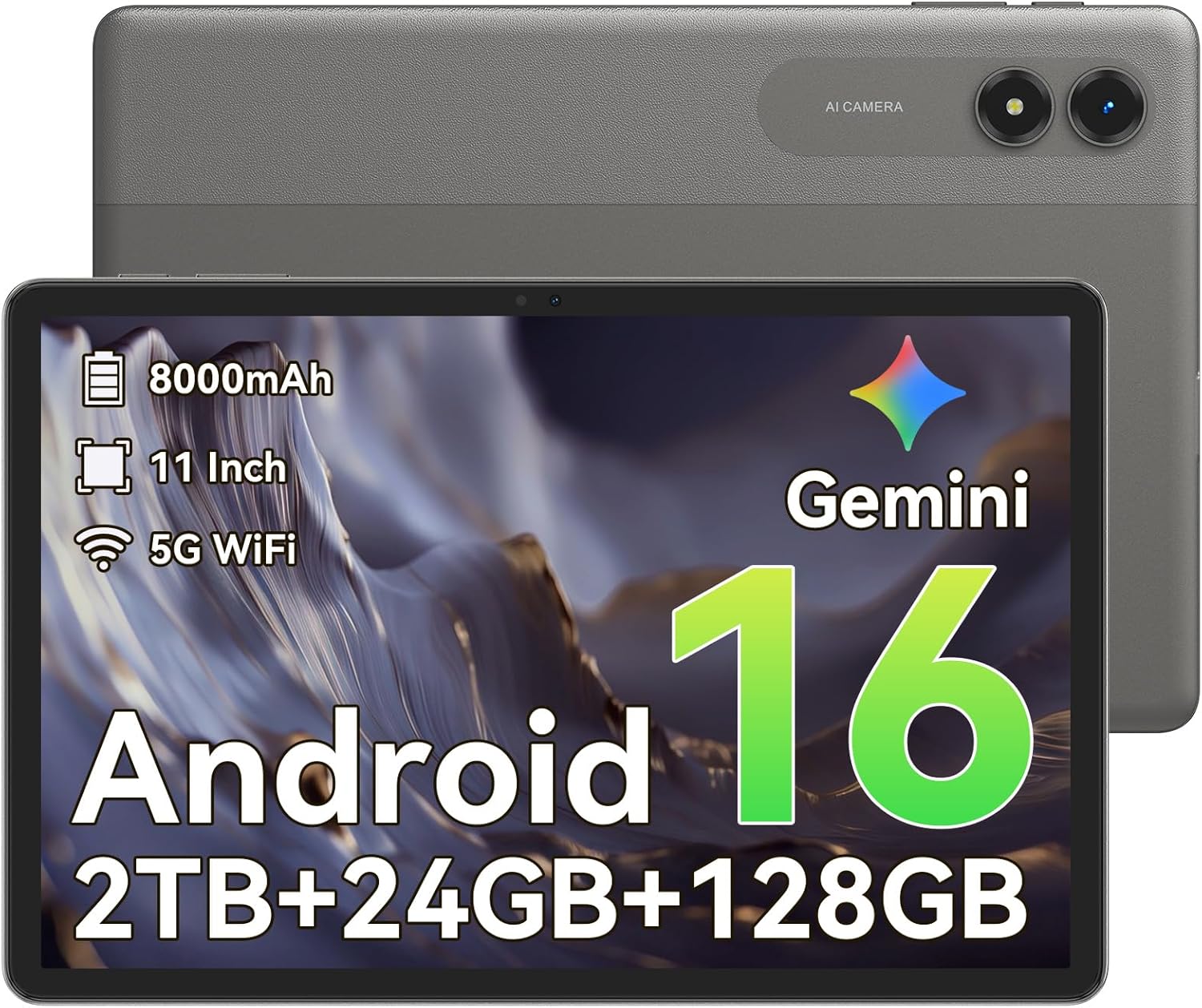
الصورة: الجبهة view of the TABWEE T50 Tablet.
محتويات الحزمة
عند فتح العبوة، تأكد من وجود جميع العناصر:
- TABWEE T50 Tablet
- كابل شحن USB
- أداة قاذف SIM
- دليل البدء السريع (هذا الدليل)
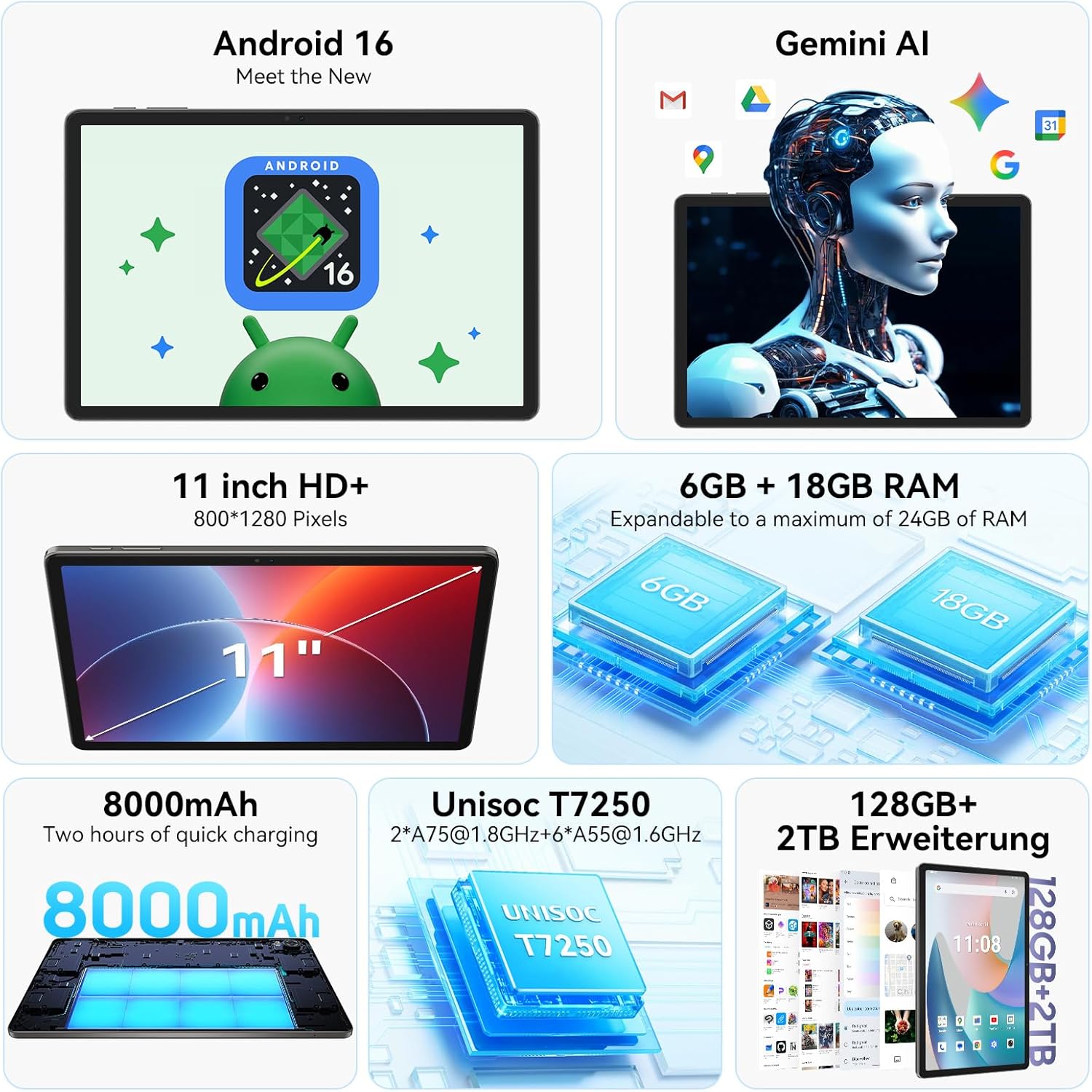
Image: The TABWEE T50 Tablet along with its standard accessories, including a charging cable and SIM ejector tool.
يثبت
1. الشحن الأولي
Before first use, fully charge your TABWEE T50 Tablet.
- Connect the USB charging cable to the tablet's charging port.
- Connect the other end of the cable to a compatible USB power adapter (not included) and plug it into a power outlet.
- Allow the tablet to charge until the battery indicator shows 100%. This may take approximately 5 hours for a full charge.

Image: Illustration of the tablet's 8000mAh battery and charging process.
2. التشغيل والتكوين الأولي
Press and hold the power button until the TABWEE logo appears. Follow the on-screen prompts to complete the initial setup:
- اختر لغتك.
- الاتصال بشبكة Wi-Fi.
- قم بتسجيل الدخول باستخدام حساب Google الخاص بك أو قم بإنشاء حساب جديد.
- Review وقبول الشروط والأحكام.
- Set up screen lock (PIN, pattern, password, or facial unlock).
3. إدخال بطاقة MicroSD (اختياري)
To expand storage up to 2TB, insert a microSDXC card.
- حدد مكان درج بطاقة SIM/microSD على جانب الجهاز اللوحي.
- استخدم أداة إخراج بطاقة SIM المتوفرة لفتح الدرج.
- Place the microSD card into the designated slot with the gold contacts facing down.
- ادفع الدرج برفق إلى داخل الجهاز اللوحي حتى يستقر في مكانه.
تعليمات التشغيل
العرض والملاحة
The TABWEE T50 features an 11-inch HD+ IPS display with a 1280x800 resolution and a 90Hz refresh rate for smooth visuals. It includes eye protection features to reduce blue light and minimize eye strain.

Image: The tablet's 11-inch HD+ display showcasing a vibrant mountain landscape.
- إيماءات شاشة اللمس: Tap, swipe, pinch-to-zoom, and long-press for various interactions.
- الشاشة الرئيسية: قم بتخصيصها باستخدام الأدوات المصغّرة واختصارات التطبيقات والخلفيات.
- لوحة الإشعارات: اسحب لأسفل من أعلى الشاشة للوصول إلى الإعدادات السريعة والإشعارات.
نظام أندرويد 16 مع تقنية الذكاء الاصطناعي Gemini
Your tablet runs on Android 16, offering enhanced privacy controls, adaptive battery optimization, and an intuitive user interface. Gemini AI provides intelligent assistance for tasks, content creation, and learning.

Image: The tablet displaying the Gemini AI interface with various AI-powered features.
- تعدد المهام: استخدم وضع تقسيم الشاشة لتشغيل تطبيقات متعددة في وقت واحد.
- ضوابط الخصوصية: Manage app permissions and data access through system settings.
- بطارية قابلة للتكيف: The AI-powered battery management optimizes power consumption based on your usage patterns.
وظائف الكاميرا
The TABWEE T50 is equipped with an 8MP front camera and a 13MP rear camera.
- افتح تطبيق الكاميرا من الشاشة الرئيسية أو درج التطبيقات.
- التبديل بين الكاميرات الأمامية والخلفية باستخدام أيقونة الكاميرا.
- Tap the shutter button to take photos or the video icon to record videos.
- Explore various camera modes and settings for optimal results.

Image: The tablet's screen displaying the camera interface, capturing a selfie.
الاتصال
The tablet supports WiFi 5G and Bluetooth 5.0 for seamless connectivity.
- واي فاي: انتقل إلى الإعدادات > الشبكة والإنترنت > Wi-Fi للاتصال بالشبكات المتاحة.
- بلوتوث: Go to Settings > Connected devices > Bluetooth to pair with Bluetooth accessories like headphones or keyboards.
- OTG (أثناء التنقل): The tablet supports OTG for connecting USB devices or for reverse charging other devices.

Image: Visual representation of the tablet's Bluetooth 5.0 and 5G WiFi connectivity features.

Image: The tablet connected to a smartphone, illustrating its power-sharing capability via OTG.
صيانة
- تنظيف: استخدم قطعة قماش ناعمة وخالية من الوبر لتنظيف الشاشة وجسم الجهاز. تجنب المواد الكاشطة أو المواد الكيميائية القاسية.
- تحديثات البرامج: تحقق بانتظام من وجود تحديثات للنظام في الإعدادات > النظام > تحديث النظام لضمان الأداء الأمثل والأمان.
- العناية بالبطارية: لإطالة عمر البطارية، تجنب درجات الحرارة القصوى ولا تدع البطارية تنفد تمامًا بشكل متكرر.
- ادارة التخزين: قم بإزالة غير الضروري بشكل دوري files and apps to maintain performance. Go to Settings > Storage to manage your storage.
استكشاف الأخطاء وإصلاحها
- عدم تشغيل الجهاز اللوحي: Ensure the tablet is sufficiently charged. If it doesn't respond, press and hold the power button for 10-15 seconds to force a restart.
- تعطل التطبيقات/تجميدها: أغلق التطبيق وأعد فتحه. إذا استمرت المشكلة، فامسح ذاكرة التخزين المؤقت للتطبيق (الإعدادات > التطبيقات > [اسم التطبيق] > التخزين والذاكرة المؤقتة > مسح ذاكرة التخزين المؤقت).
- مشكلات الاتصال بشبكة Wi-Fi: أعد تشغيل جهازك اللوحي وجهاز توجيه الواي فاي. احذف الشبكة وأعد الاتصال بها.
- الأداء البطيء: Close background apps, clear cache, or consider a factory reset if issues persist (backup data first).
- الشاشة لا تستجيب: Restart the tablet. If the problem continues, contact customer support.
تحديد
| ميزة | التفاصيل |
|---|---|
| اسم الموديل | TABWEE T50 |
| نظام التشغيل | نظام أندرويد 16 مع تقنية الذكاء الاصطناعي Gemini |
| المعالج | Unisoc T7250 ثماني النواة |
| كبش | 24 جيجابايت (6 جيجابايت فعلي + 18 جيجابايت افتراضي) |
| التخزين الداخلي | 128 جيجا بايت |
| تخزين قابل للتوسيع | Up to 2 TB via microSDXC |
| حجم العرض | 11-inch HD+ IPS |
| دقة العرض | 1280 × 800 بكسل |
| معدل التحديث | 90 هرتز |
| الكاميرا الخلفية | 13 ميجا بكسل |
| الكاميرا الأمامية | 8 ميجا بكسل |
| سعة البطارية | 8000 مللي أمبير |
| نوع البطارية | بوليمر الليثيوم |
| متوسط عمر البطارية | مدة تصل إلى 8 ساعة (بث الفيديو) |
| الاتصال | WiFi 5G (802.11ac), Bluetooth 5.0, GPS, OTG |
| وزن | 640 جرام |
| لون | رمادي |
| سنة الموديل | 2026 |
| رمز المنتج الموحد | 721718099727 |

Image: Diagram illustrating the Unisoc T7250 Octa-Core processor architecture.

Image: The tablet displaying its storage and RAM specifications, including 24GB RAM and 128GB ROM with 2TB expansion.
الضمان والدعم
The TABWEE T50 Tablet comes with a ضمان محدود لمدة سنة واحدة. TABWEE also provides دعم العملاء مدى الحياة to assist with any questions or issues you may encounter.
- تغطية الضمان: Covers manufacturing defects for two years from the date of purchase.
- دعم العملاء: For technical assistance, troubleshooting, or warranty claims, please contact TABWEE customer service. Refer to the official TABWEE webموقع للحصول على تفاصيل الاتصال.
- قطع غيار: EU spare part availability is guaranteed for 2 years.

Image: A badge indicating TABWEE's warranty and lifetime support. Please note that the warranty duration is 2 years as per product specifications.