
1. المقدمة
This manual provides essential information for the proper setup, operation, and maintenance of your UPERFECT 18.5" NxtLED Portable Monitor. Please read this manual thoroughly before using the device to ensure optimal performance and longevity.
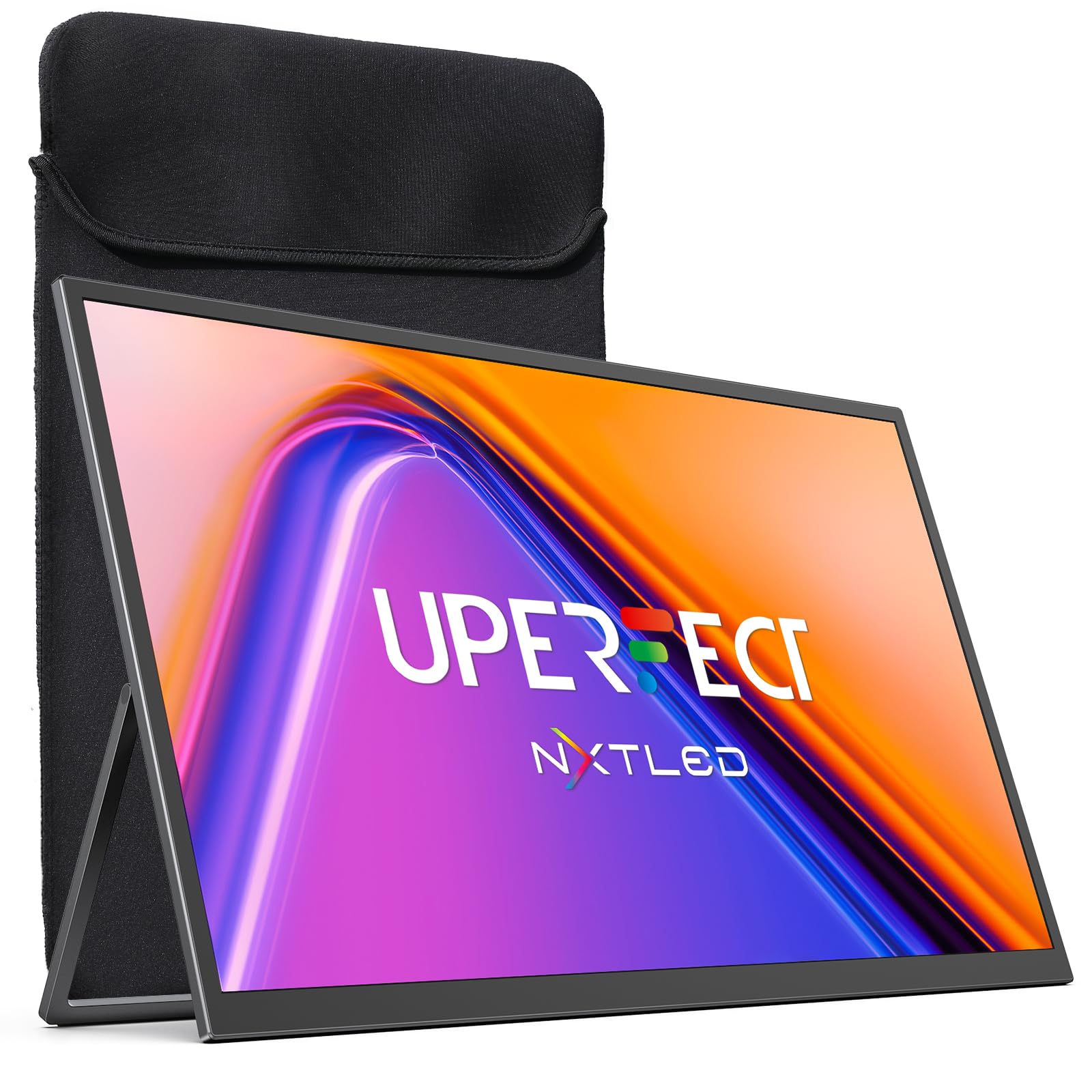
Figure 1: UPERFECT 18.5" NxtLED Portable Monitor
2. What is NxtLED™?
NxtLED™ is UPERFECT’s proprietary display system designed to optimize light at its source. It integrates several advanced technologies to deliver a superior visual experience:
- Omni Visible Visibility: Ensures clear and consistent visuals across different lighting conditions and viewزوايا متعددة.
- Color-True Accuracy: Provides precise and vibrant color reproduction.
- Neutral White Calibration: Maintains a balanced white point for natural colors.
- Low Blue Light Control: Reduces harmful blue light emissions for enhanced visual comfort.
- Flicker-Free DC Dimming: Eliminates screen flicker for stable and comfortable viewing, even during extended use.
This technology aims to achieve near OLED-level color performance with enhanced visual comfort, making it ideal for creative work, entertainment, and extended use.

Figure 2: Diagram illustrating NxtLED™ display technology layers.
3. الإعداد
3.1. محتويات العبوة
تأكد من وجود جميع العناصر في العبوة:
- UPERFECT 18.5" NxtLED Portable Monitor
- USB-C to USB-C Cable (for power and display)
- Mini HDMI to HDMI Cable (for display)
- محول الطاقة
- غلاف واقي
- براغي تثبيت VESA
- دليل المستخدم (هذا المستند)
3.2. الإعداد المادي
The monitor features a built-in kickstand for flexible positioning. Simply extend the stand from the back of the monitor to achieve your desired viewing angle. For alternative mounting options, the monitor is VESA mountable (75x75mm design).
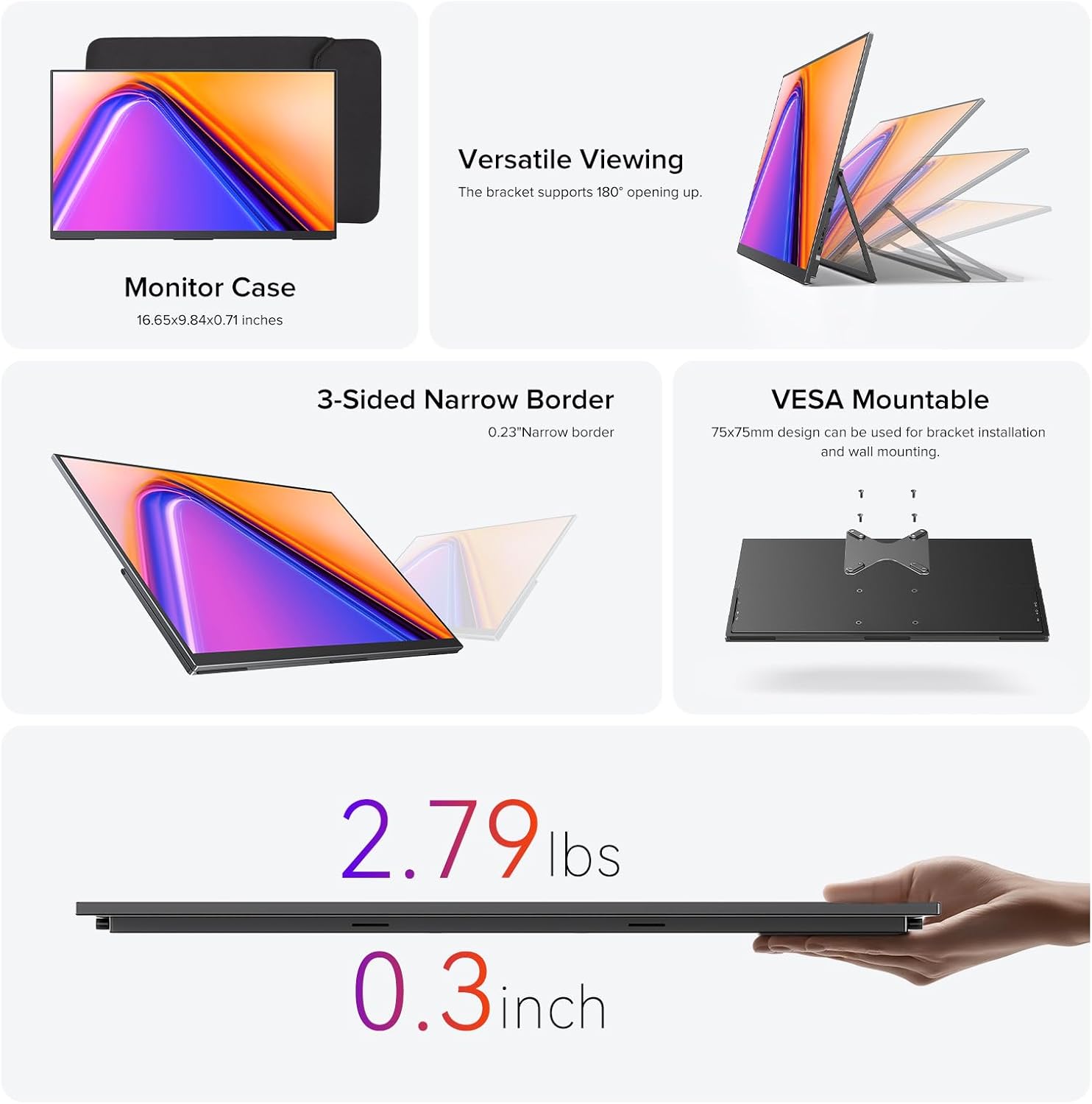
Figure 3: Monitor utilizing its built-in stand.
3.3. الاتصال بالأجهزة
توفر الشاشة خيارات اتصال متعددة الاستخدامات:
- USB نوع-C: Use the provided USB-C to USB-C cable for a single-cable solution for both power and video transmission with compatible devices (e.g., laptops, smartphones with DisplayPort Alternate Mode).
- ميني HDMI: Connect to devices like PCs, game consoles, or other HDMI-enabled devices using the Mini HDMI to HDMI cable. An additional USB-C cable may be required for power.
- قوة: If using Mini HDMI or if your USB-C device does not provide sufficient power, connect the monitor to the power adapter using a USB-C cable.
Ensure cables are securely connected to the correct ports on both the monitor and your source device.
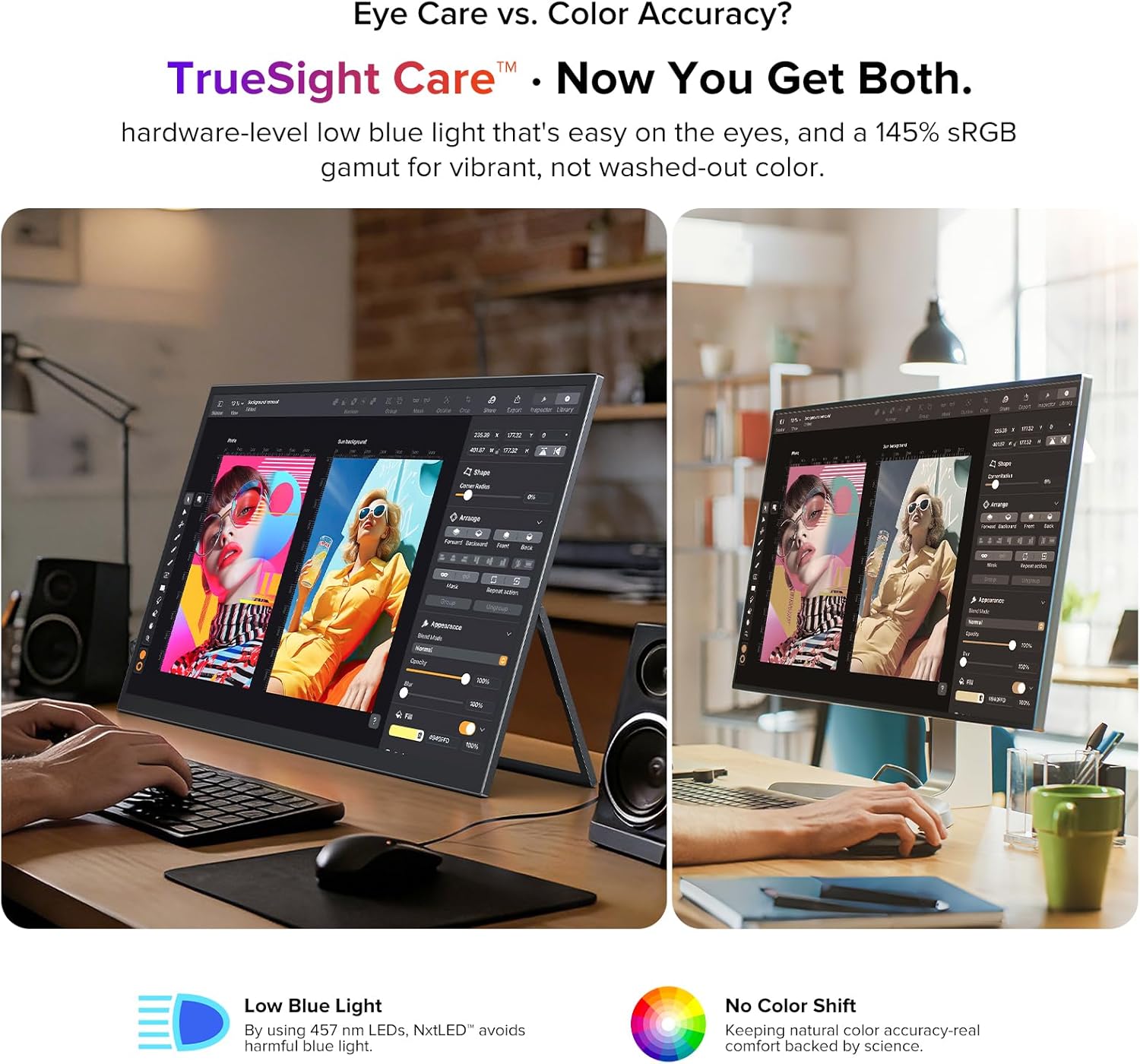
Figure 4: Monitor connected to a laptop for extended display.
4. تعليمات التشغيل
4.1. تشغيل/إيقاف التشغيل
Locate the power button on the side of the monitor. Press and hold for a few seconds to power on or off. A short press may activate or deactivate the display.
4.2. قائمة العرض على الشاشة (OSD)
The monitor features a scroll button and a return button for navigating the OSD menu. Use the scroll button to move through options and adjust values, and the return button to go back or confirm selections.
4.3. إعدادات العرض
يمكنك ضبط إعدادات العرض المختلفة من خلال قائمة OSD:
- السطوع / التباين: ضبط مستويات سطوع الشاشة والتباين.
- درجة حرارة اللون: Select from preset color temperatures or customize.
- وضع الصورة: Choose from various modes optimized for different content (e.g., Standard, Game, Movie, Text).
- نسبة العرض إلى الارتفاع: Select between 16:9 or other available aspect ratios.
- مصدر الإدخال: Manually select the input source (USB-C, Mini HDMI).
- ميزات العناية بالعيون: Activate or adjust Low Blue Light and Flicker-Free settings for reduced eye strain.
4.4. مخرج الصوت
The monitor includes a 3.5mm audio jack for connecting headphones or external speakers. Audio output can also be controlled via the OSD menu.
5. الميزات الرئيسية
5.1. Eye Care Display
The NxtLED™ display incorporates Omni Visible technology, DC dimming, and low blue light control to minimize eye fatigue. It provides soft, evenly balanced light and a neutral white color temperature, ensuring comfortable viewأثناء الاستخدام المطول.

Figure 5: Display with features for reduced eye strain.
5.2. دقة الألوان
With 145% sRGB color gamut and TrueSight Care, the monitor delivers vivid and accurate colors. It maintains precise color reproduction across various environments, preventing color washout or tonal shifts.

Figure 6: Monitor demonstrating color accuracy and low blue light.
5.3. Anti-Glare Matte Screen
The advanced anti-glare matte display, powered by NxtLED Omni Visible technology, significantly reduces reflections. This diffuse reflection layer transforms direct light into soft, balanced visibility, improving clarity in bright environments, including outdoor settings.

Figure 7: Monitor used in a bright environment, showcasing glare reduction.
5.4. 178° Wide Viewزاوية جي
Optical Matrix light distribution ensures a true 178° ultra-wide viewing angle. This means images remain bright, color-accurate, and distortion-free from almost any position, facilitating shared viewتجارب رائعة.

الشكل 8: متعدد viewers enjoying a clear picture from various angles.
5.5. High Performance
The monitor features a 120Hz refresh rate, 1ms response time, and FreeSync support, providing smooth visuals for gaming and fast-paced content. It also supports HDR for enhanced dynamic range.

Figure 9: Visual representation of the monitor's high-performance features.
5.6. سهولة الحمل والتصميم
Weighing 2.2 pounds and with a thickness of 0.3 inches, this monitor is designed for portability. It features a 3-sided narrow border for an immersive viewing experience and is VESA mountable for flexible setup options.

Figure 10: Design elements highlighting portability and mounting options.
6. الصيانة
6.1. تنظيف الشاشة
لتنظيف الشاشة، امسحها برفق بقطعة قماش ناعمة وخالية من الوبر. أما بالنسبة للبقع الصعبة، فامسحها برفق بقطعة قماش ناعمة وخالية من الوبر.ampبلّل قطعة القماش بالماء أو بمحلول تنظيف آمن للشاشات. تجنّب استخدام المواد الكيميائية القاسية أو المواد الكاشطة أو رشّ السائل مباشرةً على الشاشة.
6.2. العناية العامة
- تجنب وضع أشياء ثقيلة على الشاشة.
- احتفظ بالشاشة بعيدًا عن أشعة الشمس المباشرة ومصادر الحرارة والرطوبة الزائدة.
- When transporting, use the provided protective sleeve to prevent scratches and damage.
7. استكشاف الأخطاء وإصلاحها
7.1. No Display/Signal
- تأكد من تشغيل الشاشة وأن ضوء مؤشر الطاقة مضاء.
- Check all cable connections (USB-C, Mini HDMI) between the monitor and the source device. Ensure they are secure.
- تأكد من تحديد مصدر الإدخال الصحيح في قائمة العرض على الشاشة.
- If using Mini HDMI, ensure the monitor is receiving adequate power from the power adapter.
- Test with a different cable or source device if possible to rule out faulty components.
7.2. Flickering Screen
- تأكد من أن مصدر الطاقة مستقر.
- تحقق من توصيلات الكابلات بحثًا عن أي ارتخاء أو تلف.
- Adjust the refresh rate settings on your source device.
- Verify that Flicker-Free DC Dimming is enabled in the OSD menu.
7.3. لا يوجد صوت
- Check the volume settings on both the monitor (via OSD) and your source device.
- Ensure headphones or external speakers are properly connected to the 3.5mm audio jack.
- Verify that the audio output is correctly configured on your source device.
8. المواصفات
| ميزة | مواصفة |
|---|---|
| ماركة | ممتاز |
| رقم الموديل | NxtLED One Plus |
| حجم الشاشة | 18.5 بوصة |
| دقة | FHD 1080p (1920x1080 Pixels) |
| معدل التحديث | 120 هرتز |
| وقت الاستجابة | 1 ميلي ثانية |
| نوع العرض | NxtLED |
| نسبة العرض إلى الارتفاع | 16:9 |
| Screen Finish | غير لامع (مضاد للوهج) |
| نسبة التباين | 2000:1 |
| سطوع | 600 لوكس |
| مجموعة الألوان | 145% إس آر جي بي |
| Viewزاوية جي | 178 درجة |
| الاتصال | 2x USB Type-C, 1x Mini HDMI, 1x 3.5mm Audio Jack |
| مميزات اضافية | Anti Glare Screen, Blue Light Filter, Eye Care, Flicker-Free, FreeSync |
| وزن العنصر | 2.2 رطل |
| استهلاك الطاقة | 15 واط |
9. الضمان والدعم
9.1. معلومات الضمان
The UPERFECT 18.5" NxtLED Portable Monitor comes with a ضمان لمدة سنتين يسري هذا الضمان من تاريخ الشراء. ويغطي عيوب التصنيع والأعطال الناتجة عن الاستخدام العادي. يرجى الاحتفاظ بإثبات الشراء لتقديم مطالبات الضمان.
9.2. دعم العملاء
For technical assistance, troubleshooting, or warranty inquiries, please visit the official UPERFECT website or contact their customer support team. Refer to the contact information provided on the product packaging or the official brand store for the most up-to-date support details.
يمكنك زيارة UPERFECT Store on Amazon لمزيد من المعلومات والموارد.