
1. المقدمة
شكرا لك على الشراءasing the T-FAMY Digital Alarm Clock T518. This manual provides detailed instructions for setting up, operating, and maintaining your new alarm clock. Please read this manual thoroughly before use to ensure proper function and to maximize your user experience.
2. محتويات العبوة
- T-FAMY Digital Alarm Clock (Model T518)
- كابل الطاقة USB
- USB محول الطاقة
- دليل المستخدم
3. انتهى المنتجview
Familiarize yourself with the clock's components and controls.
الشاشة الأمامية
The front features a 2.2-inch LED pixel display showing time, PM indicator, alarm status (bell icon), and snooze status (Zz icon).
الأزرار العلوية
- SNOOZE / AL STOP: Tap to snooze the alarm or press to stop the alarm.
Back Buttons and Ports
The back of the clock houses all control buttons and the power input.

الصورة: الخلف view of the T-FAMY Digital Alarm Clock. From left to right, buttons are labeled DOWN AL ON/OFF, UP 12/24, DIMMER, DST, Weekend, ALARM SET, TIME SET. A DC5V IN port is visible on the right side.
- DOWN / AL ON/OFF: Decreases values during setting; Toggles alarm on/off.
- UP / 12/24: Increases values during setting; Switches between 12-hour and 24-hour time format.
- باهتة: يضبط سطوع الشاشة.
- التوقيت الصيفي: تفعيل/إلغاء تفعيل التوقيت الصيفي.
- عطلة نهاية الأسبوع: Toggles Weekend Alarm Mode.
- مجموعة التنبيه: يدخل وضع ضبط المنبه.
- الوقت المحدد: يدخل إلى وضع ضبط الوقت.
- DC5V في: منفذ إدخال الطاقة.
- حجرة البطارية: For 2 AAA backup batteries (not included).
4. الإعداد
4.1 توصيل الطاقة
The T-FAMY Digital Alarm Clock operates primarily on AC power. Use the provided USB cable and adapter to connect the clock to a standard wall outlet.

Image: The T-FAMY Digital Alarm Clock is shown plugged into a wall outlet using its adapter. The display shows '10:45 PM'. Text indicates 'Outlet Powered Only and Battery (not supplied) for backup' and 'Adapter Included'.
4.2 تركيب البطارية (الاحتياطية)
For uninterrupted timekeeping during power outages, install two AAA batteries (not included) into the battery compartment on the back of the clock. The batteries serve as a backup for time and alarm settings; the display will turn off during a power outage to conserve battery life.

Image: A T-FAMY Digital Alarm Clock with a red display showing '10:45'. Icons for 'Outlet Powered' and 'Battery Backup (2*AAA battery not included)' are displayed next to it.
5. تعليمات التشغيل
5.1 ضبط الوقت
- اضغط مع الاستمرار على الوقت المحدد اضغط على الزر الموجود في الجزء الخلفي من الساعة. ستبدأ أرقام الساعات بالوميض.
- استخدم UP / 12/24 or لأسفل / تشغيل/إيقاف التشغيل التلقائي أزرار لضبط الساعة.
- اضغط على الوقت المحدد اضغط على الزر مرة أخرى لتأكيد الساعة والانتقال إلى ضبط الدقائق. ستومض أرقام الدقائق.
- استخدم UP / 12/24 or لأسفل / تشغيل/إيقاف التشغيل التلقائي أزرار لضبط الدقائق.
- اضغط على الوقت المحدد button once more to save the time and exit time setting mode.
5.2 تنسيق 12/24 ساعة
للتبديل بين تنسيقات العرض 12 ساعة و24 ساعة، اضغط على UP / 12/24 button when the clock is not in setting mode.
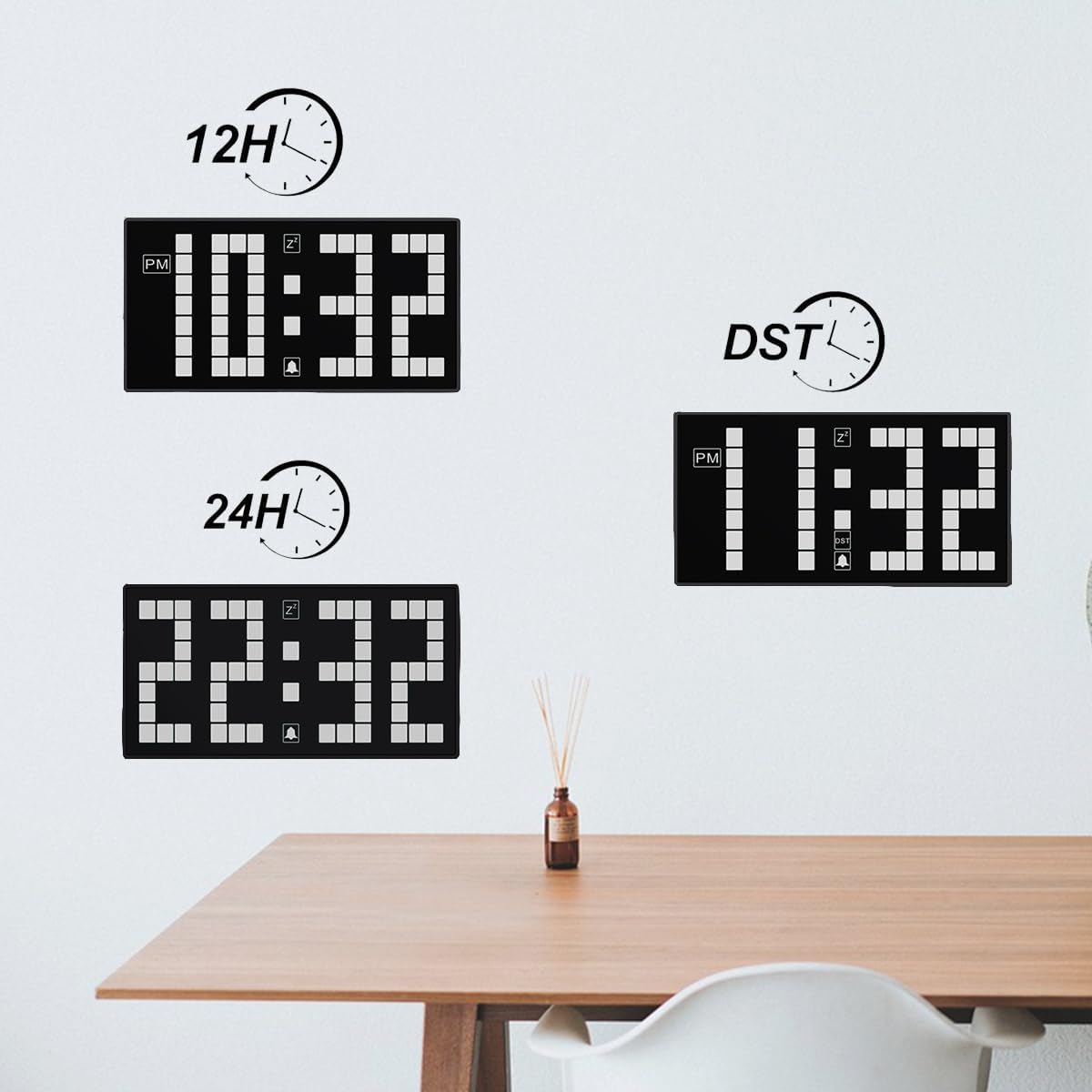
Image: Three clock displays showing '10:32 PM' (12H format), '22:32' (24H format), and '11:32 PM' (DST adjusted time).
5.3 ضبط المنبه
- اضغط مع الاستمرار على مجموعة التنبيه اضغط على الزر. ستومض أرقام ساعة المنبه.
- استخدم UP / 12/24 or لأسفل / تشغيل/إيقاف التشغيل التلقائي أزرار لضبط ساعة التنبيه.
- اضغط على مجموعة التنبيه اضغط على الزر مرة أخرى لتأكيد ساعة المنبه والانتقال إلى ضبط الدقائق. ستومض أرقام دقائق المنبه.
- استخدم UP / 12/24 or لأسفل / تشغيل/إيقاف التشغيل التلقائي أزرار لضبط دقائق التنبيه.
- اضغط على مجموعة التنبيه button once more to save the alarm time and exit alarm setting mode.
5.4 Activating/Deactivating Alarm
لتشغيل أو إيقاف المنبه، اضغط على لأسفل / تشغيل/إيقاف التشغيل التلقائي button when the clock is not in setting mode. A bell icon will appear on the display when the alarm is active and disappear when it is off.
5.5 Weekend Alarm Mode
Activate Weekend Alarm Mode to prevent the alarm from sounding on Saturdays and Sundays. The alarm will only ring from Monday to Friday.
- اضغط على عطلة نهاية الاسبوع button on the back of the clock to toggle Weekend Alarm Mode on or off.
- When active, the word "Weekend" will appear on the display.

Image: A T-FAMY Digital Alarm Clock on a bedside table, displaying 'Weekend' and '11:59'. A child is sleeping peacefully in the background, illustrating the benefit of the weekend alarm mode.

Image: A T-FAMY Digital Alarm Clock with a blue display showing '10:32' and the 'Weekend' indicator, positioned on a bedside table next to a sleeping child.
5.6 وظيفة الغفوة
When the alarm sounds, tap the SNOOZE / AL STOP button on the top of the clock to activate the snooze function. The alarm will pause for 7 minutes and then sound again. This can be repeated up to 3 times.
5.7 إيقاف الإنذار
To stop the alarm completely after it sounds, press any button on the back of the clock, or press and hold the SNOOZE / AL STOP زر في الأعلى.
5.8 سطوع الشاشة
The clock features an auto-dimmable display and manual brightness settings.

Image: A collage demonstrating the brightness settings of the T-FAMY Digital Alarm Clock. It shows the clock in a bright room (day, high brightness), in a dark room (night, low brightness), and examples of 'Auto', 'L3' (High), 'L2' (Medium), and 'L1' (Low) brightness levels.
- Auto-Dim Mode: By default, the clock automatically adjusts its brightness based on ambient light conditions.
- السطوع اليدوي: اضغط على ديمر button on the back of the clock to cycle through 4 brightness levels: High (L3), Medium (L2), Low (L1), and Auto-Dim (AU). Select the desired brightness level.
5.9 تعديل التوقيت الصيفي
لضبط التوقيت الصيفي، اضغط على التوقيت الصيفي button on the back of the clock. The time will advance or recede by one hour as appropriate. Press it again to revert to standard time.
6. الصيانة
6.1 التنظيف
To clean the clock, gently wipe the surface with a soft, dry cloth. Do not use abrasive cleaners, solvents, or chemical sprays, as these may damage the display or casing.
6.2 استبدال البطارية
If the backup batteries are depleted, replace them with two new AAA batteries. Ensure correct polarity (+/-) when inserting the batteries.
7. استكشاف الأخطاء وإصلاحها
- Clock display is off: Ensure the clock is properly connected to a working power outlet using the provided adapter. If using battery backup during a power outage, the display is designed to turn off to conserve power, but timekeeping continues.
- لا يصدر صوت الإنذار: Verify that the alarm is activated (bell icon visible on display). Check that the alarm time is set correctly. If Weekend Alarm Mode is active, ensure it's not a weekend.
- الوقت غير صحيح: Re-set the time following the instructions in Section 5.1. Check if DST is accidentally activated or deactivated.
- Display is too dim/bright: اضبط السطوع باستخدام ديمر button (Section 5.8) or ensure it's in Auto-Dim mode if preferred.
8. المواصفات
| ماركة | T-FAMY |
| رقم الموديل | ت518 |
| نوع العرض | Digital LED Pixel Display |
| حجم الشاشة | 2.2 بوصة |
| مصدر الطاقة | كهربائي سلكي (تيار مستمر 5 فولت) |
| النسخ الاحتياطي للبطارية | بطاريتان AAA (غير متضمنتان) |
| أبعاد المنتج | 5.1 بوصة عرض × 2.6 بوصة ارتفاع × 1.1 بوصة عمق |
| وزن العنصر | 5.6 أونصات |
| مادة | بلاستيك |
| دقة قياس الوقت | ±30 ثانية شهريا |

Image: A diagram showing the dimensions of the T-FAMY Digital Alarm Clock: 5.1 inches wide, 2.6 inches high, and 1.1 inches deep.
9. الضمان والدعم
T-FAMY products are designed for reliability and performance. For any questions, technical support, or warranty inquiries, please refer to the contact information provided with your purchase or visit the official T-FAMY webيرجى الاحتفاظ بإثبات الشراء الخاص بك للمطالبة بالضمان.