
1. انتهى المنتجview
The Cuifati 50000mAh Solar Power Bank is a robust and versatile portable charging solution designed for outdoor enthusiasts and emergency preparedness. Featuring a high-capacity battery and solar charging capabilities, it ensures your devices remain powered in various environments.
المميزات الرئيسية:
- سعة هائلة تبلغ 50,000 مللي أمبير في الساعة: Provides multiple recharges for smartphones, tablets, and other USB-powered devices.
- القدرة على الشحن بالطاقة الشمسية: Allows for emergency recharging using sunlight, ideal for off-grid situations.
- Crush-Proof Aluminum Alloy Casing: Durable exterior offers protection against impacts and aids in heat dissipation.
- Integrated LED Campضوء الإنارة: Features high-brightness LED with constant, breathing, and SOS flashing modes for illumination and emergency signaling.
- شحن سريع متعدد الاستخدامات: Supports USB-A, Type-C, and QC Fast Charging protocols for efficient power delivery to a wide range of digital devices.
- نظام الحماية المتعدد: Built-in safeguards against overcharge, overvoltage, overcurrent, overpower, overdischarge, and temperature fluctuations.

الصورة 1.1: الجبهة view of the Cuifati Solar Power Bank, showcasing the integrated solar panel.

الصورة 1.2: الجانب view displaying the various charging ports and the LED light panel.
2. الإعداد والاستخدام الأولي
2.1 شحن بنك الطاقة
Before first use, fully charge the power bank using a wall adapter to ensure optimal battery performance. Solar charging is primarily for emergency use and maintaining charge, not for rapid full charging.
- Via USB Wall Adapter: Connect the included USB charging cable (or a compatible Type-C cable) to the power bank's input port and plug the other end into a USB wall adapter (not included). The indicator lights will show charging progress.
- عبر الألواح الشمسية: Place the power bank in direct sunlight. The solar indicator light will illuminate, indicating that solar charging is active. For best results, ensure the solar panel is clean and unobstructed.

الصورة 2.1: الأعلى view of the power bank, showing the solar panel and a USB charging cable.
2.2 فحص مستوى البطارية
اضغط على زر الطاقة مرة واحدة view مستوى البطارية الحالي المشار إليه بواسطة مصابيح LED.
3. تعليمات التشغيل
3.1 شحن الأجهزة الخارجية
Connect your device's charging cable to one of the power bank's output ports (USB-A or Type-C). The power bank will automatically begin charging your device. If charging does not start, press the power button once.
3.2 Using the LED Campالضوء
The integrated LED light offers multiple modes for various situations.
- تشغيل/إيقاف: Long press the power button to turn the LED light on or off.
- أوضاع الدورة: Once the light is on, short press the power button to cycle through the modes: Constant Brightness > Breathing Light > SOS Flashing > Burst Flash.

Image 3.1: The power bank demonstrating its LED bright light feature, useful for campأو حالات الطوارئ.
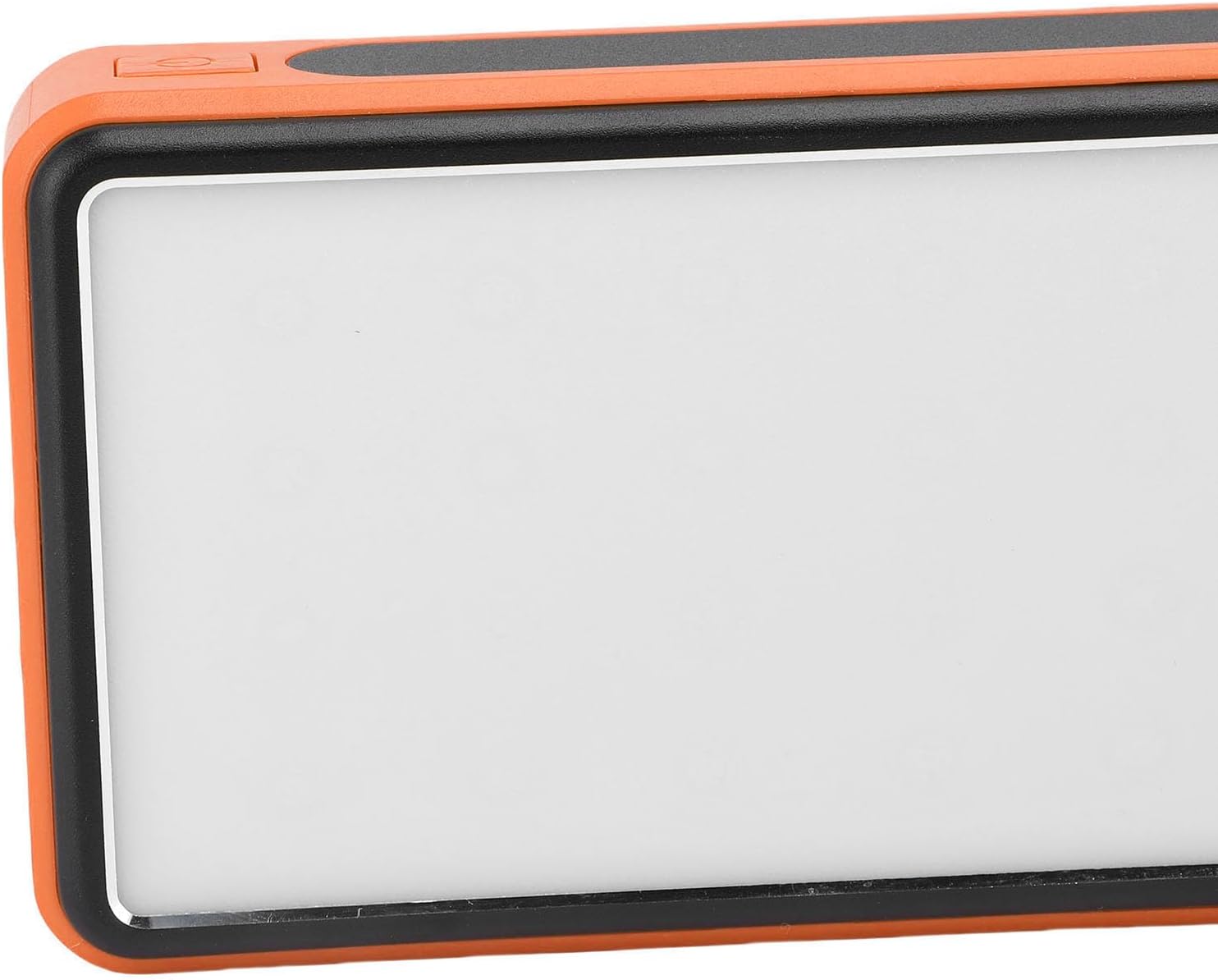
الصورة 3.2: الجانب view highlighting the power button used for operating the device and LED light.
4. الصيانة والعناية
- تنظيف: Wipe the power bank with a soft, dry cloth. Avoid using harsh chemicals or abrasive materials. Ensure the solar panel is clean for efficient charging.
- تخزين: Store the power bank in a cool, dry place away from direct sunlight and extreme temperatures. For long-term storage, charge the power bank to about 50-75% every 3-6 months to preserve battery health.
- الظروف البيئية: While crush-proof, avoid intentional drops or impacts. Do not expose to water or high humidity.

Image 4.1: Icons representing the power bank's multiple protection features, including overcharge, overvoltage, and temperature prevention.
5. استكشاف الأخطاء وإصلاحها
- بنك الطاقة لا يشحن: Ensure the charging cable is securely connected to both the power bank and the power source. Try a different cable or wall adapter. For solar charging, ensure direct sunlight and a clean solar panel.
- الجهاز لا يشحن من بنك الطاقة: Ensure the power bank has sufficient charge. Press the power button once to activate output. Try a different USB port or charging cable.
- ضوء LED لا يعمل: Long press the power button to turn it on. If it still doesn't work, ensure the power bank has sufficient charge.
- الشحن البطيء: Ensure you are using a fast-charging compatible cable and your device supports fast charging. Solar charging is inherently slower than wall charging.
6. المواصفات
| ميزة | مواصفة |
|---|---|
| سعة البطارية | 50,000 مللي أمبير |
| الأجهزة المتوافقة | Smartphones, Tablets, USB-powered devices (including some laptops) |
| بروتوكولات الشحن | USB-A, Type-C, QC Fast Charging |
| أوضاع الإضاءة LED | Constant, Breathing, SOS Flashing, Burst Flash |
| Casinمادة g | سبائك الألومنيوم |
| لون | البرتقالي |
| أبعاد الحزمة | 19 × 13 × 5 سم |
| وزن | 552 جرام |
| بلد المنشأ | الصين |
7. معلومات الضمان
This Cuifati Solar Power Bank comes with a ضمان الشركة المصنعة لمدة عامين from the date of purchase. This warranty covers defects in materials and workmanship under normal use. It does not cover damage caused by misuse, accidents, unauthorized modifications, or normal wear and tear. Please retain your proof of purchase for warranty claims.
8. الدعم
For technical support, warranty claims, or further inquiries, please contact Cuifati customer service. Refer to the product packaging or the retailer's webالموقع للحصول على أحدث معلومات الاتصال.
We recommend visiting the official Cuifati webموقع لتسجيل المنتجات، والأسئلة الشائعة، وموارد الدعم الإضافية.