
1. تعليمات السلامة الهامة
Before using the THERUN Walking Pad Treadmill, please read all instructions carefully to ensure safe operation and prevent injury. Keep this manual for future reference.
- ضع جهاز المشي على سطح مستوٍ ومستقر.
- تأكد من وجود مساحة خالية كافية حول جهاز المشي (على الأقل قدمين من الجانبين والخلف).
- لا تسمح للأطفال أو الحيوانات الأليفة بالقرب من جهاز المشي أثناء التشغيل.
- Maximum user weight capacity is 265 lbs (120 kg).
- ارتدي دائمًا أحذية رياضية مناسبة.
- إذا شعرت بألم أو دوار أو ضيق في التنفس، فتوقف عن ممارسة التمارين الرياضية على الفور.
- افصل جهاز المشي عن مأخذ الطاقة عندما لا يكون قيد الاستخدام أو قبل التنظيف/الصيانة.
- لا تستخدم جهاز المشي إذا كان تالفًا أو معطلاً. تواصل مع خدمة العملاء.
2. انتهى المنتجview
The THERUN YT05-CP Walking Pad Treadmill is a compact and portable fitness device designed for home and office use. It features a 2.5 HP motor, LED display, and app connectivity for enhanced workout tracking and control.

الشكل 2.1: الجبهة view of the THERUN Walking Pad Treadmill.
الشكل 2.2: الجانب view of the THERUN Walking Pad Treadmill, highlighting its low profile.
3. الإعداد والتثبيت
The THERUN YT05-CP Walking Pad Treadmill requires no assembly and is ready for use directly out of the box.
- فك التعبئة: Carefully remove the treadmill from its packaging. Retain packaging for future storage or transport.
- الموقع: Place the treadmill on a firm, level surface. Ensure there is sufficient space around the unit for safe operation. The compact design allows for placement under desks or in small areas.
- توصيل الطاقة: قم بتوصيل سلك الطاقة بجهاز المشي ثم بمأخذ كهربائي مؤرض.
- الفحص الأولي: قبل الاستخدام الأول، تأكد من أن حزام الجري في المنتصف وخالٍ من العوائق.

Figure 3.1: The treadmill is ready to use without installation. Includes remote control and user manual.
4. تعليمات التشغيل
The treadmill can be operated via the included remote control or through a compatible mobile application.
4.1 تشغيل/إيقاف التشغيل
- To power on, connect the treadmill to a power source and press the power button on the unit or remote control. The LED display will illuminate.
- To power off, press the power button again. Unplug the unit from the wall when not in use.
4.2 استخدام جهاز التحكم عن بعد
The remote control allows for easy adjustment of speed.
- البدء/الإيقاف: Press the start/stop button to begin or end a workout.
- تعديل السرعة: استخدم زري "+" و "-" لزيادة السرعة أو تقليلها. يتراوح نطاق السرعة من 0.6 إلى 3.8 ميل في الساعة.
4.3 اتصال التطبيق
This walking pad can be linked to three compatible applications, allowing for enhanced control, scenario switching, and exercise data recording.
- Download one of the compatible fitness apps to your smartphone or tablet.
- تأكد من تمكين البلوتوث على جهازك.
- Open the app and follow the on-screen instructions to pair with your THERUN treadmill.
- Once connected, you can control speed, track progress, and access various workout modes through the app.

Figure 4.1: App integration for personalized workouts and virtual scenery runs.
4.4 شاشة LED
The integrated LED display shows essential workout information such as speed, time, distance, and calories burned.
4.5 تشغيل منخفض الضوضاء
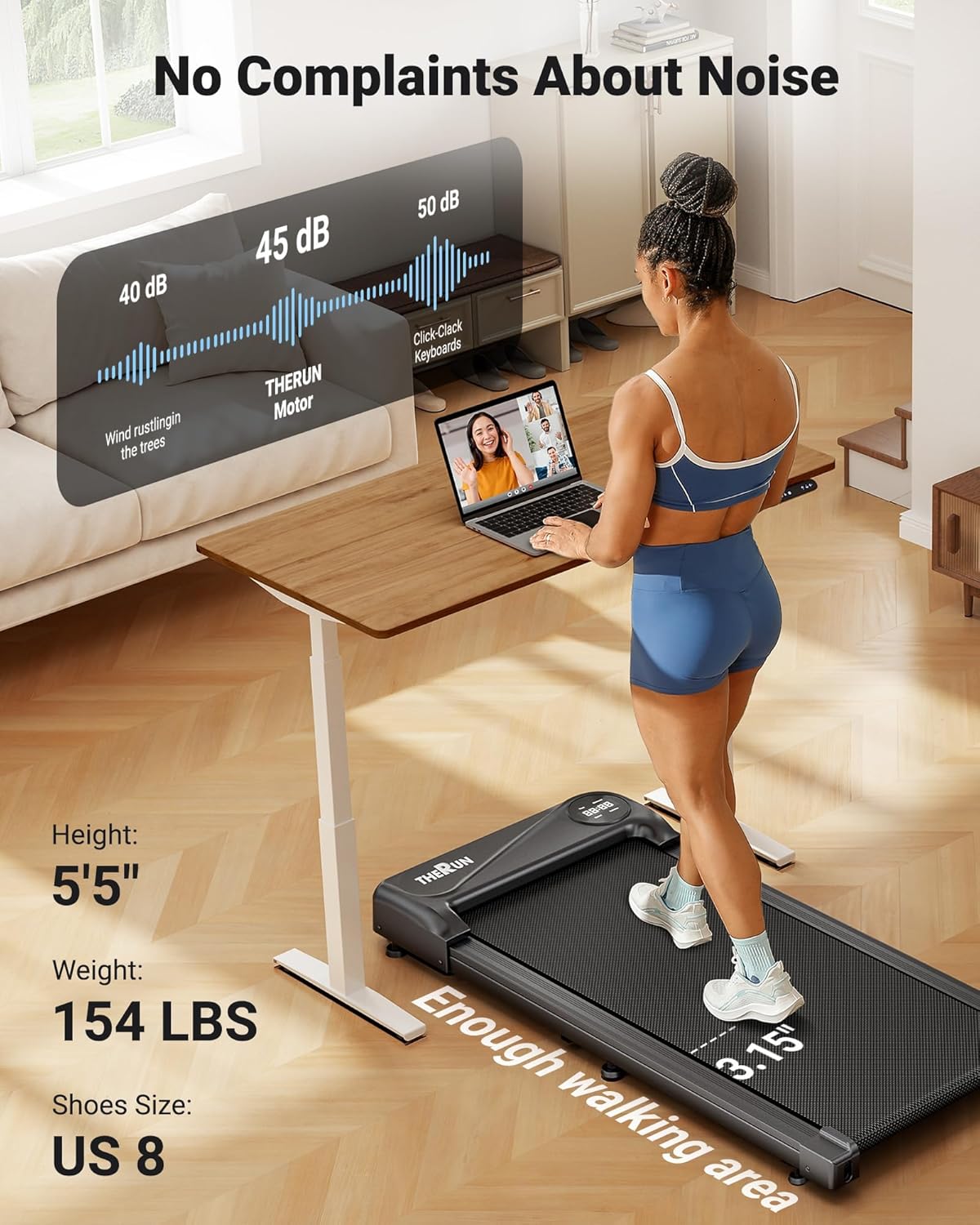
The treadmill is equipped with a 2.5 HP motor designed for quiet operation, producing approximately 45 dB of noise. This is comparable to ambient library noise, ensuring minimal disturbance during use.

Figure 4.2: The 45 dB motor ensures quiet operation, suitable for home or office environments.
5. الصيانة
تضمن الصيانة المنتظمة طول عمر جهاز المشي الخاص بك والأداء الأمثل.
- تنظيف: امسح سطح جهاز المشي بـamp امسح بقطعة قماش بعد كل استخدام. تجنب استخدام المنظفات أو المذيبات الكاشطة.
- تزييت الحزام: The running belt may require lubrication periodically. Refer to the specific instructions in the included user manual for your model regarding lubrication frequency and type of lubricant.
- تعديل الحزام: If the running belt shifts to one side or slips, it may need adjustment. Consult the detailed instructions in the full user manual for proper belt centering and tensioning procedures.
- تخزين: When not in use, the compact design and built-in transport wheels allow for easy movement and storage under furniture or in narrow spaces.

Figure 5.1: The treadmill's compact design and transport wheels facilitate easy storage.
6. استكشاف الأخطاء وإصلاحها
إذا واجهت مشاكل مع جهاز المشي الخاص بك، فراجع الحلول الشائعة التالية:
- جهاز المشي لا يعمل: Ensure the power cord is securely plugged into both the treadmill and a functional electrical outlet. Check if the power switch on the treadmill is in the 'ON' position.
- Running belt stops or slows unexpectedly: Check the power connection. Ensure the maximum weight capacity (265 lbs) is not exceeded. The belt may require lubrication or adjustment.
- جهاز التحكم عن بعد لا يستجيب: Replace the batteries in the remote control. Ensure there are no obstructions between the remote and the treadmill's receiver.
- مشاكل الاتصال بالتطبيق: Ensure Bluetooth is enabled on your device and the app is updated to the latest version. Try restarting both the treadmill and your device.
For persistent issues or problems not listed here, please contact THERUN customer support.
7. المواصفات
| ميزة | مواصفة |
|---|---|
| ماركة | الركض |
| اسم الموديل | YT05-CP |
| أبعاد المنتج (الطول × العرض × الارتفاع) | 41.9 بوصة عمق × 19.6 بوصة عرض × 4.5 بوصة ارتفاع |
| وزن العنصر | 34.4 رطل |
| مادة | سبائك الفولاذ |
| السرعة القصوى | 3.8 ميلا في الساعة |
| الحد الأدنى للسرعة | 0.6 ميلا في الساعة |
| ميزة خاصة | اتصال التطبيق |
| الجمهور المستهدف | بالغ |
| أقصى قوة حصان | 2.5 حصان |
| مطلوب التجميع | لا |
| نوع العرض | قاد |
| توصية الوزن الأقصى | 265 رطل |
| مستوى الضوضاء | حوالي 45 ديسيبل |
8. الضمان والدعم
8.1 معلومات الضمان
Your purchase includes a 1-year protection plan. This warranty covers manufacturing defects and ensures the product meets quality standards under normal use.
8.2 دعم العملاء
For any questions, concerns, or assistance with your THERUN Walking Pad Treadmill, our professional support team is available. Please contact us via email for product guides, documents, or troubleshooting assistance.

Figure 8.1: THERUN offers exclusive after-sales service and support for your treadmill.