
1. المقدمة
This user manual provides detailed instructions for the ANCEL BM300 Pro Battery Monitor and the ANCEL DS500BT Bidirectional OBD2 Scanner. Please read this manual thoroughly before using the devices to ensure proper operation and to maximize their functionality. Keep this manual for future reference.
2. ANCEL BM300 Pro Battery Monitor
2.1. علىview والميزات الرئيسية
The ANCEL BM300 Pro is an advanced battery monitor designed for 6V, 12V, and 24V battery systems. It offers enhanced features over its predecessor, including upgraded Bluetooth 5.3 connectivity, IP67 waterproofing, and extended data storage. This device allows for comprehensive monitoring of battery health and performance.
- التوافق الواسع: Supports 6V, 12V, and 24V battery systems, including lead-acid and lithium batteries.
- تقنية بلوتوث المتقدمة: Features Bluetooth 5.3 for stable and efficient wireless communication.
- Extended Data Storage: Stores up to 72 days of battery data, allowing for historical analysis.
- مقاومة الماء IP67: Provides robust protection against dust and water ingress.
- Multi-Battery Monitoring: Capable of monitoring up to 4 batteries simultaneously.
- المراقبة الصحية الشاملة: Tracks voltage, cranking system, charging system, and driving records.
- استهلاك منخفض للطاقة: Operates with a minimal power draw of approximately 1mA.
2.2. الإعداد والتثبيت
The BM300 Pro is designed for permanent installation on your vehicle's battery, providing continuous monitoring without repeated setup.
- تنزيل التطبيق: امسح رمز الاستجابة السريعة الموجود في عبوة المنتج أو قم بزيارة http://link.quicklynks.com/bm300.html to download the ANCEL BM300 Pro application from the App Store or Google Play.
- الاتصال بالبطارية: Securely attach the BM300 Pro device to your vehicle's battery terminals. Ensure a firm connection for accurate readings.
- الاتصال عبر البلوتوث: Open the ANCEL BM300 Pro app on your smartphone. The app will automatically search for and connect to the BM300 Pro device via Bluetooth 5.3.

Figure 2.2.1: BM300 Pro Easy Installation and Bluetooth Connection
2.3. Operation: Battery Monitoring
Once connected, the app provides real-time data and various tests to assess your battery's condition.
- المجلدtagالاختبار الإلكتروني: يعرض حجم البطارية الحاليةtage and State of Charge (SoC).
- اختبار الشحن: Evaluates the vehicle's charging system, showing charging voltage و ripple.
- اختبار التدوير: Measures the battery's ability to start the engine, indicating cranking voltagالبريد والوقت.
- البيانات التاريخية: Access stored data for up to 72 days to track battery performance over time.

Figure 2.3.1: Multi-functional Battery Monitoring Interface

Figure 2.3.2: BM300 Pro Accurate Voltagقراءات (هـ)
2.4. BM300 Pro Specifications
| ميزة | بي ام 300 برو |
|---|---|
| اختبار المجلدtage | 6V، 12V، 24V |
| أنواع البطارية المدعومة | Lead-acid batteries & Lithium batteries |
| أيام تخزين البيانات | 72 يوما |
| إدارة الأجهزة | ما يصل إلى 4 بطارية |
| تصنيف مقاومة الماء | IP67 |
| EXCEL Data Export | نعم |
| Vehicle Search Record | نعم |

Figure 2.4.1: BM300 Pro Upgraded Features Comparison
3. ANCEL DS500BT Bidirectional OBD2 Scanner
3.1. علىview والميزات الرئيسية
The ANCEL DS500BT is a professional bidirectional OBD2 scanner designed for comprehensive vehicle diagnostics and maintenance. It offers a wide range of functions, including advanced reset services and full-system scanning, enabling users to identify and resolve complex vehicle issues.
- التحكم ثنائي الاتجاه: Send commands to the ECU to perform active tests and verify repairs.
- 28+ Reset Functions: Supports a wide array of professional maintenance resets, including EPB, SAS, and Transmission Adaptations.
- تشخيص النظام الكامل: Scans all available vehicle modules (PCM, transmission, ABS, SRS, etc.) for a complete health report.
- بث البيانات المباشر: Displays real-time sensor data for in-depth analysis.
- مكتبة دي تي سي: Built-in database for quick lookup of diagnostic trouble codes.
- FCA AutoAuth & CAN-FD Protocol: Included for compatibility with modern vehicle systems.
3.2. Operation: Diagnostic Functions
The DS500BT provides powerful diagnostic capabilities to help you understand and manage your vehicle's health.
3.2.1. Active Tests (Bidirectional Control)
Perform specific component tests by sending commands to the vehicle's ECU. This allows for verification of component functionality without manual intervention.
- التحكم في الضوء
- ضبط ماسحات الزجاج الأمامي
- Window open/close
- مؤخرةview التحكم بالمرآة
- اختبار حاقن الوقود
- بدء تشغيل مضخة الوقود

Figure 3.2.1: DS500BT Active Test Capabilities
3.2.2. Professional Maintenance Resets
The DS500BT offers over 28 reset functions to clear warning lights and restore vehicle performance after repairs.
- Common Service Resets: Oil Reset, BMS Reset, TPMS Reset, D-P-F Reset.
- System & Safety Resets: SAS Reset, Airbag Reset, ABS Bleeding, EGR Reset.
- Advanced & Custom Resets: Injector Coding, Gear Reset, Stop/Start Reset, Brake Reset.
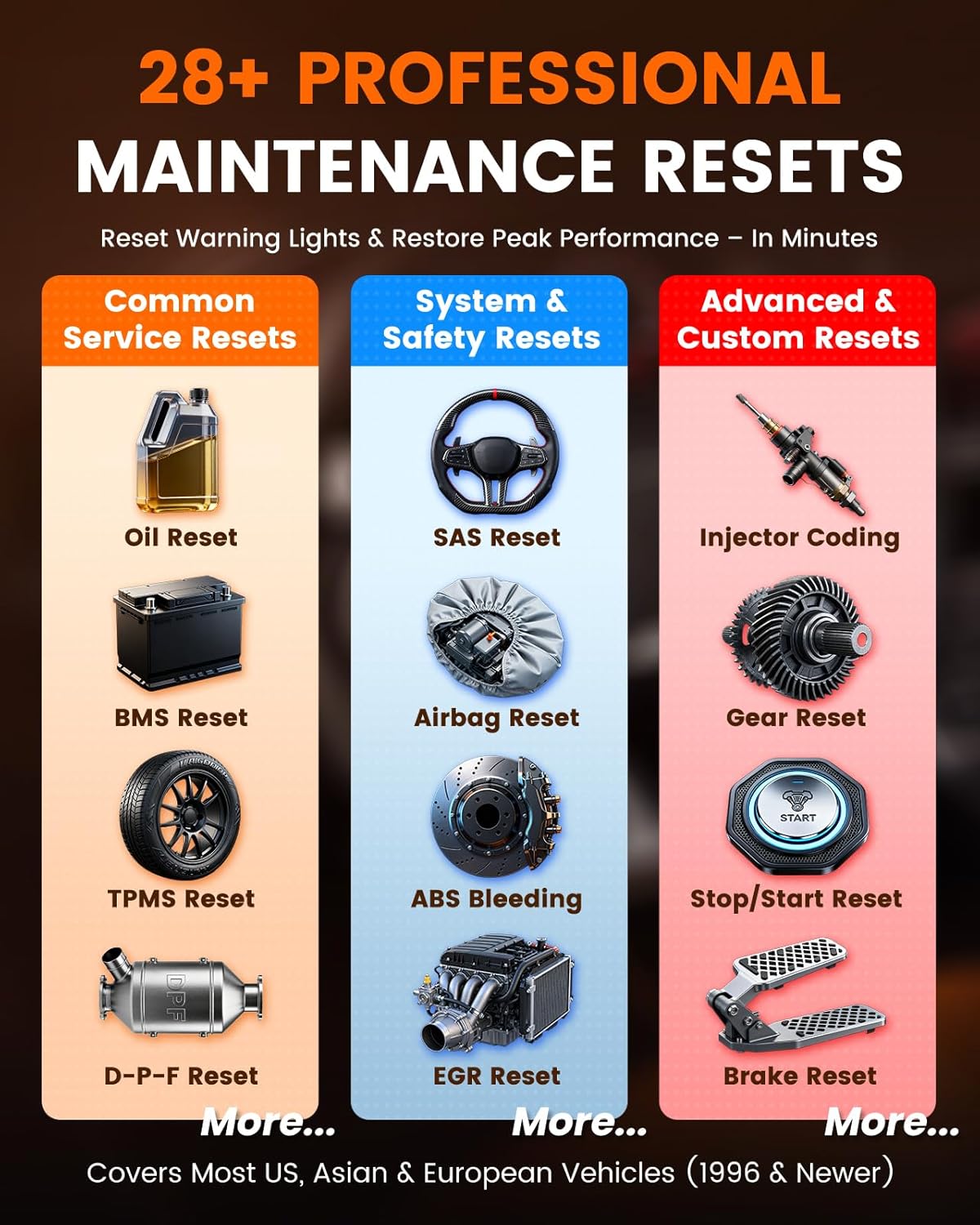
Figure 3.2.2: DS500BT Professional Maintenance Resets
3.2.3. فحص النظام الكامل
Perform a comprehensive scan of all electronic control units (ECUs) in the vehicle to identify diagnostic trouble codes (DTCs) and view بيانات حية.
- قراءة الرموز: Retrieve current, pending, and permanent DTCs.
- مسح الرموز: Erase DTCs and turn off warning lights after repairs.
- البيانات الحية: Monitor real-time parameters from various sensors and modules (e.g., engine RPM, coolant temperature, oxygen sensor readings).
- اختبار EVAP: Conduct the Evaporative Emission System Leak Test.
- تجميد الإطار: View صورة لظروف تشغيل السيارة في الوقت الذي تم فيه تعيين رمز الخطأ.
- معلومات السيارة: Retrieve vehicle identification number (VIN), calibration ID, and calibration verification numbers (CVN).

Figure 3.2.3: DS500BT Full System Scan Capabilities
3.3. DS500BT Specifications
| ميزة | DS500BT |
|---|---|
| تحديثات مجانية مدى الحياة | نعم |
| Reset Service Functions | 28+ |
| اختبار نشط | نعم |
| FCA AutoAuth | متضمن |
| CAN-FD Protocol | متضمن |
| وقت الاستعداد | > 8 يوما |
| طريقة الاتصال | 10M BT5.0 |

Figure 3.3.1: DS500BT Feature Advantage at a Glance
4. استكشاف الأخطاء وإصلاحها
If you encounter issues with your ANCEL BM300 Pro or DS500BT, please refer to the following general troubleshooting steps:
- مشاكل الاتصال: Ensure Bluetooth is enabled on your smartphone and the device is within range. For BM300 Pro, verify secure connection to battery terminals. For DS500BT, ensure the OBD2 connector is firmly seated.
- التطبيق لا يستجيب: Close and restart the application. If the issue persists, try reinstalling the app.
- Inaccurate Readings (BM300 Pro): Check battery terminal connections for corrosion or looseness. Ensure the battery is fully charged before performing tests for baseline accuracy.
- Scanner Not Communicating (DS500BT): Verify the vehicle's ignition is on. Check the vehicle's OBD2 port for power. Try connecting to a different vehicle if possible to rule out a vehicle-specific issue.
- تحديثات البرامج: Ensure both devices' firmware and the associated apps are updated to the latest versions.
For more specific troubleshooting or persistent issues, please contact ANCEL customer support.
5. الصيانة
Proper maintenance ensures the longevity and optimal performance of your ANCEL devices.
- تنظيف: Use a soft, dry cloth to clean the exterior of the devices. Avoid using abrasive cleaners or solvents.
- تخزين: قم بتخزين الأجهزة في مكان بارد وجاف بعيدًا عن أشعة الشمس المباشرة ودرجات الحرارة القصوى عند عدم استخدامها.
- العناية بالكابلات: Inspect cables and connectors regularly for any signs of damage. Avoid bending or crimping cables excessively.
- تحديثات البرامج: Regularly check for and install software and firmware updates to ensure compatibility and access to new features.
6. الضمان والدعم
For information regarding product warranty, technical support, or service, please refer to the official ANCEL website or contact their customer service department directly. Details are typically provided with your purchase documentation or on the manufacturer's webموقع.