
1. المقدمة
The ZTE U60 Pro MU5250 is a portable 5G Wi-Fi 7 router designed to provide high-speed internet connectivity on the go. It features an ultra-high-speed 5G-A network, the flagship Snapdragon X75 chip platform, and advanced Wi-Fi 7 technology. This device is equipped with a 10,000 mAh high-capacity battery, offering extended usage and the ability to function as a power bank for other electronic devices. Its 3.5-inch HD touchscreen allows for easy network management and traffic monitoring. The U60 Pro supports up to 64 simultaneous device connections and offers convenient NFC one-touch connectivity, intelligent AI scenes, and AI voice management for a fast, stable, and efficient internet experience.

الصورة 1.1: الجبهة view of the ZTE U60 Pro MU5250, showing its 3.5-inch display with network information.
2. الإعداد
2.1 محتويات العبوة
قبل البدء، تأكد من تواجد جميع المكونات:
- ZTE U60 Pro MU5250 5G Pocket Wi-Fi 7 Router
- محول التيار المتردد
- دليل المستخدم (هذا المستند)
2.2 تركيب بطاقة SIM
To enable 5G connectivity, a compatible SIM card must be installed.
- حدد مكان فتحة بطاقة SIM على جانب الجهاز.
- Using the provided SIM ejector tool (if applicable) or a small pin, gently press into the small hole next to the SIM tray to eject it.
- Place your 5G-enabled Nano-SIM card into the tray, ensuring proper orientation.
- قم بإعادة إدخال درج بطاقة SIM داخل الجهاز بعناية حتى يستقر في مكانه.
2.3 تشغيل/إيقاف التشغيل
To power on the device, press and hold the power button located on the side until the screen illuminates. To power off, press and hold the power button until the power-off options appear on the screen, then select 'Power Off'.
2.4 الاتصال الأولي بشبكة Wi-Fi
After powering on, the device will automatically search for a 5G network. You can connect to the Wi-Fi network using one of the following methods:
- الاتصال اليدوي: On your device (phone, laptop, etc.), search for available Wi-Fi networks. Select the network name (SSID) displayed on the U60 Pro's screen and enter the password (also displayed on the screen).
- اتصال بلمسة واحدة بتقنية NFC: For Android phones with NFC enabled, tap your phone against the NFC area on the U60 Pro. Your phone will automatically connect to the Wi-Fi network without requiring a password.

Image 2.1: Illustrates the NFC one-touch connection process for quick Wi-Fi access.
3. تعليمات التشغيل
3.1 واجهة شاشة اللمس
The 3.5-inch HD touchscreen provides a minimalist user interface for managing the device. You can view network status, data usage, signal strength, battery level, and adjust basic settings directly from the screen. Swipe and tap gestures are used for navigation.
3.2 توصيل أجهزة متعددة
The ZTE U60 Pro supports simultaneous connections for up to 64 devices, allowing multiple users to share the 5G network. Connect devices using the standard Wi-Fi connection method as described in Section 2.4.
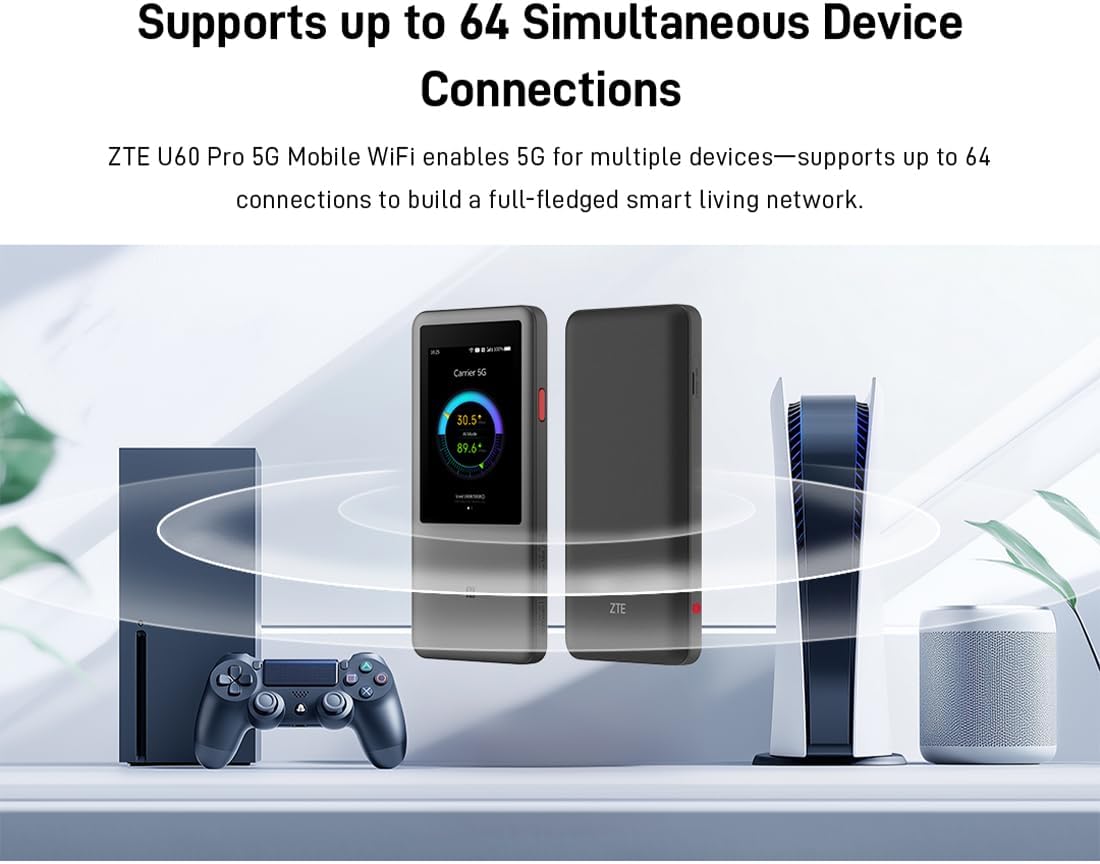
Image 3.1: The ZTE U60 Pro providing 5G Wi-Fi connectivity to various electronic devices.
3.3 AI Smart Scene Modes
The device features intelligent AI Scene technology with dynamic bandwidth allocation. It adjusts bandwidth and priority for applications based on user usage patterns to ensure smooth operation. Available modes include:
- Anchor Mode: Optimized for live streaming.
- وضع المؤتمر: Prioritizes video conferencing applications.
- وضع الفيديو: Enhances video playback and streaming.
- وضع السرعة: Maximizes overall network speed.
- وضع اللعبة: Reduces latency for online gaming.
3.4 AI Voice Management (via ZTE Smart Life APP)
The ZTE Smart Life APP enables effortless device management, including AI voice control. This feature allows for intelligent management of the router through voice commands. Download the ZTE Smart Life APP from your device's app store.

Image 3.2: The ZTE Smart Life APP interface demonstrating AI voice management capabilities.
3.5 وظيفة بنك الطاقة
The U60 Pro can also serve as a power bank. With its 10,000 mAh battery and 18W reverse fast charging, you can charge other electronic devices by connecting them to the router's appropriate port (e.g., USB-C).
4. الصيانة
4.1 العناية بالبطارية
The device is equipped with a 10,000 mAh battery. To maximize battery life:
- تجنب درجات الحرارة القصوى.
- استخدم الشاحن السريع المرفق بقوة 27 واط للحصول على شحن مثالي.
- للتخزين طويل الأمد، اشحن البطارية إلى حوالي 50% وخزنها في مكان بارد وجاف.
4.2 العناية العامة بالجهاز
To ensure the longevity and optimal performance of your ZTE U60 Pro:
- حافظ على نظافة جهازك وخلوه من الغبار. استخدم قطعة قماش ناعمة وجافة للتنظيف.
- تجنب تعريض الجهاز للماء أو الرطوبة الزائدة.
- لا تسقط الجهاز أو تعرضه لصدمات قوية.
- تأكد من توفير تهوية مناسبة أثناء الاستخدام لمنع ارتفاع درجة الحرارة.
5. استكشاف الأخطاء وإصلاحها
If you encounter issues with your ZTE U60 Pro, refer to the following common solutions:
5.1 لا يوجد اتصال بالشبكة
- تحقق من بطاقة SIM: Ensure the SIM card is correctly inserted and activated with a 5G data plan.
- قوة الإشارة: Verify the signal strength indicator on the device's screen. Move to an area with better 5G coverage if the signal is weak.
- إعادة تشغيل الجهاز: Power off and then power on the U60 Pro.
- إعدادات الشبكة: Check network settings via the touchscreen or ZTE Smart Life APP to ensure APN settings are correct (usually automatic).
5.2 مشاكل اتصال Wi-Fi
- كلمة مرور خاطئة: Double-check the Wi-Fi password displayed on the U60 Pro's screen.
- الحد الأقصى للأجهزة: Ensure you have not exceeded the maximum of 64 connected devices.
- Restart Connected Device: Restart the device attempting to connect to the Wi-Fi.
- إعادة تشغيل جهاز التوجيه: Restart the ZTE U60 Pro.
5.3 سرعة الإنترنت البطيئة
- قوة الإشارة: ستؤدي إشارة الجيل الرابع الضعيفة إلى سرعات أبطأ.
- الحد الأقصى للبيانات: Check if your data plan has a fair usage policy or if you have exceeded a data cap, which might throttle speeds.
- AI Scene Mode: Ensure the appropriate AI Scene mode (e.g., Speed Mode) is selected for your activity.
- تدخل: Move the device away from other electronic devices that might cause interference.
6. المواصفات
The following table details the technical specifications of the ZTE U60 Pro MU5250:

Image 6.1: The Snapdragon X75 Flagship Chip-set Platform, central to the router's performance.
| ميزة | التفاصيل |
|---|---|
| ماركة | زد تي اي |
| اسم الموديل | MU5250 |
| رقم موديل العنصر | MU5250 |
| الشركة المصنعة | زد تي اي |
| ميزة خاصة | 5G Connection, Wi-Fi 7, AI Scenes, Voice Control, Power Bank |
| تكنولوجيا الاتصال | 5G، واي فاي |
| جيل الواي فاي | واي فاي 7 |
| معيار الاتصال اللاسلكي | 802.11a، 802.11ac، 802.11b، 802.11g، 802.11n |
| فئة نطاق التردد | النطاق المزدوج |
| تكرار | 5 جيجاهرتز |
| معدل نقل البيانات | 4.29 Gigabits per second (Download) |
| Maximum Upstream Data Transfer Rate | 3600 Megabits per second (Wi-Fi 7 Peak Throughput) |
| عدد الهوائيات | 9 (Omnidirectional 5G Array) |
| التغطية | Wide and complete (360° full-band coverage) |
| طريقة التحكم | يلمس |
| نظام التشغيل | زينوس |
| بروتوكول الأمان | WPA3 |
| Router Firewall Security Level | أساسي |
| البطارية (البطاريات) | 1 AAA - included (Note: Product description mentions 10,000 mAh, likely internal) |
| وزن العنصر | 435 جرام |
| المكونات المضمنة | محول التيار المتردد |
| الأجهزة المتوافقة | Game Console, various Wi-Fi enabled devices |
| الاستخدامات الموصى بها للمنتج | Streaming, Gaming, Outdoor/Travel, Small Office |
| الاتصال بالإنترنت | نعم |
| Modem Compatible | No (Functions as a standalone 5G router) |
| التوافق مع المنزل الذكي | Not Smart Home Compatible |
| توافر قطع الغيار | المعلومات غير متوفرة |
| تحديثات البرامج مضمونة حتى | المعلومات غير متوفرة |

Image 6.2: Highlighting the 5G ultra-high-speed network of the ZTE U60 Pro MU5250.

Image 6.3: Illustration of the 9 omnidirectional 5G antennas providing 360° full-band coverage.
7. الدعم والضمان
7.1 دعم العملاء
For further assistance, technical support, or inquiries not covered in this manual, please refer to the official ZTE support channels or contact your retailer.
7.2 معلومات الضمان
Warranty terms and conditions may vary by region and retailer. Please refer to the warranty card included with your product or consult your point of purchase for detailed warranty information.