
1. المقدمة
Thank you for choosing the AULA F3018 Mechanical Keyboard. This keyboard is designed for high-level mechanical performance and robust construction, offering precision for gaming and comfort for typing. It features Blue switches for a tactile and audible click, an ABNT2 layout with 'Ç' for Brazilian Portuguese compatibility, and full RGB lighting with multiple customizable effects. The reinforced braided cable enhances durability and ensures a stable connection. This manual provides essential information for setup, operation, and maintenance of your keyboard.
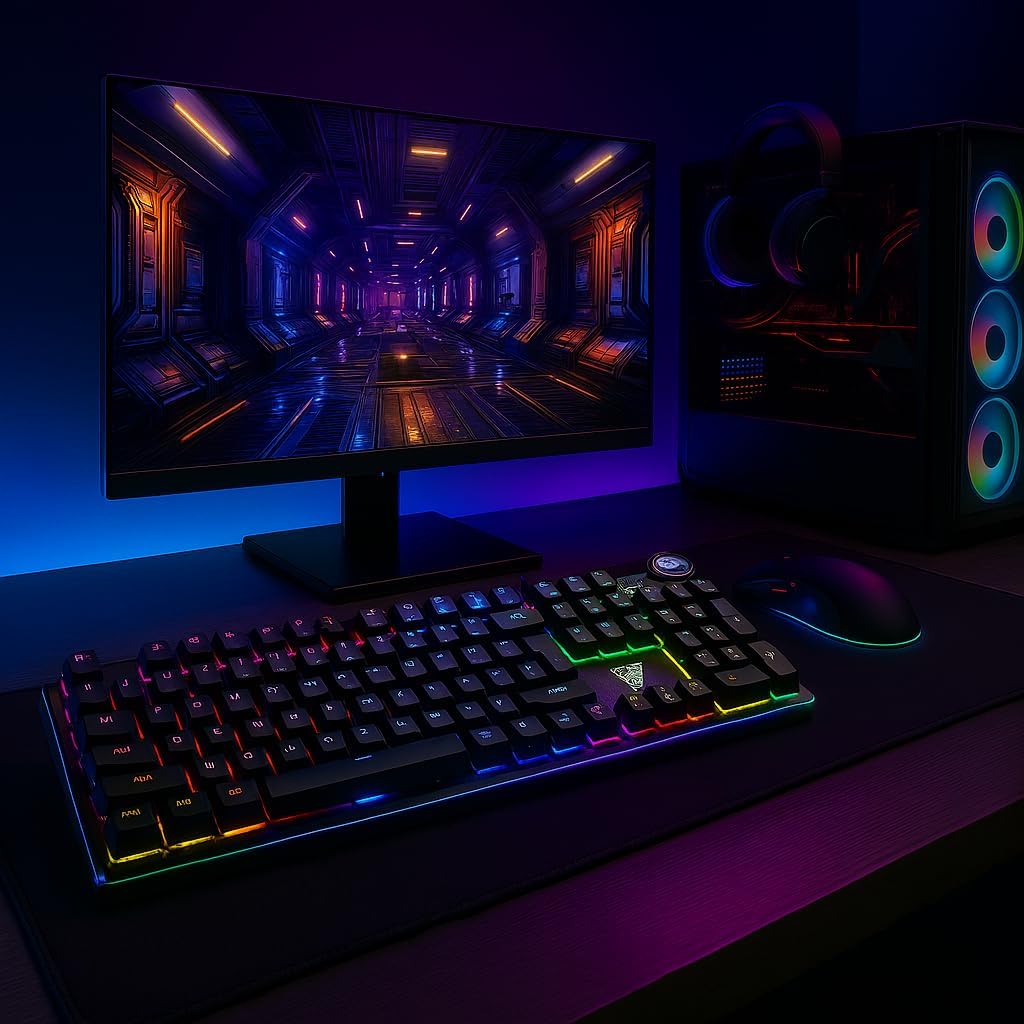
Image 1.1: AULA F3018 Mechanical Keyboard in a typical desktop setup, showcasing its RGB lighting and full-size design.
2. محتويات العبوة
تأكد من وجود جميع العناصر في العبوة:
- لوحة المفاتيح الميكانيكية AULA F3018
- كابل USB (مرفق)
- دليل المستخدم (هذا المستند)
3. الإعداد
Follow these steps to connect your AULA F3018 Mechanical Keyboard:
- فك لوحة المفاتيح: قم بإزالة لوحة المفاتيح من عبوتها بعناية.
- الاتصال بجهاز الكمبيوتر: Insert the USB connector of the keyboard's reinforced cable into an available USB port on your computer (PC, Notebook, or MacBook). The keyboard supports USB 2.0 and USB 3.0 ports.
- تثبيت برنامج التشغيل: لوحة المفاتيح سهلة الاستخدام، حيث يقوم نظام التشغيل الخاص بك تلقائيًا باكتشافها وتثبيت برامج التشغيل اللازمة. لا يتطلب الأمر تثبيت أي برامج إضافية للوظائف الأساسية.
- تحقق من الاتصال: Once connected, the keyboard's RGB lighting should illuminate, indicating a successful connection. You can now begin using your keyboard.

الصورة 3.1: بزاوية view of the AULA F3018 keyboard, highlighting the durable, reinforced USB cable for connection.
4. تعليمات التشغيل
4.1. الوظائف الأساسية
The AULA F3018 is a full-size ABNT2 layout keyboard with 108 keys, providing all standard typing and navigation functions.
4.2. التحكم في إضاءة RGB
The keyboard features full RGB backlighting with multiple effects. Use the following key combinations to control the lighting:
- Fn + [مفتاح]: Specific keys may have secondary functions for lighting control. Refer to the keycaps for symbols indicating lighting adjustments.
- أوضاع الإضاءة: Cycle through various lighting effects and patterns.
- ضبط السطوع: Increase or decrease the brightness of the backlighting.
- تعديل السرعة: قم بتغيير سرعة تأثيرات الإضاءة الديناميكية.

Image 4.1: The AULA F3018 keyboard illuminated with vibrant RGB lighting, demonstrating customizable visual effects.
4.3. Multimedia Controls
The keyboard includes dedicated multimedia keys and a volume control knob for convenient media management:
- مقبض الصوت: Rotate the knob clockwise to increase volume, counter-clockwise to decrease volume. Press the knob to mute/unmute audio.
- مفاتيح الوسائط المتعددة المخصصة: Located above the numeric keypad, these keys provide quick access to functions like Play/Pause, Stop, Previous Track, and Next Track.

الصورة 4.2: تفصيلية view of the volume control knob and adjacent multimedia keys on the AULA F3018 keyboard.
5. الصيانة
تضمن الصيانة المناسبة طول عمر لوحة المفاتيح لديك وأدائها الأمثل:
- تنظيف: استخدم قطعة قماش ناعمة وجافة لمسح سطح لوحة المفاتيح. ولإزالة الغبار والأوساخ بين المفاتيح، استخدم الهواء المضغوط. تجنب استخدام المواد الكيميائية القاسية أو المواد الكاشطة.
- منع الانسكاب: While the keyboard is moisture-resistant, avoid direct liquid spills. In case of a spill, immediately disconnect the keyboard and allow it to dry completely before reconnecting.
- العناية بالكابلات: Do not bend or twist the reinforced cable excessively. Store it neatly to prevent damage.
- تخزين: عند عدم استخدام لوحة المفاتيح لفترات طويلة، قم بتخزينها في بيئة نظيفة وجافة بعيدًا عن أشعة الشمس المباشرة ودرجات الحرارة القصوى.
6. استكشاف الأخطاء وإصلاحها
If you encounter issues with your AULA F3018 keyboard, refer to the following common problems and solutions:
- لوحة المفاتيح لا تستجيب:
- تأكد من توصيل كابل USB بشكل آمن بكل من لوحة المفاتيح والكمبيوتر.
- حاول توصيل لوحة المفاتيح بمنفذ USB مختلف على جهاز الكمبيوتر الخاص بك.
- أعد تشغيل الكمبيوتر الخاص بك.
- قم باختبار لوحة المفاتيح على جهاز كمبيوتر آخر لاستبعاد وجود مشكلة خاصة بالكمبيوتر.
- إضاءة RGB لا تعمل:
- Check if the lighting is turned off or set to minimum brightness using the keyboard's lighting control functions (e.g., Fn + [Key]).
- تأكد من توصيل لوحة المفاتيح بشكل صحيح واستقبال الطاقة.
- المفاتيح غير مسجلة أو مكتوبة مرتين:
- Clean the affected key(s) with compressed air to remove any debris.
- If the issue persists, it might indicate a hardware fault. Contact customer support.
- مفاتيح الوسائط المتعددة لا تعمل:
- Ensure your operating system's media player is active and in focus.
- التحقق من وجود أي برامج أو برامج تشغيل متعارضة.
7. المواصفات
| ميزة | وصف |
|---|---|
| اسم الموديل | لوحة المفاتيح الميكانيكية AULA F3018 |
| رقم الموديل | ف3018 |
| ماركة | AULA (Generic) |
| نوع المفتاح | Tactile Blue Switch |
| تخطيط لوحة المفاتيح | ABNT2 (Portuguese) |
| عدد المفاتيح | 108 |
| الاتصال | Wired (USB, USB 2.0, USB 3.0) |
| الإضاءة الخلفية | Full RGB, Adjustable |
| الأجهزة المتوافقة | MacBook, Notebook, PC |
| مادة | أكريلونيتريل بوتادين ستايرين (ABS) |
| لون | أسود |
| الأبعاد (الطول × العرض × الارتفاع) | 44 سم × 14 سم × 3 سم |
| مستوى مقاومة الماء | مقاوم للرطوبة |
| الاستخدامات الموصى بها | Gaming, Personal, Programming |
| المكونات المضمنة | كابل يو اس بي |
| بلد المنشأ | الصين |

Image 7.1: Dimensions of the AULA F3018 Mechanical Keyboard, showing its length, width, and height.

Image 7.2: Key features of the AULA F3018 keyboard, including switch type, layout, and connectivity.
8. الضمان والدعم
The AULA F3018 Mechanical Keyboard comes with a 30-day seller warranty من تاريخ الشراء. يغطي هذا الضمان عيوب التصنيع في ظل الاستخدام العادي.
For technical support, warranty claims, or any questions regarding your product, please contact your retailer or the seller directly. Please retain your proof of purchase for warranty validation.