
1. المقدمة
The Arregui SPIN UP + BRIDGE is an advanced invisible security lock designed to enhance the protection of your home or office. This electronic lock offers discreet installation, remaining unseen from the exterior, thereby increasing security against forced entry and manipulation. It integrates seamlessly with mobile applications for smart control and includes a powerful 120 dB alarm system. The included Arregui Bridge enables remote management and compatibility with smart home assistants.

Image: The Arregui SPIN UP + BRIDGE invisible security lock, shown installed on the interior of a wooden door, next to a traditional intercom unit.
2. معلومات السلامة
يرجى قراءة جميع التعليمات بعناية قبل التركيب والاستخدام. احتفظ بهذا الدليل للرجوع إليه مستقبلًا.
- Ensure the lock is installed on a clean, dry surface.
- لا تعرض الجهاز لدرجات حرارة شديدة أو رطوبة.
- Use only specified AA 1.5V alkaline batteries.
- احتفظ بالجهاز بعيدًا عن متناول الأطفال.
- Do not attempt to disassemble or repair the lock yourself. Contact qualified service personnel.
3. محتويات العبوة
تأكد من وجود جميع المكونات في العبوة:
- Arregui SPIN UP Lock Unit
- لوحة التركيب
- حشوات مطاطية
- Double-sided Adhesive Strips
- أداة إعادة الضبط
- مفتاح ألين
- مسامير التثبيت
- دليل التعليمات
- Arregui Bridge Device for Remote Connection
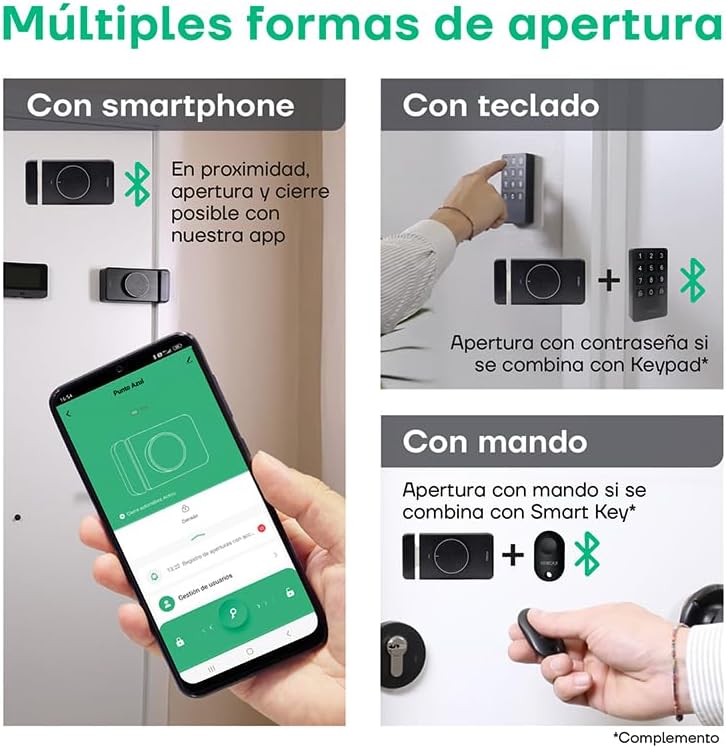
Image: An illustrative diagram detailing the various components and features of the Arregui SPIN UP smart lock, including its invisible design, app control, and alarm capabilities.
4. الإعداد والتثبيت
The Arregui SPIN UP lock is designed for quick and wireless installation, requiring no complex wiring or construction work. It is installed on the interior side of your door, making it invisible from the outside.
4.1. Lock Installation
- جهز الباب: Ensure the interior surface of your door is clean and dry where the lock will be mounted.
- قم بوضع لوحة التثبيت: Determine the optimal position for the lock on the interior side of your door. The lock can be placed in various positions to suit your door type. Use the double-sided adhesive strips or screws to secure the mounting plate.
- Attach the Lock Unit: Align the SPIN UP lock unit with the mounting plate and secure it firmly.
- تركيب البطاريات: Open the battery compartment and insert 4 AA 1.5V alkaline batteries, ensuring correct polarity.

الصورة: الجبهة view of the Arregui SPIN UP lock, showcasing its sleek black design and central control knob.

الصورة: الجانب view of the Arregui SPIN UP lock, highlighting its compact profile and the bolt mechanism.

الصورة: الخلف view of the Arregui SPIN UP lock, showing the mounting points and internal structure.
4.2. Arregui Bridge Setup
The Arregui Bridge enables remote control of your lock via Wi-Fi.
- تشغيل الطاقة: Plug the Arregui Bridge into a power outlet near your lock and Wi-Fi router.
- إقران مع التطبيق: Follow the instructions in the Arregui Security app to pair the Bridge with your lock and connect it to your home Wi-Fi network.
فيديو: أكثر منview of the Arregui SPIN UP lock, demonstrating its features, installation, and various methods of operation including app control, remote key, and keypad. The video also showcases the alarm system and the benefits of the Arregui Bridge for remote access.
5. تعليمات التشغيل
5.1. App Control (Arregui Security App)
The Arregui Security app provides comprehensive control over your lock.
- تحميل التطبيق: Download the "Arregui Security" app from Google Play Store or Apple App Store.
- الاقتران: Enable Bluetooth on your smartphone and follow the in-app instructions to pair with your SPIN UP lock.
- الافتتاح / الإغلاق: Use the app interface to lock or unlock your door.
- إدارةالمستخدم: Grant or revoke access permissions for other users.
- سجل الوصول: View a detailed log of all lock activities.
- Remote Control (with Bridge): If the Arregui Bridge is installed and configured, you can control your lock from anywhere with an internet connection.
- التحكم الصوتي: The lock is compatible with Google Assistant and Amazon Alexa for voice commands (requires Arregui Bridge).

Image: A smartphone screen showing the Arregui Smart Security application, illustrating its user-friendly interface for managing the lock.
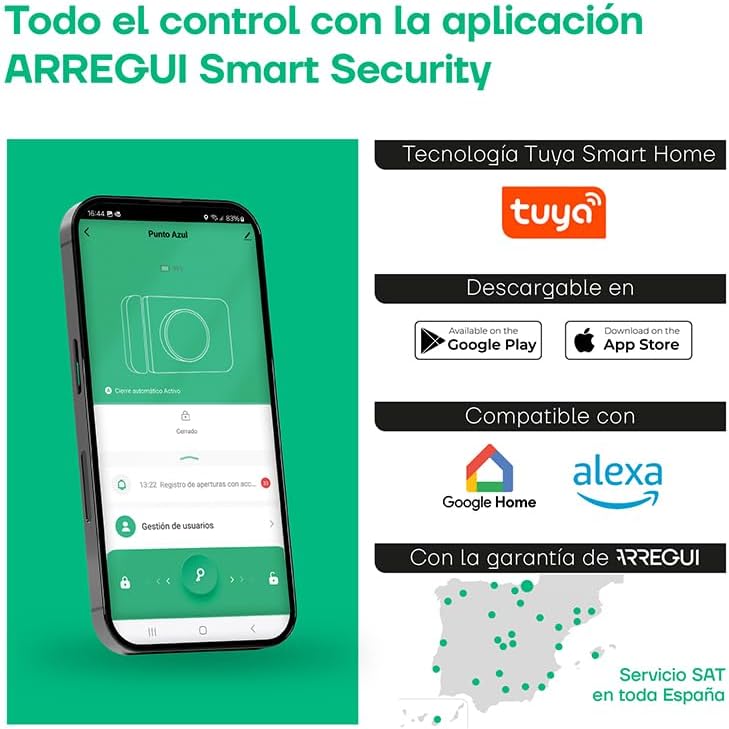
Image: A man using his smartphone to remotely open the Arregui SPIN UP lock, demonstrating the convenience of remote access via the Arregui Bridge.
5.2. Manual Opening
From the interior side of the door, the lock can be manually operated using the integrated knob.
5.3. Optional Opening Methods (Accessories)
The Arregui SPIN UP lock supports additional opening methods with optional accessories:
- Smart Key Remote: A dedicated remote control (not included) can be paired for convenient opening and closing.
- لوحة المفاتيح: An external keypad (not included) allows access via a numerical code.

Image: An infographic illustrating the multiple ways to open the Arregui SPIN UP lock, including smartphone app, keypad, and remote control.
6. نظام إنذار
The Arregui SPIN UP features an integrated 120 dB alarm to deter intruders.
- شروط الزناد: The alarm activates upon detection of vibration or attempts of forced entry.
- التنبيهات: In addition to the audible alarm, you may receive notifications via the Arregui Security app.
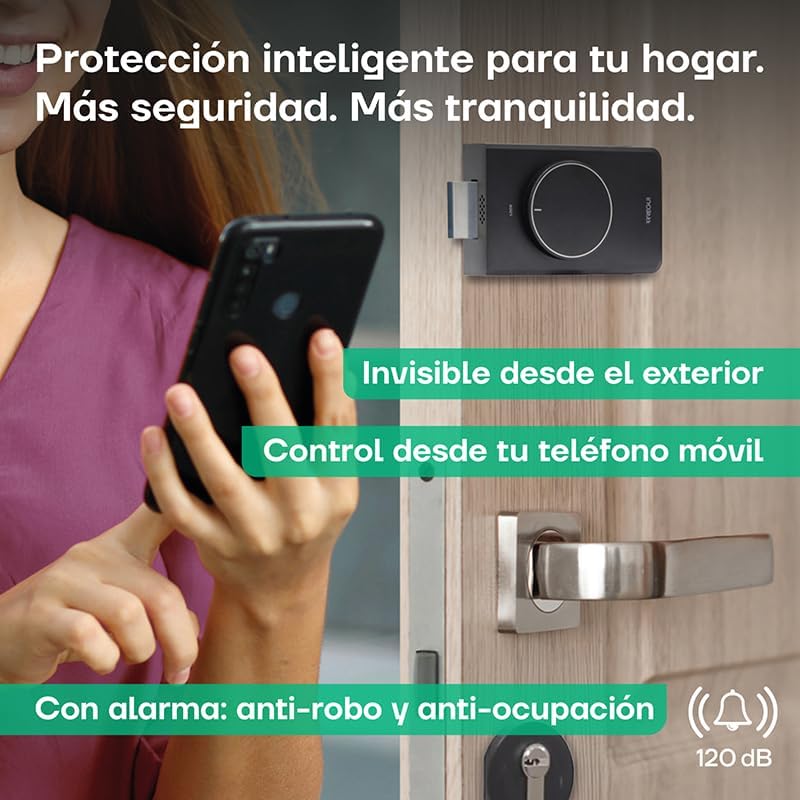
Image: The Arregui SPIN UP lock on a door, with a graphic overlay emphasizing its 120 dB anti-theft and anti-occupation alarm feature.
7. الصيانة
7.1. استبدال البطارية
The lock is powered by 4 AA 1.5V alkaline batteries. It is recommended to replace them when the low battery alert is triggered.
- تنبيه انخفاض البطارية: The Arregui Security app will notify you when the battery level falls below 10%.
- Emergency Auto-Opening: For your safety, the lock will automatically open if the battery level drops below 10% to prevent you from being locked out.
- Accessing Battery Compartment: The battery compartment is easily accessible for replacement.
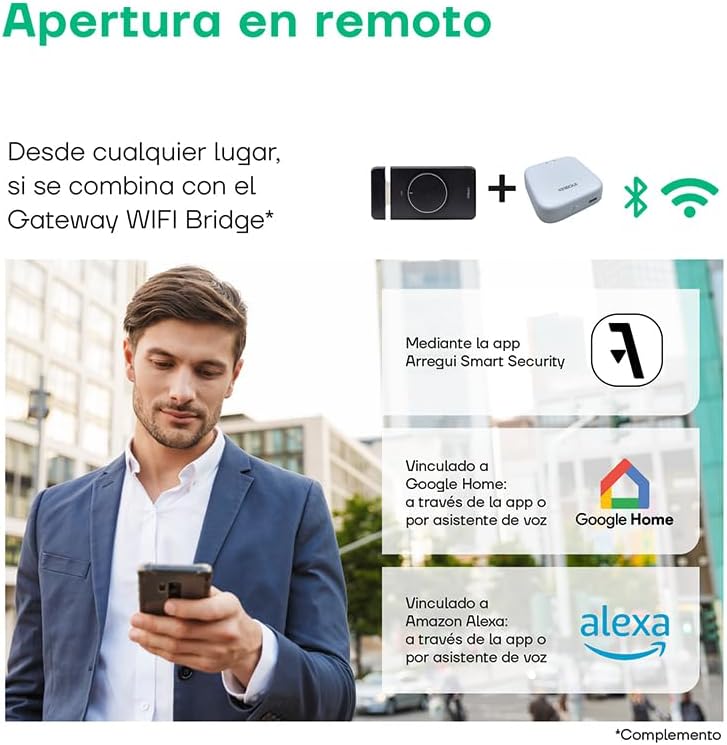
Image: The Arregui SPIN UP lock highlighting its power source (4 AA batteries), over 5,000 openings per set of batteries, easy battery access, low battery warning via app, and emergency auto-opening feature.
7.2. التنظيف
Clean the lock unit with a soft, dry cloth. Do not use abrasive cleaners or solvents.
8. استكشاف الأخطاء وإصلاحها
- القفل لا يستجيب: Check battery levels. If low, replace batteries. Ensure Bluetooth is enabled on your smartphone and you are within range.
- مشكلات اتصال التطبيق: Ensure your smartphone has a stable internet connection. For remote control, verify the Arregui Bridge is powered on and connected to Wi-Fi. Restart the app or your smartphone if issues persist.
- Alarm False Triggers: Review the sensitivity settings for the vibration sensor in the Arregui Security app. Adjust as needed.
- Lock Does Not Open/Close Smoothly: Check for any obstructions around the door frame or the lock mechanism. Ensure the lock is securely mounted.
- إعادة ضبط القفل: If experiencing persistent issues, use the provided reset tool to perform a factory reset. Refer to the app for specific instructions on re-pairing after a reset.
9. المواصفات
| ميزة | التفاصيل |
|---|---|
| ماركة | أريجوي |
| لون | نيغرو (أسود) |
| مصدر الطاقة | Batería (Battery) - 4x AA 1.5V |
| الأجهزة المتوافقة | Smart Speakers, Smartphone, Arregui Bridge |
| الأبعاد (الطول × العرض × الارتفاع) | 40 × 92 × 142 ملم |
| تكنولوجيا الاتصال | Wireless (Bluetooth, Wi-Fi via Bridge) |
| نوع التثبيت | Battery/Wireless |
| نوع التنبيه | Motion Only (Vibration/Forced Entry) |
| طريقة التحكم | Application, Remote Control (optional), Voice |
| رقم الموديل | Con WIFI Gateway |
| الشركة المصنعة | أريجوي |
| بلد المنشأ | España (Spain) |
10. الضمان والدعم
Arregui products are manufactured to high-quality standards. This product comes with a standard manufacturer's warranty against defects in materials and workmanship. Please retain your proof of purchase for warranty claims.
For technical assistance, troubleshooting, or warranty service, please contact Arregui's official customer support. Arregui offers a dedicated technical assistance service (SAT) throughout Spain.
For more information, visit the official Arregui webالموقع أو الاتصال بقسم خدمة العملاء.