
مقدمة
The iLive Cinema Pop-up Movie Kit is a comprehensive portable entertainment solution designed to transform any space into a personal cinema. This kit includes a 720p projector, a 120-inch ultra-bright projector screen, an adjustable tripod, and a powerful Bluetooth 5.0 speaker system. Enjoy crisp images and rich audio for both indoor and outdoor movie nights.
ما هو المشمول
- جهاز عرض بدقة 720 بكسل
- 120-inch Anti-Wrinkle Polyester Projector Screen (16:9 aspect ratio, 1.3 gain)
- Professional-Grade Tripod with integrated bubble level (360-degree pan, ±180-degree tilt, 41.73-inch max height, 4 kg capacity)
- Bluetooth 5.0 Speaker System (dual 4-inch full-range speakers, 16W peak output, LED light effects, rechargeable battery)
- جهاز التحكم عن بعد
- كابل الطاقة
- كابل HDMI
- كابل صوت 3.5 ملم
- كابل يو اس بي
- حقيبة الحمل
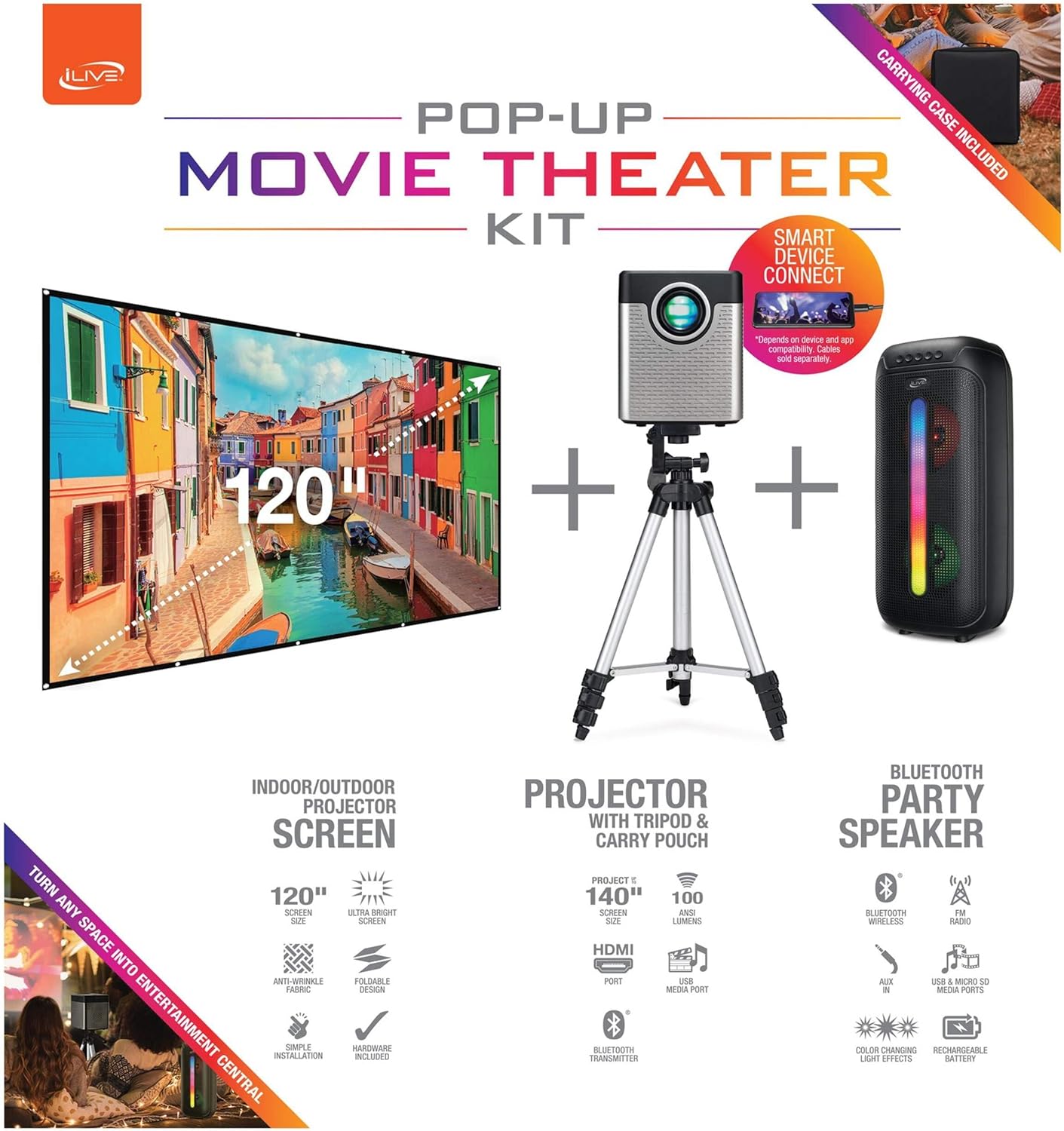
Figure 1: Diagram of the iLive Cinema Pop-up Movie Kit components.

Figure 2: The complete kit packed in its carrying case.
يثبت
- فك مكونات الحزمة: أخرج جميع الأغراض من حقيبة الحمل بعناية.
- تجميع الحامل الثلاثي: Extend the legs of the tripod and secure them. Adjust the height to your desired viewing level. The integrated bubble level assists in ensuring a stable and level base.
- تركيب جهاز العرض: Securely attach the projector to the tripod mount. Ensure it is stable and facing the desired projection area.
- Set Up Screen: Unfold the 120-inch anti-wrinkle screen. If using the tripod, attach the screen to the tripod frame using the provided fasteners. Ensure the screen is taut and wrinkle-free for optimal viewing. For alternative mounting, use the grommets along the screen's edges with appropriate wall hooks (not included).
- المتحدث الرسمي: Place the Bluetooth speaker in a location that provides optimal sound distribution for your viewمنطقة ing.
- توصيل الطاقة: قم بتوصيل كابل الطاقة بجهاز العرض ومأخذ الطاقة المناسب.
- توصيل الأجهزة (اختياري): Connect your media source (e.g., laptop, gaming console, Blu-ray player) to the projector using an HDMI or USB cable. For external audio, use the 3.5mm audio input or connect wirelessly via Bluetooth to the speaker.

Figure 3: Projector mounted on the tripod.

الشكل 4: مثالample outdoor setup with the projector and screen.
تعليمات التشغيل
تشغيل جهاز العرض
- تشغيل/إيقاف التشغيل: اضغط على زر الطاقة الموجود على جهاز العرض أو جهاز التحكم عن بعد لتشغيل الوحدة أو إيقاف تشغيلها.
- مصدر الإدخال: Use the remote control to select the desired input source (HDMI, USB, etc.).
- ضبط التركيز: اضبط حلقة التركيز على عدسة جهاز العرض حتى تصبح الصورة واضحة.
- تصحيح الانحراف: If the projected image appears trapezoidal, use the keystone correction feature (manual or automatic, if available) to adjust the image to a rectangular shape. The projector supports vertical keystone correction.
- نسبة العرض إلى الارتفاع: Select between 16:9 and 4:3 aspect ratios based on your content and preference.
- مسافة الإسقاط: The projector has a flexible projection range of 2.6 to 12.5 feet. Adjust the distance to achieve the desired screen size.
تشغيل مكبر الصوت بلوتوث
- تشغيل/إيقاف التشغيل: Press and hold the power button on the speaker to turn it on or off.
- الاقتران بلوتوث: قم بتفعيل البلوتوث على جهازك (مثل الهاتف الذكي أو الجهاز اللوحي). بحث عن the iLive speaker in the list of available devices and pair.
- التحكم في مستوى الصوت: اضبط مستوى الصوت باستخدام عناصر التحكم الموجودة على مكبر الصوت أو جهازك المتصل.
- تأثيرات الإضاءة LED: The speaker features LED light effects. Refer to the speaker's specific controls for adjusting or disabling these effects.
- ستيريو لاسلكي حقيقي (TWS): If you have two iLive Bluetooth speakers, you can pair them together for a True Wireless Stereo experience. Follow the instructions provided with the speaker for TWS pairing.
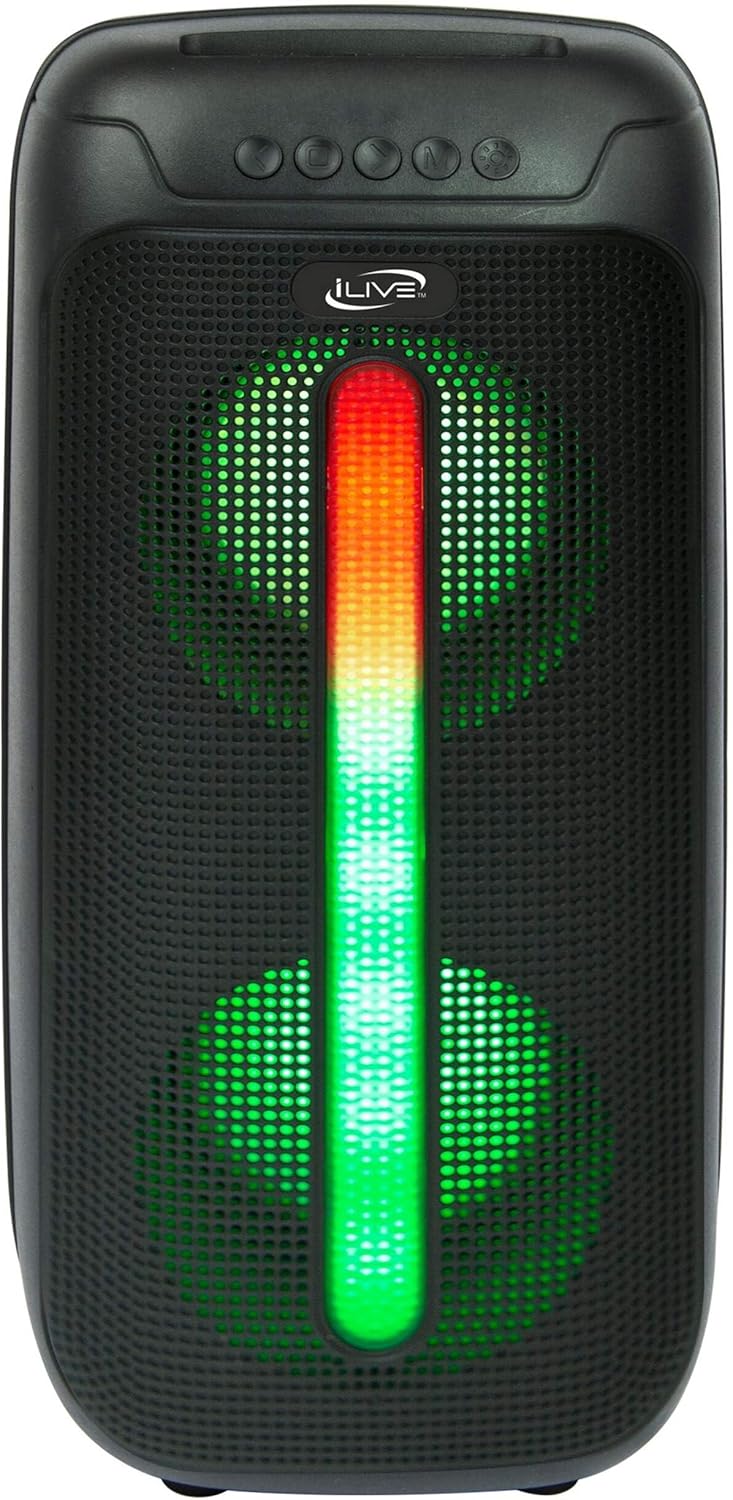
Figure 5: iLive Bluetooth 5.0 Speaker.
صيانة
- عدسة جهاز العرض: استخدم قطعة قماش ناعمة وخالية من الوبر لتنظيف عدسة جهاز العرض برفق. تجنب استخدام المواد الكاشطة أو المواد الكيميائية القاسية.
- Projector Vents: Ensure the projector's ventilation openings are clear of dust and debris to prevent overheating.
- تنظيف الشاشة: The anti-wrinkle polyester screen can be gently wiped with a damp cloth if necessary. Allow it to air dry completely before folding or storing.
- رعاية المتحدث: Keep the speaker dry and clean. Avoid exposing it to extreme temperatures or direct sunlight.
- تخزين: When not in use, store all components in the provided carrying case in a cool, dry place to protect them from dust and damage.
استكشاف الأخطاء وإصلاحها
- لا توجد صورة على الشاشة:
- تأكد من تشغيل جهاز العرض وإزالة غطاء العدسة.
- تأكد من تحديد مصدر الإدخال الصحيح على جهاز العرض.
- تأكد من أن جميع توصيلات الكابلات (HDMI، USB) آمنة.
- صورة ضبابية:
- اضبط حلقة التركيز البؤري على عدسة جهاز العرض.
- Ensure the projection distance is within the recommended range (2.6-12.5 ft).
- Distorted Image (Trapezoidal):
- Use the keystone correction feature to adjust the image geometry.
- Ensure the projector is placed on a level surface or the tripod is properly adjusted.
- لا يوجد صوت من السماعة:
- تأكد من تشغيل السماعة وشحنها.
- Verify Bluetooth pairing or 3.5mm audio cable connection.
- Check volume levels on both the speaker and the connected device.
- مشكلات الاقتران بالبلوتوث:
- تأكد من أن مكبر الصوت في وضع الإقران.
- قم بتقريب مكبر الصوت من جهازك.
- Disconnect and re-pair the device.
تحديد
| ميزة | مواصفة |
|---|---|
| رقم الموديل | THE2024BDL |
| دقة العرض | 1280 × 720 (720 بكسل) |
| نوع العرض | قاد |
| سطوع | 3000 لومن |
| نسبة التباين | 1000:1 |
| نسب العرض إلى الارتفاع | 16:9، 4:3 |
| مصدر الضوء الحياة | 20,000 ساعة |
| مدى الإسقاط | 2.6 - 12.5 قدم |
| الحد الأقصى لحجم الصورة | 120 بوصة |
| الاتصال | HDMI, USB, 3.5mm Audio, Bluetooth 5.0 |
| مخرج مكبر الصوت | 16W Peak (Dual 4-inch drivers) |
| Speaker Battery Life | ما يصل إلى 4 ساعات (بحجم 50%) |
| ميزات ترايبود | Integrated bubble level, 360-degree pan, ±180-degree tilt, 41.73-inch max height, 4 kg capacity |
| دعم ترميز الفيديو | ح.264، ح.265 |
| طريقة التحكم | جهاز التحكم عن بعد |
مقاطع فيديو رسمية للمنتج
لا تتوفر مقاطع فيديو رسمية للبائع لهذا المنتج في الوقت الحالي.
الضمان والدعم
For warranty information or technical support, please contact iLive customer service at 1-888-999-4215. Please have your model number (THE2024BDL) and proof of purchase ready when contacting support.