
المنتج انتهىview
The DIERYA DK68 is a 60% compact mechanical keyboard designed for versatility and performance. It features triple-mode connectivity, allowing seamless switching between Bluetooth 5.0, 2.4GHz wireless, and USB-C wired connections. Equipped with clicky blue mechanical switches and vibrant RGB backlighting, it offers a responsive and customizable typing experience for both gaming and office use.

Figure 1: DIERYA DK68 Wireless Mechanical Keyboard showcasinبفضل تصميمه الصغير وإضاءته بتقنية RGB.
محتويات الحزمة
تأكد من وجود جميع العناصر في العبوة:
- DIERYA DK68 Wireless Mechanical Keyboard
- كابل USB-C إلى USB-A
- كيكاب بولير
- 2.4GHz USB Receiver (stored in the keyboard's back compartment)
- دليل المستخدم (هذا المستند)
الإعداد والاتصال
The DK68 keyboard supports three connection modes: USB-C wired, 2.4GHz wireless, and Bluetooth 5.0. Choose the mode that best suits your needs.
1. وضع USB-C السلكي
- قم بتوصيل كابل USB-C المقدم بمنفذ USB-C الموجود على لوحة المفاتيح.
- قم بتوصيل الطرف USB-A من الكابل بمنفذ USB المتوفر على جهاز الكمبيوتر الخاص بك.
- سيتم التعرف على لوحة المفاتيح تلقائيًا وستكون جاهزة للاستخدام.
2. وضع لاسلكي 2.4 جيجاهرتز
- Locate the 2.4GHz USB receiver in the compartment on the back of the keyboard.
- قم بإزالة جهاز الاستقبال وقم بتوصيله بمنفذ USB متاح على جهاز الكمبيوتر الخاص بك.
- Turn on the keyboard using the switch located on the back.
- يجب أن تتصل لوحة المفاتيح بجهاز الاستقبال تلقائيًا. إذا لم يحدث ذلك، فاضغط الجبهة الوطنية + G (labeled '2.4G' on the key) to activate 2.4GHz pairing mode.

Figure 2: Triple-mode connectivity options including 2.4GHz wireless.
3. وضع البلوتوث 5.0
يمكن توصيل لوحة المفاتيح بما يصل إلى ثلاثة أجهزة بلوتوث.
- Turn on the keyboard using the switch on the back.
- اضغط مع الاستمرار الجبهة الوطنية + Z (labeled 'BT1'), الجبهة الوطنية + X (labeled 'BT2'), or الجبهة الوطنية + ج (labeled 'BT3') for 3-5 seconds until the corresponding key's backlight flashes rapidly. This indicates pairing mode.
- On your device (PC, laptop, tablet, phone), enable Bluetooth and search for "DIERYA DK68".
- Select the keyboard to pair. The key's backlight will stop flashing once connected.
- للتبديل بين أجهزة البلوتوث المقترنة، اضغط ببساطة على Fn + Z/X/C.

Figure 3: Bluetooth connectivity for multiple devices.
تعليمات التشغيل
التحكم في الإضاءة الخلفية RGB
The DK68 features 20 built-in RGB lighting effects and 16.8 million customizable colors. Use the following key combinations to control the lighting:
- Fn + مسافة خلفية: Turn backlighting On/Off.
- الجبهة الوطنية + التحول: Switch light colors.
- الجبهة الوطنية + أدخل: Switch light modes (20 dynamic RGB modes).
- Fn + سهم لأعلى: زيادة السطوع.
- الجبهة الوطنية + سهم لأسفل: Decrease brightness.
- الجبهة الوطنية + سهم لليسار: Decrease light speed.
- الجبهة الوطنية + السهم الأيمن: Increase light speed.

Figure 4: RGB lighting control key combinations for the DK68 keyboard.
تخصيص المفاتيح والماكرو
The DIERYA DK68 supports full key anti-ghosting and N-Key Rollover (NKRO) for accurate input. For advanced customization, including key remapping, macro programming, and additional lighting effects, dedicated software is available. Please refer to the official DIERYA webموقع لتحميل البرامج والتعليمات.

Figure 5: Full N-Key Rollover and software customization capabilities.
مفاتيح زرقاء ميكانيكية
The keyboard is equipped with clicky blue mechanical switches, providing a distinct tactile bump and an audible click with each keystroke. These switches are ideal for users who prefer clear feedback and a satisfying typing experience. They feature a medium 60gf actuation force (±15gf) and 2.3mm travel (±0.6mm), with a lifespan of 50 million clicks.

الشكل 6: مفصل view of mechanical blue switches and their specifications.
صيانة
إدارة البطارية
The keyboard is powered by a 3000mAh lithium battery. To charge, connect the keyboard via the USB-C cable to a power source. The keyboard can be used while charging.
- Usage Time (Backlighting On):حتى 12 ساعة.
- Usage Time (Backlighting Off):حتى 333 ساعة.
- وضع السكون التلقائي: The keyboard enters auto-sleep mode after 3 minutes of inactivity to conserve power.
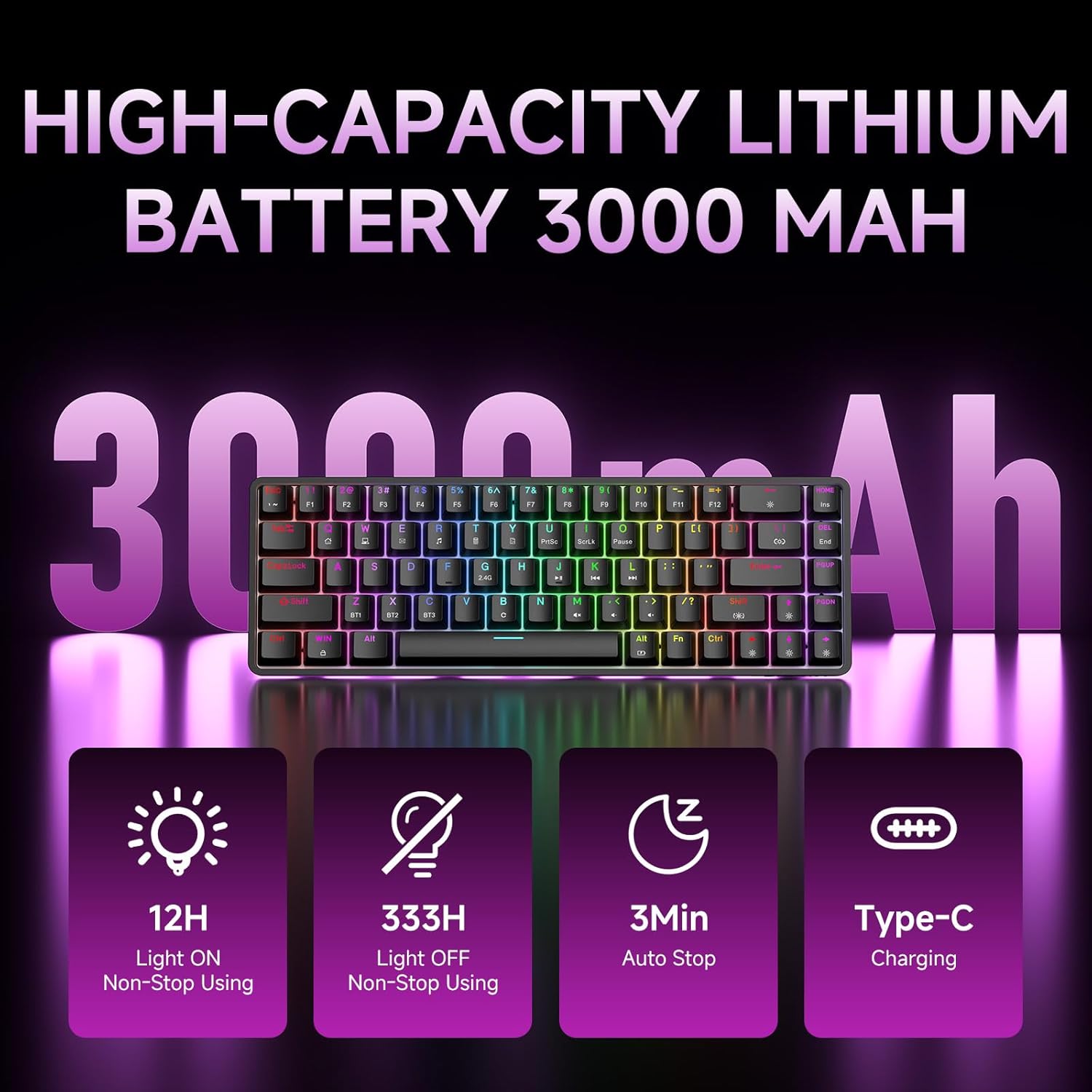
Figure 7: Battery capacity and power-saving features of the DK68.
التنظيف والعناية
- Use the provided keycap puller to carefully remove keycaps for cleaning.
- نظف سطح لوحة المفاتيح بقطعة قماش ناعمة و...amp القماش. تجنب الرطوبة الزائدة.
- لا تستخدم كيماويات مركزة أو منظفات كاشطة.
- تأكد من إيقاف تشغيل لوحة المفاتيح قبل التنظيف.
استكشاف الأخطاء وإصلاحها
- لوحة المفاتيح لا تستجيب:
- Check the power switch on the back of the keyboard.
- Ensure the correct connection mode (wired, 2.4GHz, or Bluetooth) is selected.
- بالنسبة لـ 2.4 جيجاهرتز، تأكد من توصيل جهاز الاستقبال USB بشكل آمن.
- بالنسبة لتقنية البلوتوث، تأكد من إقران لوحة المفاتيح وتحديدها على جهازك. حاول إعادة الإقران إذا لزم الأمر.
- If using wired mode, try a different USB port or cable.
- الإضاءة الخلفية لا تعمل:
- يضعط Fn + مسافة خلفية to toggle the backlighting.
- Check battery level; low battery may disable backlighting.
- المفاتيح غير مسجلة:
- Ensure the keyboard is properly connected and powered on.
- If specific keys are not working, try removing and re-seating their keycaps.
تحديد
| ميزة | التفاصيل |
|---|---|
| رقم الموديل | دك68 |
| تكنولوجيا الاتصال | 2.4 جيجاهرتز لاسلكي، بلوتوث 5.0، USB-C سلكي |
| نوع المفتاح | Clicky Blue Mechanical Switches |
| تخطيط المفتاح | 68 مفتاحًا (تخطيط 60%) |
| الإضاءة الخلفية | RGB (16.8 Million Colors, 20 Effects) |
| سعة البطارية | 3000mAh ليثيوم بوليمر |
| الأجهزة المتوافقة | Gaming Console, Laptop, PC, Tablet |
| مكافحة التظليل | Full Key Anti-Ghosting & NKRO |
| مادة | بلاستيك |
| وزن العنصر | 1.76 رطل (حوالي 800 جرامًا) |
| أبعاد الحزمة | 14.33 × 4.37 × 1.73 بوصة |

Figure 8: Keyboard dimensions and compact 68-key layout.
الضمان والدعم
For warranty information and technical support, please refer to the documentation included with your product or visit the official DIERYA website. Amazon's return policy for this product is 30 days from the date of receipt.