
مقدمة
Thank you for choosing the Surfans F20 Pro Android Hi-Res Music Player. This manual provides essential information for setting up, operating, and maintaining your device. Please read it thoroughly to ensure optimal performance and longevity of your music player.
1. الإعداد
1.1 فك الصندوق ومحتويات العبوة
Carefully unpack your Surfans F20 Pro. Ensure all components are present.
يجب أن تحتوي العبوة على:
- 1 x Surfans F20 Pro Music Player
- (Other accessories like USB cable, protective case, etc., may be included depending on the specific package.)
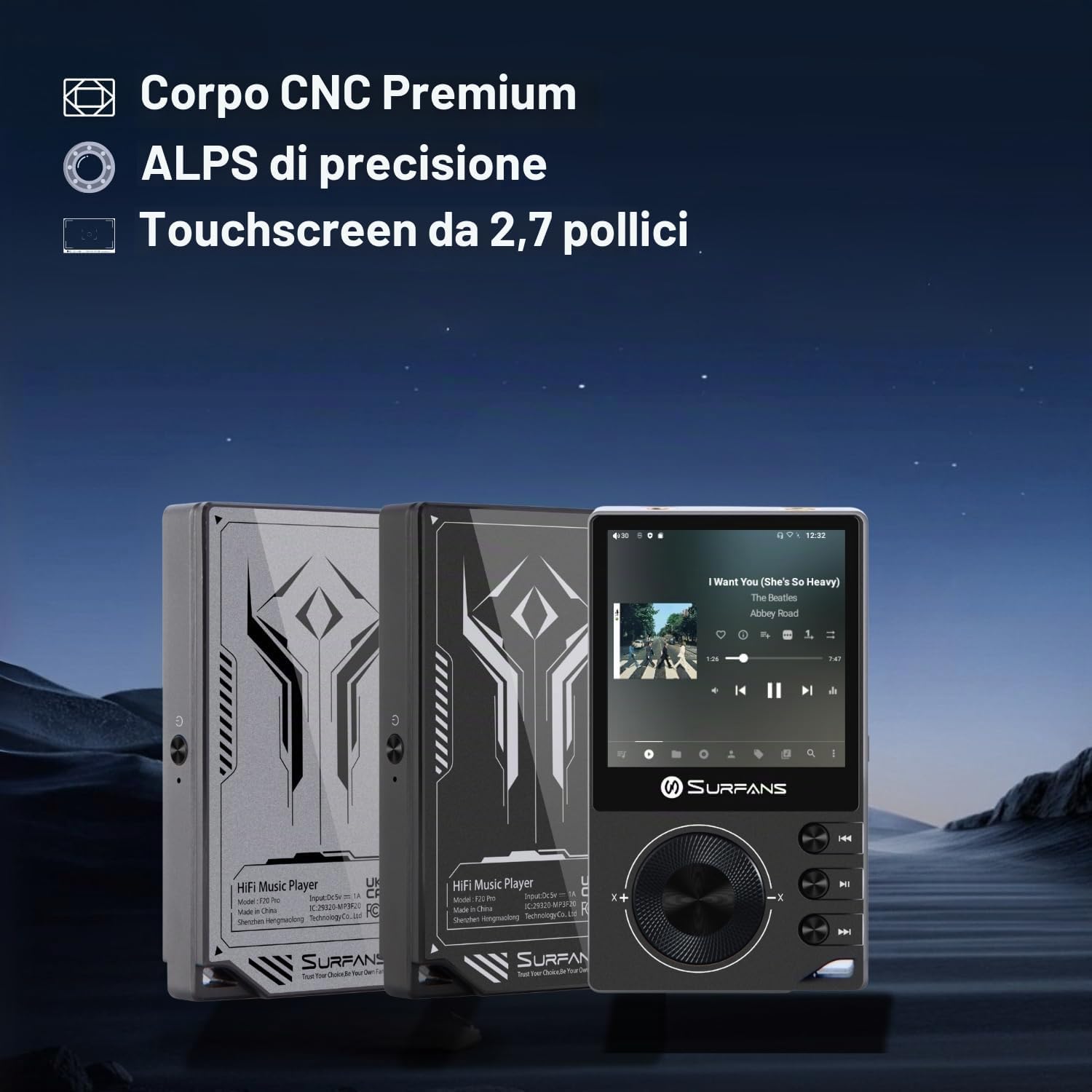
The Surfans F20 Pro features a premium CNC body for durability and aesthetics.
1.2 شحن الجهاز
Before first use, fully charge the device. Connect the included USB cable to the player's charging port and to a USB power adapter (not included) or a computer's USB port. The charging indicator will show the charging status. A full charge typically takes approximately 3 hours.
The Surfans F20 Pro features a 1450mAh rechargeable battery, providing up to 15 hours of music playback on a full charge.
1.3 تشغيل/إيقاف التشغيل
- لتشغيل: Press and hold the Power button located on the side of the device until the screen lights up.
- لإيقاف التشغيل: Press and hold the Power button until a power-off menu appears on the screen. Select "Power Off" to shut down the device. A short press will turn the screen on/off.
1.4 التكوين الأولي
Upon first power-on, you may be guided through an initial setup process. This typically includes:
- اختيار اللغة: اختر لغتك المفضلة.
- إعداد Wi-Fi: Connect to a Wi-Fi network to enable streaming services and software updates. Navigate to Settings > Network & Internet > Wi-Fi.
- حساب جوجل: قم بتسجيل الدخول باستخدام حسابك على جوجل للوصول إلى متجر جوجل بلاي وخدمات جوجل الأخرى.
1.5 توسيع سعة التخزين
The Surfans F20 Pro comes with 32GB of internal memory. You can expand the storage up to 1TB using a Micro SD card. Insert the Micro SD card into the designated slot on the device.
2. تعليمات التشغيل
2.1 انتهى الجهازview والملاحة
The F20 Pro features a 2.73-inch touchscreen for primary interaction and physical buttons for quick control.

The Surfans F20 Pro features a touchscreen interface for easy navigation and access to various applications.
- شاشة تعمل باللمس: Tap, swipe, and pinch to navigate menus, select options, and control playback.
- الأزرار المادية: Use the side buttons for power, volume control, and playback (play/pause, skip tracks). The scroll wheel provides tactile navigation.
2.2 تشغيل الموسيقى
The F20 Pro supports various audio formats including MP3, AAC, FLAC, WAV, and DSD. You can play music stored on the device's internal memory or Micro SD card, or stream from online services.
- التشغيل المحلي: Use the pre-installed music player app to browse and play your local audio files.
- جاري: Install and use streaming applications like Spotify, Apple Music, Tidal, or YouTube from the Google Play Store.
2.3 توصيل أجهزة الصوت
The player offers both wired and wireless audio output options.

The F20 Pro features both 3.5mm single-ended and 4.4mm balanced audio output ports for versatile headphone connectivity.
- سماعات رأس سلكية:
- 3.5mm Single-Ended: Connect standard headphones to the 3.5mm port.
- 4.4mm Balanced: For enhanced audio quality and power, connect compatible balanced headphones to the 4.4mm port. This port provides 500mW of power.
- سماعات رأس/مكبرات صوت بلوتوث:
- The F20 Pro supports Bluetooth 5.0 with LDAC for high-fidelity wireless audio.
- To pair: Go to Settings > Connected devices > Pair new device. Ensure your Bluetooth device is in pairing mode.

The F20 Pro supports Bluetooth 5.0 with LDAC for high-quality wireless audio streaming.
This video demonstrates the process of pairing a Bluetooth device with a music player. The steps shown are generally applicable to the Surfans F20 Pro.
2.4 اتصال Wi-Fi
The device supports dual-band Wi-Fi (2.4GHz and 5GHz) for fast downloads and smooth streaming.

The Surfans F20 Pro supports dual-band Wi-Fi for reliable internet connection and streaming.
- To connect: Go to Settings > Network & Internet > Wi-Fi. Select your network and enter the password.
- Once connected, you can use pre-installed or downloaded streaming apps.
2.5 التوصيل بجهاز كمبيوتر
You can connect the F20 Pro to a computer via USB to transfer files or use it as a USB DAC.
This video illustrates how to easily connect a music player to a PC for file transfer or other functions. The process is similar for the Surfans F20 Pro.
- قم بتوصيل المشغل بجهاز الكمبيوتر الخاص بك باستخدام كابل USB.
- On the player, swipe down from the top of the screen to access notifications. Tap on the USB connection notification and select "File transfer" or "USB DAC" mode as needed.
3. الصيانة
3.1 تنظيف الجهاز
To keep your F20 Pro in optimal condition:
- استخدم قطعة قماش ناعمة وجافة وخالية من الوبر لمسح الشاشة والجسم.
- Avoid using abrasive cleaners, solvents, or aerosol sprays, which can damage the finish.
- لا تعرض الجهاز للرطوبة الزائدة.
3.2 العناية بالبطارية
لتعظيم عمر البطارية والأداء:
- تجنب درجات الحرارة القصوى.
- Do not leave the device fully discharged for extended periods.
- للتخزين طويل الأمد، قم بشحن البطارية إلى حوالي 50% وقم بتخزينها في مكان بارد وجاف.
3.3 تحديثات البرامج
The F20 Pro runs on Android 12. Periodically check for software updates to ensure the best performance and access to new features. Connect to Wi-Fi and go to Settings > System > System update.
4. استكشاف الأخطاء وإصلاحها
4.1 الجهاز لا يعمل
- تأكد من شحن البطارية. قم بتوصيل الجهاز بالشاحن لمدة 30 دقيقة على الأقل.
- Try pressing and holding the Power button for 10-15 seconds to force a restart.
4.2 لا يوجد إخراج صوت
- Check headphone connections (3.5mm or 4.4mm). Ensure they are fully inserted.
- Verify volume levels on the device and any connected Bluetooth audio devices.
- إذا كنت تستخدم البلوتوث، فتأكد من إقران الجهاز وتوصيله بشكل صحيح.
- Test with different headphones or speakers to rule out a faulty audio accessory.
4.3 Wi-Fi or Bluetooth Connection Issues
- Ensure Wi-Fi or Bluetooth is enabled in the settings.
- Restart the F20 Pro and your router/Bluetooth device.
- Forget the network/device in settings and try reconnecting.
- تأكد من أنك ضمن نطاق شبكة الواي فاي أو جهاز البلوتوث.
4.4 بطء الأداء أو تعطل التطبيق
While the F20 Pro has an Octa-Core processor and 3GB RAM, some apps or heavy multitasking might affect performance.
- أغلق التطبيقات غير المستخدمة في الخلفية.
- قم بمسح ذاكرة التخزين المؤقت للتطبيقات (الإعدادات > التطبيقات > [اسم التطبيق] > التخزين وذاكرة التخزين المؤقت > مسح ذاكرة التخزين المؤقت).
- تأكد من تحديث برنامج الجهاز.
- If issues persist, consider a factory reset (Settings > System > Reset options > Erase all data), but back up your data first.
5. المواصفات
Below are the key technical specifications for the Surfans F20 Pro Music Player:
| ميزة | التفاصيل |
|---|---|
| اسم الموديل | اف 20 برو |
| ماركة | راكبي الأمواج |
| نظام التشغيل | أندرويد 12 |
| المعالج | ثماني النواة |
| كبش | 3 جيجا بايت |
| التخزين الداخلي | 32 جيجا بايت |
| تخزين قابل للتوسيع | Up to 1TB via Micro SD |
| محول رقمي إلى تناظري | Dual ESS9018 |
| دعم الصوت عالي الدقة | دي إس دي 512 |
| الاتصال | AUX, Bluetooth 5.0 (LDAC), USB, Dual-Band Wi-Fi (2.4GHz & 5GHz) |
| حجم الشاشة | 2.73 بوصة |
| تكنولوجيا الشاشة | شاشة تعمل باللمس |
| تنسيقات الصوت المدعومة | MP3, AAC, FLAC, WAV, DSD |
| الناتج المتوازن | 4.4mm (500mW) |
| سعة البطارية | 1450 مللي أمبير |
| عمر البطارية | تشغيل الموسيقى لمدة تصل إلى 15 ساعة |

The Surfans F20 Pro features dual ESS9018 DACs for superior audio decoding.

Internal audio architecture showing dual DACs and multi-stage amplifier design for both single-ended and balanced outputs.
6. الضمان والدعم
For warranty information and technical support, please refer to the documentation provided with your purchase or contact the seller directly. The seller for this product is SurfansAudio.
احتفظ بإثبات الشراء الخاص بك لاستخدامه في حالة وجود أي مطالبات بالضمان.