
مقدمة
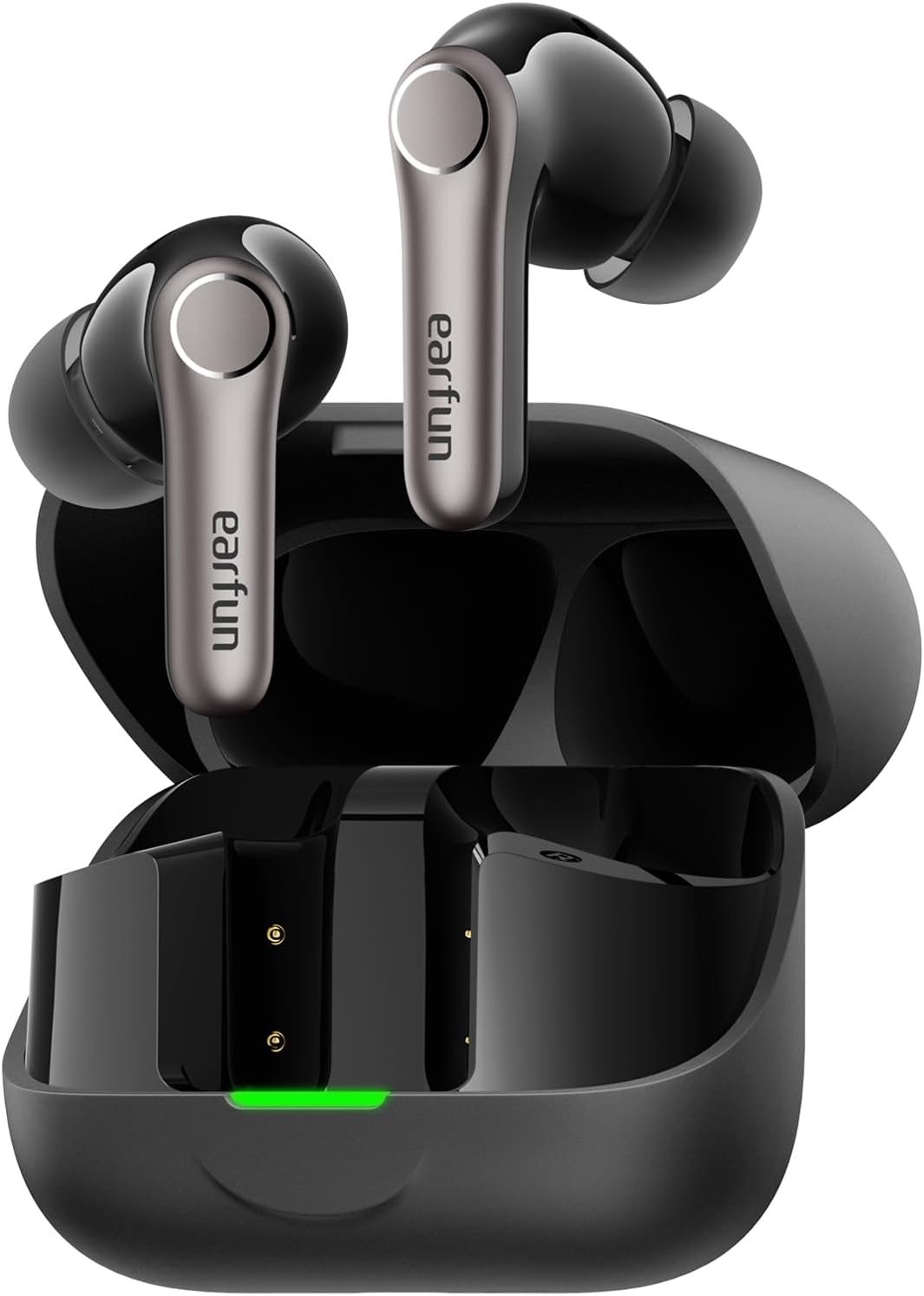
Thank you for choosing the EarFun Air Pro 4+ Adaptive Noise Cancelling Wireless Earbuds. This manual provides detailed instructions to help you set up, operate, and maintain your earbuds for optimal performance. Please read this manual thoroughly before use and retain it for future reference.
ماذا يوجد في الصندوق
- EarFun Air Pro 4+ Earbuds
- حافظة الشحن
- كابل شحن USB-C
- دليل المستخدم
- أحجام متعددة من أطراف الأذن
يثبت
1. الشحن الأولي
- ضع كلتا سمّاعات الأذن في علبة الشحن.
- قم بتوصيل كابل USB-C بمنفذ الشحن الموجود على العلبة وبمصدر الطاقة.
- Ensure the earbuds and case are fully charged before first use. The LED indicator on the case will show charging status.

2. اختيار أطراف الأذن المناسبة
A proper fit is crucial for sound quality and noise cancellation. Experiment with the included eartips to find the size that provides the best seal and comfort for your ears.

3. الاقتران بجهازك
- افتح علبة الشحن. ستدخل سماعات الأذن تلقائيًا في وضع الاقتران (ستومض مصابيح LED).
- على جهازك (الهاتف الذكي، الجهاز اللوحي، وما إلى ذلك)، قم بتمكين البلوتوث.
- بحث عن "EarFun Air Pro 4+" in the list of available devices and select it to connect.
- For Android devices, Google Fast Pair is supported for quick connection.

تعليمات التشغيل
1. تشغيل/إيقاف التشغيل
- تشغيل الطاقة: افتح حافظة الشحن ، وسيتم تشغيل سماعات الأذن تلقائيًا.
- إيقاف التشغيل: ضع سماعات الأذن مرة أخرى في علبة الشحن وأغلق الغطاء.
2. أدوات التحكم التي تعمل باللمس
The EarFun Air Pro 4+ features customizable touch controls. Refer to the EarFun App for detailed customization options.
| فعل | الوظيفة (الافتراضية) |
|---|---|
| نقرة واحدة (يسار/يمين) | Volume Down / Volume Up |
| انقر مرتين (يسار/يمين) | تشغيل/إيقاف مؤقت |
| النقر الثلاثي (يسار/يمين) | المسار السابق / المسار التالي |
| الضغط لفترة طويلة (يسار/يمين) | Noise Control / Voice Assistant |
3. أوضاع التحكم في الضوضاء
Utilize the EarFun QuietSmart 3.0 technology for various listening experiences:
- إلغاء الضوضاء النشط الهجين التكيفي (ANC): Reduces ambient noise by up to 50dB, intelligently adjusting based on your surroundings.
- وضع الصوت المحيط: يتيح لك سماع محيطك أثناء الاستماع إلى الصوت.
- الوضع العادي: Standard audio playback without noise cancellation or ambient sound.
- Wind Noise Cancelling: Specifically designed to reduce wind interference during calls or listening outdoors.
4. اتصال متعدد النقاط
The earbuds support connecting to two devices simultaneously (e.g., phone and laptop) for seamless switching between audio sources.
5. بث الصوت عبر أوراكاست
With Auracast technology, you can share audio with others or tune into public audio broadcasts in compatible environments.
6. Smart In-Ear Detection
Audio playback automatically pauses when you remove an earbud and resumes when you put it back in.
7. وضع الألعاب (زمن استجابة منخفض)
Activate Gaming Mode via the EarFun App for ultra-low latency (under 50ms), enhancing your gaming and video experience.
8. إدارة المكالمات
Equipped with 6-Mic AI Beamforming and Qualcomm cVc 8.0 technology, the earbuds ensure clear calls by focusing on your voice and suppressing background noise.
الشحن والبطارية
- عمر البطارية: Up to 12 hours on a single charge (normal mode), and up to 54 hours with the charging case.
- الشحن السريع: تتيح لك عملية الشحن لمدة 10 دقائق الحصول على ما يقرب من 3 ساعة من وقت اللعب.
- علبة الشحن: Supports both USB-C cable charging and wireless charging.
الصيانة والعناية
- مقاومة الماء والغبار: The earbuds are IP55 rated, protecting against sweat, light rain, and dust. The charging case is not water-resistant.
- تنظيف: Regularly clean the earbuds and charging case with a soft, dry cloth. Ensure charging contacts are free of debris.
- تخزين: قم بتخزين سماعات الأذن في علبة الشحن الخاصة بها عند عدم استخدامها لحمايتها والحفاظ على عمر البطارية.
استكشاف الأخطاء وإصلاحها
If you encounter any issues, please refer to the EarFun App's FAQ section or contact customer support. Common issues and solutions include:
- لا يوجد صوت: Check device volume, earbud battery, and Bluetooth connection.
- قضايا الاقتران: Ensure earbuds are in pairing mode, disable/enable Bluetooth on your device, or reset the earbuds.
- ضعف جودة الصوت: Check eartip fit, clean earbuds, or adjust EQ settings in the EarFun App.
- خاصية إلغاء الضوضاء غير فعالة: Ensure proper eartip seal and select the appropriate ANC mode.
تحديد
| ميزة | التفاصيل |
|---|---|
| اسم الموديل | EarFun Air Pro 4+ |
| رقم الموديل | TW700B |
| التحكم في الضوضاء | Adaptive Hybrid Active Noise Cancellation (up to 50dB) |
| برامج تشغيل الصوت | Dual-Driver Synergy: 10mm composite dynamic driver + ultra-light FeatherBA balanced armature |
| الاتصال | بلوتوث 6.0 |
| برامج ترميز الصوت | Qualcomm aptX Lossless, Snapdragon Sound, LDAC, LC3, LE Audio, SBC, AAC |
| الميكروفونات | 6-Mic AI Beamforming with Qualcomm cVc 8.0 ENC |
| عمر البطارية (سماعات الأذن) | يصل إلى 12 ساعة (الوضع العادي) |
| إجمالي وقت اللعب (مع الحقيبة) | يصل إلى 54 ساعة (الوضع العادي) |
| مقاومة الماء | IP55 (سماعات الأذن فقط) |
| المميزات الخاصة | Multipoint Connection, Auracast Broadcast Audio, Google Fast Pair, Smart In-Ear Detection, Gaming Mode (<50ms latency) |
| طريقة التحكم | التطبيق، اللمس |
| وزن العنصر | 1.87 أونصة (53 جرامًا) |
| أبعاد المنتج | 2.36 × 1.97 × 1.1 بوصة |
الضمان والدعم
EarFun products typically come with a manufacturer's warranty. Please refer to the warranty card included in your product packaging or visit the official EarFun website for detailed warranty information and support options. For technical assistance or inquiries, contact EarFun customer service.