
1. المقدمة
Thank you for choosing the INFIYA K1 2K Window Camera. This manual provides detailed instructions for setting up, operating, and maintaining your camera to ensure optimal performance and home security. Please read this manual thoroughly before use and retain it for future reference.
2. ماذا يوجد في الصندوق
تأكد من وجود جميع المكونات في الحزمة الخاصة بك:
- 1 x INFIYA K1 Camera
- 1 × محول الطاقة
- 1 × كابل طاقة من النوع C
- Magnetic Stickers
- مشابك الكابلات
- 1 × دليل البدء السريع

Image: Contents of the INFIYA K1 camera box.
3. انتهى المنتجview
Familiarize yourself with the main components of your INFIYA K1 camera:

Image: Labeled diagram of the INFIYA K1 camera components.
- مؤشر الضوء: يظهر حالة الكاميرا.
- عدسة: يلتقط فيديو بدقة 2K.
- Magnetic Part: For easy window mounting.
- زر إعادة الضبط: يُستخدم لإعادة ضبط المصنع أو الاقتران.
- فتحة بطاقة TF: For local storage (supports up to 128GB, card not included).
- المتحدث: للاتصال الصوتي ثنائي الاتجاه.
- Type-C Power Cable: يقوم بتوصيل الكاميرا بمحول الطاقة.
4. دليل الإعداد
4.1 Physical Installation (Drill-Free)
The INFIYA K1 camera features a magnetic design for easy, drill-free installation on any interior window.
- Clean the Window: Ensure the glass surface is clean and dry to prevent condensation issues.
- Apply Magnetic Sticker: Peel off the protective film from the magnetic sticker and firmly attach it to the desired location on your window.
- إرفاق الكاميرا: Align the camera with the magnetic sticker and attach it. The magnetic connection will hold it securely.
- تشغيل الطاقة: Connect the Type-C power cable to the camera and plug the power adapter into an electrical outlet.

Image: Step-by-step physical installation of the camera.
4.2 App Connection and Wi-Fi Configuration
To access your camera's features, you need to connect it to the Wansview التطبيق السحابي.
- تحميل التطبيق: Download the Wansview Cloud App from your smartphone's app store (available for Android and iOS).
- تسجيل حساب: افتح التطبيق وقم بتسجيل حساب جديد أو قم بتسجيل الدخول إذا كان لديك حساب بالفعل.
- إضافة جهاز: Follow the in-app instructions to add a new device. Select the INFIYA K1 model.
- الاتصال بشبكة Wi-Fi: Ensure your camera is powered on and near your Wi-Fi router (within 3 feet for initial setup). The K1 camera supports dual-band Wi-Fi (2.4Ghz & 5Ghz). Follow the app prompts to connect the camera to your home Wi-Fi network.

Image: App connection and Wi-Fi configuration steps.
5. التشغيل
5.1 مباشر View ودقة 2K
Once connected, access the live feed through the Wansview Cloud App. The INFIYA K1 provides sharp 2K resolution video, capturing clear details of your outdoor environment through the window, optimized to reduce glare and reflection.
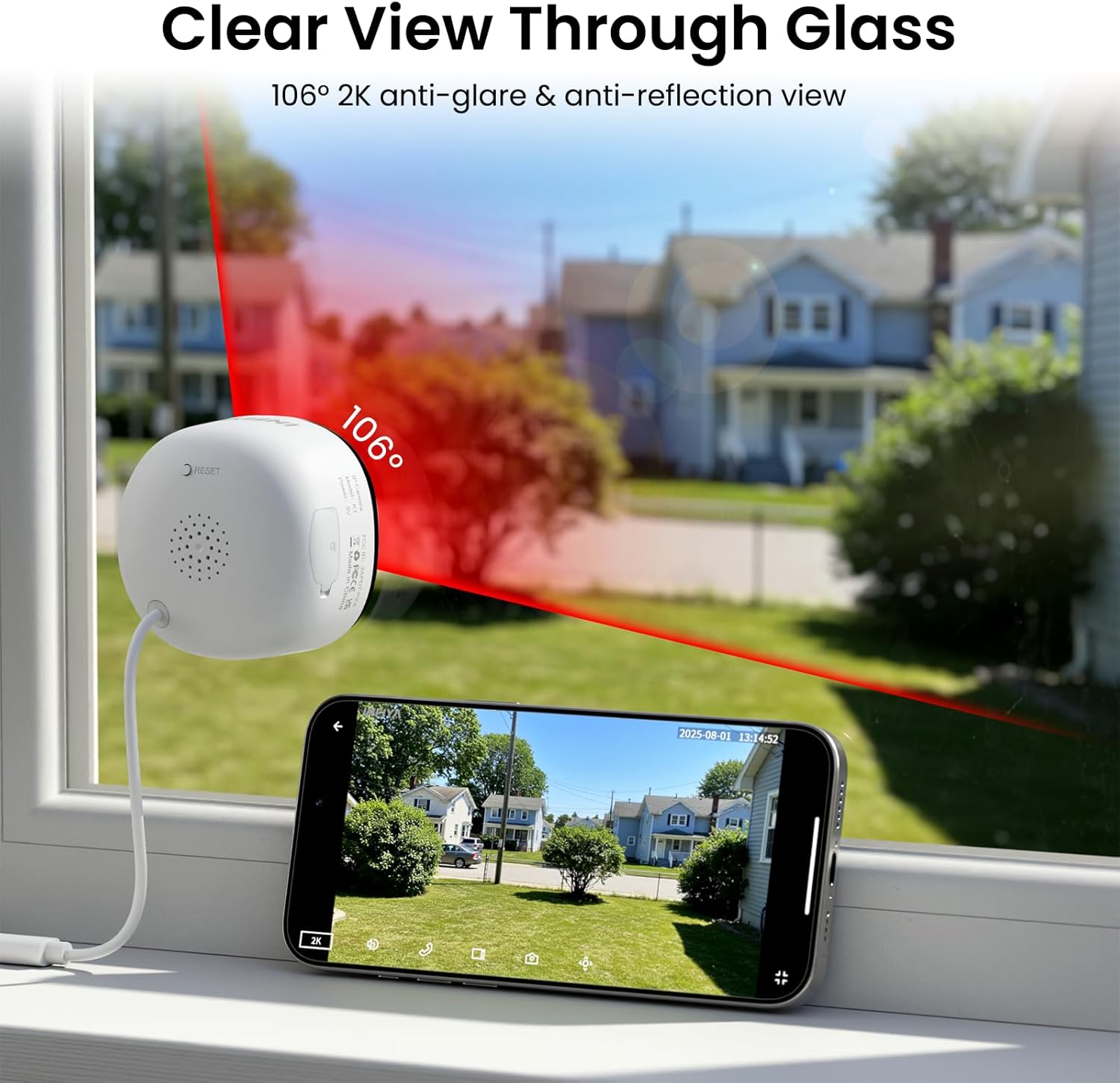
Image: Clear 2K view through glass from the camera.
5.2 رؤية ليلية كاملة الألوان
The camera features advanced Black Light Color Technology, enabling vivid full-color footage even in low-light conditions (e.g., starlight/moonlight). This allows for better identification of details at night compared to traditional infrared black and white night vision.

Image: Comparison of night vision capabilities.
5.3 Motion & Human Detection with Alerts
The INFIYA K1 camera utilizes AI-powered human detection to minimize false alarms. When human activity is detected, the camera activates a three-layer alert system:
- Immediate app notifications to your phone.
- An optional siren (can be configured in the app).
- Automatic video clip recording of the event.
You can customize detection zones and sensitivity levels within the app.
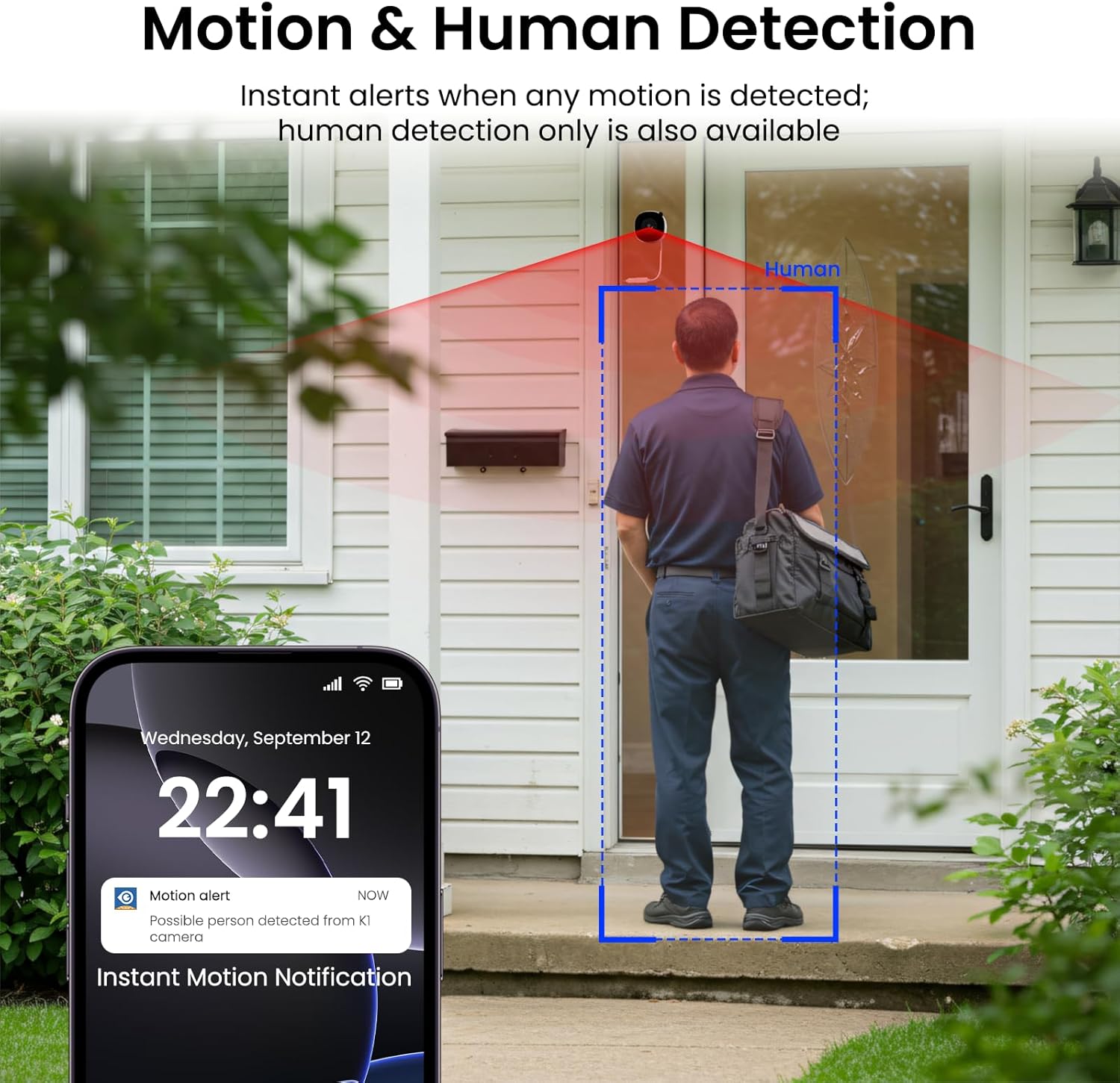
Image: Motion and human detection in action.
5.4 الصوت ثنائي الاتجاه
The integrated speaker and microphone allow for two-way communication. You can speak through the camera to visitors or deter intruders directly from your smartphone app.
5.5 Multi-User Sharing & Multi-Device Support
Share camera access with family members through the app. The camera also supports integration with multiple devices and smart home platforms like Alexa and Google Assistant for convenient voice control and viewعمل.

Image: Multi-user sharing feature.

Image: Multi-device support with smart assistants.
6. خيارات التخزين
The INFIYA K1 camera offers flexible recording and storage solutions:
6.1 Local Storage (TF Card)
Insert a TF (microSD) card (up to 128GB, not included) into the camera's slot for continuous 24/7 recording. The camera features a smart overwrite function that automatically manages storage space by cycling old footage.
6.2 Cloud Storage (Optional)
For enhanced security and accessibility, you can opt for cloud storage. All videos uploaded to the cloud are encrypted. Cloud plans offer various features and storage durations, as detailed in the app.

Image: Local and cloud storage options.
6.3 Recording Modes Comparison

Image: Comparison table of recording modes.
7. المواصفات
Detailed technical specifications for the INFIYA K1 camera:
| ميزة | التفاصيل |
|---|---|
| اسم الموديل | K1 |
| ماركة | إنفيا |
| تكنولوجيا الاتصال | لاسلكي (واي فاي) |
| تردد الواي فاي | 5 جيجا هرتز و 2.4 جيجا هرتز |
| دقة التقاط الفيديو | 3 ميجابكسل (2K) |
| Viewزاوية جي | 105 درجة |
| الرؤية الليلية | Color Night Vision (Black Light Color Technology) |
| نطاق الرؤية الليلية | 29.5 أقدام |
| مميزات الكشف | كشف الحركة والبشر |
| نوع التنبيه | Motion Only (Configurable) |
| صوتي | في اتجاهين نقاش |
| خيارات التخزين | TF Card (up to 128GB), Cloud Storage (Optional) |
| مصدر الطاقة | Corded Electric (5V, 5 Watt-hours) |
| نوع التركيب | Window Mount (Magnetic) |
| الأجهزة المتوافقة | مساعد اليكسا / جوجل |
| أبعاد العنصر | 2.41 × 1.57 × 2.41 بوصة |
| الاستخدام الداخلي والخارجي | Indoor (for window monitoring) |
8. استكشاف الأخطاء وإصلاحها
If you encounter issues with your INFIYA K1 camera, refer to the following common problems and solutions:
- الكاميرا غير متصلة بشبكة Wi-Fi:
- تأكد من أن الكاميرا ضمن نطاق جهاز التوجيه الخاص بك.
- تأكد من صحة كلمة مرور Wi-Fi الخاصة بك.
- Check if your router supports 2.4Ghz or 5Ghz, and ensure the camera is attempting to connect to a compatible band.
- Try resetting the camera using the reset button and re-attempting the setup process.
- جودة الفيديو رديئة:
- تأكد من أن عدسة الكاميرا نظيفة.
- Check your internet connection speed; a stable connection is crucial for 2K streaming.
- Verify the camera is positioned correctly on the window to minimize glare or reflections.
- تنبيهات الحركة لا تعمل:
- Confirm motion detection is enabled in the app settings.
- Adjust the detection sensitivity and detection zones.
- تأكد من تفعيل إشعارات التطبيقات على هاتفك الذكي.
- No Recording to TF Card:
- Ensure a TF card is properly inserted into the slot.
- Check if the TF card is formatted correctly (usually FAT32). Format it via the app if necessary.
- Verify that continuous recording or event recording to TF card is enabled in the app settings.
For further assistance, please refer to the in-app help section or contact INFIYA customer support.
9. معلومات السلامة
Please observe the following safety guidelines to ensure safe operation and prevent damage to your device:
- استخدم فقط محول الطاقة والكابل المرفقين.
- لا تعرض الكاميرا لدرجات حرارة شديدة أو رطوبة عالية أو للماء مباشرة.
- تجنب وضع الكاميرا بالقرب من المجالات المغناطيسية القوية.
- أبقِ الكاميرا بعيداً عن متناول الأطفال والحيوانات الأليفة.
- لا تحاول تفكيك الكاميرا أو إصلاحها بنفسك. اتصل بفنيين مؤهلين للصيانة.
- تأكد من تثبيت الكاميرا بإحكام لمنعها من السقوط.
10. الضمان والدعم
Your INFIYA K1 camera comes with a standard manufacturer's warranty. Please refer to the warranty card included in your package or visit the official INFIYA webالموقع للحصول على شروط وأحكام الضمان التفصيلية.
For technical support, product inquiries, or warranty claims, please contact INFIYA customer service through the contact information provided in the app or on the official webموقع.