
1. المقدمة
This manual provides essential instructions for the setup, operation, and maintenance of your taopodo TG36-QSEU1-GD Smartwatch. This device is designed to assist with fitness tracking, health monitoring, and communication functionalities.
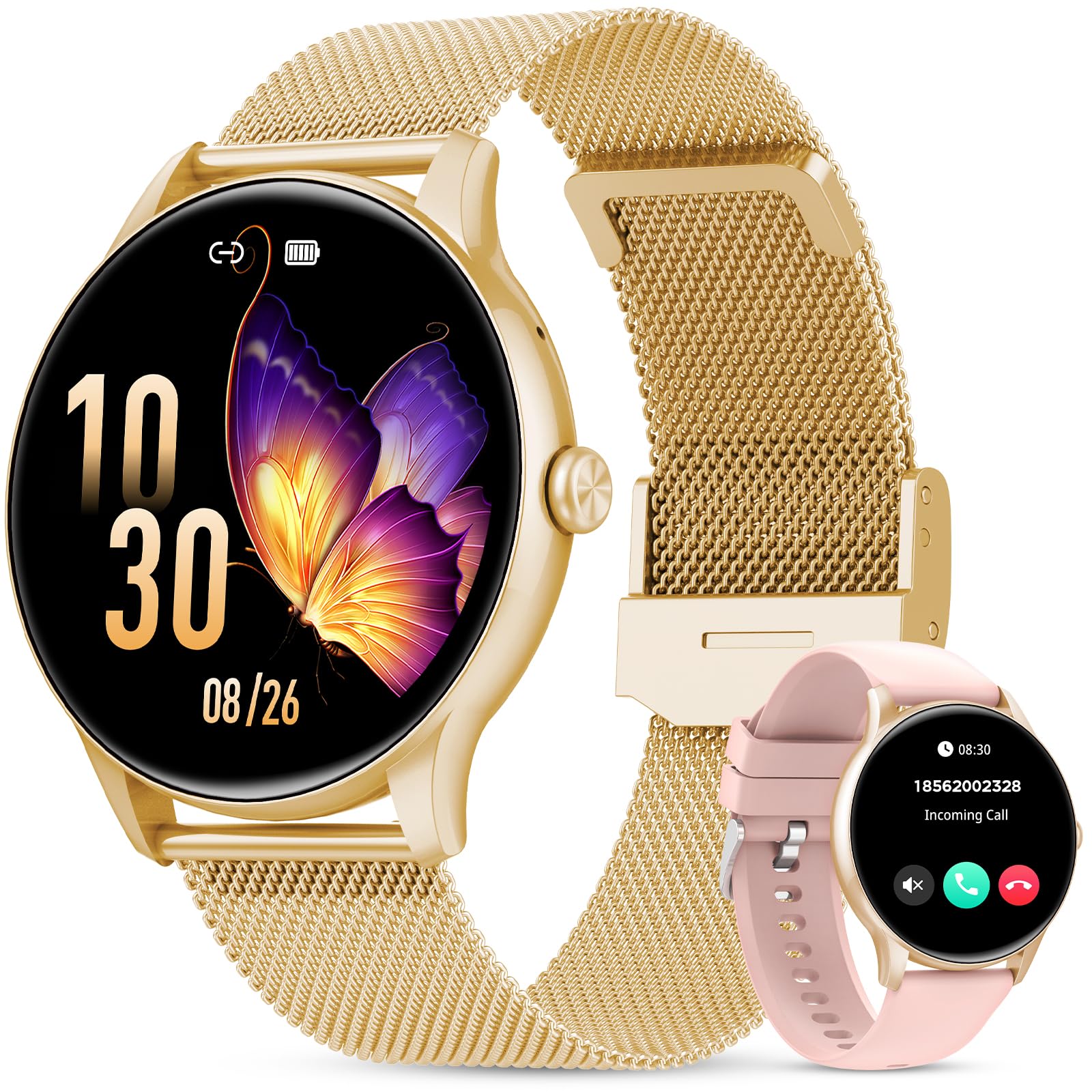
Figure 1: The taopodo TG36-QSEU1-GD Smartwatch featuring a 1.39-inch HD touchscreen with 360x360 resolution and 365 PPI, offering a 90% viewing area. The watch is designed to be ultra-lightweight at 25g.
2. الإعداد
2.1 الشحن الأولي
Before first use, fully charge the smartwatch. Connect the magnetic charging cable to the charging contacts on the back of the watch and plug the USB end into a standard USB power adapter (not included). The watch display will indicate charging status.
2.2 تثبيت التطبيق
To access all features, download and install the companion application on your smartphone. بحث عن the app name (usually found in the watch's packaging or quick start guide) in your device's app store (Google Play Store for Android, Apple App Store for iOS).
2.3 إقران الأجهزة
- تأكد من تمكين البلوتوث على هاتفك الذكي.
- افتح تطبيق المرافق على هاتفك الذكي.
- اتبع تعليمات التطبيق لإضافة جهاز جديد. سيبحث التطبيق عن الساعات الذكية المتاحة.
- Select 'TG36-QSEU1-GD' or the corresponding device name from the list.
- قم بتأكيد طلب الاقتران على كل من هاتفك الذكي والساعة الذكية إذا طُلب منك ذلك.
بمجرد الاقتران، ستقوم الساعة بمزامنة البيانات مع هاتفك، ويمكنك تخصيص الإعدادات من خلال التطبيق.
3. تعليمات التشغيل
3.1 الملاحة الأساسية
- شاشة تعمل باللمس: انقر للاختيار، واسحب لليسار/اليمين/أعلى/أسفل للتنقل بين القوائم والشاشات.
- زر جانبي: اضغط لتشغيل الشاشة، أو العودة إلى الشاشة الرئيسية، أو الوصول إلى قائمة التطبيقات (قد تختلف الوظائف بناءً على السياق).
3.2 Bluetooth Calling & Message Notifications
After successful Bluetooth pairing, the smartwatch can receive incoming call alerts and display message notifications from linked applications on your smartphone. You can answer or reject calls directly from the watch and view محتوى الرسالة.

Figure 2: The smartwatch on a wrist, demonstrating Bluetooth calling and message notification capabilities. Icons for various communication apps are shown, along with screens for incoming calls, contact lists, and a dial pad. Note: To make a call, the watch must be connected to your phone via Bluetooth.
3.3 وضعًا رياضيًا
The smartwatch supports over 110 sports modes. To access:
- Swipe on the watch face to find the 'Sports' or 'Workout' menu.
- Select your desired activity (e.g., Walking, Running, Cycling).
- Tap to start tracking. The watch will record data such as calorie burn, heart rate, and workout duration.
- Swipe right or press the side button to pause or end the activity.
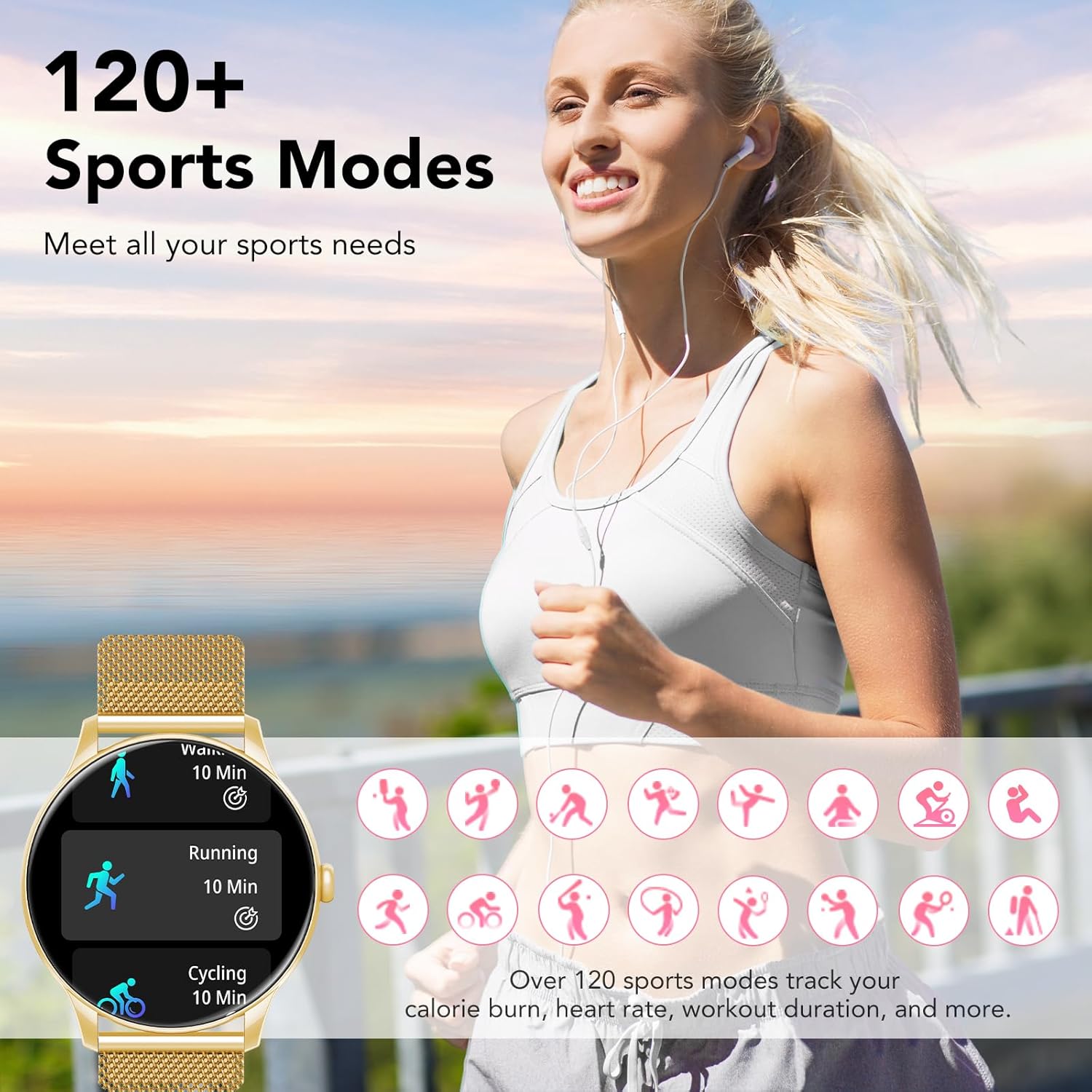
Figure 3: A user engaging in outdoor activity with the smartwatch, illustrating the availability of over 120 sports modes. The watch tracks metrics like calorie burn, heart rate, and workout duration for various activities.
3.4 مراقبة الصحة
توفر الساعة الذكية ميزات شاملة لمراقبة الصحة:
- رصد معدل ضربات القلب: Real-time heart rate tracking. Access this feature from the health menu on the watch.
- مراقبة ضغط الدم: Provides estimated blood pressure readings. For accurate medical data, consult a healthcare professional.
- مراقبة النوم: Automatically tracks sleep patterns, including deep sleep, light sleep, and REM sleep. View detailed reports in the companion app.

Figure 4: Visual representation of the smartwatch's comprehensive health monitoring capabilities, including real-time blood pressure and heart rate tracking, and detailed sleep monitoring showing deep, light, and REM sleep stagإِسْ
3.5 Menstrual Cycle Monitoring
This feature allows for smart prediction and tracking of menstrual cycles. To set up:
- Open the companion app and navigate to the 'Women's Health' or 'Cycle Tracking' section.
- Input your cycle data (last period start date, cycle length).
- The watch will then display predictions for menstrual periods and ovulation.

Figure 5: The smartwatch displaying a physiological cycle calendar, highlighting predicted menstrual periods and ovulation dates, demonstrating its menstrual cycle monitoring feature.
4. الصيانة
4.1 التنظيف
Regularly clean your smartwatch and strap. Use a soft, dry, lint-free cloth. For stubborn dirt, slightly dampen the cloth with water. Avoid harsh chemicals, abrasive cleaners, or solvents.
4.2 مقاومة الماء (IP67)
The smartwatch is IP67 rated, meaning it is protected from dust and can withstand immersion in water up to 1 meter for 30 minutes. It is suitable for daily use and light splashes. However, it is not recommended for swimming, showering with hot water, or diving, as steam and high water pressure can compromise the seals.
4.3 العناية بالبطارية
To prolong battery life, avoid extreme temperatures. Charge the device regularly and avoid letting the battery completely drain for extended periods.
5. استكشاف الأخطاء وإصلاحها
- الساعة لا تعمل: تأكد من شحن الساعة بالكامل. وصلها بالشاحن لمدة 30 دقيقة على الأقل.
- غير قادر على الاقتران بالهاتف الذكي:
- تأكد من تمكين البلوتوث على هاتفك.
- تأكد من أن الساعة موجودة ضمن نطاق هاتفك.
- أعد تشغيل كل من الساعة والهاتف.
- قم بمسح ذاكرة التخزين المؤقت للبلوتوث على هاتفك (أندرويد) أو انسَ الجهاز وأعد إقرانه (iOS).
- عدم ظهور الإشعارات:
- تحقق من أذونات إشعارات التطبيق على هاتفك.
- تأكد من أن الساعة متصلة عبر البلوتوث.
- تحقق من إعدادات الإشعارات داخل التطبيق المصاحب.
- قراءات صحية غير دقيقة: Ensure the watch is worn snugly on your wrist, not too tight or too loose. Clean the sensor on the back of the watch. Readings are for reference and not for medical diagnosis.
6. المواصفات
| ميزة | التفاصيل |
|---|---|
| رقم الموديل | TG36-QSEU1-GD |
| ماركة | تاوبودو |
| تكنولوجيا الاتصال | بلوتوث |
| معيار الاتصال اللاسلكي | بلوتوث |
| حجم الشاشة | 1.39 بوصة |
| لون | ذهب |
| مدخلات واجهة الإنسان | Microphone, Touchscreen |
| مقاومة الماء | IP67 |
| محتويات الصندوق | دليل المستخدم |

Figure 6: Detailed dimensions of the smartwatch. The watch face measures 45.5mm in width, with a 22mm strap. The adjustable strap accommodates wrist sizes from 145mm to 225mm.
7. الضمان والدعم
Your taopodo TG36-QSEU1-GD Smartwatch comes with a standard manufacturer's warranty. Please refer to the warranty card included in your product packaging for specific terms and conditions, including warranty duration and coverage details.
For technical support, troubleshooting assistance, or warranty claims, please contact taopodo customer service through the contact information provided in your product documentation or on the official taopodo webموقع.