
1. انتهى المنتجview
The Lenovo LOQ Gaming Laptop is engineered for performance, featuring an Intel Core i5-12450HX processor, NVIDIA GeForce RTX 2050 graphics, and a 15.6-inch FHD 144Hz display. This laptop is equipped with Wi-Fi 6 and Bluetooth 5.2 for robust connectivity, and a white backlit keyboard for enhanced usability in various lighting conditions.
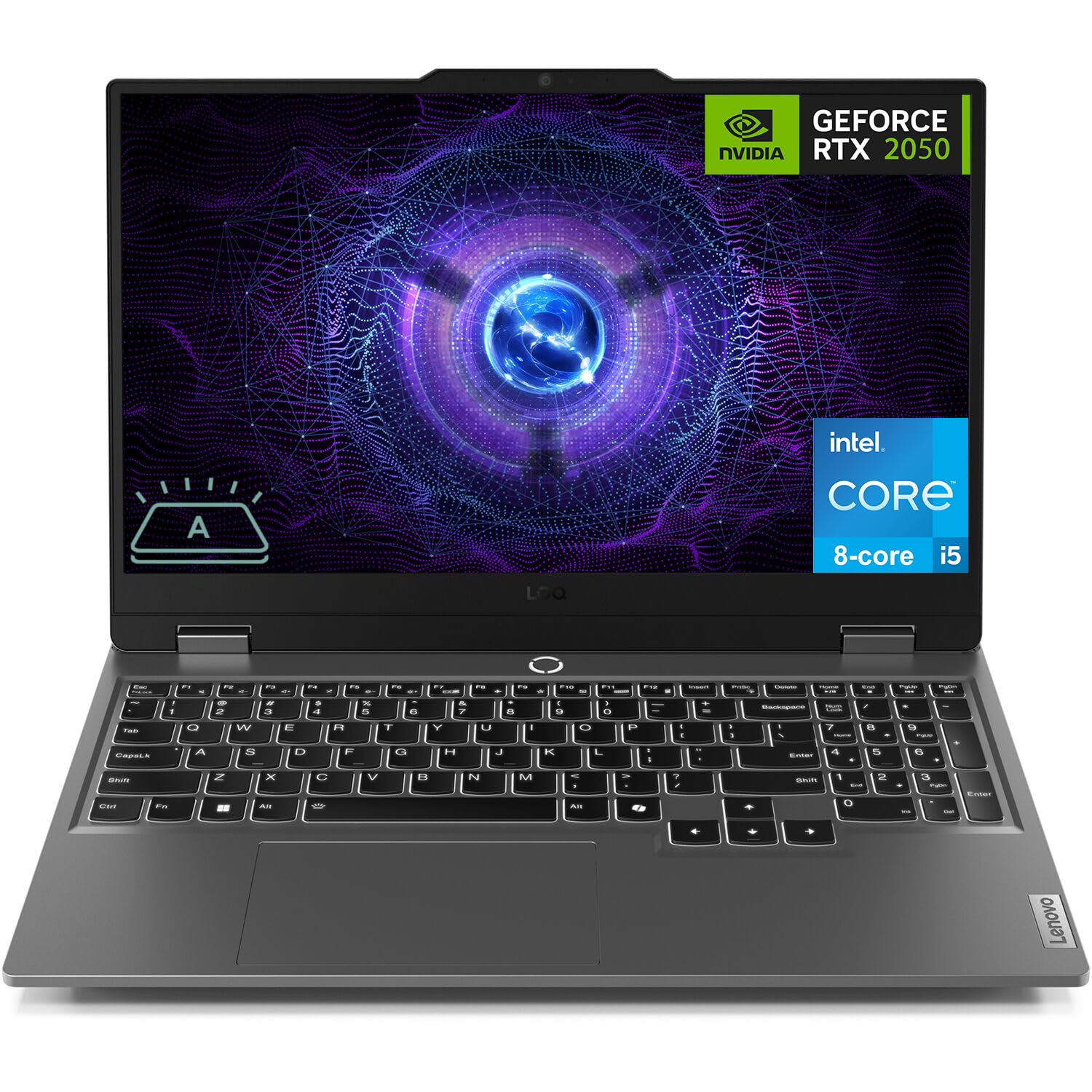
Figure 1: Lenovo LOQ Gaming Laptop - Angled View
This image shows the Lenovo LOQ Gaming Laptop from an angled perspective, highlighting its sleek design and the vibrant display. The screen is active, showcasing a dynamic graphic, and the keyboard is visible.
2. دليل الإعداد
2.1. فك العبوة والفحص الأولي
Carefully remove the laptop and all accessories from the packaging. Inspect for any signs of damage. Retain the packaging for future transport or service needs.
2.2. توصيل الطاقة
- Connect the power adapter to the laptop's power connector.
- قم بتوصيل سلك الطاقة بالمأخذ الكهربائي.
- اسمح للبطارية بالشحن لمدة 30 دقيقة على الأقل قبل الاستخدام الأولي، أو حتى يشير مؤشر البطارية إلى وجود شحن كافٍ.
2.3. التشغيل الأول
- افتح غطاء الكمبيوتر المحمول.
- Press the power button located above the keyboard.
- اتبع الإرشادات التي تظهر على الشاشة لإكمال إعداد Windows 11 Home، بما في ذلك اللغة والمنطقة واتصال الشبكة وإنشاء حساب المستخدم.

الشكل 2: تخطيط لوحة المفاتيح ولوحة اللمس
توفر هذه الصورة عرضًا من أعلى إلى أسفل view of the Lenovo LOQ Gaming Laptop's keyboard and touchpad, illustrating the full-size layout with a numeric keypad and the central power button.
3. تشغيل الكمبيوتر المحمول
3.1. وظائف لوحة المفاتيح
The laptop features a 6-row keyboard with multimedia Fn keys and a numeric keypad. The keyboard has a white backlight. Press Fn + مفتاح المسافة to cycle through backlight brightness levels (Off, Low, High).
3.2. إعدادات العرض
The 15.6-inch FHD (1920 x 1080) IPS display operates at 144Hz. You can adjust display settings, including resolution, refresh rate, and brightness, through Windows Display Settings. The display features anti-glare and Low Blue Light technology.
3.3. الاتصال
Your laptop supports various connectivity options:
- واي فاي 6: للوصول إلى الإنترنت اللاسلكي عالي السرعة.
- بلوتوث شنومكس: لتوصيل الأجهزة الطرفية اللاسلكية مثل الفأرة ولوحة المفاتيح وسماعات الرأس.
- إيثرنت (RJ-45): لاتصالات الشبكة السلكية.
- منافذ USB: 3x USB-A (USB 5Gbps / USB 3.2 Gen 1) and 1x USB-C (USB 10Gbps / USB 3.2 Gen 2) with Lenovo PD 140W and DisplayPort 1.4 support.
- HDMI 2.1: For connecting external displays, supporting up to 8K/60Hz.
- مقبس سماعة رأس / ميكروفون مشترك (3.5 ملم): لإدخال وإخراج الصوت.

Figure 3: Rear Port Configuration
This image displays the rear of the Lenovo LOQ Gaming Laptop, clearly labeling the various ports available for connectivity, including USB-C, HDMI, Ethernet, and USB-A ports.
4. الصيانة
4.1. التنظيف
- استخدم قطعة قماش ناعمة وخالية من الوبر لتنظيف الشاشة. تجنب استخدام المواد الكيميائية القاسية.
- استخدم الهواء المضغوط لإزالة الغبار من مفاتيح لوحة المفاتيح وشبكات التهوية.
- Wipe the laptop's exterior with a slightly damp قطعة قماش.
4.2. العناية بالبطارية
The laptop is equipped with a 60Wh Rechargeable Li-ion Battery that supports Rapid Charge Pro (up to 50% charge in 30 minutes). To prolong battery life:
- تجنب درجات الحرارة القصوى.
- لا تقم بتفريغ البطارية بالكامل بشكل متكرر.
- قم بتخزين الكمبيوتر المحمول مع شحن جزئي إذا لم يتم استخدامه لفترات طويلة.
4.3. تحديثات البرامج
Regularly update your operating system and drivers to ensure optimal performance and security. Check for updates through Windows Update and Lenovo Vantagالبرمجيات الإلكترونية.

الشكل 4: نظام تبريد متطور
This diagram illustrates the internal cooling system of the Lenovo LOQ Gaming Laptop, showing how air flows through the vents to dissipate heat from critical components, ensuring stable performance during intensive tasks.
5. استكشاف الأخطاء وإصلاحها
5.1. لا قوة
- Ensure the power adapter is securely connected to both the laptop and the electrical outlet.
- تأكد من أن منفذ الطاقة يعمل عن طريق توصيل جهاز آخر.
- إذا كانت البطارية فارغة تمامًا، اسمح لها بالشحن لبضع دقائق قبل محاولة تشغيلها.
5.2. مشاكل العرض
- إذا كانت الشاشة فارغة، حاول الضغط على فن + F2 (or the corresponding display toggle key) to ensure the display is not turned off or switched to an external monitor.
- Adjust screen brightness using the dedicated function keys (e.g., الجبهة الوطنية + F5 / F6).
- تأكد من تحديث برامج تشغيل الرسومات.
5.3. مشاكل الاتصال بالشبكة
- For Wi-Fi, check if Wi-Fi is enabled in Windows settings and if you are connected to the correct network.
- For Ethernet, ensure the cable is securely connected to both the laptop and the router/modem.
- Restart your router/modem and the laptop.
6. المواصفات
| ميزة | التفاصيل |
|---|---|
| المعالج | Intel Core i5-12450HX (8 Cores, 12 Threads, up to 4.4GHz) |
| الرسومات | بطاقة رسومات NVIDIA GeForce RTX 2050 سعة 4 جيجابايت GDDR6 |
| عرض | 15.6" FHD (1920x1080) IPS, 144Hz, Anti-glare, 300 nits, Low Blue Light |
| الذاكرة (RAM) | ذاكرة DDR5 سعة 12 جيجابايت (قابلة للتكوين حتى 64 جيجابايت) |
| تخزين | 512GB PCIe M.2 SSD (Configurable up to 8TB) |
| نظام التشغيل | Windows 11 Home (64-bit, English) |
| الاتصال اللاسلكي | واي فاي 6 (802.11ax)، بلوتوث 5.2 |
| الموانئ | 3x USB-A (USB 3.2 Gen 1), 1x USB-C (USB 3.2 Gen 2, PD 140W, DP 1.4), 1x HDMI 2.1, 1x Ethernet (RJ-45), 1x Headphone/Mic Combo Jack |
| لوحة المفاتيح | 6-row, multimedia Fn keys, numeric keypad, White backlight |
| بطارية | 60Wh Li-ion, Rapid Charge Pro support |
| آلة تصوير | HD 720p, E-shutter, fixed focus |
| لون | لونا جراي |
| الأبعاد (العرض × العمق × الارتفاع) | 14.17 × 10.19 × 0.86 بوصة |
| وزن | 5.25 رطل |
| رمز المنتج الموحد | 195477803817 |
7. الضمان والدعم
7.1. معلومات الضمان
This Lenovo LOQ Gaming Laptop comes with a One-year limited seller warranty. Please refer to your purchase documentation for specific terms and conditions.
7.2. دعم العملاء
للحصول على المساعدة التقنية، أو تنزيل برامج التشغيل، أو الاستفسارات المتعلقة بالخدمة، يرجى زيارة موقع دعم لينوفو الرسمي. website or contact their customer service. Keep your product's serial number handy for faster service.
يمكنك العثور على مزيد من المعلومات وموارد الدعم على متجر لينوفو على أمازون.