
1. المقدمة
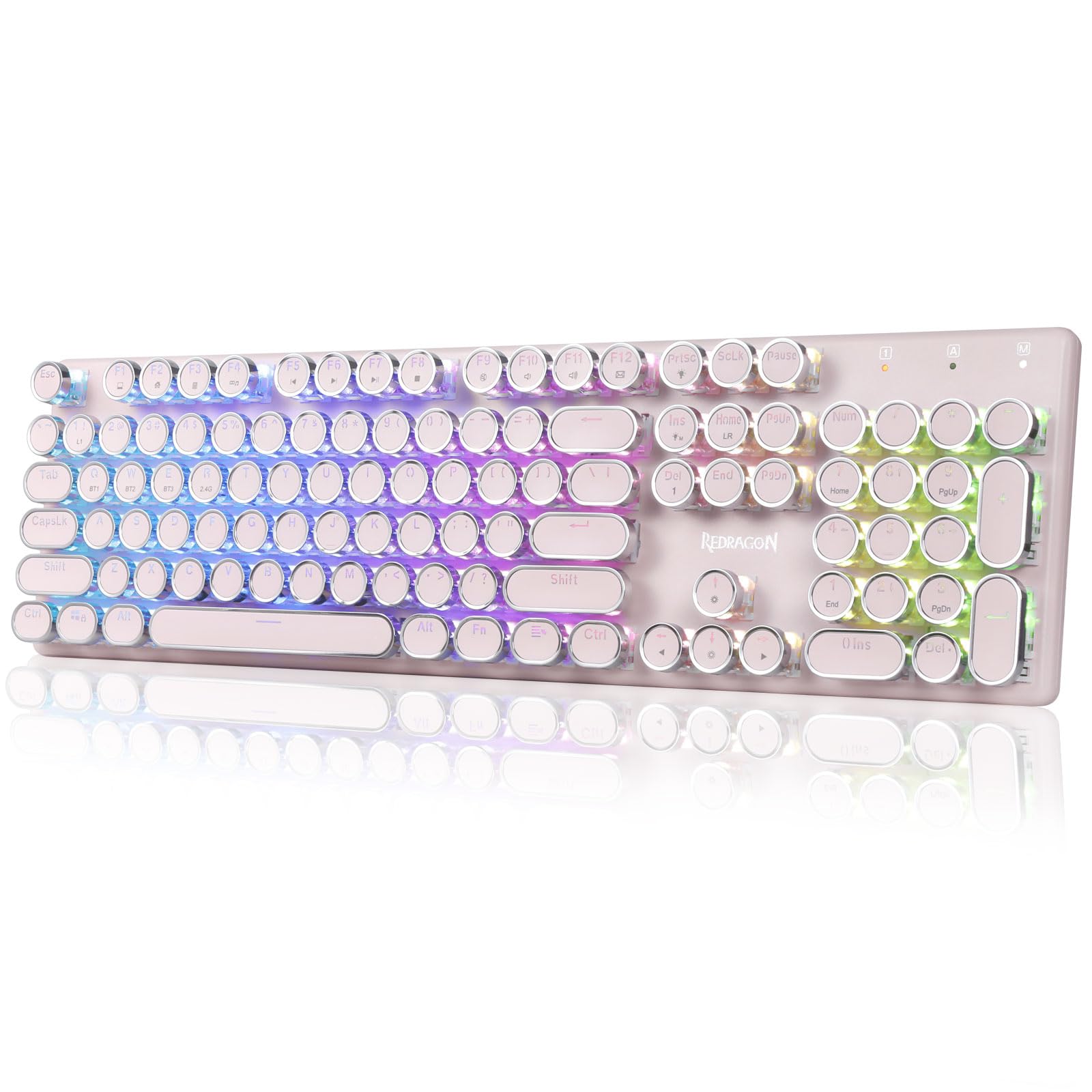
The Redragon K710 is a versatile mechanical gaming keyboard designed for a superior typing and gaming experience. It features a retro typewriter style with round keycaps and offers multiple connectivity options, vibrant RGB backlighting, and durable construction. This manual provides detailed instructions for setup, operation, maintenance, and troubleshooting.

2. الإعداد
2.1 محتويات العبوة
قبل أن تبدأ، تأكد من وجود جميع العناصر في العبوة:
- Redragon K710 Wireless Mechanical Gaming Keyboard
- كابل USB-C
- 2.4Ghz Wireless Dongle
- ساحب غطاء المفتاح (إذا كان متضمنًا)
- دليل المستخدم
2.2 الشحن الأولي
For optimal performance, fully charge the keyboard before first use. Connect the provided USB-C cable to the keyboard's port and to a USB power source (e.g., computer, wall adapter). The LED indicator will show charging status.
2.3 أوضاع الاتصال
The Redragon K710 supports three connection modes: 2.4Ghz Wireless, Bluetooth 3.0/5.0, and USB-C Wired.


2.3.1 2.4Ghz Wireless Mode
- Locate the 2.4Ghz wireless dongle, usually stored in a compartment on the back of the keyboard.
- قم بتوصيل الدونجل بمنفذ USB متاح على جهاز الكمبيوتر الخاص بك.
- Switch the mode selector on the back of the keyboard to "2.4G".
- اضغط مع الاستمرار FN + R. on the keyboard to enter 2.4G pairing mode. The indicator light will flash.
- ينبغي أن تتصل لوحة المفاتيح تلقائيًا.
2.3.2 وضع Bluetooth
- Switch the mode selector on the back of the keyboard to "BT".
- اضغط مع الاستمرار الجبهة الوطنية + س, الجبهة الوطنية + دبليو، أو الجبهة الوطنية + إي for 3 seconds to select a Bluetooth channel (BT1, BT2, or BT3). The indicator light for the selected channel will flash rapidly, indicating pairing mode.
- On your device (PC, laptop, tablet, phone), open Bluetooth settings and search for new devices.
- حدد "Redragon K710" من قائمة الأجهزة المتاحة للاقتران.
- بمجرد الاتصال، سيتوقف مؤشر الضوء عن الوميض.
2.3.3 وضع USB-C السلكي
- Connect the provided USB-C cable to the keyboard and to a USB port on your computer.
- سيتم تحويل لوحة المفاتيح تلقائيًا إلى الوضع السلكي وبدء الشحن.
3. تعليمات التشغيل
3.1 التحكم في الإضاءة الخلفية RGB
The K710 keyboard features 16.8 million RGB backlighting with various modes and customization options.

- الجبهة الوطنية + الإضافية: Switch between 16 different RGB lighting modes and effects.
- FN + ↑ / ↓: Adjust backlight brightness (5 levels).
- الجبهة الوطنية + ديل: Cycle through 7 solid colors (Red, Green, Blue, Yellow, Purple, Cyan, White).
- الجبهة الوطنية + برتسك: Toggle backlight on/off.
3.2 Custom Backlighting
You can customize individual key backlighting:
- يضعط الجبهة الوطنية + 1 to enter game mode.
- يضعط FN + الصفحة الرئيسية to enter custom recording state.
- Press desired keys continuously to set their color.
- يضعط FN + الصفحة الرئيسية again to save the custom lighting.
3.3 اختصارات الوسائط المتعددة
Access various functions using FN key combinations:

- ف ن + ف 1: جهاز الكمبيوتر الخاص بي
- ف ن + ف 2: الصفحة الرئيسية
- ف ن + ف 3: آلة حاسبة
- ف ن + ف 4: لاعب
- ف ن + ف 5: المسار السابق
- ف ن + ف 6: الأغنية التالية
- ف ن + ف 7: تشغيل/إيقاف مؤقت
- ف ن + ف 8: قف
- ف ن + ف 9: صامت
- ف ن + ف 10: مقدار -
- ف ن + ف 11: حجم +
- ف ن + ف 12: Mail
- الجبهة الوطنية + فوز: Lock/Unlock Windows Key
- FN + ESC (استمر لمدة 5 ثوانٍ): استعادة إعدادات المصنع
3.4 إدارة البطارية
The keyboard is equipped with a durable 4000mAh battery.

- عمر البطارية: Up to 70 hours with RGB lights on, and over 300 hours with lights off.
- الشحن: A fast charge can provide enough power for a full day's use.
- التحقق من مستوى البطارية: يضعط الجبهة الوطنية + أدخل to check the current battery level via the LED indicators.

3.5 وضع توفير الطاقة التلقائي
To conserve battery, the keyboard's backlight will automatically turn off after 3 minutes of inactivity in wireless mode. Press any key to wake up the keyboard.
3.6 Software Support
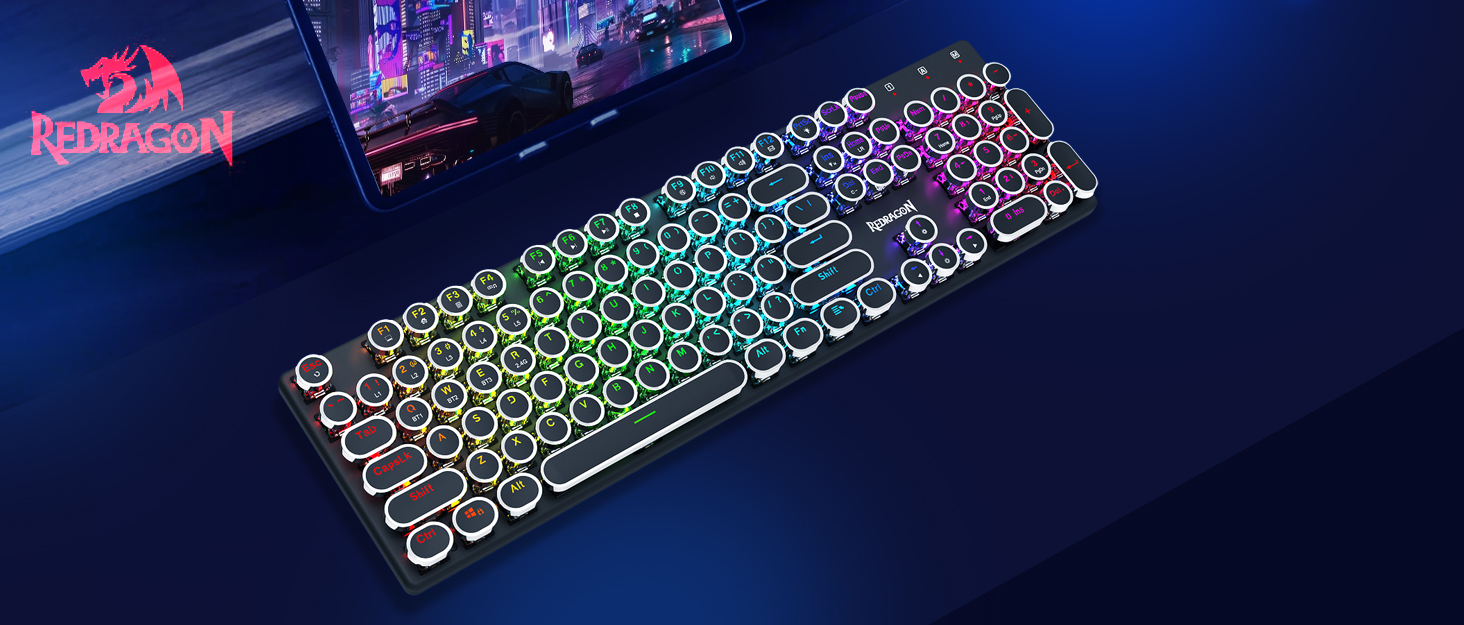
The Redragon K710 is compatible with dedicated software for advanced customization, including macro recording, key remapping, and detailed lighting effects.

To download the driver software, visit the official Redragon webموقع: redragonzone.com/software.html. Navigate to "KEYBOARDS", search for model "K710", and download the appropriate software.
4. الصيانة
4.1 التنظيف
- افصل لوحة المفاتيح عن جميع مصادر الطاقة قبل التنظيف.
- استخدم قطعة قماش ناعمة وجافة لمسح سطح لوحة المفاتيح.
- لإزالة الغبار والحطام بين أغطية المفاتيح، استخدم الهواء المضغوط.
- The included keycap puller can be used to carefully remove keycaps for deeper cleaning of the switches.
4.2 التخزين
Store the keyboard in a cool, dry place away from direct sunlight and extreme temperatures. Avoid placing heavy objects on the keyboard.
5. استكشاف الأخطاء وإصلاحها
- لوحة المفاتيح لا تستجيب: Ensure the keyboard is charged. Check the connection mode (wired, 2.4G, Bluetooth) and ensure it matches your device. Try reconnecting the USB cable or re-pairing the wireless connection.
- المفاتيح غير مسجلة أو مكتوبة مرتين: Clean under the keycaps. If using wireless, ensure the dongle is securely plugged in or Bluetooth connection is stable. Try updating the keyboard firmware via the Redragon software.
- أضواء RGB لا تعمل: Check if the backlight is turned off (FN + PrtSc). Adjust brightness (FN + ↑/↓). If issues persist, perform a factory reset (FN + ESC for 5 seconds).
- مشاكل الاتصال بالبلوتوث: Ensure your device's Bluetooth is enabled. Remove the keyboard from your device's paired list and re-pair it. Try a different Bluetooth channel (FN + Q/W/E).
- Software download link not working: Ensure you are visiting the official Redragon webموقع (redragonzone.com/software.html) and searching for the correct model (K710).
6. المواصفات
| ميزة | التفاصيل |
|---|---|
| ماركة | ريد دراجون |
| رقم الموديل | K710P-RGB |
| الاتصال | 2.4Ghz Wireless, Bluetooth 3.0/5.0, USB-C Wired |
| نوع لوحة المفاتيح | ميكانيكي |
| نوع المفتاح | Blue Switch (Clicky, Tactile) |
| ازرار | Round, Electroplated, Double Shot |
| الإضاءة الخلفية | RGB (16.8 Million Colors, 16+ Modes) |
| مكافحة التظليل | 104 مفتاحًا مضادًا للظلال |
| سعة البطارية | 4000 مللي أمبير |
| مادة | Metal (Panel), Plastic |
| وزن العنصر | 950 جرام |
| الأجهزة المتوافقة | Gaming Console, Laptop, PC, Tablet |


7. الضمان والدعم
للحصول على معلومات الضمان أو الدعم الفني أو مزيد من المساعدة، يرجى زيارة موقع Redragon الرسمي website or contact their customer service. The latest drivers and software can be found at redragonzone.com/software.html.