
1. المقدمة
This manual provides detailed instructions for the installation, operation, and maintenance of your SILENTWARE VIEWWHITE A-RGB Mid-Tower PC Case. Please read this manual thoroughly before beginning assembly to ensure proper setup and to maximize the performance and longevity of your system components.
The SILENTWARE VIEWWHITE is a high-performance mid-tower PC case designed for optimal airflow and aesthetic appeal. It features tempered glass panels, four pre-installed 120mm A-RGB fans, and comprehensive compatibility for various PC components.
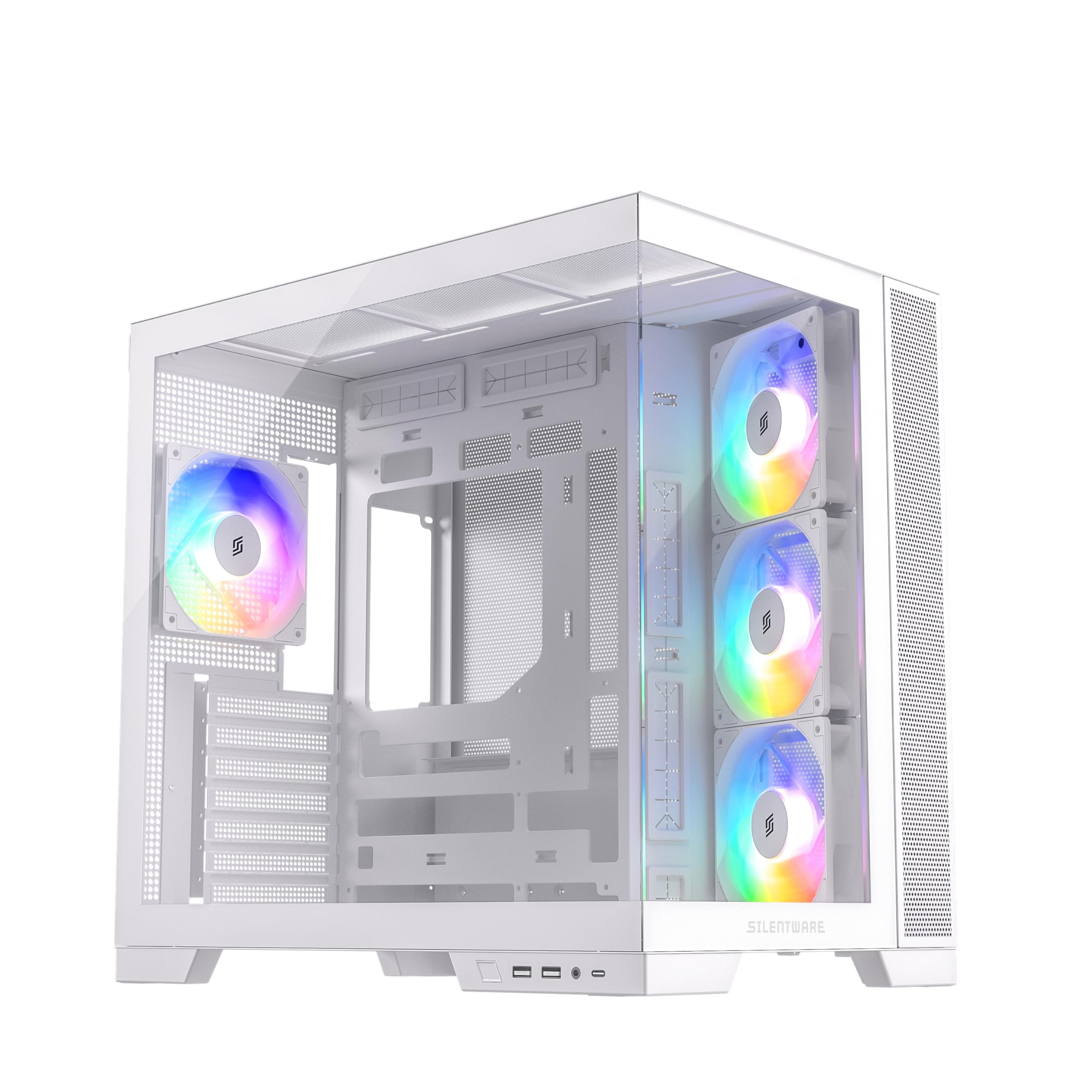
الشكل 1.1: انتهىview of the SILENTWARE VIEWWHITE A-RGB Mid-Tower PC Case.
2. الإعداد والتثبيت
Before starting, ensure you have all necessary components and tools. It is recommended to work on a clean, flat surface and to use anti-static precautions.
2.1 Unpacking the Case
Carefully remove the PC case from its packaging. Inspect for any damage that may have occurred during shipping. Retain the packaging for future transport or warranty claims.
2.2 إزالة الألواح
The SILENTWARE VIEWWHITE features tempered glass panels on the front and side. To access the interior for component installation:
- Locate the thumbscrews or latches securing the side tempered glass panel.
- Carefully remove the screws/release the latches and gently slide or lift the panel off. Place it on a soft, flat surface to prevent scratches.
- The top panel can also be removed for easier access and radiator installation.

Figure 2.1: Top panel removed for access to the interior.
2.3 تركيب اللوحة الأم
The case supports ATX, mATX, and ITX motherboards.
- Install the necessary motherboard standoffs if they are not pre-installed for your motherboard size.
- Align your motherboard with the standoffs and the I/O shield opening at the rear of the case.
- قم بتأمين اللوحة الأم بالمسامير.
2.4 تركيب مصدر الطاقة
The power supply unit (PSU) is mounted at the bottom of the case.
- Slide the PSU into its designated compartment from the rear of the case.
- Secure the PSU with screws from the exterior rear of the case.
- Utilize the integrated cable management system for a clean build. The case supports PSUs up to 200mm in length.
2.5 تركيب محرك التخزين
The case provides space for 2x SSDs and 1x HDD.
- Locate the SSD mounting points (typically behind the motherboard tray).
- Secure SSDs with screws.
- Install HDDs in the designated drive cage, usually located near the PSU shroud.
2.6 تثبيت بطاقة الرسومات (GPU)
يدعم هذا الهيكل وحدات معالجة الرسومات التي يصل طولها إلى 410 مم.
- قم بإزالة أغطية فتحات التوسعة اللازمة الموجودة في الجزء الخلفي من العلبة.
- قم بإدخال وحدة معالجة الرسوميات (GPU) في فتحة PCIe الموجودة على اللوحة الأم.
- قم بتأمين وحدة معالجة الرسوميات باستخدام البراغي.
2.7 Cooling System (Fans & Radiators)
The case comes with four pre-installed 120mm A-RGB fans: three inverted airflow fans at the front and one at the rear. It supports various radiator configurations:
- قمة: Up to 360mm radiator
- جانب: Up to 280mm radiator
- مؤخرة: Up to 120mm radiator
Ensure all fans are connected to the motherboard or a fan controller for power and RGB control.
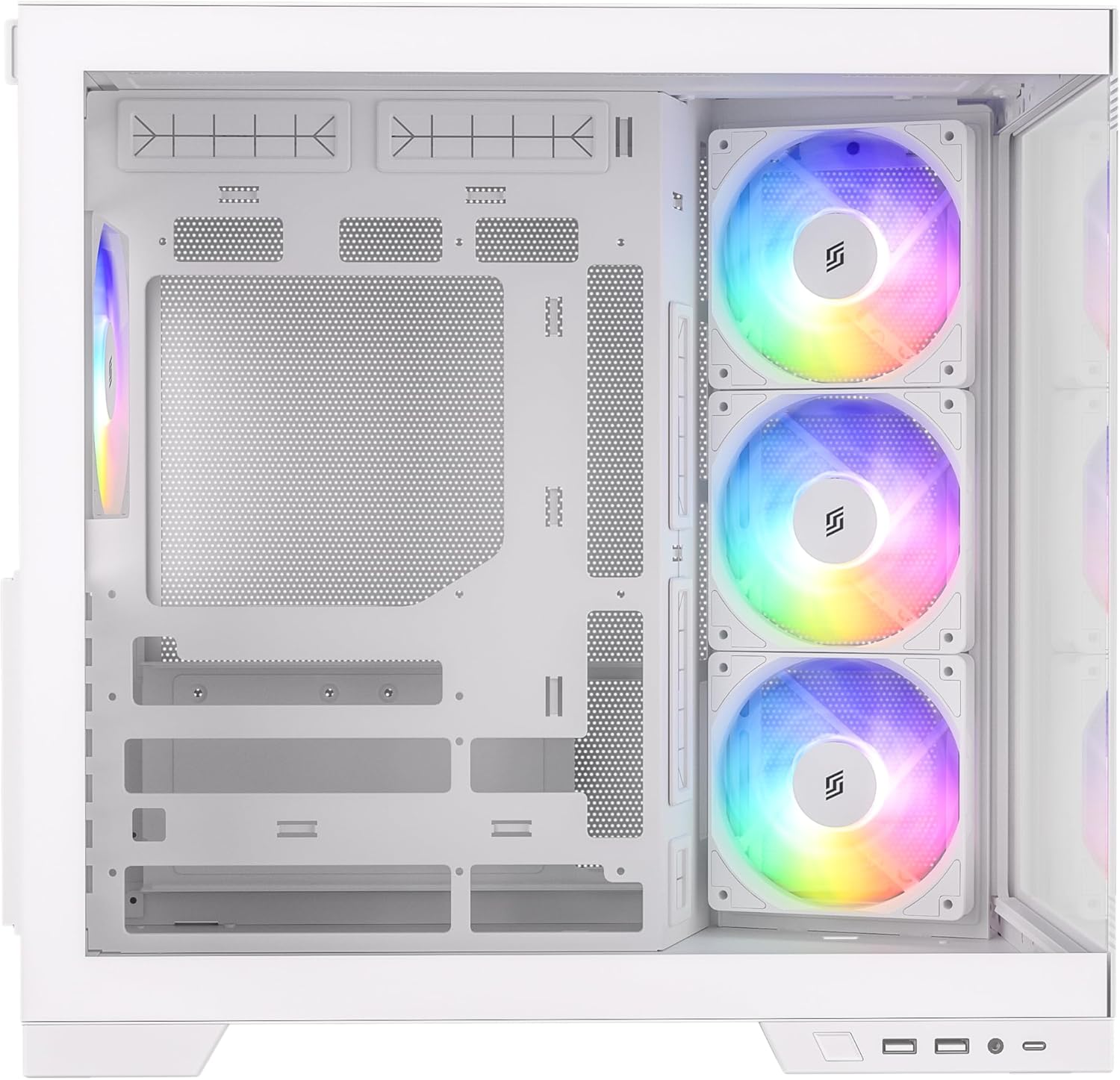
الشكل 2.2: داخلي view highlighting fan placement and component space.
2.8 توصيلات لوحة الإدخال/الإخراج الأمامية
Connect the front I/O panel cables to your motherboard. These include:
- يو اس بي 3.0 (x2)
- USB-C (×1)
- HD Audio (for headphone and microphone jacks)
- Power Button, Reset Button, Power LED, HDD LED
Refer to your motherboard manual for specific header locations.
3. Operating the A-RGB Fans
The pre-installed A-RGB fans offer flexible lighting and speed control.
3.1 Fan Connections
Each fan has two connectors:
- 4-pin PWM connector: For fan speed control. Connect this to a 4-pin fan header on your motherboard.
- 3-pin A-RGB connector: For addressable RGB lighting control. Connect this to a 3-pin 5V A-RGB header on your motherboard. Do not connect to a 4-pin 12V RGB header, as this may damage the LEDs.
3.2 Software Control
Once connected, you can control the fan speed and A-RGB lighting effects through your motherboard's proprietary software (e.g., ASUS Aura Sync, MSI Mystic Light, Gigabyte RGB Fusion, ASRock Polychrome Sync). Refer to your motherboard's manual for instructions on using its specific software.

Figure 3.1: A-RGB fans providing illumination and airflow.
4. الصيانة
تساعد الصيانة المنتظمة على ضمان الأداء الأمثل وإطالة عمر مكونات جهاز الكمبيوتر الخاص بك.
4.1 تنظيف الغبار
Dust accumulation can impede airflow and cause components to overheat. It is recommended to clean your PC case every 3-6 months, or more frequently in dusty environments.
- Power off your PC and unplug it from the wall outlet.
- Remove the side and top panels.
- Use compressed air to blow dust out of the case, especially from fan blades, radiator fins, and mesh filters. Hold fan blades gently to prevent over-spinning.
- امسحي الأسطح الداخلية بقطعة قماش من الألياف الدقيقة.
4.2 العناية بالزجاج المقوى
The tempered glass panels require careful handling.
- Clean glass panels with a soft, lint-free cloth and a non-abrasive glass cleaner.
- Avoid harsh chemicals or abrasive materials that could scratch the glass.
- Always handle glass panels by their edges to prevent fingerprints and smudges.
5. استكشاف الأخطاء وإصلاحها
يتناول هذا القسم المشكلات الشائعة التي قد تواجهها.
5.1 Fans Not Spinning or Lighting Up
- التحقق من توصيلات الطاقة: Ensure the 4-pin PWM fan connectors are securely plugged into the motherboard fan headers.
- Check RGB Connections: Verify that the 3-pin A-RGB connectors are securely plugged into the 5V A-RGB headers on your motherboard. Confirm you are not using a 12V RGB header.
- برنامج اللوحة الأم: Ensure your motherboard's RGB control software is installed and configured correctly. Sometimes, a BIOS update or a fresh installation of the software can resolve issues.
- Fan Controller: If using an external fan controller, ensure it is powered and correctly connected to the fans and motherboard.
5.2 ضعف تدفق الهواء / ارتفاع درجات الحرارة
- تراكم الغبار: Clean dust filters and fan blades as described in the Maintenance section.
- اتجاه المروحة: Ensure fans are oriented correctly for optimal airflow (front fans typically intake, rear/top fans exhaust). The pre-installed front fans are inverted for intake.
- إدارة الكابلات: Poor cable management can obstruct airflow. Re-route cables to minimize obstruction.
5.3 Front I/O Ports Not Working
- Check Motherboard Connections: Verify that all front I/O cables (USB 3.0, USB-C, HD Audio, power/reset switches) are correctly connected to their respective headers on the motherboard. Refer to your motherboard manual.
- تثبيت برنامج التشغيل: Ensure all necessary motherboard drivers, especially for USB ports, are installed.
6. المواصفات
Below are the technical specifications for the SILENTWARE VIEWWHITE A-RGB Mid-Tower PC Case:
| ميزة | مواصفة |
|---|---|
| ماركة | SILENTWARE |
| رقم الموديل | VIEWأبيض |
| نوع الحالة | برج متوسط |
| لون | أبيض |
| مادة | Tempered Glass (Front & Side), Steel |
| التوافق مع اللوحة الأم | ATX، mATX، ITX |
| مراوح مثبتة مسبقًا | 4x 120mm A-RGB (3x Front, 1x Rear) |
| خلوص طول وحدة معالجة الرسومات | حتى 410 ملم |
| ارتفاع مبرد وحدة المعالجة المركزية | حتى 160 ملم |
| دعامة المبرد (أعلى) | حتى 360 ملم |
| دعم المبرد (الجانبي) | حتى 280 ملم |
| دعامة المبرد (الخلفية) | حتى 120 ملم |
| حجرات القيادة | 2x 2.5" SSD, 1x 3.5" HDD |
| منافذ الإدخال / الإخراج الأمامية | 2x USB 3.0, 1x USB-C, Audio In/Out |
| نوع مصدر الطاقة | ATX (Bottom Mount, up to 200mm) |
| الأبعاد (D x W x H) | 28.5 × 42.5 × 41.5 سم |

الشكل 6.1: أبعاد المنتج.
7. معلومات الضمان
SILENTWARE products are covered by a limited warranty against defects in materials and workmanship. The specific warranty period and terms may vary by region and retailer. Please retain your proof of purchase for warranty claims.
For detailed warranty information, please refer to the warranty card included with your product or visit the official SILENTWARE webموقع.
8. الدعم
If you encounter any issues not covered in this manual or require further assistance, please contact SILENTWARE customer support.
- Webموقع: Visit the official SILENTWARE webالموقع الخاص بالأسئلة الشائعة وتنزيلات برامج التشغيل وموارد الدعم.
- بريد إلكتروني: Refer to your product packaging or the SILENTWARE webموقع مخصص لعناوين البريد الإلكتروني لخدمة العملاء.
- هاتف: Check the SILENTWARE webموقع للحصول على أرقام الاتصال للدعم الإقليمي.
عند الاتصال بالدعم، يرجى إحضار رقم طراز المنتج الخاص بك (VIEWWHITE) and proof of purchase ready.