
1. المقدمة
This manual provides detailed instructions for the safe and effective use of your NJTY Non-Contact Voltage Tester, Model T-03A. This device is designed for non-contact detection of AC voltage, offering a safe method for identifying live wires, checking for circuit breaks, and performing general electrical troubleshooting.

Image 1: NJTY Non-Contact Voltage Tester, Model T-03A. This image shows the overall design of the voltage tester, highlighting its compact and pen-like form factor with a red and black casing, green and red buttons, and an integrated LED flashlight at the tip.
2. معلومات السلامة
Always adhere to local safety regulations and practices when working with electricity. This device is designed to enhance safety, but it does not replace proper electrical safety procedures. Failure to follow these instructions may result in electric shock, injury, or death.
- لا تستخدم جهاز الاختبار إذا بدا تالفًا أو لا يعمل بشكل صحيح.
- Verify the tester's functionality on a known live circuit before and after each use.
- احرص دائمًا على ارتداء معدات الوقاية الشخصية المناسبة، مثل القفازات العازلة ونظارات السلامة.
- لا تتجاوز الحجم المحددtage range (12V-1000V AC or 48V-1000V AC).
- Keep fingers behind the finger guard during operation.
- Avoid direct contact with live conductors. This is a non-contact device.
- Do not use the device in wet conditions or in explosive atmospheres.
- The integrated laser pointer should not be aimed directly at eyes or reflective surfaces.
3. انتهى المنتجview
تعرّف على مكونات مجلدكtagاختبار البريد:

Image 2: Diagram illustrating the key components of the NJTY Voltage Tester. Labels include the NCV sensor head (probe), laser pointer, flashlight, signal/indicator lights, high/low signal indicator, power button, sensitivity switch (H/L), lighting/laser switch, and battery cover.
- Probe (NCV Sensor Head): يكتشف AC voltagه دون الاتصال.
- مؤشر الليزر: Emits a red laser for targeting test points.
- مصباح يدوي: يوفر الإضاءة في ظروف الإضاءة المنخفضة.
- Signal / Indicator: مؤشر مرئي للحجمtagالكشف الإلكتروني.
- High/Low Signal Indicator: Displays the detected voltagالمستوى الإلكتروني.
- زر الطاقة: يقوم بتشغيل الجهاز وإيقاف تشغيله.
- Sensitivity Switch (H/L): Toggles between high and low sensitivity modes.
- Lighting / Laser Switch: Activates the flashlight or laser pointer.
- غطاء البطارية: Access point for battery replacement.
4. الإعداد
4.1 تركيب البطارية
The NJTY Voltage Tester requires two AAA batteries (included). To install or replace batteries:
- Unscrew the battery cover at the bottom of the tester (refer to Image 2, item 9).
- أدخل بطاريتين AAA بجهد 1.5 فولت، مع التأكد من صحة القطبية (+/-).
- أعد تركيب غطاء البطارية وقم بتثبيته بإحكام.

الصورة 3: عن قرب view of the battery cover at the base of the NJTY Voltage Tester, showing how it can be unscrewed for battery access.
5. تعليمات التشغيل
5.1 تشغيل/إيقاف التشغيل
- للتشغيل ، اضغط مع الاستمرار على زر الطاقة (refer to Image 2, item 6) until the indicator lights illuminate.
- لإيقاف التشغيل ، اضغط مع الاستمرار على زر الطاقة again. The device will also automatically shut down after five minutes of inactivity to conserve battery life.
5.2 Sensitivity Modes
The tester features two sensitivity modes for different applications:
- High Sensitivity Mode (12V-1000V AC): Suitable for detecting lower voltages or for general detection. Press the Sensitivity Switch (H/L) (refer to Image 2, item 7) to select this mode.
- Low Sensitivity Mode (48V-1000V AC): Ideal for detecting higher voltages or when precise localization is needed to avoid false positives from adjacent wires. Press the Sensitivity Switch (H/L) لتحديد هذا الوضع.

Image 4: Comparison of high and low sensitivity modes. The top row shows high sensitivity (12-1000V) detecting live wire and null wire. The bottom row shows low sensitivity (48-1000V) detecting live wire and null wire, demonstrating how the tester indicates voltage presence with visual and audible alerts.
5.3 حجم عدم الاتصالtagكشف (NCV).
للكشف عن جهد التيار المترددtage:
- Turn on the tester and select the desired sensitivity mode.
- ضع Probe (NCV Sensor Head) near the conductor, outlet, or device you wish to test.
- إذا كان AC voltage is detected, the tester will emit an audible alarm and the Signal / Indicator lights will illuminate, with the High/Low Signal Indicator showing the relative strength of the detected field.

Image 5: The voltage tester in use, demonstrating NCV detection on an electrical outlet and a wire. It also shows the buzzer alarm, flashlight illuminating a circuit box, and the laser pointer targeting a ceiling light.
5.4 Breakpoint Testing
This feature helps locate breaks in live wires:
- Ensure the wire is live and the tester is in an appropriate sensitivity mode.
- حرك Probe (NCV Sensor Head) along the length of the wire.
- The tester will indicate voltage up to the point of the break. The absence of a signal beyond a certain point indicates a break in the circuit.

Image 6: Illustration of breakpoint testing. The tester indicates voltage on one side of a broken wire, and no voltage on the other side, pinpointing the location of the break.
5.5 مصباح يدوي
To activate the integrated LED flashlight for illuminating dark work areas:
- اضغط على Lighting / Laser Switch (refer to Image 2, item 8) once.
- Press it again to turn off the flashlight.

Image 7: The integrated LED flashlight of the voltage tester illuminating a dark electrical panel, demonstrating its utility in low-light environments.
5.6 مؤشر الليزر
To activate the laser pointer for precise targeting:
- اضغط مع الاستمرار على Lighting / Laser Switch (refer to Image 2, item 8) for a few seconds.
- Release the button to turn off the laser pointer.
- حذر: Do not stare into the laser beam or point it at people or animals.
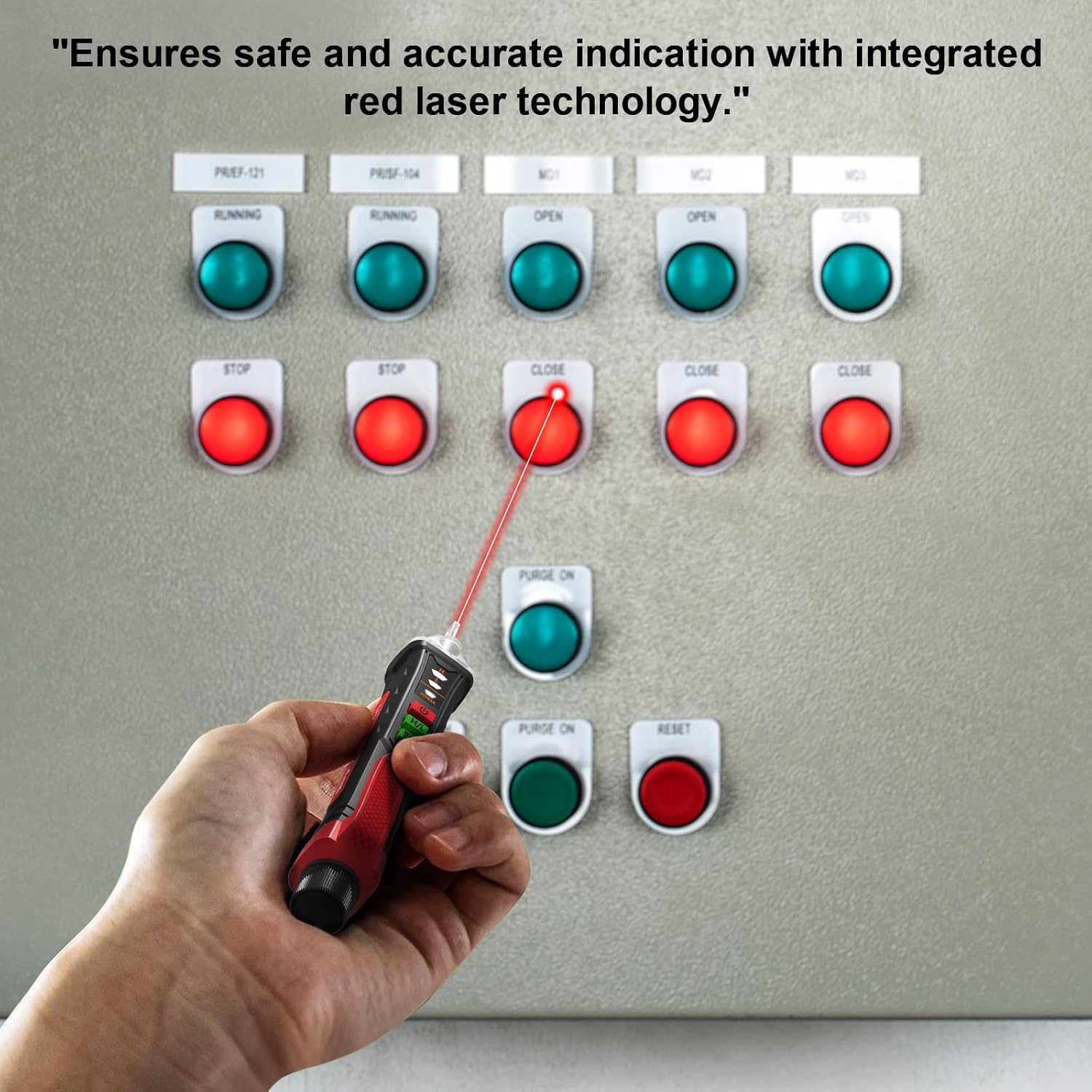
Image 8: A hand holding the voltage tester, using its red laser pointer to indicate a specific button on an electrical control panel, highlighting its precision targeting capability.
6. الصيانة
- تنظيف: امسح الجهاز بقطعة قماش جافة وناعمة. لا تستخدم منظفات أو مذيبات كاشطة.
- تخزين: Store the tester in a cool, dry place, away from direct sunlight and extreme temperatures. If storing for extended periods, remove the batteries to prevent leakage.
- استبدال البطارية: استبدل البطاريات فور ظهور مؤشر انخفاض مستوى البطارية لضمان دقة القراءات.
7. استكشاف الأخطاء وإصلاحها
| مشكلة | السبب المحتمل | حل |
|---|---|---|
| جهاز الاختبار لا يعمل. | البطاريات الميتة أو المثبتة بشكل غير صحيح. | التحقق من قطبية البطارية واستبدال البطاريات. |
| No detection on a known live circuit. | Low battery, incorrect sensitivity mode, or device malfunction. | Replace batteries, switch to high sensitivity mode (12V-1000V), or contact customer support. |
| النتائج الإيجابية الخاطئة (يكشف عن حجمtag(حيث لا يوجد شيء). | High sensitivity mode in a noisy electrical environment. | Switch to low sensitivity mode (48V-1000V). |
8. المواصفات
| ميزة | التفاصيل |
|---|---|
| نموذج | تي-03أ |
| ماركة | نيوجيرسي تي واي |
| المجلد ACtage المدى | 12V-1000V (High Sensitivity), 48V-1000V (Low Sensitivity) |
| تكرار | 50/60 هرتز |
| مصدر الطاقة | بطاريتان AAA بقوة 2 فولت |
| انقطاع التيار الكهربائي التلقائي | بعد 5 دقيقة من عدم النشاط |
| المؤشرات | Audible alarm, LED indicator lights |
| مميزات اضافية | Integrated LED flashlight, Laser pointer, Breakpoint testing |
| أبعاد المنتج | 0.1 × 0.1 × 0.1 بوصة |
| وزن العنصر | 1.8 أونصة |
9. ماذا يوجد في الصندوق
- 1 x NJTY Voltagه اختبار القلم
- بطاريتان AAA بقوة 2 فولت
- 1 x English Manual (This document)
10. الضمان والدعم
NJTY provides comprehensive after-sales support for sixty months from the date of purchase. If you encounter any issues with your NJTY Non-Contact Voltage Tester, Model T-03A, please contact our customer service team for assistance. Please refer to your purchase documentation for specific contact details.