
1. معلومات هامة حول السلامة
Please read and understand all safety instructions before installing or operating this solar battery charger maintainer. Failure to follow these instructions may result in electric shock, fire, or serious injury.
- Do not attempt to disassemble, modify, or repair the solar panel or controller. Refer all servicing to qualified personnel.
- Ensure all connections are secure and correct before applying power. Loose connections can cause sparks and damage.
- Avoid touching the exposed ends of wires or terminals when the panel is exposed to sunlight, as it can generate voltage.
- ارتدِ معدات الوقاية الشخصية المناسبة، بما في ذلك نظارات السلامة والقفازات، أثناء التركيب.
- Keep the solar panel and controller away from flammable materials and explosive gases.
- The controller is not waterproof. Protect it from rain, snow, and excessive moisture.
- تأكد من وجود تهوية مناسبة حول وحدة التحكم لمنع ارتفاع درجة الحرارة.
- هذا المنتج مصمم لأنظمة بطاريات 12 فولت فقط. لا تقم بتوصيله بأنظمة أخرى ذات جهد كهربائي أعلى.tagالأنظمة الإلكترونية.
2. انتهى المنتجview
The VEVOR 50W 12V Solar Battery Charger Maintainer is designed to efficiently charge and maintain 12V batteries using solar energy. It features high-efficiency monocrystalline cells and an intelligent MPPT controller to prevent overcharge and over-discharge, extending battery lifespan. The panel is IP65 waterproof for outdoor use.
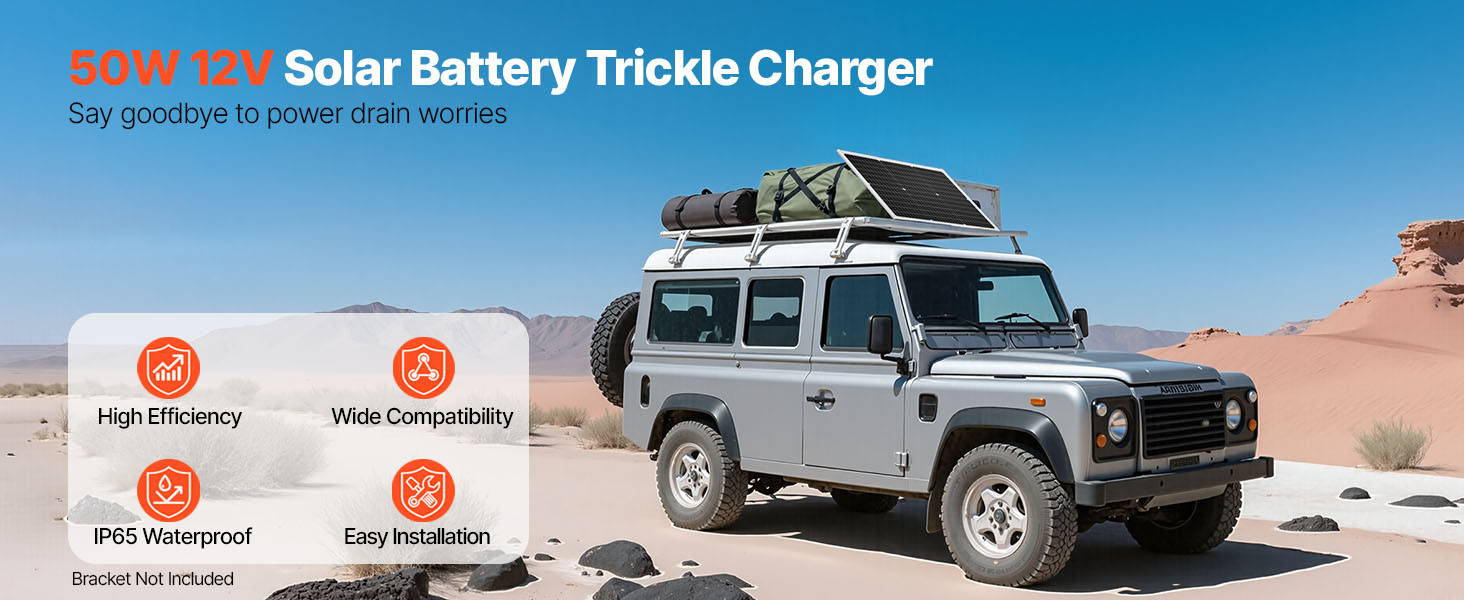
Figure 2.1: High-Efficiency Monocrystalline Solar Panel Construction
3. ماذا يوجد في الصندوق
تأكد من أن جميع المكونات موجودة وغير تالفة عند فك العبوة:
- 1 x 50W Monocrystalline Solar Panel
- وحدة تحكم شحن الطاقة الشمسية MPPT عدد 1
- 1 x Alligator Clip Cable (43.3 inch / 1100 mm)
- 1 x O-Ring Terminal Cable (43.3 inch / 1100 mm)
- 1 x Extension Cable (122 inch / 3100 mm)
- دليل المستخدم
4. المواصفات
| ميزة | مواصفة |
|---|---|
| رقم موديل العنصر | 50 واط |
| الحد الأقصى للطاقة | 50 واط |
| حجم الإخراجtage | 12 فولت تيار مستمر |
| ماكس باور فولtage | 20 فولت |
| حجم البطارية المتوافقtage | 12 فولت |
| نوع الخلية الشمسية | أحادي السليكون |
| مادة السطح | High-Transparency Tempered Glass |
| نوع وحدة التحكم | External MPPT Controller |
| Waterproof Rating (Panel) | IP65 |
| درجة حرارة التشغيل | -40 درجة فهرنهايت إلى 185 درجة فهرنهايت (-40 درجة مئوية إلى 85 درجة مئوية) |
| أبعاد المنتج (الطول × العرض × الارتفاع) | 23 بوصة × 29.5 بوصة × 0.98 بوصة (585 × 495 × 25 مم) |
| وزن العنصر | 6.4 رطل (2.9 كجم) |
| نوع الموصل | MC4 |
5. الإعداد والتثبيت
5.1 التنسيب
Select a location for the solar panel that receives maximum direct sunlight throughout the day, unobstructed by shadows from trees, buildings, or other objects. The panel is designed for flat placement on surfaces such as rooftops, RVs, boats, or in open yards.
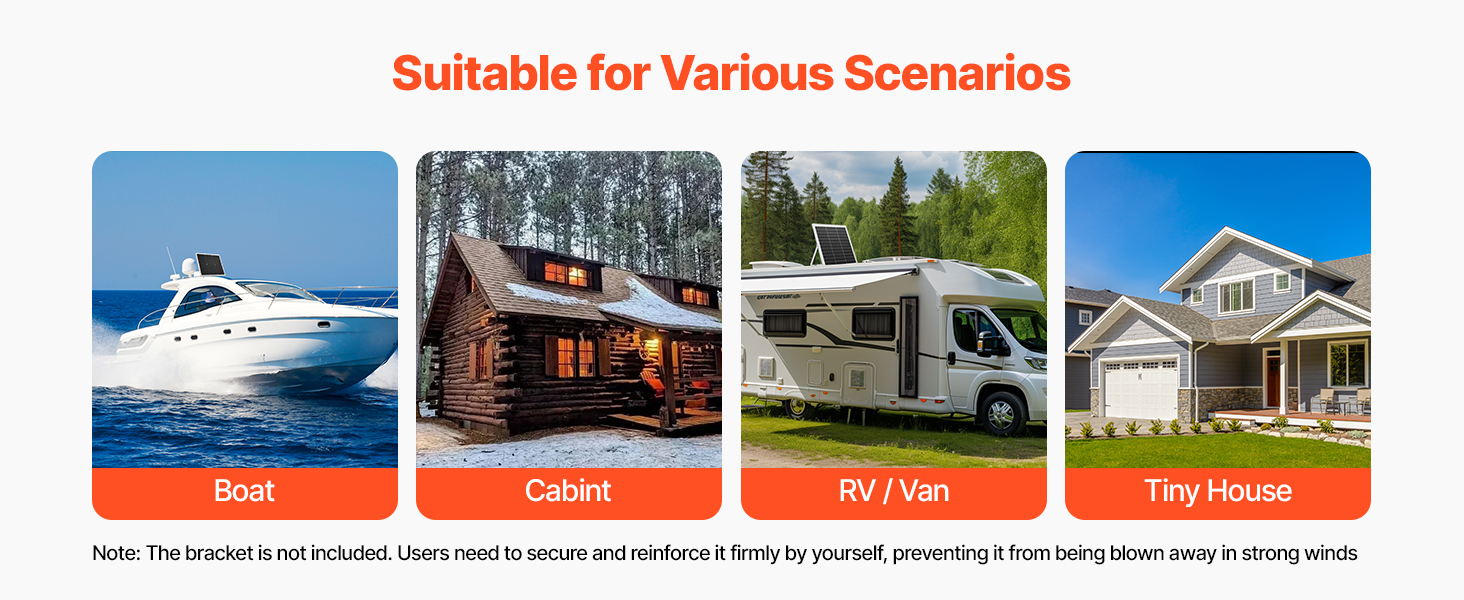
Figure 5.1: Recommended Placement Scenarios
ملحوظة: A mounting bracket is not included. If placing on a roof or in an area prone to strong winds, ensure the panel is securely fastened and reinforced to prevent it from being blown away.
5.2 توصيل اللوحة الشمسية
The solar panel kit includes an MPPT controller and various connection cables for versatile use. Follow these steps for proper connection:
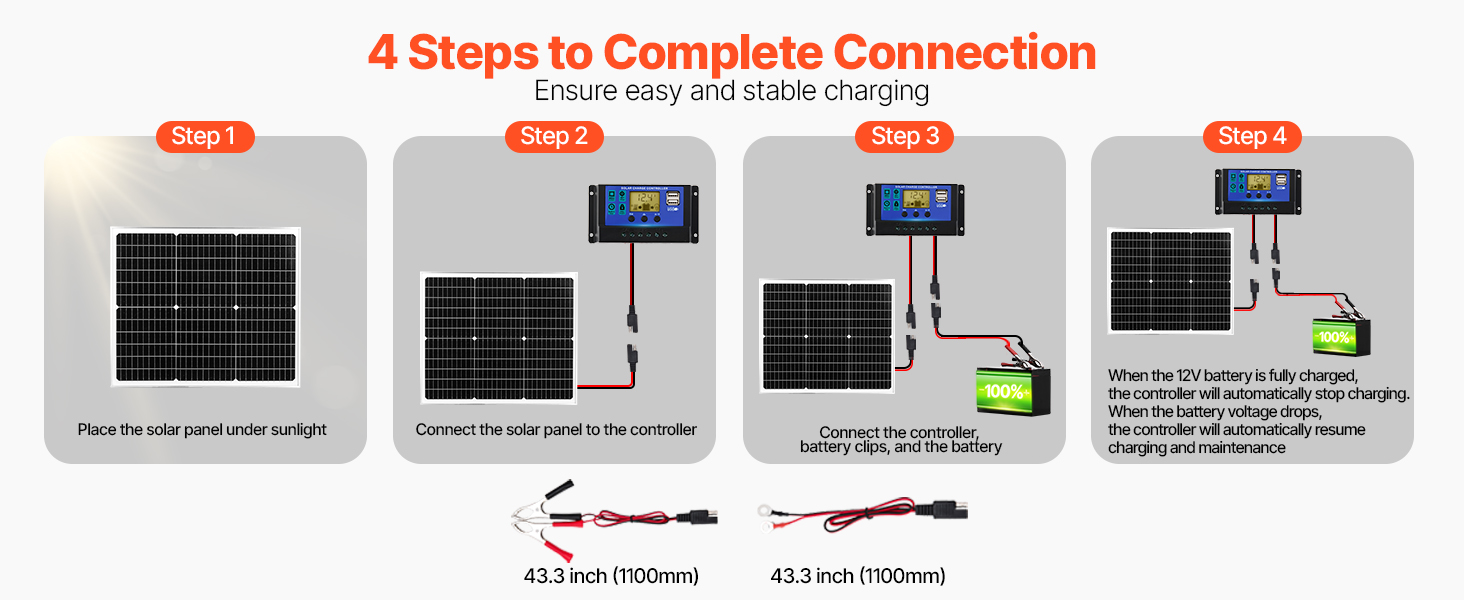
Figure 5.2: Connection Methods and Cables
- وضع اللوحة الشمسية: Position the solar panel in direct sunlight.
- الاتصال بوحدة التحكم: Connect the solar panel's MC4 connectors to the corresponding input terminals on the MPPT solar charge controller. Ensure polarity is correct (positive to positive, negative to negative).
- Connect Controller to Battery: Choose the appropriate connection cable (alligator clips or O-ring terminals) based on your battery type. Connect the cable to the battery output terminals on the MPPT controller. Then, connect the other end of the cable to your 12V battery. Ensure correct polarity: red to positive (+), black to negative (-).
- تحقق من الاتصال: Once all connections are made, the controller display should activate, indicating the battery voltagه وحالة الشحن.
مهم: Always connect the controller to the battery first, then to the solar panel. When disconnecting, disconnect the solar panel first, then the battery.
6. تعليمات التشغيل
6.1 عملية الشحن
The intelligent MPPT controller manages the charging process automatically. When the solar panel is exposed to sunlight and connected to a 12V battery via the controller, it will begin charging. The controller features 6-stage protection to optimize battery health.
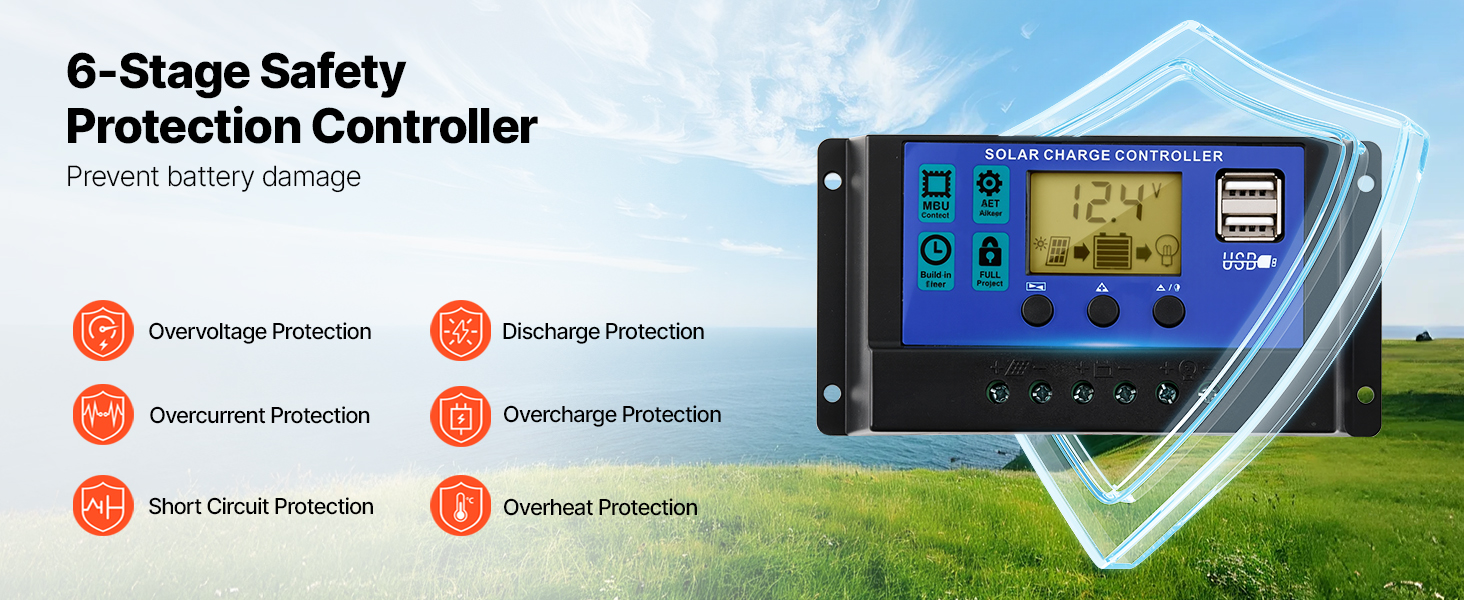
Figure 6.1: MPPT Intelligent Controller with Safety Features
- The controller automatically stops charging when the battery voltage reaches 12V to prevent overcharging.
- It automatically resumes charging when the battery voltage drops below 12V, ensuring continuous maintenance.
- The display on the controller provides real-time information on battery voltagه وحالة الشحن.
6.2 توافق البطارية
This solar charger maintainer is compatible with multiple 12V battery types:
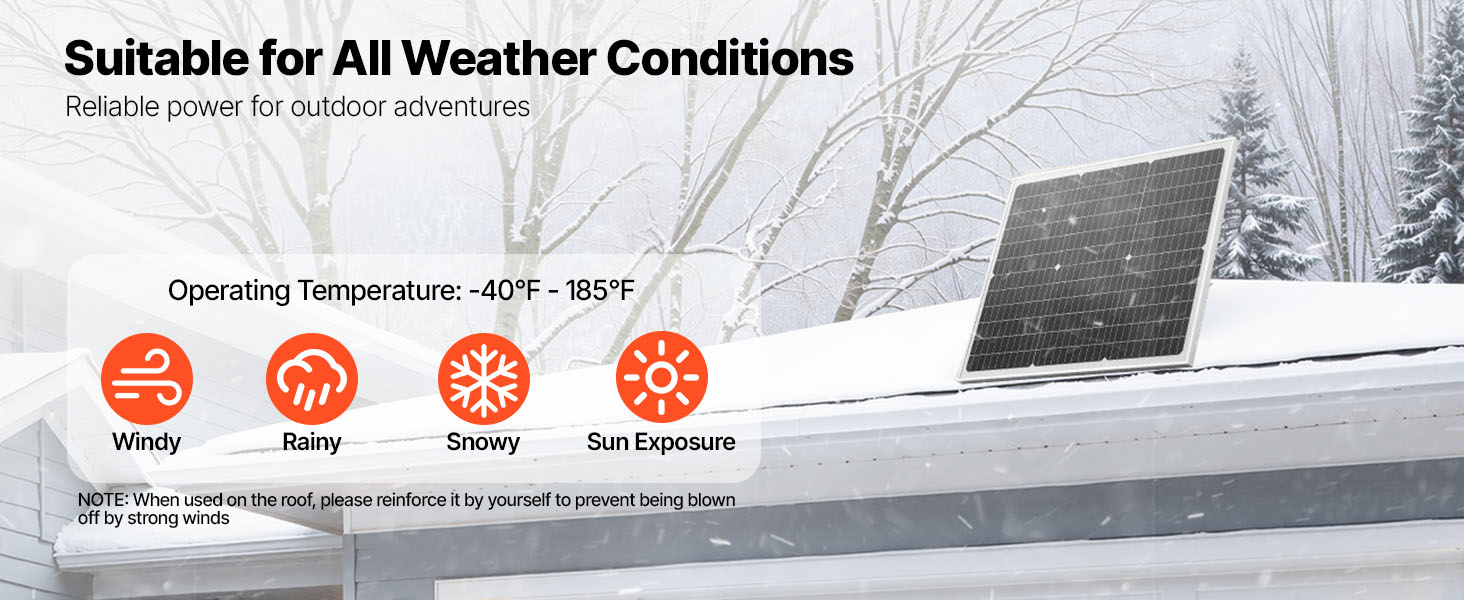
Figure 6.2: Compatible 12V Battery Types
- LiFePO4 (فوسفات حديد الليثيوم)
- أيون الليثيوم (Li-ion)
- AGM (حصيرة زجاجية ماصة)
- جل
- SLA (Sealed Lead-Acid)
- EFB (بطارية سائلة محسّنة)
7. الصيانة
Regular maintenance ensures optimal performance and longevity of your solar battery charger maintainer.
- تنظيف: قم بتنظيف سطح اللوحة الشمسية بشكل دوري باستخدام قطعة قماش ناعمة.amp cloth to remove dust, dirt, and debris. A clean panel ensures maximum sunlight absorption. Do not use abrasive cleaners or harsh chemicals.
- تقتيش: Regularly inspect all cables and connections for signs of wear, corrosion, or damage. Ensure connections remain tight.
- رعاية وحدة التحكم: Keep the MPPT controller dry and free from dust. Ensure it has adequate ventilation.
- حماية البيئة: While the panel is IP65 waterproof, the controller is not. Protect the controller from direct exposure to rain, snow, and extreme moisture.
8. استكشاف الأخطاء وإصلاحها
If you encounter issues with your VEVOR solar battery charger maintainer, refer to the following table for common problems and solutions.
| مشكلة | السبب المحتمل | حل |
|---|---|---|
| No charging indication on controller | No sunlight or insufficient sunlight توصيلات غير محكمة أو غير صحيحة Faulty solar panel or controller | Move panel to direct sunlight; clean panel surface Check all cable connections for tightness and correct polarity Test components individually if possible; contact support |
| البطارية لا يتم شحنها بالكامل | عدم التعرض الكافي لأشعة الشمس تدهور البطارية Controller settings (if applicable) | ضمان التعرض لأقصى قدر من أشعة الشمس Have battery tested by a professional Ensure controller is set for 12V battery type (automatic for this model) |
| Controller display is off | No battery connection حجم البطاريةtagمنخفض جدا خطأ تحكم | Connect controller to a 12V battery Charge battery with an alternative charger if critically low اتصل بالدعم |
| Overcharging/Over-discharging (despite controller) | عطل في جهاز التحكم Incorrect battery type selection (if applicable) | Immediately disconnect and contact support. This model automatically detects 12V. |
9. الضمان والدعم
VEVOR products are designed for reliability and performance. For warranty information, technical support, or service inquiries, please refer to the warranty card included with your product or visit the official VEVOR website. Please have your product model number (50W) and purchase details ready when contacting support.