
1. المقدمة
This manual provides detailed instructions for the setup, operation, and maintenance of your Rettru W7 Mini WiFi Security Camera. Please read this manual thoroughly before using the product to ensure proper functionality and safety. This camera is designed for indoor security monitoring, offering features such as motion detection, night vision, and remote access via a dedicated mobile application.

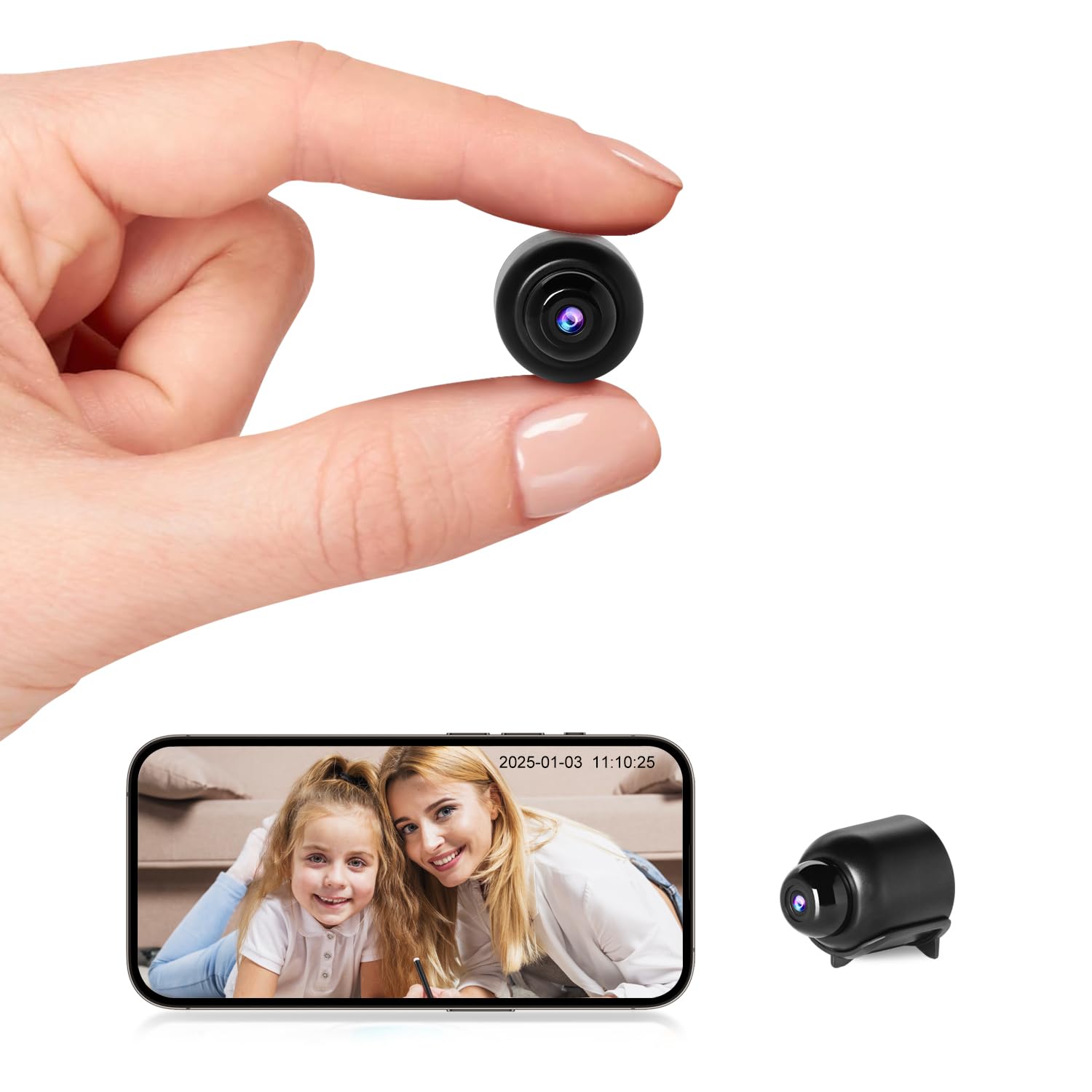
Figure 1: Versatile applications of the Rettru W7 Mini WiFi Security Camera.
2. انتهى المنتجview
2.1 محتويات العبوة
- Rettru W7 Mini WiFi Security Camera
- كابل الشحن
- دليل المستخدم (هذا المستند)
2.2 الميزات الرئيسية
- دقة عالية الوضوح 1080 بكسل: Provides clear video quality.
- اتصال واي فاي: Supports 2.4GHz WiFi for remote access (5GHz not supported).
- Motion Detection & Alarm Push: Sends notifications to your smartphone upon detecting movement.
- الرؤية الليلية: Enhanced night vision performance up to 5 meters in complete darkness with 4 infrared LEDs.
- التسجيل المتكرر: يقوم تلقائيًا بالكتابة فوق الملفات القديمةtage عندما تكون بطاقة الذاكرة ممتلئة.
- دعم بطاقة مايكرو اس دي: Compatible with MicroSD cards up to 128GB (not included).
- تصميم مضغوط: Small and portable for discreet placement.
- التحكم في التطبيق: إدارة و view فوtage via a dedicated mobile application for iOS and Android.
2.3 Product Dimensions and Design
The camera measures approximately 40 x 33 x 33 mm (1.57 x 1.29 x 1.29 inches), making it highly compact and suitable for discreet placement.

Figure 2: Camera dimensions. The camera is shown with a digital caliper indicating its small size.

Figure 3: Compact design for discreet placement, shown hidden within a woven basket among plants.

Figure 4: Camera hidden on a bookshelf, demonstrating its unobtrusive design.
3. تعليمات الإعداد
- اشحن الكاميرا: Before initial use, fully charge the camera using the provided charging cable.
- أدخل بطاقة MicroSD: Insert a MicroSD card (up to 128GB, not included) into the designated slot for local storage.
- تنزيل التطبيق: Prepare an iPhone or Android smartphone and download the free dedicated application from your smartphone's app store.
- تشغيل الطاقة: اضغط مع الاستمرار على زر الطاقة لتشغيل الكاميرا.
- الاتصال بشبكة WiFi:
- افتح التطبيق واتبع التعليمات التي تظهر على الشاشة لإضافة جهاز جديد.
- Ensure your smartphone is connected to a 2.4GHz WiFi network. The camera does not support 5GHz WiFi.
- The app will guide you through connecting the camera to your home or office WiFi network.
- الموقع: Position the camera in your desired location. Its small size allows for versatile placement.

Figure 5: Camera held in hand, illustrating its portability and ease of setup.
4. تعليمات التشغيل
4.1 مباشر View
Once connected, open the dedicated app on your smartphone. You can access the live video feed from the camera anytime, anywhere. Multiple users can log in to the app to monitor a single camera.

Figure 6: 150-degree wide-angle view. The image shows a living room from the camera's perspective, highlighting its broad field of view.

Figure 7: App interface for live monitoring. A smartphone displays the camera's live feed of a room.
4.2 كشف الحركة وأجهزة الإنذار
The camera features motion detection technology. When a change in the image is detected, the camera will immediately send a notification message to your smartphone. Log in to the app to view the situation at home anytime, anywhere. Motion detection recordings are saved to the memory card as evidence.

Figure 8: Motion detection alarm notification on a smartphone.
4.3 الرؤية الليلية
The camera provides high-definition 1080p night vision, allowing clear visibility up to 5 meters in complete darkness. This ensures you can monitor activities even in low-light conditions without the camera emitting visible light.

الشكل 9: مثالample of night vision in a dark room.
الشكل 10: الرؤية الليلية view on the app, showing a sleeping child in black and white.
4.4 تسجيل الحلقة
When the MicroSD card is full, the camera automatically overwrites the oldest video files, ensuring continuous recording without the need to manually delete footage.

Figure 11: Loop recording functionality and MicroSD card support.
5. الصيانة
- تنظيف: استخدم قطعة قماش ناعمة وجافة لتنظيف عدسة الكاميرا وجسمها. تجنب استخدام المنظفات السائلة أو المواد الكاشطة.
- تخزين: قم بتخزين الكاميرا في مكان بارد وجاف عند عدم استخدامها لفترات طويلة.
- العناية بالبطارية: To prolong battery life, avoid fully discharging the battery frequently. Charge the camera regularly.
- تحديثات البرامج: Check the app periodically for any available firmware updates for the camera to ensure optimal performance and security.
6. استكشاف الأخطاء وإصلاحها
| مشكلة | السبب المحتمل | حل |
|---|---|---|
| الكاميرا لا تعمل. | Low battery or faulty charging cable. | Ensure the camera is fully charged. Try a different charging cable and power adapter. |
| لا يمكن الاتصال بشبكة الواي فاي. | Incorrect WiFi password, 5GHz network, or camera too far from router. |
|
| App does not detect the device. | Camera not in pairing mode, app permissions, or network issues. |
|
| فيديو فوtage is unclear or blurry. | عدسة متسخة أو إضاءة غير كافية. | Clean the camera lens with a soft cloth. Ensure adequate lighting or verify night vision is active in low light. |
| لم يتم استلام تنبيهات كشف الحركة. | App notification settings, motion detection sensitivity, or network issues. |
|
7. المواصفات
| ميزة | التفاصيل |
|---|---|
| رقم الموديل | W7 |
| دقة الفيديو | 1080 بكسل عالية الدقة |
| معدل الإطارات | 25 إطارًا في الثانية |
| مجال View | 150 درجة |
| نطاق الرؤية الليلية | حتى 5 أمتار |
| مصابيح LED بالأشعة تحت الحمراء | 4 |
| الاتصال | واي فاي (2.4 جيجاهرتز فقط) |
| تخزين | MicroSD card, up to 128GB (not included) |
| تنسيق التقاط الفيديو | أفي |
| تقنية الاستشعار | سيموس |
| أبعاد المنتج | 40 × 33 × 33 ملم |
| الاستخدام الموصى به | الأمن الداخلي |
| Waterproof Type | غير مقاوم للماء |
| نوع التركيب | جبل منضدية |
| المكونات المضمنة | Charging cable, User manual |
| بلد المنشأ | الصين |
8. الضمان والدعم
Rettru products are designed for reliability and performance. If you encounter any issues or have questions regarding your Rettru W7 Mini WiFi Security Camera, please do not hesitate to contact our customer support. We are committed to providing assistance for your purchase and use.
يرجى الرجوع إلى وثائق الشراء الخاصة بك أو إلى بائع التجزئة webالموقع للحصول على شروط الضمان المحددة ومعلومات الاتصال.