
مقدمة
This manual provides essential information for the safe and efficient use of your Google Pixel 9 Pro 5G smartphone. Please read these instructions carefully before operating your device.
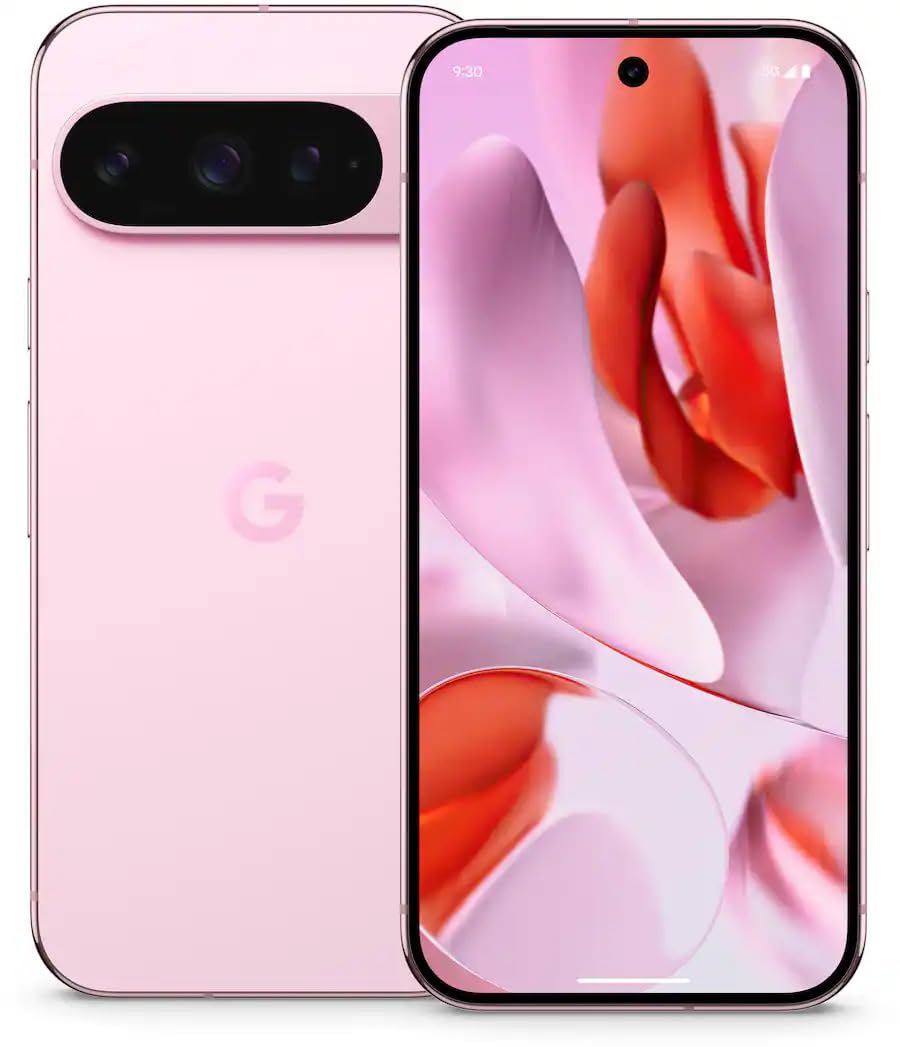
الشكل 1: الجبهة view of the Google Pixel 9 Pro 5G.
ماذا يوجد في الصندوق
تأكد من وجود جميع العناصر في العبوة:
- هاتف جوجل بيكسل 9 برو الذكي
- USB-C to USB-C Cable (1m, USB 2.0)
- أداة إخراج درج بطاقة SIM
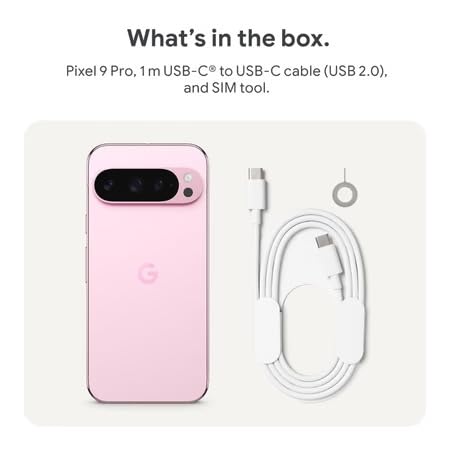
Figure 2: Included items in the Pixel 9 Pro packaging.
يثبت
1. إدخال بطاقة SIM
- Locate the SIM tray on the side of your Pixel 9 Pro.
- Insert the provided SIM ejector tool into the small hole on the SIM tray and press gently until the tray pops out.
- ضع بطاقة Nano-SIM في الدرج مع توجيه أطراف التوصيل الذهبية لأسفل. تأكد من تثبيتها بشكل صحيح.
- Carefully push the SIM tray back into the device until it is flush.
2. الشحن الأولي
قبل الاستخدام الأول، يوصى بشحن جهازك بالكامل.
- قم بتوصيل كابل USB-C بمنفذ الشحن الموجود في الجزء السفلي من هاتفك.
- Connect the other end of the cable to a compatible USB power adapter (sold separately) and plug it into a power outlet.
- سيشير رمز البطارية الموجود على الشاشة إلى حالة الشحن.
3. تشغيل / إيقاف التشغيل
- لتشغيل: Press and hold the Power button (located on the right side) until the Google logo appears on the screen.
- لإيقاف التشغيل: اضغط مع الاستمرار على زر الطاقة، ثم انقر فوق "إيقاف التشغيل" على الشاشة.
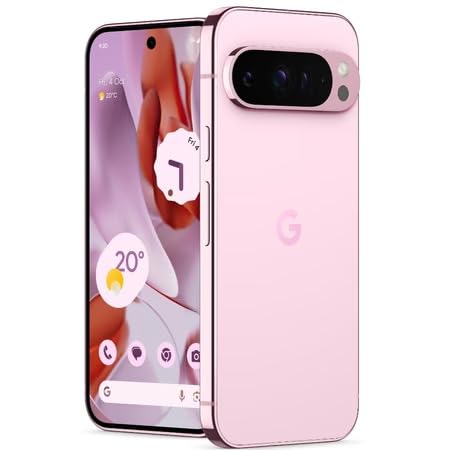
Figure 3: Power and volume buttons on the side of the device.
4. معالج الإعداد الأولي
Upon powering on for the first time, follow the on-screen instructions to:
- حدد لغتك ومنطقتك.
- الاتصال بشبكة Wi-Fi.
- قم بتسجيل الدخول باستخدام حساب Google الخاص بك أو قم بإنشاء حساب جديد.
- Set up security features such as fingerprint unlock, face unlock, PIN, pattern, or password.
- نقل البيانات من جهاز قديم (اختياري).
تعليمات التشغيل
الملاحة الأساسية
- إيماءات شاشة اللمس: Interact with the device using taps, swipes, pinches (for zoom), and long presses.
- الشاشة الرئيسية: Access your applications, widgets, and customize your layout.
- إشعارات: اسحب لأسفل من أعلى الشاشة إلى view إشعارات.
- الإعدادات السريعة: Swipe down twice from the top of the screen to access quick settings toggles (Wi-Fi, Bluetooth, etc.).
تشغيل الكاميرا
The Pixel 9 Pro features a powerful triple rear camera system.
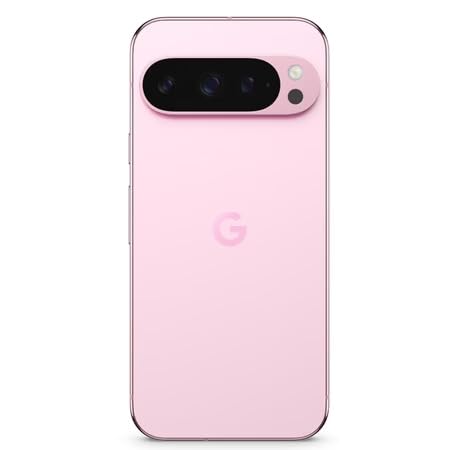
Figure 4: Rear camera system of the Pixel 9 Pro.
- فتح الكاميرا: Tap the Camera app icon on your home screen or lock screen.
- Switching Lenses: Tap the icons on the viewfinder to switch between wide, ultrawide, and 5x telephoto lenses.
- أوضاع التصوير: Select from various modes such as Night Sight for low-light conditions, التصوير الفلكي for capturing stars, ماكرو for close-up shots, التعرض الطويل for creative effects, and لَوحَة for depth-of-field effects.
- Super Res Zoom: Pinch the screen to digitally zoom up to 30x. For video, Super Res Zoom supports up to 20x.
- Pro Controls: Access advanced camera settings like shutter speed and manual focus for greater creative control.
إدارة البطارية
- فحص مستوى البطارية: View نسبة البطاريةtage in the status bar or in Settings > Battery.
- موفر البطارية الفائق: Enable this mode in Settings > Battery > Extreme Battery Saver to significantly extend battery life.
- الشحن: Use the provided USB-C cable and a compatible power adapter for optimal charging speed.
ميزات الأمان
Your Pixel 9 Pro incorporates multiple hardware security layers to protect your data.
- فتح بصمة: Register your fingerprints in Settings > Security & privacy > Device unlock.
- فتح الوجه: إعداد التعرف على الوجه لتسهيل عملية الفتح.
- رقم التعريف الشخصي/النمط/كلمة المرور: Always set a strong screen lock method.
- تحديثات البرامج: Regularly install system updates to ensure your device has the latest security patches.
مستشعر درجة الحرارة
The Pixel 9 Pro includes a thermometer for measuring temperature.
- Open the dedicated Thermometer app.
- Follow the on-screen instructions to measure body temperature or the temperature of objects.
- Temperature data can be saved and tracked within the Fitbit application.
صيانة
تنظيف جهازك
- استخدم قطعة قماش ناعمة وخالية من الوبر لتنظيف الشاشة وجسم هاتفك.
- Avoid using abrasive materials, harsh chemicals, or aerosol sprays.
- Do not submerge the device in water, despite its water-resistant rating.
تحديثات البرامج
Google regularly releases software updates to improve performance, add features, and enhance security.
- To check for updates, go to Settings > System > System update.
- Ensure your device is connected to Wi-Fi and has sufficient battery charge before installing updates.
الرعاية الجسدية
The Pixel 9 Pro is built with Corning Gorilla Glass Victus 2 and is water-resistant, offering durability against everyday drops and spills.
- While durable, avoid excessive impacts or drops to prevent damage.
- Consider using a screen protector and a protective case for additional safeguarding.
استكشاف الأخطاء وإصلاحها
الجهاز لا يستجيب
If your phone becomes unresponsive, perform a force restart:
- Press and hold the Power button for approximately 10-15 seconds until the device restarts.
تعطل التطبيقات أو تجميدها
- أغلق التطبيق الذي يسبب المشكلة ثم أعد فتحه.
- Clear the app's cache: Go to Settings > Apps > See all apps > [App Name] > Storage & cache > Clear cache.
- تأكد من تحديث التطبيق إلى أحدث إصدار من متجر جوجل بلاي.
- أعد تشغيل هاتفك.
Network Connectivity Issues (Wi-Fi/Cellular)
- Toggle Wi-Fi or cellular data off and then back on.
- أعد تشغيل هاتفك.
- تأكد من إدخال بطاقة SIM الخاصة بك بشكل صحيح.
- إعادة ضبط إعدادات الشبكة: انتقل إلى الإعدادات > النظام > خيارات إعادة الضبط > إعادة ضبط Wi-Fi والبيانات الخلوية والبلوتوث.
استنزاف البطارية بسرعة
- Check battery usage in Settings > Battery to identify power-consuming apps.
- قم بتقليل سطوع الشاشة ومدة مهلة الشاشة.
- Disable unnecessary features like GPS, Bluetooth, and Wi-Fi when not in use.
- Enable Extreme Battery Saver mode.
إعادة ضبط المصنع (كحل أخير)
Warning: A factory reset will erase all data from your phone. Back up all important data before proceeding.
- انتقل إلى الإعدادات > النظام > خيارات إعادة الضبط > مسح جميع البيانات (إعادة ضبط المصنع).
- Confirm your decision when prompted.
تحديد
| ميزة | التفاصيل |
|---|---|
| ماركة | جوجل |
| نموذج | بيكسل 9 برو |
| نظام التشغيل | أندرويد 15 |
| المعالج | جوجل تينسور جي 4 (3.1 جيجاهرتز) |
| كبش | 16 جيجا بايت |
| التخزين الداخلي | 256 جيجا بايت |
| عرض | 6.3 Inches LTPO OLED (Actua), 1280 x 2856 Pixels, 120 Hz Refresh Rate |
| الكاميرا الخلفية | 50 MP wide + 48 MP ultrawide (Macro) + 48 MP 5x telephoto |
| الكاميرا الأمامية | 42 ميجا بكسل |
| سعة البطارية | 4700 مليamp Hours (up to 24 hours average life) |
| الاتصال | 5G, Wi-Fi 7, Bluetooth 5.3, NFC, UWB, USB-C |
| بطاقة SIM | شريحة نانو واحدة |
| مقاومة الماء | مقاوم للماء |
| أبعاد | 8 × 72 × 153 مليمتر |
| وزن | 198 جرام |
الضمان والدعم
معلومات الضمان
Your Google Pixel 9 Pro 5G comes with a ضمان الشركة المصنعة لمدة عامين من تاريخ الشراء. يغطي هذا الضمان عيوب التصنيع في ظل الاستخدام العادي. يُرجى الاحتفاظ بإيصال الشراء للمطالبة بالضمان.
دعم العملاء
For technical assistance, warranty claims, or other support inquiries, please contact Google customer service:
- الشركة المصنعة: جوجل LLC ، 1600 Ampهيثيتر باركواي ، ماونتن View، CA 94043، الولايات المتحدة الأمريكية
- Phone Support (India): +91 7718892303
- جهة الاتصال بالمستورد (الهند): Nexora Axis Private Limited (+91 7718892303)
For the most up-to-date support information, please visit the official Google Pixel support webموقع.