
مقدمة
The NUBWO HG04 Wireless Gaming Headset is designed to provide a versatile audio experience for gaming, music, and movies across multiple platforms. Featuring dual 2.4GHz wireless and Bluetooth 5.3 connectivity, three custom EQ sound modes, a noise-canceling microphone, and a comfortable foldable design with a 50-hour battery life, this headset is engineered for extended use and clear communication.
محتويات الحزمة
Please ensure all items are present in your NUBWO HG04 package:
- NUBWO HG04 Wireless Gaming Headset
- USB-A/C 2.4GHz Wireless Dongle
- ميكروفون قابل للفصل لإلغاء الضوضاء
- كابل شحن USB-C
- كابل صوت 3.5 ملم
- دليل المستخدم
- Extended Warranty Activation Card (as shown in some product videos)
المنتج انتهىview والضوابط
تعرّف على مكونات سماعة الرأس وأدوات التحكم الخاصة بها لتحقيق الاستخدام الأمثل.
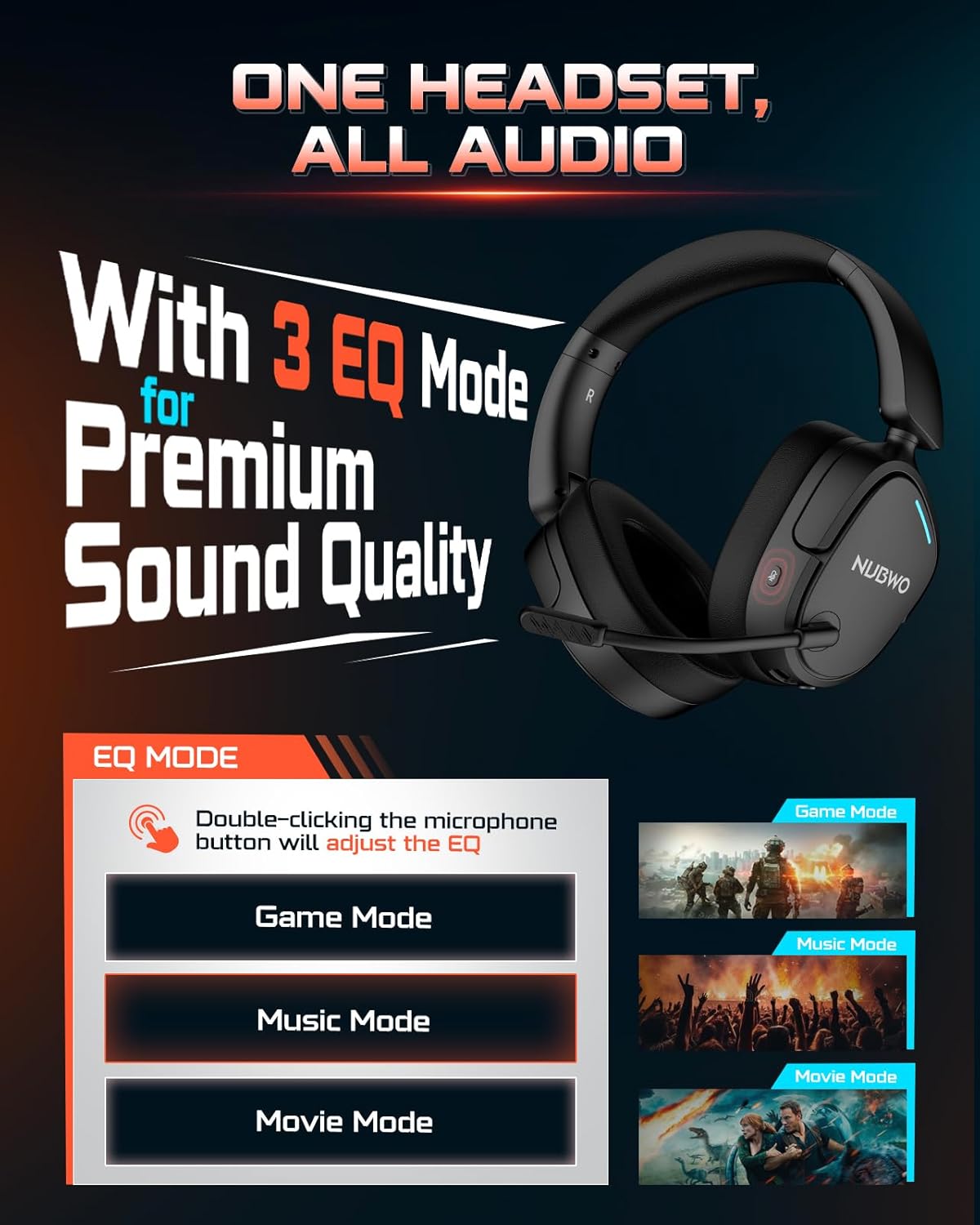
Image: NUBWO HG04 Wireless Gaming Headset highlighting its three EQ modes (Game, Music, Movie) and the microphone button for switching between them.
ضوابط سماعة الرأس:
- زر الطاقة: Located on the left earcup. Long press to power on/off.
- عجلة الحجم: ضبط مستوى إخراج الصوت.
- زر كتم صوت الميكروفون: Toggles microphone mute. Double-click to cycle through EQ modes.
- EQ Mode Indicator: Visual feedback for selected sound mode (Game, Music, Movie).
- منفذ شحن USB-C: لشحن سماعة الرأس.
- مقبس صوت 3.5 ملم: للاتصال السلكي.
- Detachable Microphone Port: Connects the boom microphone.
الراحة والتصميم:
The NUBWO HG04 features lightweight construction (270g) with rotating memory foam earcups for extended comfort during long gaming sessions. Its foldable design allows for easy storage and portability.

Image: Close-up of the NUBWO HG04 headset's memory foam earcups, emphasizing comfort for prolonged use.

Image: Comparison showing the NUBWO HG04 headset in its foldable state for travel versus a non-foldable headset.
الإعداد والاتصال
The NUBWO HG04 offers multiple connectivity options for various devices.

Image: Diagram illustrating the headset's 4-in-1 multi-platform connectivity, including 3.5mm wired, Bluetooth, USB-A, and USB-C options for various devices.
1. 2.4GHz Wireless Connection (PC, PS5, PS4, Nintendo Switch)
- Insert the USB-A/C wireless dongle into an available USB port on your PC, PS5, PS4, or Nintendo Switch.
- Power on the headset by long-pressing the Power button. The headset will automatically connect to the dongle.
- تأكد من تحديد سماعة الرأس كجهاز إخراج/إدخال الصوت في إعدادات النظام.
- ملحوظة: Microphone functionality is not supported on Nintendo Switch via 2.4GHz wireless.
فيديو: أكثر منview of the NUBWO HG04 Wireless Gaming Headset, demonstrating its features and connectivity options, including the 2.4GHz dongle.
2. Bluetooth 5.3 Connection (Mobile Devices)
- قم بتشغيل سماعة الرأس.
- Activate Bluetooth pairing mode on the headset (refer to the specific button combination in the quick start guide, usually a long press on the Bluetooth button or mode button).
- On your mobile device, search for Bluetooth devices and select "NUBWO HG04" to pair.
- The headset supports dual-channel simultaneous connection, allowing you to game via 2.4GHz and maintain a Bluetooth link to your phone for calls and notifications.

Image: Illustration of the NUBWO HG04 headset simultaneously connected to a PS5 via 2.4GHz and a phone via Bluetooth, enabling seamless game and call management.
3. 3.5mm Wired Connection (Xbox Series X|S, Nintendo Switch, PC, PS4)
- Connect the 3.5mm audio cable from the headset's 3.5mm jack to your device's audio port (e.g., Xbox controller, Nintendo Switch, PC).
- ملحوظة: For Xbox Series X|S, only wired connection is supported. Microphone functionality is not supported on Nintendo Switch in wired mode.
تعليمات التشغيل
أوضاع الصوت EQ:
The NUBWO HG04 features three custom EQ modes to optimize your audio experience:
- وضع اللعبة: Enhanced treble for clear footsteps and in-game audio cues.
- وضع الموسيقى: Deep bass and balanced tones for full immersion.
- وضع الفيلم: Clear voices and cinematic immersion.
To switch between EQ modes, double-click the Microphone Mute button.
استخدام الميكروفون:
The detachable directional microphone focuses on your voice, reducing background noise through passive noise reduction. It also features real-time mic monitoring, allowing you to hear your own voice clearly through the headset.

Image: A gamer wearing the NUBWO HG04 headset, showcasing the crystal clear noise-canceling microphone in action, designed to block background noise and highlight the user's voice.
- التركيب/الفصل: Align the microphone's 3.5mm plug with the port on the left earcup and insert until it clicks. To remove, gently pull it out.
- كتم: Use the Microphone Mute button on the headset to quickly mute or unmute your voice.
- التمركز: For optimal clarity, position the microphone 1-2 cm away from your mouth, ensuring it is not tilted upwards.
ضبط مستوى الصوت:
Use the volume wheel on the headset to adjust the audio output to your preferred level.
الشحن والبطارية
The NUBWO HG04 headset is equipped with a long-lasting battery for extended usage.
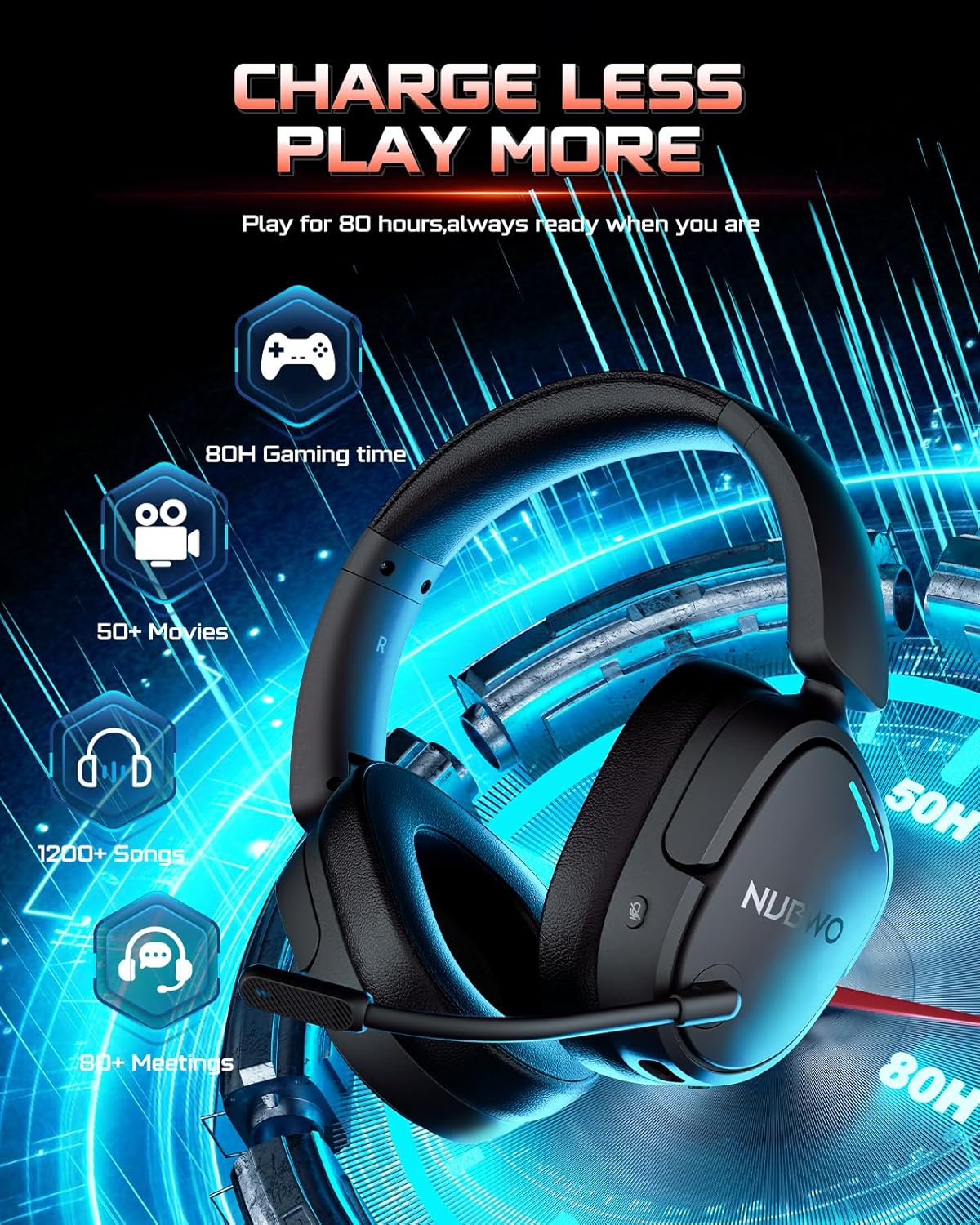
Image: The NUBWO HG04 headset with graphics indicating a 50-hour battery life, suitable for extended gaming, movies, music, and meetings.
- عمر البطارية: استمتع بما يصل إلى 50 ساعات من الاستخدام المتواصل بشحنة واحدة.
- الشحن: Connect the supplied USB-C charging cable to the headset's USB-C port and a power source (e.g., computer USB port, USB wall adapter).
- مؤشر الشحن: An LED indicator on the headset will show the charging status.
الصيانة والعناية
To ensure the longevity and optimal performance of your NUBWO HG04 headset, follow these care guidelines:
- تنظيف: استخدم قطعة قماش ناعمة وجافة لتنظيف سماعة الرأس. تجنب استخدام المواد الكيميائية القاسية أو المواد الكاشطة.
- تخزين: When not in use, store the headset in a cool, dry place. The foldable design helps protect it during travel.
- تجنب الظروف القاسية: لا تعرض سماعة الرأس لدرجات حرارة شديدة أو رطوبة عالية أو لأشعة الشمس المباشرة.
- التعامل معها بحذر: تجنب إسقاط سماعة الرأس أو تعريضها لصدمات قوية.
استكشاف الأخطاء وإصلاحها
If you encounter any issues with your NUBWO HG04 headset, please refer to the following common solutions:
- لا يوجد صوت/مستوى صوت منخفض:
- Check the headset's volume wheel and your device's volume settings.
- Ensure the headset is properly connected (dongle inserted, Bluetooth paired, or 3.5mm cable fully plugged in).
- تأكد من تحديد جهاز إخراج الصوت الصحيح في إعدادات النظام.
- الميكروفون لا يعمل:
- Ensure the microphone is securely attached and not muted.
- تحقق من إعدادات إدخال الصوت في جهازك للتأكد من تحديد ميكروفون سماعة الرأس.
- Remember, microphone is not supported on Nintendo Switch (2.4GHz or wired) and Xbox Series X|S (wired only).
- مشاكل الاتصال:
- For 2.4GHz, ensure the dongle is fully inserted and the headset is powered on and within range.
- For Bluetooth, ensure the headset is in pairing mode and your device's Bluetooth is enabled. Try unpairing and re-pairing.
- أعد تشغيل كل من سماعة الرأس والجهاز المتصل بها.
تحديد
| ميزة | مواصفة |
|---|---|
| اسم الموديل | اتش جي 04 |
| ماركة | نوبو |
| تكنولوجيا الاتصال | لاسلكي (2.4 جيجاهرتز، بلوتوث 5.3)، سلكي (مقبس 3.5 ملم) |
| تكنولوجيا الاتصالات اللاسلكية | 2.4GHZ, Bluetooth 5.3 |
| مدى البلوتوث | 33 أقدام |
| الكمون الصوتي | 20 ميلي ثانية |
| حجم برنامج تشغيل الصوت | 40 مليمتر |
| استجابة التردد | 20000 هرتز |
| حساسية | 90 ديسيبل |
| التحكم في الضوضاء | إلغاء الضجيج السلبي |
| وزن العنصر | 6.1 أونصة (0.38 رطل) |
| أبعاد المنتج | 7.13 × 6.2 × 2.46 بوصة |
| عمر البطارية | تصل إلى 50 ساعة |
| مادة | بلاستيك |
| الأجهزة المتوافقة | Cellphones, Desktops, Gaming Consoles, Laptops, PS5/PS4, Xbox Series X|S (wired only) |
الضمان والدعم
Your NUBWO HG04 Wireless Gaming Headset comes with a manufacturer's warranty. Please refer to the included Extended Warranty Activation Card for details on how to register your product and activate your warranty.
For further assistance, troubleshooting, or product inquiries, please visit the official NUBWO support webالموقع أو الاتصال بخدمة العملاء الخاصة بهم.