
1. انتهى المنتجview
The AJAZZ AJ139 V2 MC is a versatile tri-mode gaming mouse designed for precision and responsiveness. It features a PAW3311 sensor for accurate tracking, a 1000Hz return rate for smooth performance, and a long-lasting 500mAh battery. Its compact and lightweight design makes it suitable for extended use and portability.
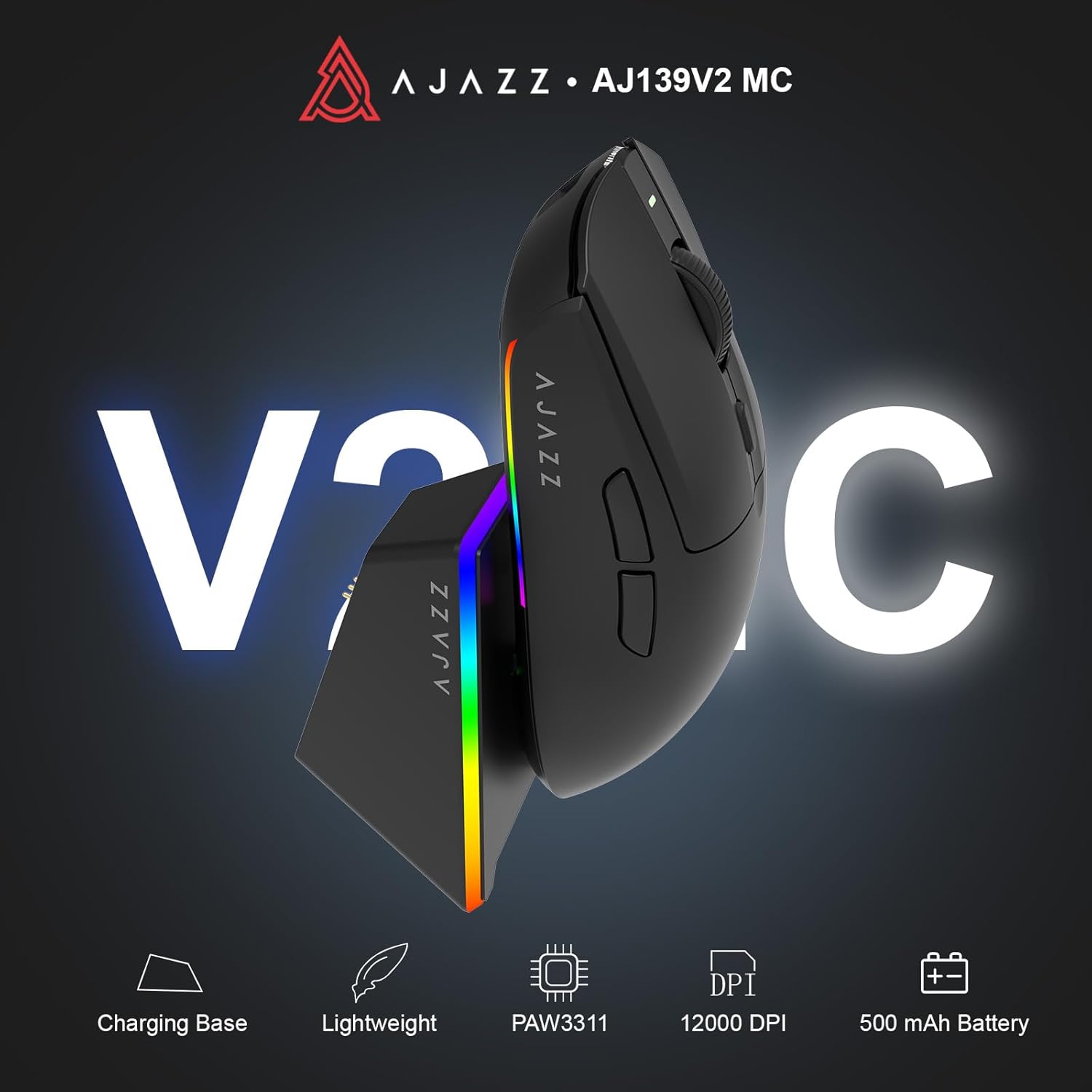
Figure 1.1: AJAZZ AJ139 V2 MC Gaming Mouse and Charging Dock.
فيديو 1.1: أكثر منview of the AJAZZ AJ139 V2 MC Gaming Mouse, highlighting its features and design.
2. محتويات العبوة
تأكد من وجود جميع العناصر في العبوة:
- AJAZZ AJ139 V2 MC Gaming Mouse
- قاعدة الشحن
- كابل شحن USB-C
- 2.4G USB Receiver (Dongle)
- دليل المستخدم
3. الميزات الرئيسية
- PAW3311 Sensor Technology: Equipped with the PAW3311 sensor, this mouse ensures precise tracking and accurate cursor control for optimal performance.
- High 1000Hz Return Rate: Experience smooth and responsive performance with a 1000Hz return rate, enhancing your gaming or work experience.
- بطارية تدوم طويلاً بسعة 500 مللي أمبير في الساعة: The integrated 500mAh battery provides extended power, ensuring uninterrupted use for prolonged periods.
- الاتصال ثلاثي الأوضاع: Supports versatile connectivity options including Wired, 2.4G Wireless, and Bluetooth, adapting to various devices and setups.
- تصميم صغير الحجم وخفيف الوزن: Weighing approximately 66 grams, the mouse features a compact design for easy portability and comfortable use during long sessions.
- إضاءة RGB قابلة للتخصيص: Features integrated RGB lighting for personalized aesthetics.
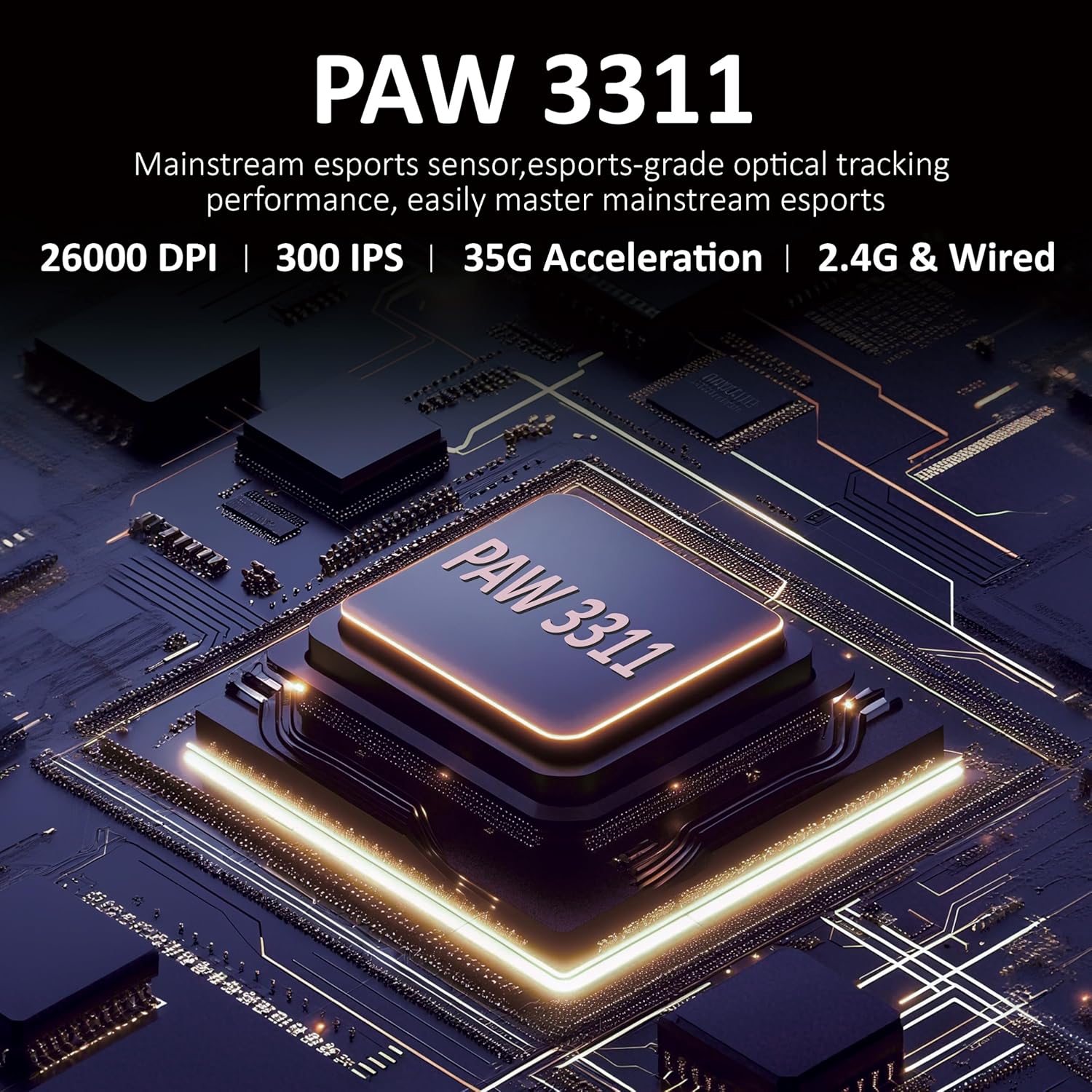
الشكل 3.1: مفصل view of the PAW3311 sensor technology.
Video 3.1: Demonstration of the mouse's 500mAh battery life.

Figure 3.2: The lightweight design of the AJAZZ AJ139 V2 MC mouse.
4. دليل الإعداد
4.1. توصيل الماوس
The AJAZZ AJ139 V2 MC offers three connection modes:
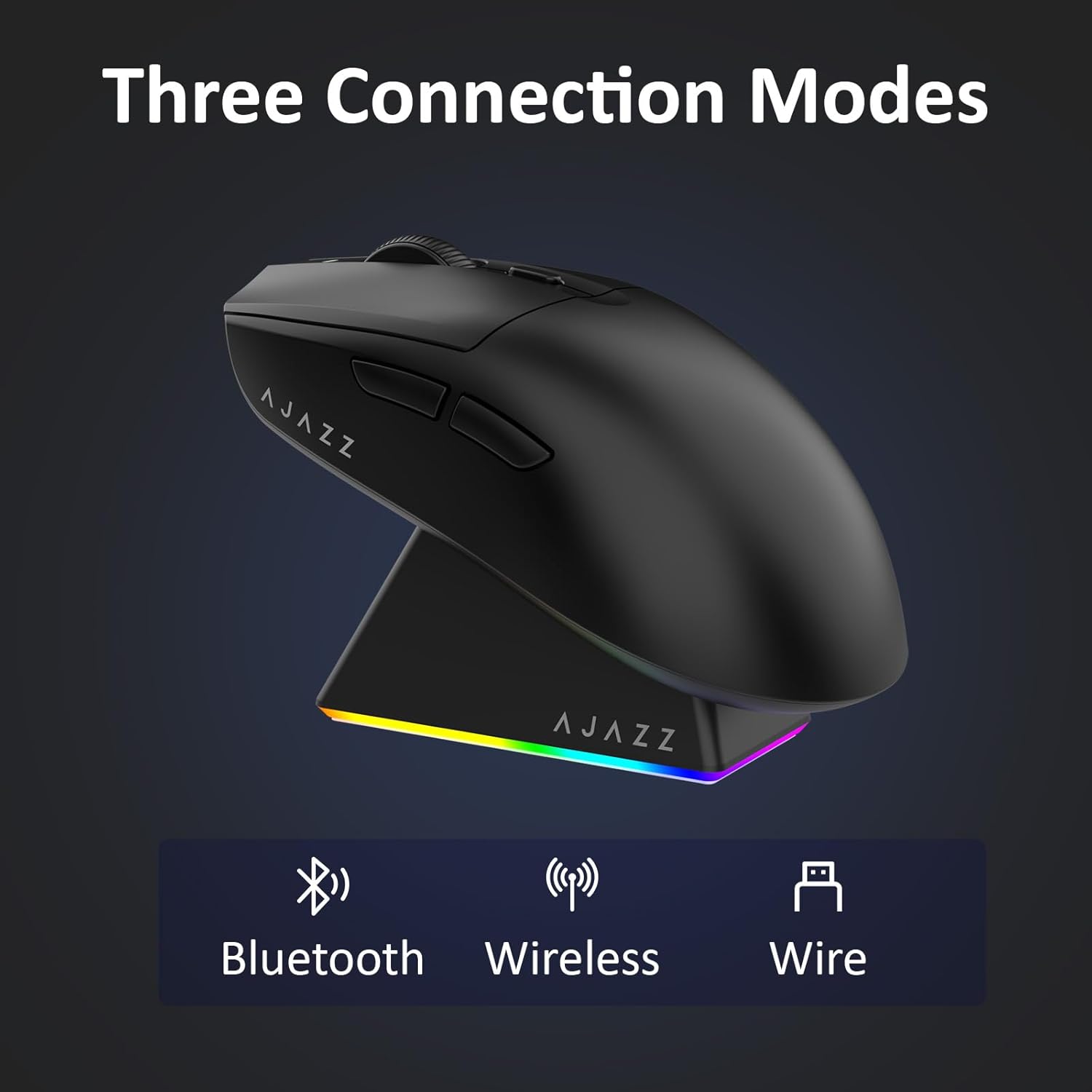
Figure 4.1: Visual representation of the three connection modes.
- وضع 2.4G اللاسلكي:
- حدد موقع جهاز استقبال USB بتردد 2.4 جيجا هرتز الموجود في الحجرة الموجودة أسفل الماوس.
- قم بتوصيل مستقبل USB بمنفذ USB متاح على جهاز الكمبيوتر الخاص بك.
- حرك المفتاح الموجود أسفل الماوس إلى وضع "2.4G". سيتصل الماوس تلقائيًا.
- وضع البلوتوث:
- حرك المفتاح الموجود أسفل الماوس إلى وضع "BT".
- افتح إعدادات البلوتوث على جهازك وابحث عن أجهزة جديدة.
- Select 'AJAZZ AJ139 V2 MC' from the list to pair.
- الوضع السلكي:
- Connect the USB-C charging cable to the mouse and the other end to your computer's USB port.
- ستعمل الفأرة كجهاز سلكي وسيتم شحنها في نفس الوقت.
4.2. شحن الماوس
The mouse can be charged using the included charging dock or directly via the USB-C cable.
- استخدام قاعدة الشحن:
- Connect the USB-C charging cable to the charging dock and then to a power source (e.g., computer USB port, USB wall adapter).
- Place the mouse onto the charging dock, aligning the magnetic contacts. The RGB lighting on the dock and mouse will indicate charging status.
- الشحن المباشر عبر USB-C:
- Connect the USB-C charging cable directly to the mouse and a power source.
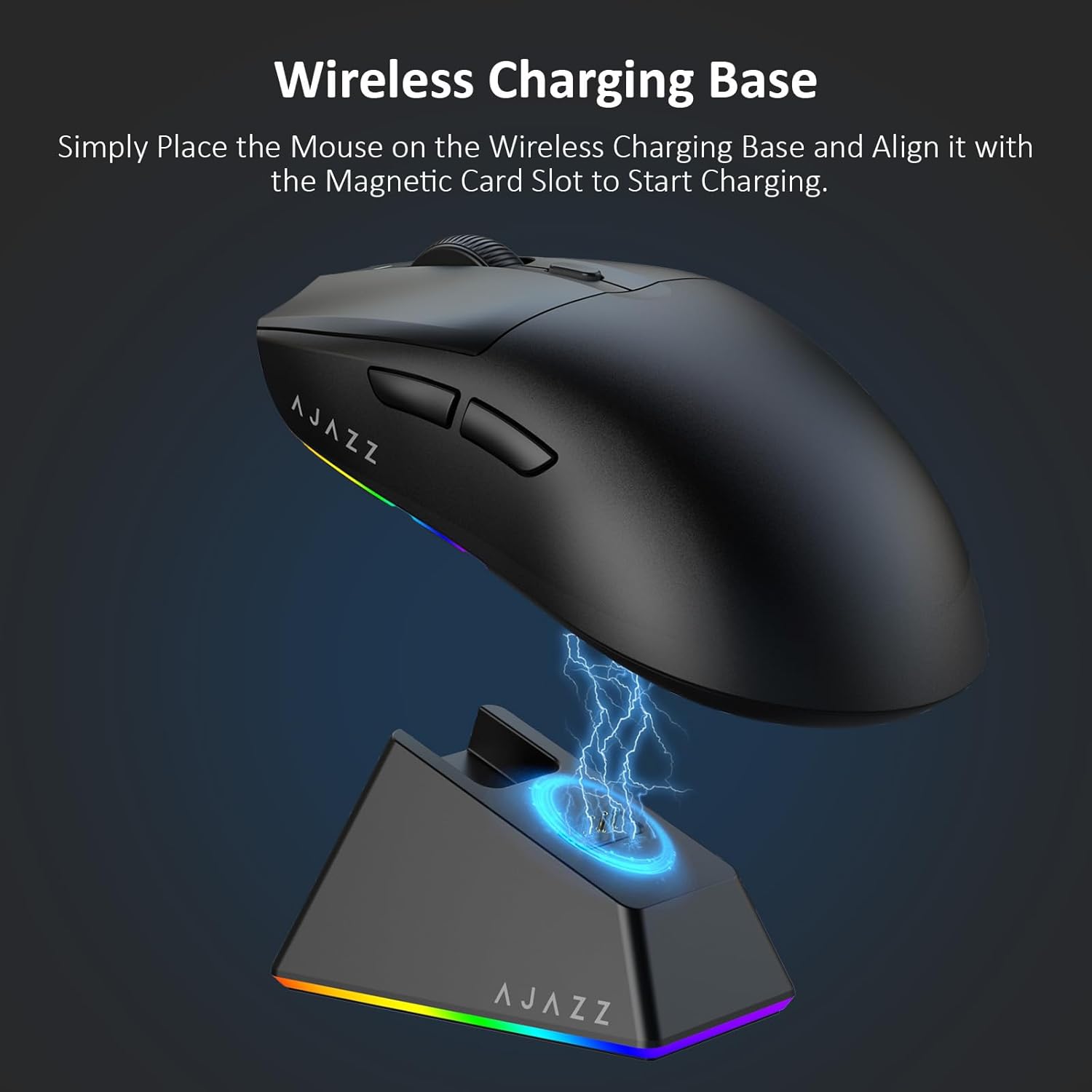
Figure 4.2: The mouse being charged on its wireless charging base.
5. تعليمات التشغيل
5.1. ضبط DPI
The mouse features a dedicated DPI adjustment button on its underside, allowing you to cycle through different sensitivity levels. Press the button to change the DPI setting to suit your preference.
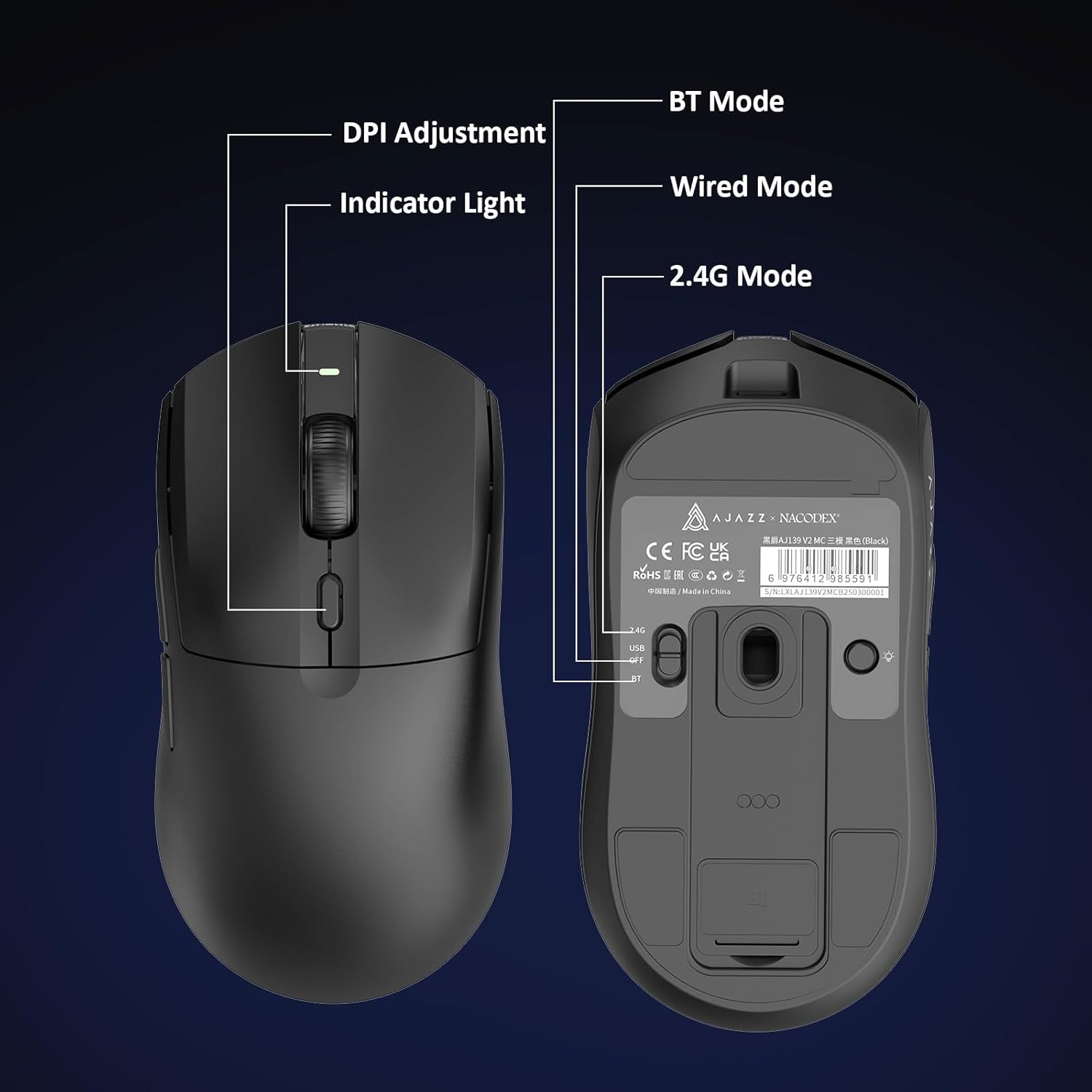
Figure 5.1: Location of the DPI adjustment button and connection mode switch on the mouse underside.
5.2. وظائف الأزرار
The mouse is equipped with 6 programmable buttons:
- زر النقر الأيسر
- انقر بزر الماوس الأيمن
- عجلة التمرير (قابلة للنقر)
- DPI Adjustment Button (on underside)
- Two Side Buttons (typically for forward/backward navigation)
For advanced customization of button functions and macros, please refer to the official AJAZZ software (downloadable from the manufacturer's webموقع).
5.3. التحكم في إضاءة RGB
The mouse and charging dock feature customizable RGB lighting. Specific controls for lighting modes and colors are typically managed through the official AJAZZ software. A dedicated light button on the underside of the mouse allows for basic cycling or turning off the lighting.
6. الصيانة
- تنظيف: استخدم قطعة قماش ناعمة وجافة لتنظيف سطح الفأرة. لإزالة الأوساخ العنيدة، امسحها برفق بقطعة قماش جافة.amp يمكن استخدام القماش، مما يضمن عدم دخول الرطوبة إلى المكونات الداخلية.
- العناية بالمستشعر: حافظ على نظافة المستشعر البصري الموجود أسفل الماوس وخلوه من الغبار أو الحطام للحفاظ على دقة التتبع.
- عمر البطارية: لإطالة عمر البطارية، تجنب تفريغها بالكامل بشكل متكرر. اشحنها عندما يكون مؤشر البطارية منخفضًا.
7. استكشاف الأخطاء وإصلاحها
| مشكلة | الحل المحتمل |
|---|---|
| Mouse not responding in 2.4G Wireless mode. | Ensure the 2.4G USB receiver is securely plugged into a USB port and the mouse switch is set to '2.4G'. Try a different USB port. |
| Mouse not pairing via Bluetooth. | Ensure the mouse switch is set to 'BT' and your device's Bluetooth is enabled and discoverable. Try unpairing and re-pairing the device. |
| الفأرة لا يتم شحنها. | Verify the USB-C cable is properly connected to both the dock/mouse and the power source. Ensure the mouse is correctly seated on the charging dock's magnetic contacts. |
| Inconsistent tracking or cursor movement. | نظّف المستشعر البصري أسفل الفأرة. تأكد من استخدام الفأرة على سطح مناسب (مثل وسادة الفأرة). |
| إضاءة RGB لا تعمل. | Check the mouse's software settings for lighting control. Ensure the mouse has sufficient battery charge. |
8. المواصفات الفنية
| ميزة | مواصفة |
|---|---|
| ماركة | AJAZZ |
| اسم الموديل | Aj139 V2 MC |
| لون | V2 MC Black |
| تكنولوجيا الاتصال | بلوتوث، يو إس بي، لاسلكي بتردد 2.4 جيجا هرتز |
| تقنية كشف الحركة | بصري (مستشعر PAW3311) |
| Mouse Maximum Sensitivity | 12000 Dots per Inch (DPI) |
| معدل العائد | 1000 هرتز |
| سعة البطارية | 500 مللي أمبير |
| كمية الأزرار | 6 |
| اتجاه اليد | يمين |
| الأجهزة المتوافقة | كمبيوتر مكتبي |
| نظام التشغيل | نوافذ |
| يتراوح | 10 متر |
| وزن العنصر | 4 أونصة (حوالي 113 جرامًا) |
| أبعاد المنتج الطول × العرض | 5 بوصة طول × 2.5 بوصة عرض (حوالي 12.7 سم × 6.35 سم) |
| ميزة التزيين | إضاءة RGB |
| مواد التغليف | بلاستيك |
| ينهي | مطفي |
9. الضمان والدعم
This product comes with a standard manufacturer's warranty. For detailed warranty information, please refer to the official AJAZZ webالموقع أو اتصل بتاجر التجزئة الخاص بك.
For technical support, troubleshooting assistance, or any product-related inquiries, please visit the AJAZZ official support page or contact their customer service team.
الموارد المتاحة على الإنترنت:
AJAZZ Official Store