
Vandlion V11B
دليل مستخدم مسجل الصوت الرقمي Vandlion V11B بسعة 64 جيجابايت
الموديل: V11B
مقدمة
Thank you for choosing the Vandlion V11B Digital Voice Recorder. This manual provides detailed instructions on how to set up, operate, and maintain your device. Please read it carefully to ensure optimal performance and longevity of your recorder.

Image: The Vandlion V11B Digital Voice Recorder, a compact device shown held in a hand, highlighting its portable design.
ماذا يوجد في الصندوق
تأكد من وجود جميع العناصر في العبوة:
- 1 x Digital voice recorder
- 1 × كابل بيانات USB-C
- 1 × سماعة رأس
- 1 × دليل المستخدم (هذه الوثيقة)

Image: A visual representation of the package contents, including the digital voice recorder, USB-C cable, headphones, lanyard, and user manual.
انتهى الجهازview
Familiarize yourself with the physical components of your Vandlion V11B recorder.

الصورة: تفصيلية view of the Vandlion V11B digital voice recorder, showing its display, control buttons (REC, SAVE, POWER, RESET), and integrated carabiner clip.

Image: The Vandlion V11B digital voice recorder shown attached to a backpack and a belt loop, illustrating its compact size and ease of carrying.
تتضمن الميزات الرئيسية ما يلي:
- شاشة العرض: Shows recording status, time, battery level, and file معلومة.
- REC/SAVE Switch: Slide up to start recording, slide down to save.
- زر الطاقة: اضغط مع الاستمرار للتشغيل/الإيقاف.
- زر إعادة الضبط: Small pinhole button for factory reset if needed.
- منفذ USB-C: للشحن ونقل البيانات.
- مقبس سماعة الرأس: 3.5mm port for audio playback.
- مقطع متكامل: لسهولة الحمل.
يثبت
1. شحن الجهاز
Before first use, fully charge the recorder. Connect the supplied USB-C cable to the device's USB-C port and the other end to a computer or a USB power adapter (not included).
- تستغرق عملية الشحن الكاملة حوالي 1.5 ساعات.
- A fully charged device provides up to 20 ساعات of continuous recording.
- ستعرض الشاشة حالة الشحن.

Image: The Vandlion V11B digital voice recorder connected to a laptop via its USB-C port for charging and data transfer.
2. تشغيل / إيقاف التشغيل
- لتشغيل الجهاز: اضغط مع الاستمرار على قوة اضغط على الزر حتى تضيء الشاشة.
- لإيقاف التشغيل: اضغط مع الاستمرار على قوة اضغط على الزر حتى يتم إيقاف تشغيل الشاشة.
تعليمات التشغيل
1. One-Button Recording
The device features a simple slide switch for quick recording.
- To start recording: Slide the REC/SAVE switch upwards to the "REC" position. The device will begin recording immediately.
- To save recording: Slide the REC/SAVE switch downwards to the "SAVE" position. The current recording will be saved, and the device will stop recording.

Image: An illustration demonstrating the one-button recording function, showing a finger sliding the REC/SAVE switch to initiate recording.
2. تقليل الضوضاء بالذكاء الاصطناعي
The Vandlion V11B incorporates an advanced AI chip to enhance audio clarity by reducing background noise.
- This feature automatically identifies and minimizes distracting sounds, focusing on human speech.
- It is active during recording to provide high-fidelity voice capture.

Image: A graphic illustrating how AI noise reduction works, showing various types of noise (wind, static, hum) being filtered out to produce clear sound.
3. التسجيل الصوتي المُفعّل (VOR)
The Voice Activated Recording function allows the device to record only when sound is detected, conserving memory and battery life.
- To enable VOR: Access the device's menu by long pressing the تشغيل / إيقاف مؤقت / تأكيد button when not recording, then navigate to the VOR settings. Set VOR to "ON".
- Once enabled, slide the REC/SAVE button to "REC". The recorder will start recording when sound above a set threshold (e.g., >65dB) is detected and pause when sound falls below the threshold (e.g., <65dB).
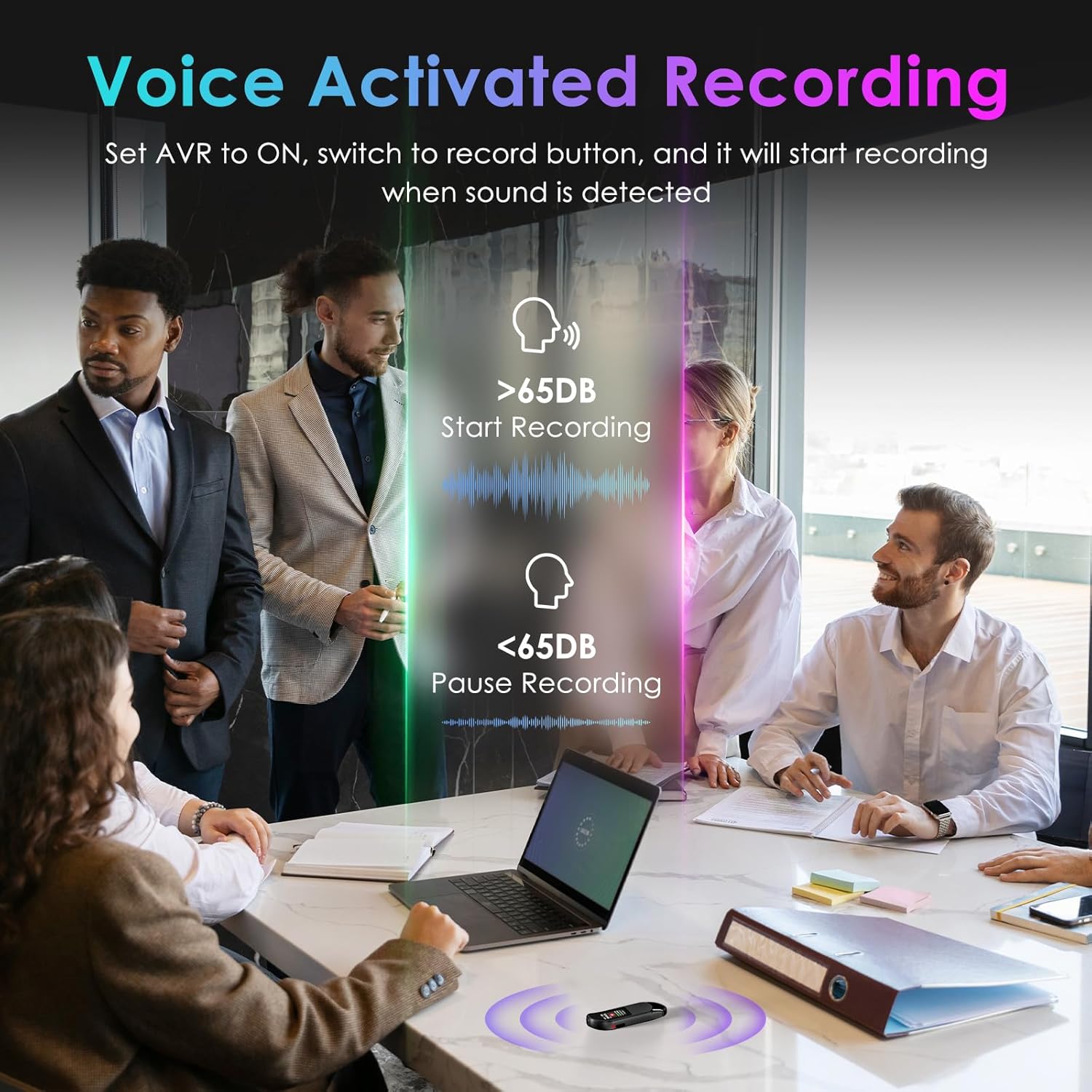
Image: A visual demonstrating voice-activated recording in a meeting, showing the device starting to record when sound is above 65dB and pausing when below.
4. التشغيل
You can listen to your recordings directly from the device using headphones or by transferring files to a computer or Android phone.
- باستخدام سماعات الرأس: Connect the included headphones to the 3.5mm jack. Use the control buttons (Vol+, Vol-, Previous, Next, Play/Pause/Confirm) on the headphone cable to navigate and play recordings.
- Connecting to Computer/Phone: تحويل files as described in the "File Management" section below.

Image: A diagram showing various playback methods: using wired headphones, connecting to a computer, and connecting to an Android phone. The image also illustrates the control buttons on the headphone cable for navigation.
5. حماية كلمة السر
To protect your recordings, you can set a 4-digit password.
- To set a password: Access the device's menu (long press the تشغيل / إيقاف مؤقت / تأكيد button when not recording) and navigate to the "Password" settings. Follow the on-screen prompts to set your 4-digit code.
- Once enabled, the password will be required to access the device's files.

Image: A visual representation of the password protection feature, showing the device screen prompting for a 4-digit password.
6. File الإدارة والتحويل
Recordings are saved with timestamps for easy organization. You can transfer files to a computer (Windows/Mac) or an Android phone.
- Connect the device to your computer or Android phone using the supplied USB-C cable.
- The device will appear as a removable storage drive.
- You can then drag and drop recording files (MP3 or WAV format) to your desired location.
- ملحوظة: This device is not compatible with iPhones for direct file نقل.

Image: The Vandlion V11B connected to a laptop via USB-C, demonstrating file transfer and showing example filenames with timestamps.
صيانة
- حافظ على الجهاز جافًا وبعيدًا عن درجات الحرارة القصوى.
- نظّف الجهاز بقطعة قماش ناعمة وجافة. لا تستخدم المنظفات السائلة.
- تجنب إسقاط الجهاز أو تعريضه لصدمات قوية.
- Regularly back up your recordings to prevent data loss.
- If the device becomes unresponsive, use a small pin to press the إعادة ضبط زر.
استكشاف الأخطاء وإصلاحها
| مشكلة | السبب المحتمل | حل |
|---|---|---|
| الجهاز لا يعمل. | بطارية منخفضة. | اشحن الجهاز لمدة 1.5 ساعات على الأقل. |
| لا يمكن التسجيل. | Memory full; device frozen. | تحويل files to a computer to free up space. Press the RESET button. |
| جودة الصوت رديئة. | Microphone obstructed; excessive background noise. | Ensure microphone is clear. Use AI Noise Reduction in appropriate environments. |
| لا يمكن النقل files to iPhone. | Device is not compatible with iPhone for direct transfer. | تحويل files to a computer (Windows/Mac) or Android phone instead. |
| هل نسيت كلمة السر. | لقد فقدت كلمة المرور. | Contact customer support for assistance. A factory reset might be required, which will erase all data. |
تحديد
| ميزة | التفاصيل |
|---|---|
| رقم الموديل | V11B |
| سعة تخزين الذاكرة | 64 جيجابايت (ما يصل إلى 900 ساعة من التسجيل) |
| تنسيق التسجيل | صوت MP3 ، WAV |
| جودة الصوت | 1536Kbps Crystal Audio |
| تقليل الضوضاء | إلغاء الضوضاء بالذكاء الاصطناعي |
| عمر البطارية (التسجيل) | تصل إلى 20 ساعة |
| وقت الشحن | حوالي 1.5 ساعات |
| الأجهزة المتوافقة | Personal Computer (Windows/Mac), Smartphone (Android) |
| واجهة الأجهزة | يو اس بي نوع سي |
| عامل شكل الميكروفون | مدمج |
| مقبس سماعات الرأس | 3.5 ملم |
| أبعاد المنتج | 0.39 بوصة عمق × 0.86 بوصة عرض × 2.99 بوصة ارتفاع (10 مم × 22 مم × 76 مم) |
| وزن العنصر | 1.41 أونصة (40 جرام) |
| قطري الشاشة المرئية | 1 بوصة / 3 سم |
الضمان والدعم
Vandlion products are built for performance and durability. For warranty information or technical support, please refer to the contact details provided with your purchase or visit the official Vandlion webموقع.
For common issues, please consult the Troubleshooting section of this manual.
الشركة المصنعة: فاندليون
ملاحظات هامة
- Always ensure the device is fully charged before important recording sessions.
- Regularly transfer and back up your recordings to avoid data loss.
- The device does not have a built-in speaker; headphones or external playback devices are required to listen to recordings.
Ask a question about this manual
Ask about setup, troubleshooting, compatibility, parts, safety, or missing instructions. Manuals+ will review the question and use this page’s manual context to help answer it.