
1. المقدمة
This manual provides detailed instructions for the KOOSMILE Mini PC N150 (Model N80). This device is a compact and portable computer featuring an 8-inch multi-touch display, designed for various applications from daily tasks to light entertainment. Please read this manual thoroughly before using the product to ensure proper operation and to maximize its lifespan.

الشكل 1.1: The KOOSMILE Mini PC N150, showcasing its integrated 8-inch touchscreen and various connectivity ports.
المميزات الرئيسية:
- المعالج: Twin Lake N150 CPU (4 cores, 4 threads, up to 3.6 GHz)
- ذاكرة: ذاكرة وصول عشوائي DDR12 سعة 5 جيجابايت
- تخزين: 256GB M.2 SSD (expandable, other variants available)
- عرض: 8-inch HD multi-touch screen
- الاتصال: WiFi 6, Bluetooth 5.2, Dual RJ45 Ethernet
- الموانئ: 2x USB 3.0, 2x USB 2.0, HDMI, DisplayPort, Full-function Type-C, 3.5mm Audio Jack, TF Card Slot
- نظام التشغيل: ويندوز 11 برو
- بطارية: Integrated 5000mAh battery for portable use
2. محتويات العبوة
تأكد من وجود جميع العناصر في العبوة عند فتحها:
- KOOSMILE Mini PC N150 (Model N80)
- محول الطاقة
- كابل HDMI
- كابل دي بي
- دليل المستخدم (هذا المستند)
3. انتهى المنتجview (المنافذ والميزات)
Familiarize yourself with the various ports and features of your Mini PC for optimal connectivity and usage.

الشكل 3.1: مفصل view of the KOOSMILE Mini PC N150's 12-port design, highlighting each port's function.
أوصاف المنفذ:
- منافذ USB 3.0 (x2): لنقل البيانات بسرعة عالية مع الأجهزة المتوافقة.
- منافذ USB 2.0 (x2): For connecting standard USB peripherals like keyboards and mice.
- منفذ HDMI: Connects to external displays, TVs, or projectors for video and audio output.
- منفذ العرض (DP): Connects to external displays for high-resolution video output.
- Full-function Type-C Port: Supports 4K@60Hz video output, data transfer, and power delivery.
- RJ45 Ethernet Ports (x2): لاتصالات الشبكة السلكية.
- مقبس صوت 3.5 ملم: لتوصيل سماعات الرأس أو مكبرات الصوت الخارجية.
- فتحة بطاقة TF: For expanding storage or transferring data from TF cards.
- زر الطاقة: لتشغيل/إيقاف تشغيل الجهاز.

الشكل 3.2: The integrated adjustable metal bracket allows for flexible viewزوايا متعددة.
4. دليل الإعداد
4.1 توصيل الطاقة
- Connect the provided power adapter to the power input port on the Mini PC.
- قم بتوصيل محول الطاقة بمأخذ الحائط.
- The device is now ready for initial power on.
4.2 التمهيد الأولي وإعداد Windows
- Press the power button located on the side of the Mini PC.
- The device will boot up, and the 8-inch touchscreen will display the Windows 11 Pro setup wizard.
- Follow the on-screen instructions to complete the initial Windows setup, including language, region, network connection, and user account creation.
4.3 توصيل الأجهزة الطرفية
You can connect external devices such as a keyboard, mouse, and external monitors.
- لوحة المفاتيح والفأرة: Connect USB keyboards and mice to the available USB 2.0 or USB 3.0 ports. Wireless peripherals can be connected via Bluetooth 5.2.
- External Monitors: Use the provided HDMI or DP cables to connect to external displays. The full-function Type-C port also supports video output.
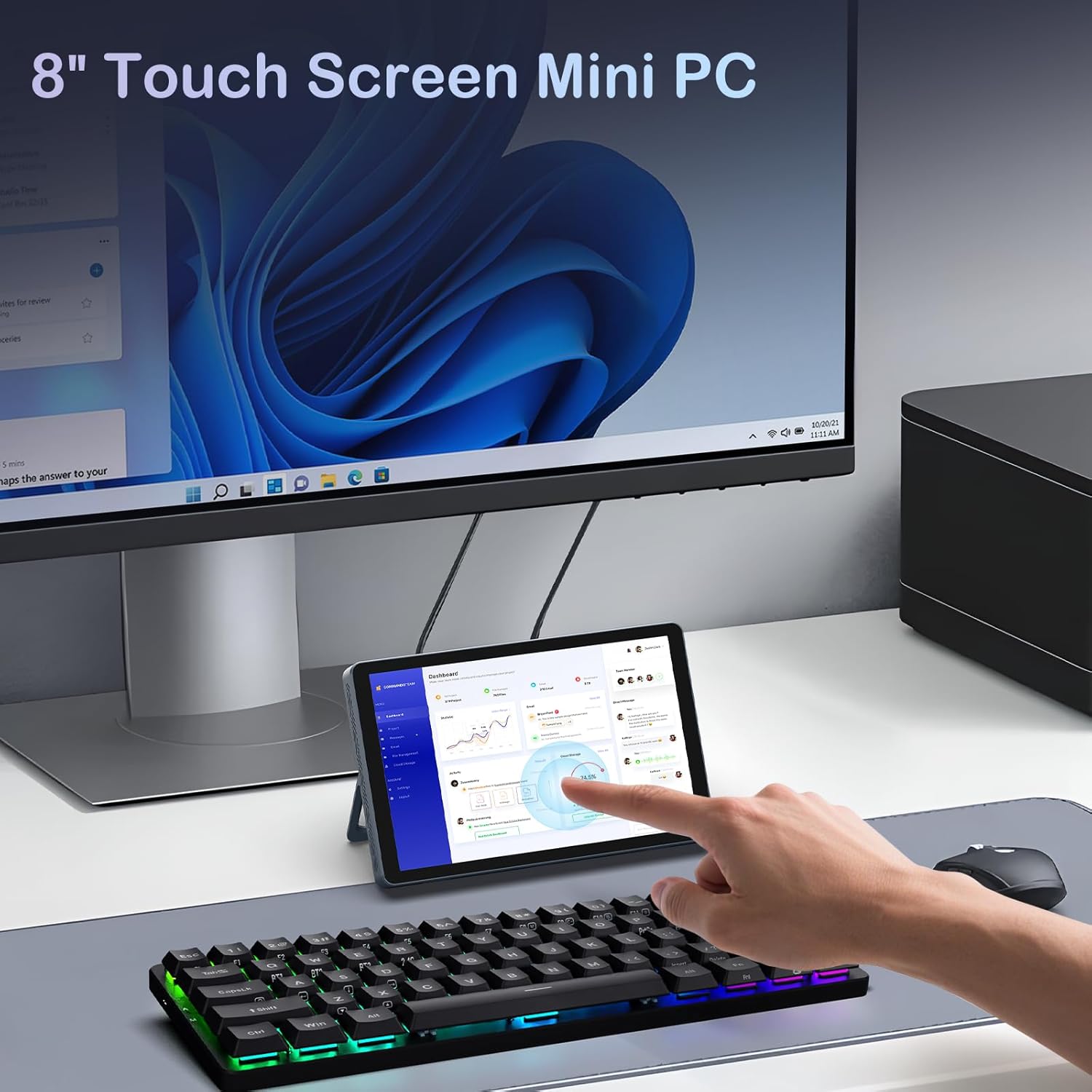
الشكل 4.1: The Mini PC N150 in a desktop setup, utilizing an external monitor and peripherals.
4.4 اتصال الشبكة
- واي فاي: During Windows setup or via Windows settings, connect to your preferred Wi-Fi 6 network.
- إيثرنت: Connect an Ethernet cable from your router or modem to one of the two RJ45 ports on the Mini PC for a wired network connection.
5. تعليمات التشغيل
5.1 استخدام شاشة اللمس
The 8-inch display supports multi-touch gestures, allowing for intuitive interaction with Windows 11 Pro. Use standard touch gestures for navigation, scrolling, zooming, and selecting items.
5.2 Connecting External Displays (Dual Display)
The Mini PC supports dual 4K displays simultaneously via HDMI, DisplayPort, and the full-function Type-C port. This allows for an extended desktop experience.
- Connect your external monitors using the appropriate cables (HDMI, DP, or Type-C).
- Once connected, Windows will automatically detect the displays. You can configure display settings (extend, duplicate, or second screen only) via the Display Settings in Windows.
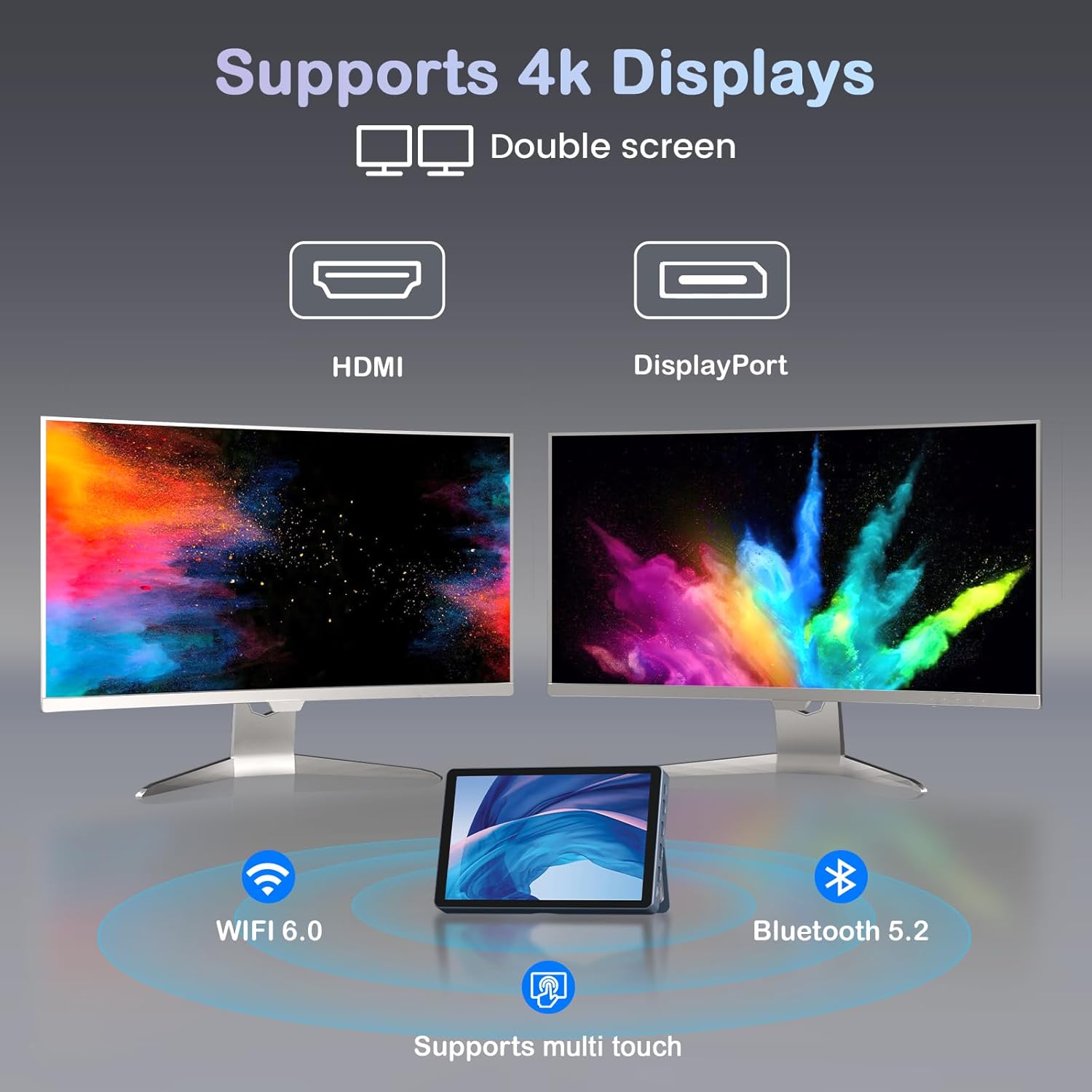
الشكل 5.1: The Mini PC N150 supporting a dual 4K monitor setup, enhancing productivity.
5.3 إدارة البطارية
The integrated 5000mAh battery provides power for portable use. The battery also supports charging other devices via its Type-C port.
- Charging the Mini PC: Connect the power adapter to fully charge the internal battery.
- شحن الأجهزة الخارجية: Use a compatible USB-C cable to connect your smartphone or other devices to the Mini PC's full-function Type-C port for charging. Ensure the Mini PC has sufficient battery charge.

الشكل 5.2: The Mini PC N150 can provide power to charge other portable devices.
5.4 Adjusting the Integrated Stand
The Mini PC features an adjustable metal bracket on its rear, allowing you to set the device at various viewزوايا للاستخدام المريح.
- Gently pull out the metal bracket from the back of the device.
- Adjust the bracket to your desired angle (e.g., 45 degrees or 165 degrees) to prop up the screen.
- Ensure the bracket is stable before releasinز الجهاز.
6. الصيانة
6.1 التنظيف
- استخدم قطعة قماش ناعمة وجافة وخالية من الوبر لتنظيف الجزء الخارجي من الجهاز.
- For the touchscreen, use a screen-specific cleaning solution and a microfiber cloth. Avoid harsh chemicals.
- تأكد من إيقاف تشغيل الجهاز وفصله قبل التنظيف.
6.2 توسيع التخزين
The Mini PC comes with an M.2 SSD, which can be upgraded. Refer to the manufacturer's guidelines or a qualified technician for storage upgrades to avoid voiding the warranty or damaging the device.
- The device supports M.2 SSDs.
- Consult the technical support team for recommended compatible M.2 SSD types and installation procedures.
7. استكشاف الأخطاء وإصلاحها
If you encounter issues with your KOOSMILE Mini PC N150, refer to the following common troubleshooting steps:
- لا يوجد طاقة:
- تأكد من توصيل محول الطاقة بشكل آمن بكل من جهاز الكمبيوتر الصغير ومأخذ الطاقة العامل.
- تأكد من أن منفذ الطاقة يعمل عن طريق توصيل جهاز آخر.
- If using the battery, ensure it is charged.
- لا يوجد عرض على الشاشة الخارجية:
- Check that the HDMI, DP, or Type-C cable is securely connected to both the Mini PC and the monitor.
- تأكد من تشغيل الشاشة الخارجية وضبطها على مصدر الإدخال الصحيح.
- حاول استخدام كابل أو شاشة أخرى إذا كانت متاحة.
- مشاكل الاتصال بشبكة Wi-Fi/Bluetooth:
- تأكد من تمكين Wi-Fi/Bluetooth في إعدادات Windows.
- أعد تشغيل جهاز الكمبيوتر الصغير وجهاز التوجيه/المودم.
- Check for updated network drivers in Device Manager.
- شاشة اللمس لا تستجيب:
- أعد تشغيل جهاز الكمبيوتر الصغير.
- تأكد من أن الشاشة نظيفة وخالية من الحطام.
- Check for updated touchscreen drivers.
If these steps do not resolve the issue, please contact KOOSMILE technical support for further assistance.
8. المواصفات
The following table outlines the technical specifications for the KOOSMILE Mini PC N150 (Model N80):
| ميزة | مواصفة |
|---|---|
| رقم الموديل | ن80 |
| المعالج | معالج Intel Celeron N150 (نواتان، خيطان، تصل سرعته إلى 3.6 جيجاهرتز) |
| كبش | 12 جيجا بايت DDR5 |
| تخزين | 256GB M.2 SSD (supports NVMe) |
| الرسومات | الرسومات المتكاملة |
| نظام التشغيل | ويندوز 11 برو |
| عرض | 8-inch HD Multi-touch Screen |
| أقصى دقة للشاشة | 3840 × 2160 (4K) |
| منافذ USB | 2x USB 3.0، 2x USB 2.0 |
| مخرج الفيديو | HDMI, DisplayPort, Full-function Type-C (4K@60Hz Dual Display Support) |
| شبكة | WiFi 6 (802.11ax), Bluetooth 5.2, 2x RJ45 Ethernet |
| صوتي | شنومكسم جاك الصوت |
| قارئ البطاقات | فتحة بطاقة TF |
| بطارية | 5000mAh (Nonstandard Battery) |
| أبعاد | 7.62 × 4.88 × 0.91 بوصة (19.36 × 12.4 × 2.31 سم) |
| وزن | 2.42 رطل (1.1 كجم) |
9. الضمان والدعم
KOOSMILE is committed to providing reliable products and customer satisfaction.
- ضمان: Each KOOSMILE Mini PC N150 comes with a 1-year limited warranty from the date of purchase. This warranty covers manufacturing defects and hardware malfunctions under normal use.
- الدعم الفني: We offer lifetime technical support for your product. Our professional after-sales team is available 24 hours a day to assist you with any technical inquiries or issues.
- خدمة العملاء: For responsive customer service, please refer to the contact information provided on the KOOSMILE official webالموقع أو منصة الشراء الخاصة بك.