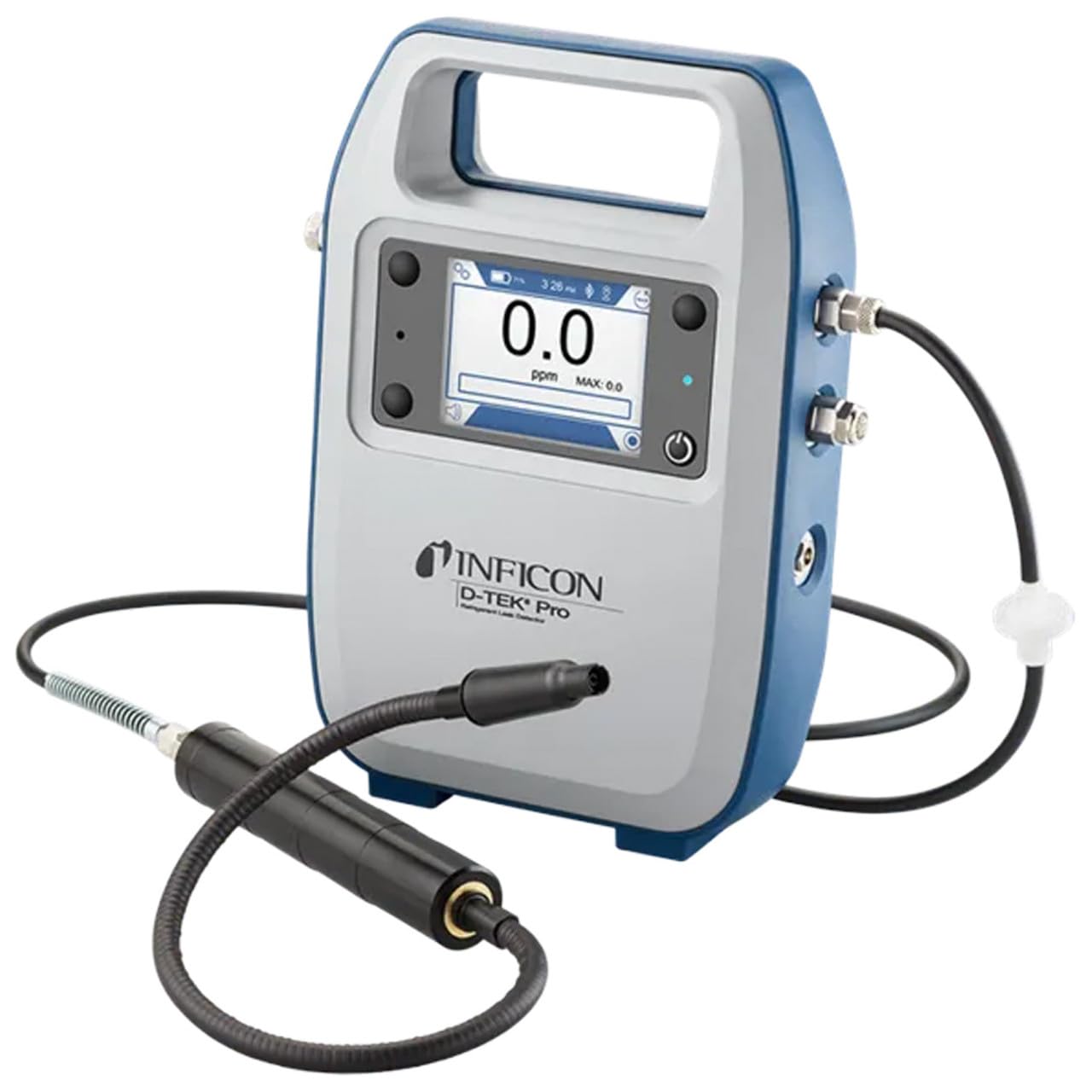
Inficon D-TEK Pro Refrigerant Leak Detector User Manual
الموديل: 508-202-G1
1. المقدمة
The Inficon D-TEK Pro Refrigerant Leak Detector is designed for precise and rapid detection of refrigerant leaks. This device offers high sensitivity and an all-in-one Pro Mode for efficient leak identification. This manual provides essential information for the proper setup, operation, and maintenance of your D-TEK Pro.
2. معلومات السلامة
يرجى دائمًا مراعاة احتياطات السلامة التالية لمنع الإصابة وتلف الجهاز:
اقرأ جميع التعليمات قبل تشغيل الجهاز.
استخدم الجهاز فقط كما هو موضح في هذا الدليل.
لا تعرض الجهاز لدرجات الحرارة القصوى أو الرطوبة.
تأكد من التهوية المناسبة عند العمل مع مواد التبريد.
ارتدِ معدات الحماية الشخصية المناسبة مثل القفازات وحماية العين.
Do not attempt to service the device beyond what is described in the maintenance section. Refer all other servicing to qualified personnel.
3. ماذا يوجد في الصندوق
تأكد من وجود جميع العناصر عند فك العبوة:
(1) D-TEK Pro Refrigerant Leak Detector
(1) Soft case with shoulder strap
(1) Spare filters
(1) Phone holder
(1) كابل الشحن
4. الإعداد
4.1 شحن الجهاز
The D-TEK Pro is powered by a rechargeable battery. Before first use, fully charge the device.
Connect the provided charging cable to the charging port on the D-TEK Pro.
Plug the other end of the charging cable into a suitable power source.
The charging indicator on the device will illuminate. Allow sufficient time for a full charge.
4.2 Attaching the Phone Holder
The included phone holder allows for convenient mobile device integration.
Locate the attachment point for the phone holder on the D-TEK Pro.
Securely attach the phone holder according to its design.
Place your mobile device into the holder, ensuring it is stable.
5. تعليمات التشغيل
5.1 تشغيل/إيقاف التشغيل
لتشغيل الجهاز، اضغط مع الاستمرار على زر الطاقة حتى تضيء الشاشة.
لإيقاف التشغيل، اضغط مع الاستمرار على زر الطاقة حتى يتم إيقاف تشغيل الجهاز.
5.2 Using Pro Mode for Leak Detection
The D-TEK Pro features an all-in-one Pro Mode that combines cloud hunting and pinpointing capabilities, allowing for efficient leak location.
Ensure the device is powered on and in Pro Mode (refer to the display for mode indication).
Move the sensor probe slowly around suspected leak areas. The device's superior airflow allows for detection from a greater distance.
The D-TEK Pro will indicate the presence of refrigerants with high sensitivity, detecting down to 0.1 ppm.
Follow the increasing readings to pinpoint the exact leak source.
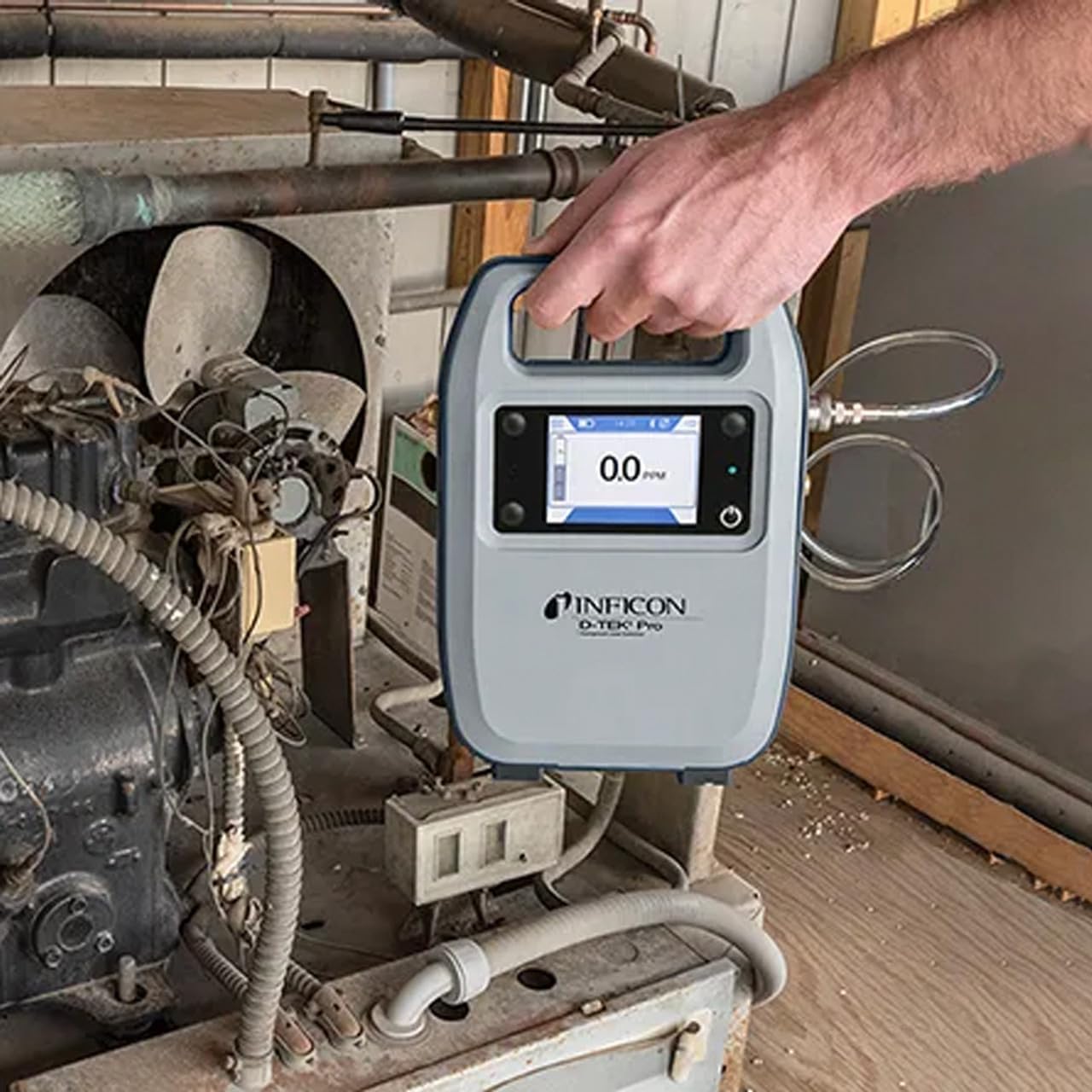
Figure 1: The Inficon D-TEK Pro being used to inspect a refrigeration unit. The display shows a 0.0 ppm reading, indicating no refrigerant detected at the current location. The device is held by a user's hand, demonstrating its portability and ease of use in an industrial setting.
5.3 Refrigerant Compatibility
The D-TEK Pro is designed to detect a wide range of refrigerants, including:
CFCs (Chlorofluorocarbons)
HCFCs (Hydrochlorofluorocarbons)
HFCs (Hydrofluorocarbons)
HFOs (Hydrofluoroolefins)
Blends including A2Ls
5.4 تكامل تطبيقات الهاتف المحمول
Download the D-TEK Pro mobile app to enhance your leak detection workflow.
Customer Reports: Generate detailed reports with photos and ppm tracking.
تتبع نظام تحديد المواقع: Confirm job location with integrated GPS functionality.
Figure 2: The Inficon D-TEK Pro connected to a smartphone, showcasing the mobile application's interface. This setup allows users to view real-time leak detection data, generate reports, and utilize GPS tracking for job site verification.
6. الصيانة
6.1 العناية العامة والتنظيف
To ensure optimal performance and longevity of your D-TEK Pro:
امسح الجهاز بقطعة ناعمة ، دamp القماش. لا تستخدم المنظفات أو المذيبات الكاشطة.
Keep the sensor probe clean and free from debris.
Store the device in its soft case when not in use to protect it from dust and physical damage.
6.2 استبدال المرشح
The D-TEK Pro is designed for low maintenance, requiring no purging and no charcoal filters. However, spare filters are provided for specific applications or if the existing filter becomes visibly soiled or damaged.
Locate the filter housing on the device.
قم بإزالة الفلتر القديم بعناية.
Insert a new spare filter, ensuring it is seated correctly.
7. استكشاف الأخطاء وإصلاحها
This section addresses common issues you might encounter with your D-TEK Pro.
مشكلة
السبب المحتمل
حل
الجهاز لا يعمل.
بطارية منخفضة أو فارغة.
قم بشحن الجهاز باستخدام كابل الشحن المرفق.
قراءات غير دقيقة أو غير متسقة.
Sensor probe is dirty or damaged; environmental interference.
Clean the sensor probe. Ensure proper environmental conditions. If issue persists, contact support.
Mobile app not connecting.
مشكلة في البلوتوث؛ التطبيق غير محدّث.
Ensure Bluetooth is enabled on both devices. Update the D-TEK Pro app to the latest version.
8. المواصفات
ميزة
التفاصيل
رقم الموديل
508-202-G1
وزن العنصر
3 رطل
أبعاد الحزمة
15 × 12 × 4 بوصة
نوع العرض
شاشات الكريستال السائل، شاشات LED
مصدر الطاقة
بطارية قابلة لإعادة الشحن
حساسية
دقة 0.1 جزء في المليون
Detected Refrigerants
CFCs, HCFCs, HFCs, HFOs, and blends including A2Ls
9. معلومات الضمان
The Inficon D-TEK Pro Refrigerant Leak Detector comes with a ضمان لمدة 2 سنوات from the date of purchase. This warranty covers defects in materials and workmanship under normal use. For warranty claims or detailed terms and conditions, please refer to the official Inficon webالموقع أو الاتصال بدعم العملاء.
10. دعم العملاء
For technical assistance, troubleshooting not covered in this manual, or general inquiries, please contact Inficon customer support.
الموارد المتاحة على الإنترنت: قم بزيارة الموقع الرسمي Inficon Store on Amazon للحصول على معلومات وتحديثات عن المنتج.
معلومات الاتصال: Refer to the Inficon official website for direct contact details (phone, email).
Ask a question about this manual
Ask about setup, troubleshooting, compatibility, parts, safety, or missing instructions. Manuals+ will review the question and use this page’s manual context to help answer it.