
1. انتهى المنتجview
The LexonElec HXSJ T700 is an ultra-lightweight wireless gaming mouse designed for right-handed users, offering versatile connectivity and high-performance features. It supports three connection modes: 2.4GHz wireless, Bluetooth, and USB wired, making it suitable for various devices and usage scenarios.

Image: The HXSJ T700 Wireless Gaming Mouse, showcasinتصميمها الأنيق.
المميزات الرئيسية:
- تصميم مريح: Specifically shaped for right-handed comfort during extended use.
- خفيف الوزن للغاية: Weighs only 56g, reducing wrist strain.
- اتصال ثلاثي الأوضاع: Seamlessly switch between 2.4GHz, Bluetooth, and USB wired connections.
- مستشعر بصري عالي الدقة: Up to 10,000 DPI with a 1000Hz polling rate for accurate tracking.
- عمر بطارية طويل: Integrated 500mAh battery provides up to 200 hours of use on a single charge.
- الأزرار القابلة للبرمجة: 6 customizable buttons for enhanced control.
- مفاتيح متينة: HUANO silent micro switches rated for 20 million clicks.
2. تعليمات الإعداد
محتويات الحزمة:
- HXSJ T700 Wireless Gaming Mouse
- مستقبل USB نانو (مخزن داخل الماوس)
- كابل شحن USB-C
ابدء:
- شحن الماوس: Connect the USB-C charging cable to the mouse and a power source. The mouse can be used while charging in wired mode.
- حدد وضع الاتصال: Locate the switch on the bottom of the mouse. It has three positions: OFF, 2.4G, and BT (Bluetooth).

Image: The HXSJ T700 mouse illustrating its three connection modes: 2.4GHz, Bluetooth, and USB wired.
2.1. اتصال لاسلكي بتردد 2.4 جيجاهرتز:
- Remove the USB Nano Receiver from its storage slot on the bottom of the mouse.
- قم بتوصيل جهاز استقبال USB Nano بمنفذ USB متاح على جهاز الكمبيوتر الخاص بك.
- حرك مفتاح الوضع الموجود أسفل الماوس إلى وضع "2.4G".
- ينبغي أن يتصل الماوس تلقائيًا.
2.2. اتصال بلوتوث:
- حرك مفتاح الوضع الموجود أسفل الماوس إلى وضع "BT".
- Press and hold the "Mode" button (located near the switch) for 3-5 seconds until the indicator light flashes, indicating pairing mode.
- On your device (PC, Mac, PS4, Xbox), go to Bluetooth settings and search for new devices.
- Select "HXSJ T700" from the list of available devices to pair.
2.3. USB Wired Connection:
- قم بتوصيل كابل الشحن USB-C بالماوس والطرف الآخر بمنفذ USB على جهاز الكمبيوتر الخاص بك.
- The mouse will function as a wired mouse and charge simultaneously. The mode switch can be in any position for wired operation.
3. تعليمات التشغيل
The HXSJ T700 mouse features 6 programmable buttons and a DPI adjustment button for customized control.
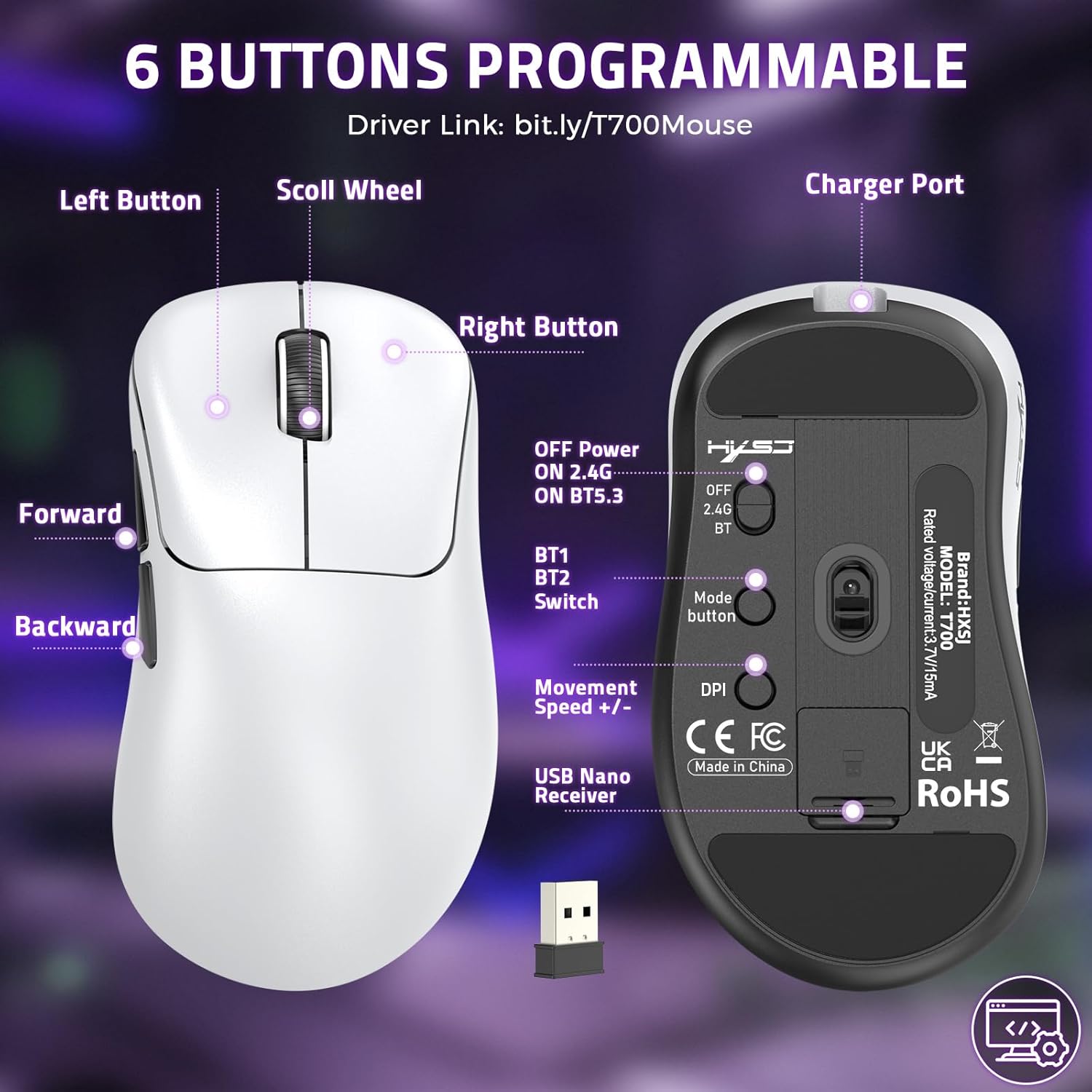
Image: Diagram showing the layout of the 6 programmable buttons (Left, Right, Scroll Wheel, Forward, Backward, DPI) and other controls on the HXSJ T700 mouse.
3.1. وظائف الأزرار:
- الزر الأيسر: وظيفة النقر الأساسية.
- الزر الأيمن: وظيفة النقر الثانوية (قائمة السياق).
- عجلة التمرير: قم بالتمرير لأعلى/لأسفل، ثم انقر بزر الفأرة الأوسط.
- زر للأمام: يتنقل للأمام في web المتصفحات أو file المستكشفون.
- زر الرجوع: يتنقل للخلف في web المتصفحات أو file المستكشفون.
- زر DPI: التنقل عبر إعدادات DPI.
3.2. تعديل DPI:
Press the DPI button (located on the top of the mouse, behind the scroll wheel) to cycle through the preset DPI levels. The available DPI settings are 1200, 2000, 3200, 6400, and 10000. Each press will change the sensitivity, allowing you to adjust cursor speed to your preference.
3.3. Programmable Buttons (Software Support):
To customize the 6 programmable buttons and adjust advanced settings like polling rate, visit the official driver download link:
Download and install the driver software to access full customization options for your mouse.

Image: Screenshot of the HXSJ T700 mouse software interface, showing options for button customization and DPI settings.
4. الصيانة
4.1. شحن البطارية:
The mouse is equipped with a 500mAh rechargeable battery. When the battery is low, an indicator light on the mouse will signal. Connect the provided USB-C cable to the mouse and a USB power source (e.g., computer, wall adapter) to charge. A full charge provides up to 200 hours of usage.
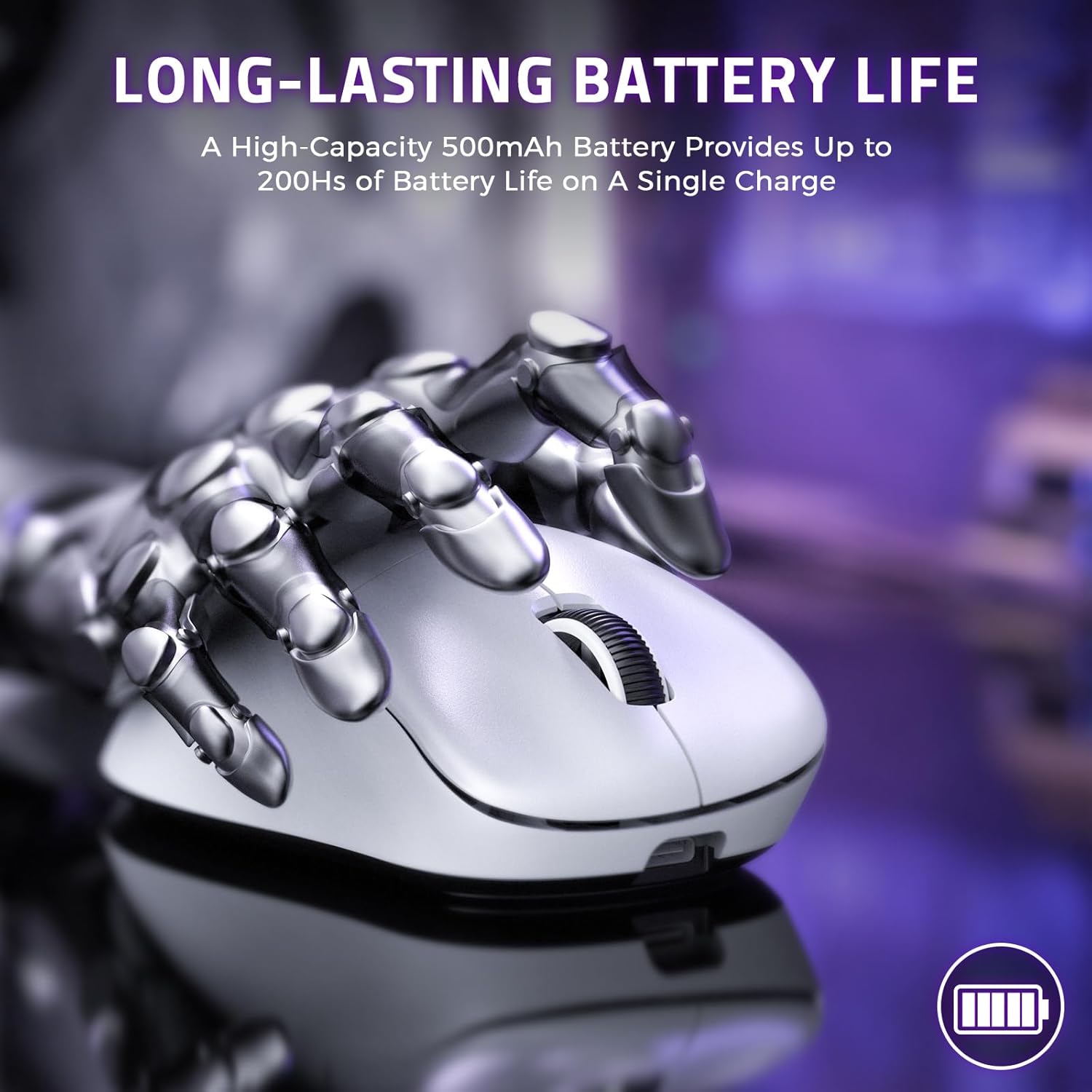
Image: The HXSJ T700 mouse highlighting its long-lasting 500mAh battery, capable of up to 200 hours of use.
4.2. التنظيف:
- استخدم قطعة قماش ناعمة وجافة لتنظيف سطح الماوس.
- For optical sensor, use a cotton swab lightly dampened with isopropyl alcohol to gently clean the sensor area.
- تجنب استخدام المواد الكيميائية القاسية أو المواد الكاشطة التي قد تؤدي إلى إتلاف الماوس.
4.3. التخزين:
When not in use for extended periods, turn off the mouse using the switch on the bottom to conserve battery life. Store in a cool, dry place away from direct sunlight and extreme temperatures.
5. استكشاف الأخطاء وإصلاحها
5.1. Mouse Not Responding:
- التحقق من البطارية: تأكد من شحن الماوس. قم بتوصيله عبر كابل USB-C للتحقق من عمله في الوضع السلكي.
- تحقق من وضع الاتصال: Verify the mode switch on the bottom of the mouse is set correctly (2.4G for receiver, BT for Bluetooth, or wired for USB cable).
- اتصال 2.4 جيجا هرتز: تأكد من توصيل جهاز استقبال USB Nano بشكل صحيح بمنفذ USB يعمل. جرب منفذ USB آخر.
- اتصال بلوتوث: Re-pair the mouse with your device. Go to your device's Bluetooth settings, remove the mouse, and then re-initiate pairing mode on the mouse.
- الاتصال السلكي: تأكد من توصيل كابل USB-C بشكل صحيح بكل من الماوس والكمبيوتر.
5.2. Cursor Movement is Erratic or Inaccurate:
- مستشعر نظيف: Gently clean the optical sensor on the bottom of the mouse with a soft cloth or cotton swab.
- فحص السطح: Ensure you are using the mouse on a clean, non-reflective, and uniform surface. A mouse pad is recommended.
- ضبط DPI: Try changing the DPI setting using the DPI button to see if a different sensitivity improves performance.
5.3. Buttons Not Functioning Correctly:
- تداخل البرمجيات: If you have installed custom software, try resetting the mouse settings to default via the driver software.
- Physical Issue: If a button feels loose or unresponsive, it might indicate a hardware issue.
6. المواصفات
| ماركة | ليكسون |
| نموذج | ت700 |
| تكنولوجيا الاتصال | 2.4GHz Wireless, Bluetooth, USB Wired |
| المميزات الخاصة | Programmable Buttons, Ergonomic Design, Lightweight, Rechargeable, Wireless |
| عدد الأزرار | 6 (قابلة للبرمجة) |
| اتجاه اليد | يمين |
| الاستخدام الموصى به | مكتب ، ألعاب |
| الأجهزة المتوافقة | Mac, Personal Computer, PS4, Win, Xbox |
| نظام التشغيل | ويندوز، ماك أو إس |
| عمر البطارية | تصل إلى 200 ساعة |
| سعة البطارية | 500 مللي أمبير |
| مصدر الطاقة | قابلة لإعادة الشحن |
| Max Sensitivity (DPI) | 10000 |
| معدل التصويت | حتى 1000 هرتز |
| نوع المفتاح | HUANO Silent Micro Switches (20 Million Clicks) |
| نوع التشفير | OYTO Silver Encoder (3 Million Cycles) |
| وزن | 56 جرام |
| بلد المنشأ | الصين |
7. معلومات الضمان
This LexonElec HXSJ T700 Wireless Gaming Mouse comes with a ضمان لمدة 6 شهرًا يسري هذا الضمان من تاريخ الشراء. ويغطي عيوب التصنيع والأعطال الناتجة عن الاستخدام العادي. ولا يغطي الأضرار الناجمة عن سوء الاستخدام أو الحوادث أو التعديلات غير المصرح بها أو التلف الناتج عن الاستخدام العادي.
يرجى الاحتفاظ بإثبات الشراء الخاص بك لمطالبات الضمان.
8. الدعم
For further assistance, driver downloads, or troubleshooting not covered in this manual, please refer to the official support resources.
السائق والبرمجيات:
The latest driver and customization software for the HXSJ T700 mouse can be downloaded from:
This software allows you to configure button assignments, DPI settings, polling rate, and other advanced features.