
1. المقدمة
This manual provides essential information for setting up, operating, maintaining, and troubleshooting your GIGABYTE AORUS Prime 5 AP5A7N7T-5000 Gaming Desktop PC. Please read this manual thoroughly before using your new system to ensure proper functionality and longevity.
The AORUS Prime 5 is a high-performance gaming desktop featuring an AMD Ryzen 7 9700X Processor, NVIDIA GeForce RTX 5070 Ti Graphics Card, 32GB DDR5 RAM, and a 2TB PCIe Gen4 NVMe M.2 SSD. It operates on Windows 11 and includes a 360mm liquid cooler for optimal thermal management.
Figure 1: GIGABYTE AORUS Prime 5 Gaming Desktop PC overview.
2. ماذا يوجد في الصندوق
تأكد من وجود جميع العناصر في العبوة:
- GIGABYTE AORUS Prime 5 Gaming Desktop PC
- كابل الطاقة
- دليل المستخدم (هذا المستند)
- بطاقة الضمان
- Accessory Kit (may include SATA cables, screws, etc.)
3. الإعداد
Follow these steps to set up your GIGABYTE AORUS Prime 5 Gaming Desktop PC.
3.1 فك الصندوق ووضعه في مكانه
- أخرج جهاز الكمبيوتر بعناية من عبوته. احتفظ بجميع مواد التغليف لاستخدامها في النقل أو الصيانة مستقبلاً.
- Place the PC on a stable, flat surface with adequate ventilation. Ensure there is clear space around the air intakes and exhausts.
- Remove any protective films or internal packaging materials from the PC, especially from the tempered glass side panel.

الشكل 2: الجبهة view of the AORUS Prime 5 PC.
3.2 توصيل الأجهزة الطرفية
Connect your monitor, keyboard, mouse, and other peripherals to the appropriate ports on the rear and front of the PC.
- شاشة: Connect your monitor(s) to the graphics card's DisplayPort or HDMI outputs. Ensure the cable is securely fastened.
- لوحة المفاتيح والفأرة: Connect your keyboard and mouse to any available USB ports. For optimal performance, use USB 3.0 or higher ports.
- شبكة: Connect an Ethernet cable to the LAN port for a wired internet connection, or ensure your Wi-Fi antenna is connected for wireless connectivity.
- صوتي: قم بتوصيل مكبرات الصوت أو سماعات الرأس بمنافذ الصوت.
- قوة: Connect the power cable to the PC's power supply unit (PSU) and then to a wall outlet.
Figure 3: Rear I/O and Front Panel Ports.
3.3 التمهيد الأول وإعداد Windows
- اضغط على زر الطاقة الموجود على اللوحة الأمامية لجهاز الكمبيوتر.
- Follow the on-screen instructions to complete the Windows 11 setup process. This typically involves selecting your region, language, creating a user account, and accepting the license agreement.
- After Windows is set up, it is recommended to install the GIGABYTE Control Center (GCC) software. This application helps manage drivers, BIOS updates, and RGB lighting.
- Ensure all drivers are up-to-date. While GCC assists, also check Windows Update and the official GIGABYTE webموقع للحصول على أحدث برامج التشغيل الخاصة بطرازك المحدد.
4. التشغيل
This section covers general operation and key features of your AORUS Prime 5 PC.
4.1 أداء النظام
Your AORUS Prime 5 is equipped with an AMD Ryzen 7 9700X processor and an NVIDIA GeForce RTX 5070 Ti graphics card, providing robust performance for gaming, content creation, and demanding applications.

Figure 4: AMD Ryzen 7 9700X Processor.
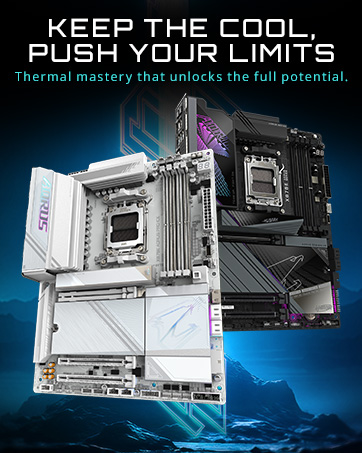
Figure 5: NVIDIA GeForce RTX 5070 Ti Graphics Card.
4.2 نظام التبريد
The system features a 360mm liquid cooler and WINDFORCE cooling technology with Hawk Fans to maintain optimal temperatures during intensive use. This design ensures efficient heat dissipation and sustained performance.

Figure 6: All-Round Cooling Airflow.
4.3 RGB Fusion 2.0
Customize the 16.7 million ARGB lighting effects using the GIGABYTE Control Center (GCC) software. You can synchronize lighting across compatible components to personalize your system's aesthetic.
5. الصيانة
تساعد الصيانة المنتظمة على ضمان طول عمر جهاز الكمبيوتر الخاص بك وأدائه الأمثل.
5.1 التنظيف العام
- الخارج: استخدمي قطعة قماش ناعمةamp استخدم قطعة قماش لتنظيف الأسطح الخارجية. تجنب المواد الكيميائية القاسية.
- فلاتر الغبار: Periodically clean the dust filters (if present) to maintain optimal airflow.
- الداخلية: Every 6-12 months, carefully open the side panel and use compressed air to remove dust from internal components, especially fans and heatsinks. Ensure the PC is powered off and unplugged before opening.
5.2 تحديثات البرامج
- تحديثات الويندوز: قم بالتحقق بانتظام من تحديثات نظام التشغيل Windows وتثبيتها لضمان استقرار النظام وأمانه.
- تحديثات برنامج التشغيل: Use the GIGABYTE Control Center (GCC) or visit the official GIGABYTE website to download and install the latest drivers for your motherboard, graphics card, and other components.
5.3 نظام التبريد السائل
The 360mm liquid cooler is a closed-loop system and generally requires minimal maintenance. However, ensure the radiator fins are free of dust and the fans are spinning correctly. Do not attempt to open or refill the liquid cooler.
6. استكشاف الأخطاء وإصلاحها
يتناول هذا القسم المشكلات الشائعة التي قد تواجهها.
6.1 لا يوجد طاقة / النظام لا يبدأ
- تأكد من توصيل كابل الطاقة بشكل آمن بكل من جهاز الكمبيوتر ومأخذ الحائط.
- Check the power switch on the back of the power supply unit (PSU) is in the 'ON' position.
- Try a different power outlet or power cable.
6.2 لا يوجد عرض على الشاشة
- Verify that the monitor is powered on and the video cable is securely connected to the graphics card's output ports (DisplayPort or HDMI), not the motherboard's integrated video ports.
- جرب كابل فيديو أو شاشة مختلفة إن أمكن.
6.3 سرعة الإنترنت البطيئة
- If experiencing slow internet speeds, particularly with a wired connection, check for pre-installed network optimization software such as سي فوس سبيد (sometimes bundled with GIGABYTE software). Uninstalling this program has resolved network performance issues for some users.
- Ensure your network drivers are up-to-date.
- Verify your router and internet service provider connection.
6.4 High CPU Temperatures / System Instability
- Ensure the PC has adequate airflow and is not placed in an enclosed space.
- Check that the liquid cooler's pump and fans are operating correctly. You should hear the pump running and see the fans spinning.
- If temperatures remain high, it may indicate an issue with the liquid cooler's contact with the CPU. This typically requires professional inspection.
6.5 GPU Fan Noise / System Lock-ups
- Excessive GPU fan noise or system lock-ups during heavy load can indicate thermal issues or driver problems.
- Ensure graphics drivers are updated to the latest version.
- Monitor GPU temperatures using monitoring software. If temperatures are consistently high, ensure the PC has good airflow.
- If issues persist, contact GIGABYTE support.
7. المواصفات
Detailed technical specifications for the GIGABYTE AORUS Prime 5 AP5A7N7T-5000 Gaming Desktop PC.
| ميزة | مواصفة |
|---|---|
| ماركة | جيجابايت |
| اسم الموديل | AORUS PRIME 5 AP5A7N7T-5000 |
| نظام التشغيل | ويندوز 11 هوم |
| نموذج وحدة المعالجة المركزية | أيه إم دي رايزن 7 9700X |
| سرعة وحدة المعالجة المركزية | 3.8 جيجاهرتز |
| معالج الرسوميات المساعد | GeForce RTX™ 5070Ti WINDFORCE OC |
| Graphics Card RAM | 16 جيجابايت GDDR7 |
| حجم ذاكرة الوصول العشوائي المثبتة | 32 جيجا بايت DDR5 |
| الحد الأقصى لحجم ذاكرة الوصول العشوائي (RAM) | 256 جيجا بايت |
| سرعة الذاكرة | 5600 ميجا هرتز |
| وصف القرص الصلب | 2TB SSD (PCIe Gen4 NVMe M.2) |
| استهلاك الطاقة | 850 واط |
| أبعاد العنصر (LxWxH) | 12.6 × 21.5 × 23.8 بوصة |
| تكنولوجيا الاتصال | Bluetooth, Ethernet, Wi-Fi (Wi-Fi 6) |
| مخرج الفيديو | منفذ العرض، منفذ HDMI |
| إجمالي منافذ USB | 9 |
| مميزات اضافية | DLSS 4.0 Technology, Liquid Cooling System, RGB Lighting, Tempered Glass |
8. الضمان والدعم
Your GIGABYTE AORUS Prime 5 AP5A7N7T-5000 Gaming Desktop PC comes with a ضمان الشركة المصنعة لمدة عامين.
For technical support, warranty claims, or further assistance, please visit the official GIGABYTE support webيمكنك زيارة الموقع الإلكتروني أو الاتصال بخدمة العملاء. احتفظ بإيصال الشراء والرقم التسلسلي للمنتج في متناول يدك عند الاتصال بالدعم.
- دعم جيجابايت Webموقع: www.gigabyte.com/support