
مقدمة
This manual provides instructions for the Zebronics CSH501 2.5" SSD/HDD Enclosure. This device allows you to connect a 2.5-inch SATA Solid State Drive (SSD) or Hard Disk Drive (HDD) to your computer via a USB Type-C 3.1 Gen 1 interface, enabling high-speed data transfer and portable storage solutions. It supports up to 6TB of storage capacity and features a tool-free slide design for easy installation.
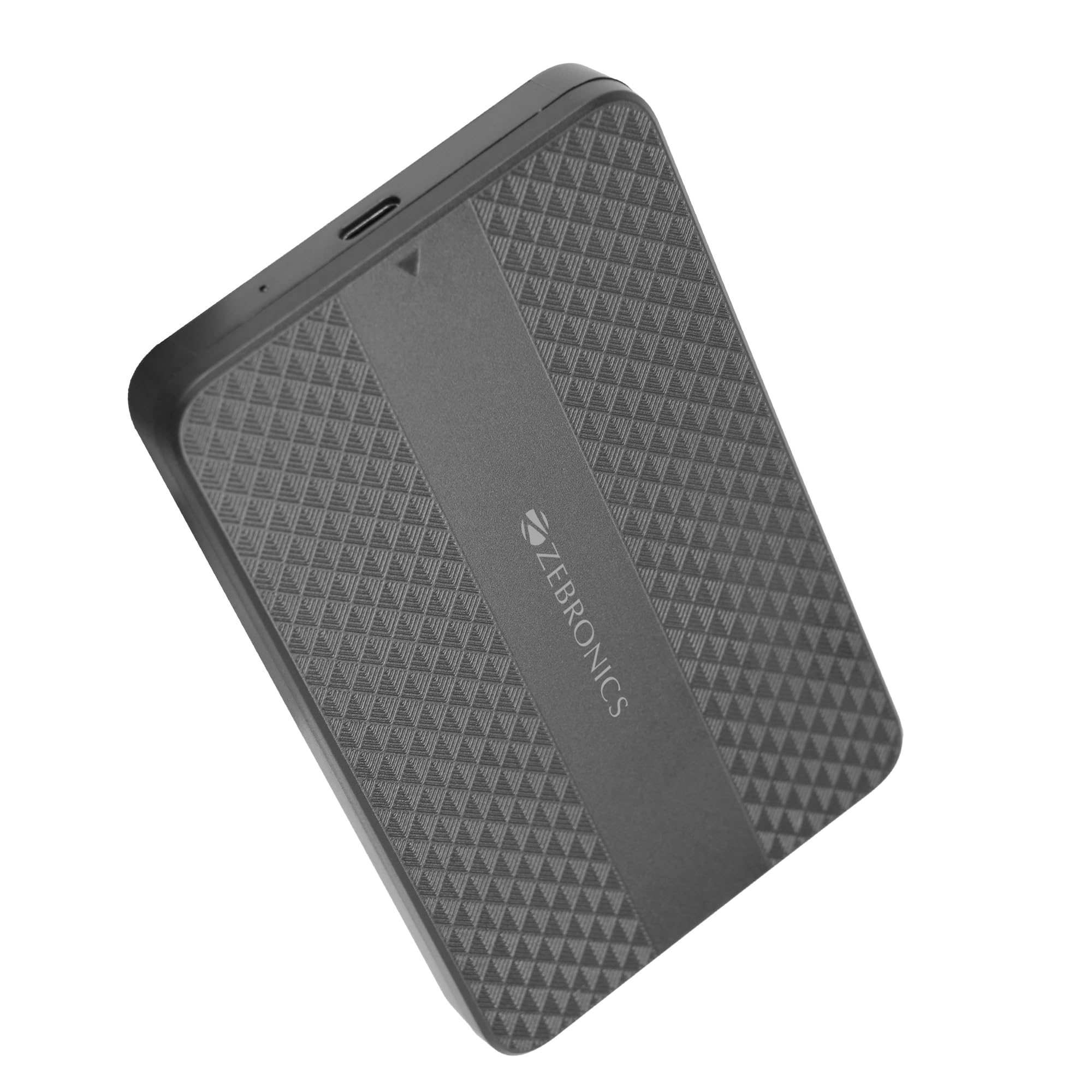
Image: The Zebronics CSH501 2.5 inch SSD/HDD Enclosure, a compact black device with a textured surface and Zebronics branding.
محتويات الحزمة
تأكد من وجود جميع العناصر في العبوة:
- 1 x 2.5" SATA SSD Enclosure (CSH501)
- 1 × وسادة رغوية
- 1 x USB to Micro B Cable
تحديد
| ميزة | وصف |
|---|---|
| نموذج | CSH501 |
| محركات الأقراص المتوافقة | محرك أقراص صلبة/محرك أقراص صلبة SATA مقاس 2.5 بوصة |
| أقصى سعة تخزين | 6 تيرابايت |
| الواجهة | USB Type-C 3.1 الجيل الثاني |
| معدل نقل البيانات | تصل إلى 5 جيجابت في الثانية |
| مادة | بلاستيك |
| الأبعاد (الطول × العرض × الارتفاع) | 13 طول × 8 عرض × 1.3 ارتفاع بالسنتيمتر |
| وزن | 60 جرام |
| دعم نظام التشغيل | ويندوز، ماك، لينكس |
الإعداد والتثبيت
The CSH501 enclosure features a tool-free slide design for quick and easy installation of your 2.5-inch SATA SSD or HDD.
- Step 1: Open the Enclosure
Gently slide the back cover of the enclosure to open it. - Step 2: Insert the Drive
Carefully insert your 2.5-inch SATA SSD or HDD into the enclosure, ensuring it connects securely to the internal SATA connector. You may use the provided foam pad to secure thinner drives. Close the cover by sliding it back until it clicks into place. - الخطوة 3: الاتصال بالكمبيوتر
Connect the enclosure to your computer using the provided USB to Micro B cable. The enclosure is plug-and-play, requiring no additional drivers for most operating systems.

Image: A three-step visual guide demonstrating the tool-free slide setup: 1. Slide back to open the cover. 2. Insert the drive and close the cover. 3. Connect to the computer for plug & play operation.
تعليمات التشغيل
Once connected, the enclosure will be recognized by your operating system as an external storage device. You can then access, transfer, and manage files as you would with any other external drive.
- نقل البيانات: The USB 3.1 Gen 1 interface supports data transfer speeds up to 5 Gbps. Actual speeds may vary based on the connected drive, computer's USB port, and file أنواع.
- توافق نظام التشغيل: The enclosure is compatible with Windows, Mac, and Linux operating systems.
- قوة: The enclosure is bus-powered via the USB connection, eliminating the need for an external power adapter.

Image: The Zebronics CSH501 enclosure connected to a laptop via its USB cable, illustrating its capability for data transfer speeds up to 5Gbps.

Image: The Zebronics CSH501 enclosure connected to a laptop, with text highlighting its compatibility across Windows, Mac, and Linux operating systems.
صيانة
To ensure the longevity and optimal performance of your Zebronics CSH501 enclosure:
- حافظ على نظافة جهازك وخلوه من الغبار. استخدم قطعة قماش ناعمة وجافة للتنظيف.
- تجنب تعريض الحاوية لدرجات حرارة شديدة أو رطوبة عالية أو لأشعة الشمس المباشرة.
- لا تسقط الجهاز أو تعرضه لصدمات قوية.
- Always safely eject the drive from your operating system before disconnecting the enclosure to prevent data corruption.
استكشاف الأخطاء وإصلاحها
If you encounter issues with your enclosure, refer to the following common solutions:
- لم يتم اكتشاف محرك الأقراص:
- Ensure the drive is properly seated within the enclosure and the cover is closed securely.
- حاول توصيل العلبة بمنفذ USB مختلف على جهاز الكمبيوتر الخاص بك.
- اختبار باستخدام كابل USB مختلف.
- Verify that the drive itself is functional by testing it in another enclosure or directly connecting it to a computer if possible.
- بالنسبة لمحركات الأقراص الجديدة، تأكد من تهيئتها وتنسيقها في إدارة الأقراص (ويندوز) أو أداة القرص (ماك) في نظام التشغيل الخاص بك.
- سرعات نقل بطيئة:
- Ensure the enclosure is connected to a USB 3.0/3.1 port on your computer. Connecting to a USB 2.0 port will result in slower speeds.
- The performance of the installed SSD/HDD also affects transfer speeds.
- كبير file عمليات النقل أسرع بشكل عام من العديد من عمليات النقل الصغيرة file التحويلات.
- يصبح المكان دافئًا:
It is normal for the enclosure to become warm during extended use, especially during large data transfers, as heat is dissipated from the internal drive. Ensure adequate airflow around the device.
الضمان والدعم
The Zebronics CSH501 enclosure comes with a 1 Year Carry-In Warranty to the service center. For warranty claims or technical support, please contact Zebronics customer service.
معلومات الاتصال بالشركة المصنعة:
شركة زيبرونيكس إنديا الخاصة المحدودة
رقم 13/7، طريق سميث، رويابيت، تشيناي - 600002
For further assistance, visit the official Zebronics webالموقع أو الاتصال بقنوات الدعم الخاصة بهم.