
مقدمة
Welcome to the QONBINK Smart Watch M91 user manual. This guide provides detailed instructions to help you set up, operate, and maintain your new smart watch. Please read this manual thoroughly before using the device to ensure proper functionality and a safe experience.
ماذا يوجد في الصندوق
Upon opening your QONBINK Smart Watch M91 package, you should find the following items:
- Smart Watch (M91)
- دليل المستخدم
- كابل الشحن

Image: Contents of the QONBINK M91 Smart Watch package.
المنتج انتهىview
The QONBINK Smart Watch M91 features a 1.85-inch HD display and is designed for both men and women. It offers a range of functionalities including Bluetooth calls, over 120 sport modes, 24/7 heart rate and sleep monitoring, and IP68 waterproofing. The watch is compatible with iOS 10.0+ and Android 4.4+ devices.

Image: The QONBINK M91 Smart Watch with its 1.85-inch HD display showing different watch faces.
يثبت
1. تنزيل التطبيق وتثبيته
To utilize all features of your QONBINK Smart Watch M91, you need to download and install the دا فيت تطبيق على هاتفك الذكي.
- Scan the QR code provided in the watch's interface or the physical manual, or visit http://plus.crrepa.com/app-download/dafit to download the Da Fit app.
- Install the app on your iOS (10.0 or higher) or Android (4.4 or higher) smartphone.
2. الاقتران بهاتفك
Follow these steps to pair your smart watch with your smartphone:
- تأكد من تشغيل البلوتوث على هاتفك.
- Open the Da Fit app on your phone.
- In the app, navigate to the "Add Device" section and search for "M91".
- Select "M91" from the list of available devices.
- Confirm the Bluetooth pairing request on both your phone and the watch.
- Allow the smart watch to display notifications by granting the necessary permissions in your phone's settings.

Image: Visual guide for connecting the smart watch to a mobile phone.
تعليمات التشغيل
الملاحة الأساسية
The M91 Smart Watch features a full-touch screen for easy navigation.
- اسحب لأعلى/لأسفل: قم بالتنقل عبر القوائم والإشعارات.
- اسحب لليسار/اليمين: Access quick functions or different screens.
- مقبض: حدد عنصرًا أو قم بتأكيد إجراء.
- زر جانبي: اضغط للعودة إلى الشاشة الرئيسية أو لتنشيط الجهاز.
مكالمات وإشعارات البلوتوث
Once paired, the M91 Smart Watch allows you to manage calls and receive notifications directly on your wrist.
- الرد على المكالمات/رفضها: When a call comes in, you can answer or reject it directly from the watch using the built-in speaker and microphone.
- Viewالرسائل: تلقي و view SMS and social media messages (e.g., Snapchat, Instagram) on your watch. Note: Replying to messages is not supported directly from the watch.
- Call Logs/Dial Pad: Access recent call logs or use the dial pad to initiate calls from your watch.

Image: Smart watch displaying Bluetooth call and message notifications.
مساعد صوت ذكي
The smart watch includes an intelligent voice assistant for hands-free control.
- Activate the voice assistant to perform commands such as checking the weather, making phone calls, playing music, setting alarms, or other voice commands.

Image: Smart watch with voice assistant and notification features.
تخصيص وجوه الساعة
Personalize your watch with over 200 built-in watch face designs or upload your own images via the Da Fit app.

Image: Customizing watch faces on the M91 Smart Watch.
أوضاع الرياضة
The M91 Smart Watch offers over 120 sport modes to track your physical activities.
- Select your desired sport mode (e.g., walking, hiking, yoga, rock climbing, skateboarding, roller skating, equestrian sports, athletics, auto racing) from the watch menu.
- The watch will record real-time data such as calories burned, distance covered, and duration.
- Synchronize the data to the Da Fit app for detailed analysis and progress tracking.

Image: Smart watch showing various sport modes.

Image: Diverse range of sports modes available on the smart watch.
مراقبة الصحة
The M91 Smart Watch is equipped with advanced sensors for 24/7 health monitoring.
- رصد معدل ضربات القلب: Continuously tracks your heart rate throughout the day. Data is automatically synchronized to the Da Fit app for analysis.
- مراقبة النوم: Monitors your sleep quality, including restful, light, and rapid eye movement (REM) sleep stages. Provides a sleep quality score and trends in the app.
- مراقبة الأكسجين في الدم: Provides real-time blood oxygen level measurements to help you understand your health status.
- تتبع صحة المرأة: Features for tracking menstrual cycles and providing reminders.
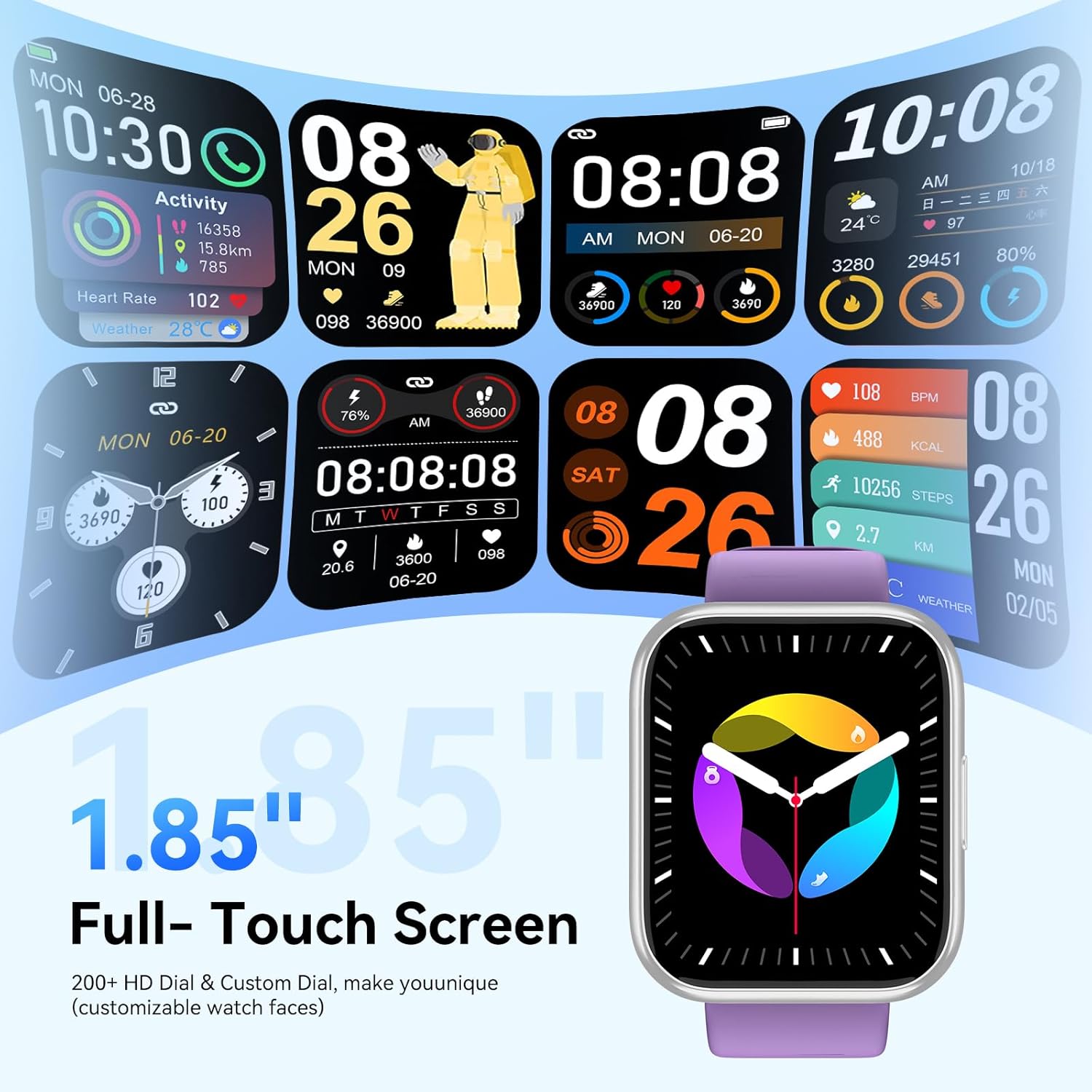
Image: Health monitoring features on the smart watch.

Image: Detailed heart rate monitoring display.

Image: Sleep monitoring interface.

Image: Blood oxygen monitoring display.

Image: Women's health tracking feature.
وظائف أخرى
The M91 Smart Watch includes several other practical features:
- النشرة الجوية: View daily weather updates.
- التحكم بالكاميرا: التحكم عن بعد بكاميرا هاتفك.
- التحكم بالموسيقى: تشغيل الموسيقى وإيقافها مؤقتًا وتخطي المقاطع الصوتية وضبط مستوى الصوت للموسيقى التي يتم تشغيلها على هاتفك.
- البحث عن الهاتف: حدد موقع هاتفك الذكي المقترن عن طريق جعله يرن.
- التنبيه: ضبط المنبهات مباشرة من ساعتك.
- ساعة الإيقاف والمؤقت: Utilize these tools for various activities.
- تذكير بالخمول: احصل على تنبيهات للتحرك بعد فترات من عدم النشاط.
- ألعاب: Access simple games on the watch.
- آلة حاسبة: A basic calculator function is available.

الصورة: أكثر منview of additional smart watch functions.
صيانة
Waterproofing (IP68)
The QONBINK M91 Smart Watch has an IP68 waterproof rating, meaning it is capable of withstanding immersion in water up to 1.5 meters for 30 minutes.
- It is rain-resistant, sweat-resistant, and oxidation-resistant.
- You can wear it during activities like swimming or surfing.
- مهم: Avoid prolonged exposure to hot water, steam, or high-pressure water jets, as this may compromise the waterproof seal.

Image: Smart watch demonstrating IP68 waterproofing.
الشحن
The watch is equipped with a 350 mAh battery.
- يستغرق الشحن الكامل عادةً 1.5-2 ساعات.
- Once fully charged, the battery can last for 5-7 days with typical use, and up to 25-30 days in standby mode.
- Use the provided charging cable to connect your watch to a USB power source.
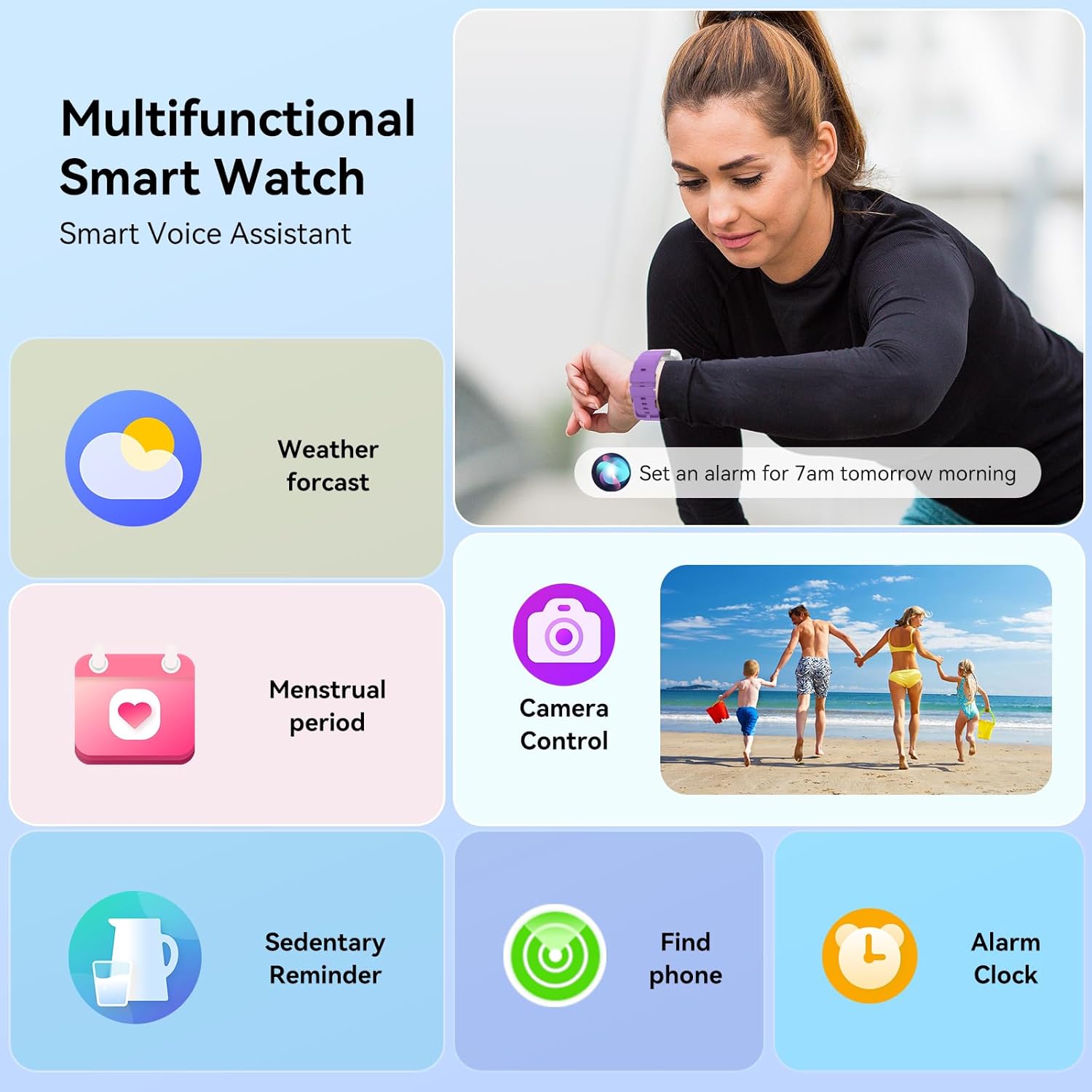
Image: Smart watch charging and battery life details.

الصورة: عمر البطارية ومعلومات الشحن.
استكشاف الأخطاء وإصلاحها
If you encounter issues with your QONBINK Smart Watch M91, try the following troubleshooting steps:
- الساعة لا تعمل: تأكد من شحن الساعة بالكامل. وصّلها بكابل الشحن ومصدر الطاقة لمدة 30 دقيقة على الأقل.
- لا يمكن الاقتران بالهاتف:
- تأكد من تمكين البلوتوث على هاتفك.
- تأكد من أن الساعة موجودة ضمن نطاق هاتفك.
- أعد تشغيل هاتفك والساعة.
- Check if the Da Fit app has the necessary permissions enabled on your phone.
- Forget the device in your phone's Bluetooth settings and try pairing again through the Da Fit app.
- عدم ظهور الإشعارات:
- تأكد من منح أذونات الإشعارات لتطبيق Da Fit في إعدادات هاتفك.
- تأكد من أن الساعة متصلة عبر البلوتوث.
- Check the notification settings within the Da Fit app to ensure desired apps are enabled.
- بيانات صحية غير دقيقة:
- تأكد من ارتداء الساعة بشكل مريح على معصمك، ولكن ليس بشكل ضيق للغاية.
- قم بتنظيف المستشعر الموجود في الجزء الخلفي من الساعة بانتظام.
- Avoid extreme movements during measurements.
- عمر بطارية قصير:
- تقليل سطوع الشاشة.
- Limit continuous heart rate monitoring or frequent use of GPS (if applicable via phone).
- قم بإيقاف تشغيل الإشعارات غير الضرورية.
- تأكد من شحن الساعة بالكامل في كل مرة.
If these steps do not resolve your issue, please contact QONBINK customer support for further assistance.
تحديد
| ميزة | التفاصيل |
|---|---|
| رقم الموديل | م91 |
| حجم العرض | 1.85 بوصة |
| الاتصال | بلوتوث 5.3 |
| سعة البطارية | 350 مللي أمبير (بوليمر ليثيوم) |
| عمر البطارية (الاستخدام النموذجي) | 5-7 أيام |
| وقت الاستعداد | 25-30 أيام |
| وقت الشحن | 1.5-2 ساعة |
| تصنيف مقاومة الماء | IP68 |
| توافق نظام التشغيل | الروبوت شنومكس +، دائرة الرقابة الداخلية شنومكس + |
| مراقبة الصحة | Heart Rate, Sleep, Blood Oxygen, Women's Health |
| أوضاع الرياضة | 120+ |
| المميزات الخاصة | Bluetooth Call, Message Reminder, Voice Assistant, Custom Wallpaper, Activity Tracker, Stopwatch, Timer, Weather Display, Alarm Clock, Camera Control |
| وزن العنصر | 3.52 أونصات |
| أبعاد الحزمة | 7.28 × 3.35 × 0.71 بوصة |
الضمان والدعم
For warranty information or technical support, please refer to the contact details provided with your purchase or visit the official QONBINK webالموقع. احتفظ بإيصال الشراء الخاص بك كإثبات للشراء في حالة مطالبات الضمان.