
1. المقدمة
This manual provides detailed instructions for the setup, operation, and maintenance of your POLONO PM220S Label Maker Machine. Please read this manual thoroughly before using the device to ensure proper function and longevity.
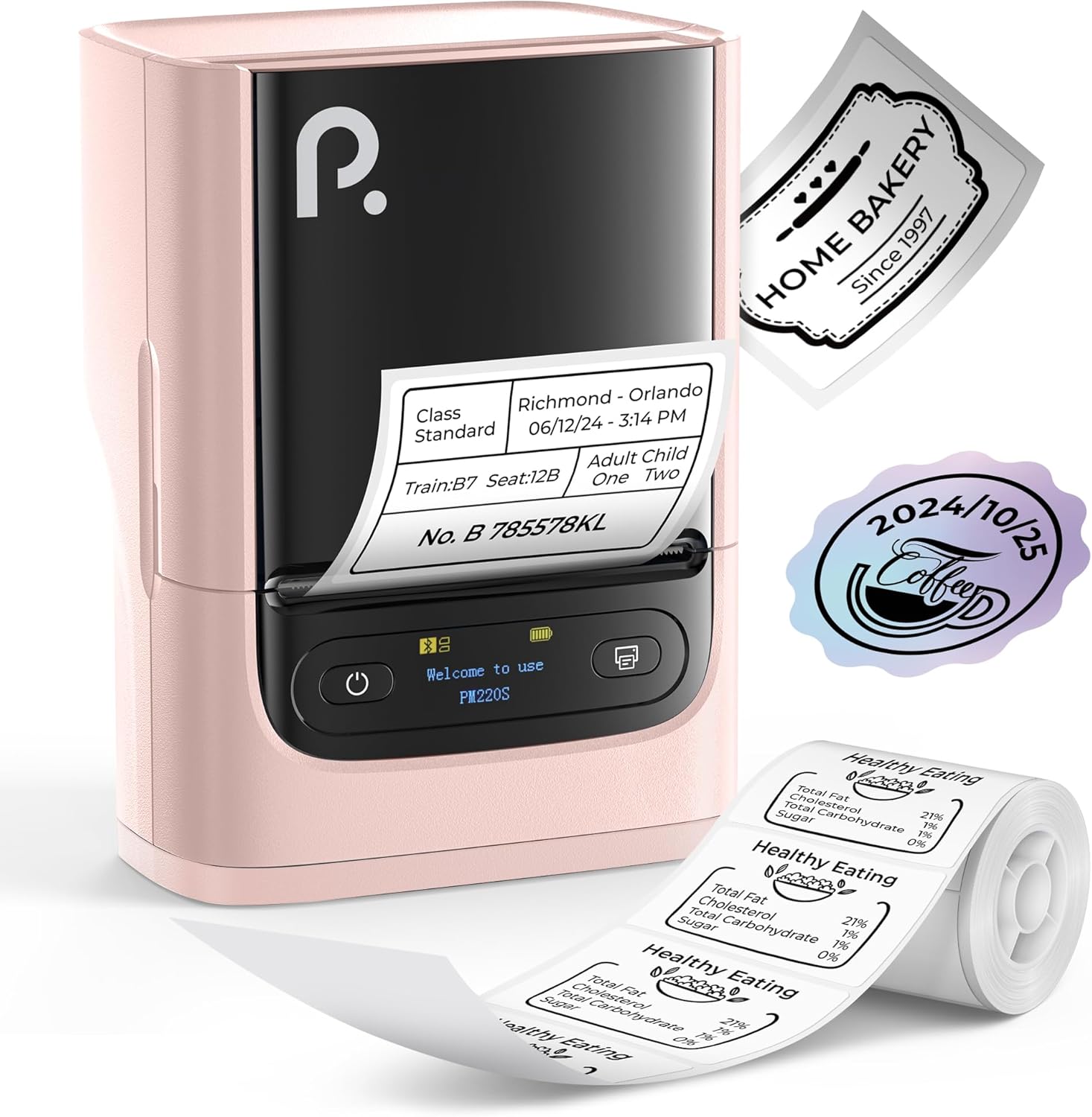
Figure 1: POLONO PM220S Label Maker Machine with sampالعلامات التجارية.
2. انتهى المنتجview
2.1 المكونات المضمنة
- POLONO PM220S Label Maker Machine
- Label Tape (50x30mm, pre-installed or included)
- كابل شحن USB
- دليل المستخدم (هذا المستند)
2.2 الميزات الرئيسية
- الاتصال عبر البلوتوث: Seamless connection with iOS, Android, and PC devices.
- Intuitive LED Screen: Displays battery level, Bluetooth connection status, and alerts for paper shortages or timed shutdowns.
- Feature-Rich "Labelnize" App: Offers label templates, supports QR codes, barcodes, tables, text, icons, 90+ fonts, 14+ languages, and 450+ material presets.
- Premium Thermal Printing: BPA-Free Direct Thermal Technology with 203 DPI for high-definition, inkless printing.
- توافق واسع النطاق مع الملصقات: Supports label widths from 23-54mm (0.91"-2.12").
- تصميم محمول: صغير الحجم وخفيف الوزن لسهولة النقل والاستخدام في بيئات متنوعة.
3. تعليمات الإعداد
3.1 شحن الجهاز
Before first use, fully charge the label maker using the provided USB cable. The LED screen will indicate charging status.
3.2 App Installation and Driver Download
For mobile devices (iOS/Android), download the "Labelnize" app from your respective app store. For PC users, visit polono.com to download the necessary driver and application.

Figure 2: Universal compatibility with smartphones and laptops for app and driver installation.
3.3 الاتصال عبر البلوتوث
- Ensure the PM220S is powered on.
- On your mobile device, open the "Labelnize" app.
- Within the app, search for and connect to the PM220S via Bluetooth. Do not connect directly via your device's Bluetooth settings for mobile devices.
- For PC, ensure the driver is installed, then connect through the downloaded application.
3.4 Loading Label Tape
- افتح غطاء حجرة الملصق.
- أدخل لفة الملصقات بحيث يكون سطح الطباعة متجهًا للأعلى.
- Adjust the paper slot guides to secure the tape according to its width (23-54mm) for precise alignment.
- أغلق الغطاء.

Figure 3: Proper loading of label tape into the PM220S.
4. تعليمات التشغيل
4.1 Using the "Labelnize" App
- Open the "Labelnize" app on your connected device.
- Select from various pre-designed templates or create your own custom labels.
- The app allows you to add text, barcodes, QR codes, tables, icons, and more.
- Customize labels using a selection of over 90 fonts and 14 languages.
- Utilize the 450+ material presets for different label applications.
- مهم: For optimal results, use specialized POLONO labels. Avoid tearing the green back sticker to prevent printing issues.
4.2 Understanding the LED Screen Display
The integrated LED screen provides real-time feedback on the printer's status:
- مستوى البطارية: Indicates the current charge of the device.
- اتصال بلوتوث: Shows if the device is successfully connected via Bluetooth.
- ورق شورtagالتنبيه الإلكتروني: Notifies when the label roll is low or empty.
- إيقاف التشغيل في الوقت المناسب: Displays countdown for automatic power-off to conserve battery.

Figure 4: LED screen display functions for real-time status monitoring.
4.3 طباعة ملصق
- Design your label within the "Labelnize" app.
- Review العلامة التجارية قبلview لضمان الدقة.
- Tap the "Print" button in the app.
- The label maker will print the label using thermal technology.
- قم بتمزيق الملصق المطبوع بعناية.
5. الصيانة
5.1 العناية العامة
- حافظ على نظافة الجهاز وخاليًا من الغبار والحطام.
- تجنب تعريض الجهاز لدرجات حرارة شديدة أو لأشعة الشمس المباشرة.
- قم بتخزين الجهاز في مكان جاف عند عدم استخدامه.
5.2 تنظيف رأس الطباعة
If print quality degrades, the thermal print head may need cleaning:
- أطفئ جهاز طباعة الملصقات وافصله عن أي مصدر طاقة.
- افتح حجرة الملصق.
- امسح رأس الطباعة الحرارية برفق باستخدام قطعة قطن.ampمخفف بالكحول الأيزوبروبيل.
- اترك رأس الطباعة يجف تمامًا قبل إغلاق الغطاء واستئناف الاستخدام.
6. استكشاف الأخطاء وإصلاحها
| مشكلة | السبب المحتمل | حل |
|---|---|---|
| الجهاز لا يعمل | مشكلة في البطارية أو الطاقة المنخفضة. | Charge the device fully. Ensure the power button is pressed correctly. |
| لا يمكن الاتصال عبر البلوتوث | Incorrect connection method or app issue. | Ensure you are connecting through the "Labelnize" app, not directly via phone settings. Restart both the device and the app. For PC, verify driver installation. |
| Poor print quality / Faint printing | Dirty print head, incorrect label type, or low battery. | Clean the print head (see Section 5.2). Ensure you are using thermal labels. Charge the device. |
| العلامات غير محاذية أو متداخلة | Improper label loading or paper slot adjustment. | Open the cover, remove any jammed labels, and reload the tape ensuring the paper slot guides are adjusted correctly for the label width. Avoid tearing the green back sticker. |
| "Paper Shortage" alert | Label roll is empty or incorrectly loaded. | Replace the label roll or re-seat it correctly. |
7. المواصفات
| ماركة | POLONO |
| اسم الموديل | بى ام 220س |
| تكنولوجيا الاتصال | بلوتوث |
| تكنولوجيا الطباعة | حراري |
| أقصى دقة طباعة | 203 نقطة في البوصة |
| أقصى سرعة للطباعة (أحادية اللون) | 45.0 مم/ثانية |
| أحجام الوسائط المدعومة | 23-54mm (0.91"-2.12") width, 50x30mm included |
| أبعاد المنتج | 3.3 بوصة عمق × 4.4 بوصة عرض × 2.5 بوصة ارتفاع (8.4 × 11.2 × 6.4 سم) |
| وزن العنصر | 13.4 أونصات (380 جرام) |
| ميزة خاصة | Portable, Inkless Printing, LED Display |
8. الضمان والدعم
For warranty information, technical support, or to purchase accessories and replacement labels, please visit the official POLONO webالموقع في polono.com or contact POLONO customer service directly.
يرجى الاحتفاظ بإثبات الشراء الخاص بك لمطالبات الضمان.