
1. المقدمة
The Temtop LKC-1000C is a portable device designed to monitor Carbon Monoxide (CO) levels, temperature, and humidity in various environments. It features a TFT color display, custom alarm settings, and data logging capabilities, making it suitable for home, travel, RV, and camping use. This manual provides essential information for safe and effective operation.

الشكل 1: The Temtop LKC-1000C Portable Carbon Monoxide Detector, showing its compact design and color display.
2. معلومات السلامة
Read all safety warnings and instructions before using this product. Failure to follow these instructions may result in electric shock, fire, or serious injury.
- This device is intended for personal monitoring and should not replace professional CO detection systems.
- Carbon Monoxide is an odorless, colorless gas. Symptoms of CO poisoning can include headaches, dizziness, nausea, and fatigue.
- لا تعرض الجهاز لدرجات حرارة شديدة أو رطوبة أو أشعة الشمس المباشرة.
- احتفظ بالجهاز بعيدًا عن المجالات الكهرومغناطيسية القوية.
- Never run a vehicle in an enclosed space without proper ventilation, as this can lead to dangerous CO levels.
- Ensure proper ventilation when using fuel-burning appliances like fireplaces or charcoal grills.
- لا تحاول فتح الجهاز أو إصلاحه بنفسك. اتصل بخدمة دعم العملاء للحصول على المساعدة.
فيديو 1: Demonstrates the Temtop CO Detector in action, highlighting its use in detecting CO leaks from a water heater and emphasizing the importance of ventilation. This video is provided by the seller, Elitech Technology Inc.
فيديو 2: Shows the Temtop Carbon Monoxide Detector detecting CO from various sources like car exhaust, cigarette smoke, and charcoal grills, emphasizing its role in identifying hidden dangers. This video is provided by the seller, Elitech Technology Inc.
3. انتهى المنتجview
The LKC-1000C is equipped with advanced features for comprehensive environmental monitoring:
- Professional-Grade CO Accuracy: Measures CO from 0-1000 PPM with 1 PPM resolution.
- All-in-One Clear Color Display: Simultaneously displays CO level, temperature, and humidity.
- تنبيهات مخصصة: User-definable alarm thresholds for CO levels.
- Easy Data Logging & Export: Records air quality data, exportable via USB to a computer.
- بطارية قابلة لإعادة الشحن: Provides up to 40-50 hours of operation (with backlight level 2).
- الإنذارات الصوتية والمرئية: Built-in buzzer and visual flash alerts for critical warnings.
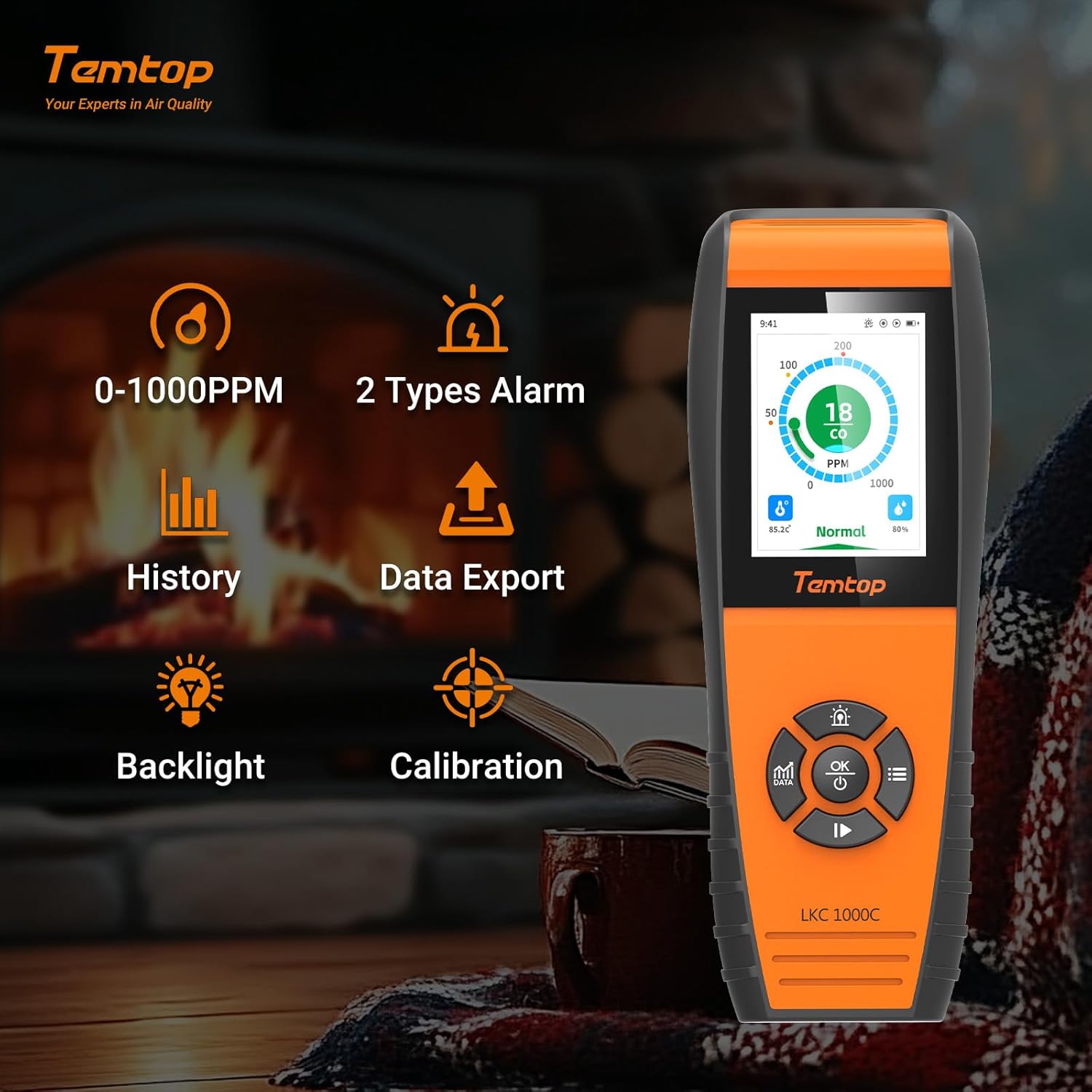
الشكل 2: Key features of the Temtop LKC-1000C, illustrating its capabilities such as CO monitoring, data history, export, backlight, and calibration.
4. الإعداد
4.1 شحن الجهاز
Before first use, fully charge the device using the provided USB-C cable. Connect the USB-C end to the device and the other end to a compatible USB power adapter (not included) or computer USB port.

الشكل 3: The Temtop LKC-1000C being charged via its USB-C port, highlighting its long battery life.
4.2 تشغيل/إيقاف التشغيل
To power on or off the detector, press and hold the موافق / الطاقة button for 2 seconds. The device will perform an initialization sequence before entering the default monitoring interface.
فيديو 3: A detailed instructional video demonstrating how to use the Temtop CO Monitor LKC1000C, including power on/off and navigation. This video is provided by the seller, Elitech Technology Inc.
5. تعليمات التشغيل
5.1 التنقل عبر الواجهة
The device features a directional pad with لأعلى / زيادة, أسفل / تقليل, غادر, يمين، و OK buttons for navigation and selection.
5.2 Data Button (بيانات)
اضغط على بيانات زر ل view different data interfaces, including real-time graphs of CO levels. Data updates every 3 seconds for short periods and at longer intervals for extended monitoring.
5.3 إعدادات التنبيه
Access the Alarm Settings menu to customize CO alarm thresholds. The system default thresholds are:
- Lower Alarm Threshold: 50 PPM
- Over-limit Alert: 100 PPM
- Severely Over-limit Alert: 200 PPM
Use the navigation buttons to adjust these values and the OK زر للحفظ.

الشكل 4: The device display showing different CO alarm levels: Normal (green), Hazardous (orange), and Perilous (red), with corresponding PPM values.
5.4 System Settings (Time, Date, Units, Brightness, Language, Reset)
Navigate to the System Settings menu to configure various device parameters:
- الوقت والتاريخ: اضبط الوقت والتاريخ الحاليين.
- الوحدات: التبديل بين الدرجة المئوية والفهرنهايت لعرض درجة الحرارة.
- سطوع: Adjust screen brightness (Levels 1-5, default 2).
- لغة: Select your preferred language (English, German, Spanish, French).
- إعادة تعيين: إعادة تعيين الجهاز إلى إعدادات المصنع.
5.5 المعايرة
The device supports calibration for CO, temperature, and humidity. Access the Calibration menu to perform these adjustments. For temperature and humidity, you can modify the "OFFSET" value to fine-tune accuracy.

الشكل 5: The device displaying real-time temperature and humidity, alongside the manual calibration settings interface.
5.6 تصدير البيانات
Connect the device to a computer via the USB-C cable to export historical data. The device will pop up a "USB connection successful" message. You can set the storage interval for data logging (default is 1 minute) and export data in CSV format.

الشكل 6: The device interface for data export via USB and language selection options.
6. الصيانة
- حافظ على نظافة جهازك وخلوه من الغبار والأوساخ. استخدم قطعة قماش ناعمة وجافة للتنظيف.
- تجنب تعريض الجهاز للماء أو السوائل الأخرى.
- قم بتخزين الجهاز في مكان بارد وجاف عندما لا يكون قيد الاستخدام.
- قم بفحص مستوى البطارية بانتظام وأعد شحنها حسب الحاجة لضمان التشغيل المستمر.
- The device is engineered for long-term accuracy with minimal maintenance, but periodic professional calibration may be recommended for critical applications.
7. استكشاف الأخطاء وإصلاحها
| مشكلة | السبب المحتمل | حل |
|---|---|---|
| الجهاز لا يعمل. | انخفاض مستوى البطارية أو عطل في الجهاز. | اشحن الجهاز بالكامل. إذا استمرت المشكلة، فاتصل بخدمة دعم العملاء. |
| قراءات غير دقيقة. | Sensor interference, need for calibration, or environmental factors. | Ensure the device is in a stable environment. Perform CO, temperature, and humidity calibration as described in Section 5.5. |
| أصوات التنبيه بشكل متكرر. | High CO levels detected or alarm thresholds set too low. | Investigate potential CO sources immediately. Ensure proper ventilation. Review and adjust alarm settings in Section 5.3 if necessary. |
| Cannot export data. | Improper USB connection or software issue. | Ensure the USB cable is securely connected to both the device and the computer. Try a different USB port or cable. Refer to Section 5.6. |
8. المواصفات
- ماركة: تيم توب
- نموذج: LKC-1000C
- نطاق ثاني أكسيد الكربون: 0-1000 PPM
- مصدر الطاقة: تعمل بالبطارية (بطارية ليثيوم أيون واحدة متضمنة)
- أبعاد المنتج: 2.58 بوصة عمق × 1.2 بوصة عرض × 6.97 بوصة ارتفاع
- وزن السلعة: 14.4 أونصات
- نوع التنبيه: مسموع
- رطوبة التشغيل: 0%-90% رطوبة نسبية
- تصنيف درجة الحرارة العليا: 122 درجة فهرنهايت
- المكونات المتضمنة: LKC1000C monitor, user manual, USB cable, calibration certificate
9. الضمان والدعم
For warranty information, technical support, or service inquiries, please refer to the official Temtop webالموقع الإلكتروني أو تواصل مع قسم خدمة العملاء. احتفظ بإيصال الشراء لطلبات الضمان.