
مقدمة
Thank you for choosing KICKER TW3 Wireless Earbuds. These earbuds are designed to provide a superior audio experience with advanced features such as Hybrid Active Noise Cancellation (ANC) and Environmental Noise Cancellation (ENC) for clear calls. Enjoy extended listening times, intuitive touch controls, and a durable, sweatproof design suitable for various activities.
ماذا يوجد في الصندوق
- سماعات أذن لاسلكية KICKER TW3
- Recharging Carrying Case
- كابل شحن USB-C
- Three (3) Sizes of Rubber Ear Tips (S, M, L)
- دليل البدء السريع / دليل المستخدم

Image: Contents of the KICKER TW3 Earbuds box, including the earbuds, charging case, USB-C cable, and various sizes of ear tips.
المنتج انتهىview
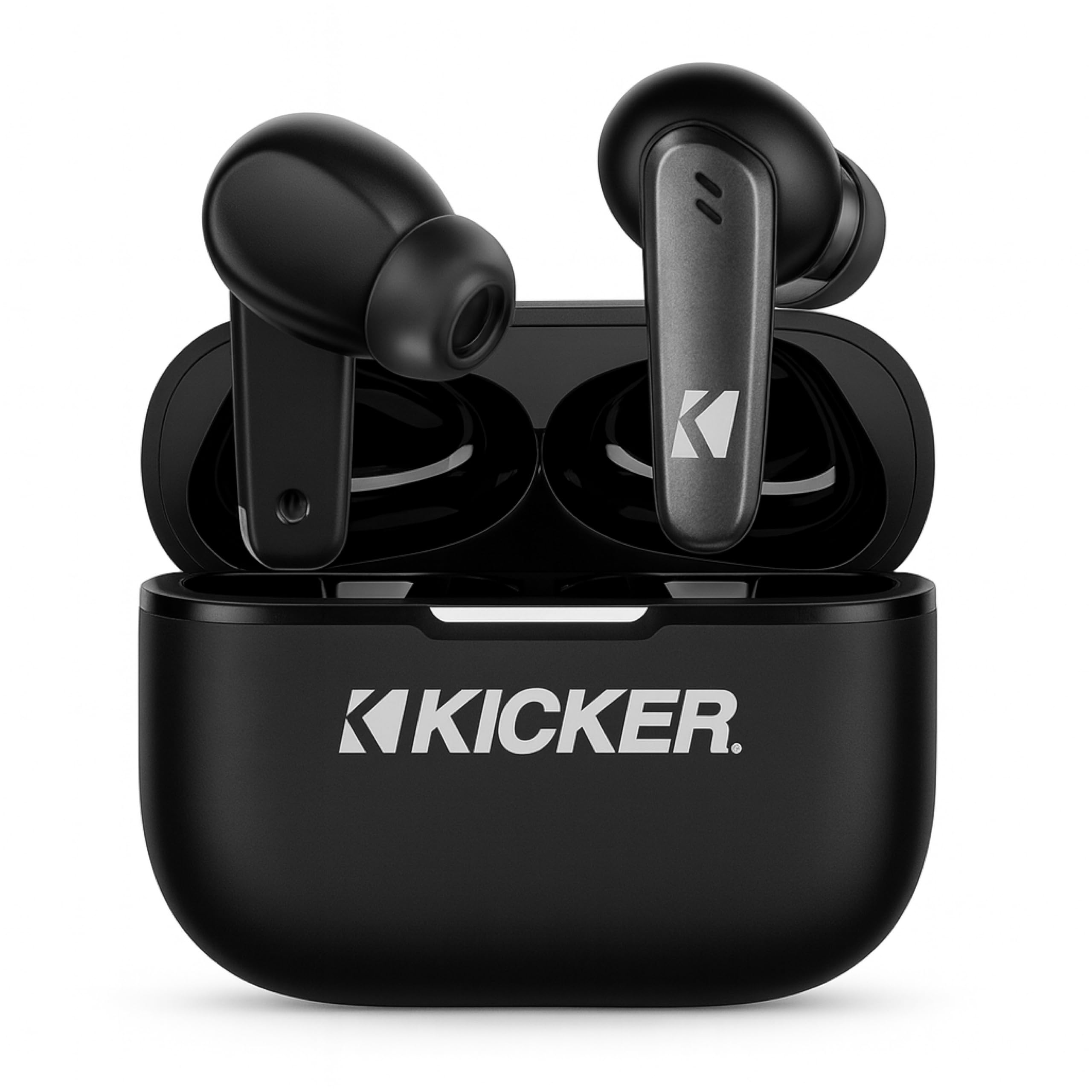
Image: The KICKER TW3 Wireless Earbuds resting inside their sleek black charging case.

الصورة: لقطة مقربة view of a KICKER TW3 earbud, illustrating its noise reduction feature with a graphic showing noise being reduced by 35dB.
يثبت
1. Fitting Ear Tips
Select the ear tips (Small, Medium, Large) that provide the most comfortable and secure fit for your ears. A proper seal is crucial for optimal sound quality and noise cancellation. Insert the earbud into your ear and gently twist it until it feels snug.

Image: A diagram illustrating the correct way to insert the earbuds and the three available ear tip sizes (S, M, L) for a comfortable fit.
2. الشحن الأولي
Before first use, fully charge the earbuds and the charging case. Place the earbuds into the charging case and connect the USB-C cable to the case and a power source. The indicator light on the case will show charging status.
3. الاقتران بجهازك
- افتح علبة الشحن. ستدخل سماعات الأذن تلقائيًا في وضع الاقتران.
- على جهازك (الهاتف الذكي، الجهاز اللوحي، الكمبيوتر المحمول)، انتقل إلى إعدادات البلوتوث.
- Select "KICKER TW3" from the list of available devices.
- بمجرد الاتصال، سوف تسمع نغمة تأكيد، وستكون سماعات الأذن جاهزة للاستخدام.
Image: An icon representing Bluetooth wireless earbuds with auto-pairing functionality to a smartphone or device.
تعليمات التشغيل
تشغيل/إيقاف الطاقة
- تشغيل الطاقة: افتح حافظة الشحن ، وسيتم تشغيل سماعات الأذن تلقائيًا.
- إيقاف التشغيل: Place the earbuds back into the charging case and close the lid. They will automatically power off. Earbuds will also auto power off after 3 minutes of no signal.
عناصر التحكم باللمس
The KICKER TW3 earbuds feature intuitive touch sensors on each earbud for easy control of music, calls, and noise modes.

Image: A visual guide to the touch controls on the KICKER TW3 earbuds, showing actions for play/pause, previous/next song, voice assistance, ANC on/off/transparency, answer/end call, and reject call.
| فعل | يتحكم |
|---|---|
| تشغيل/إيقاف مؤقت | نقرة واحدة على أي من سماعات الأذن |
| الأغنية التالية | اضغط مرتين على سماعة الأذن اليمنى |
| الأغنية السابقة | انقر نقرًا مزدوجًا على سماعة الأذن اليسرى |
| الرد على المكالمة/إنهائها | نقرة واحدة على أي من سماعات الأذن |
| رفض المكالمة | اضغط مطولاً على أي من سماعتي الأذن |
| تفعيل المساعد الصوتي | اضغط ثلاث مرات على أي سماعة أذن |
| تبديل وضع إلغاء الضوضاء النشط/الشفافية | Long press on either earbud (when not on a call) |
Active Noise Cancellation (ANC) & Environmental Noise Cancellation (ENC)
The TW3 earbuds feature Hybrid Active Noise Cancellation, reducing ambient noise by up to -35dB, allowing you to focus on your audio. Transparency mode can be activated to hear your surroundings when needed. Environmental Noise Cancellation with dual microphones ensures your voice is clear during calls by blocking background chatter.

Image: A graphic illustrating the benefits of ENC for clear calls and ANC for blocking external noise from airplanes, offices, and cafes.
الشحن
The KICKER TW3 earbuds offer extended battery life with their charging case.
- وقت تشغيل سماعة الأذن: ما يصل إلى 5 ساعة بتهمة واحدة.
- إجمالي وقت اللعب مع الحقيبة: Up to 25 hours (20 additional hours from the charging case).
- وقت الشحن: يستغرق شحن العلبة وسماعات الأذن بالكامل حوالي 1.5 ساعات.
شحن العلبة وسماعات الأذن
- ضع سماعات الأذن بإحكام في فتحاتها المخصصة لها في علبة الشحن.
- Connect the provided USB-C charging cable to the charging port on the case and to a USB power adapter (not included).
- The LED indicator on the case will flash red while charging.
- The LED indicator will turn solid red when the case is fully charged.
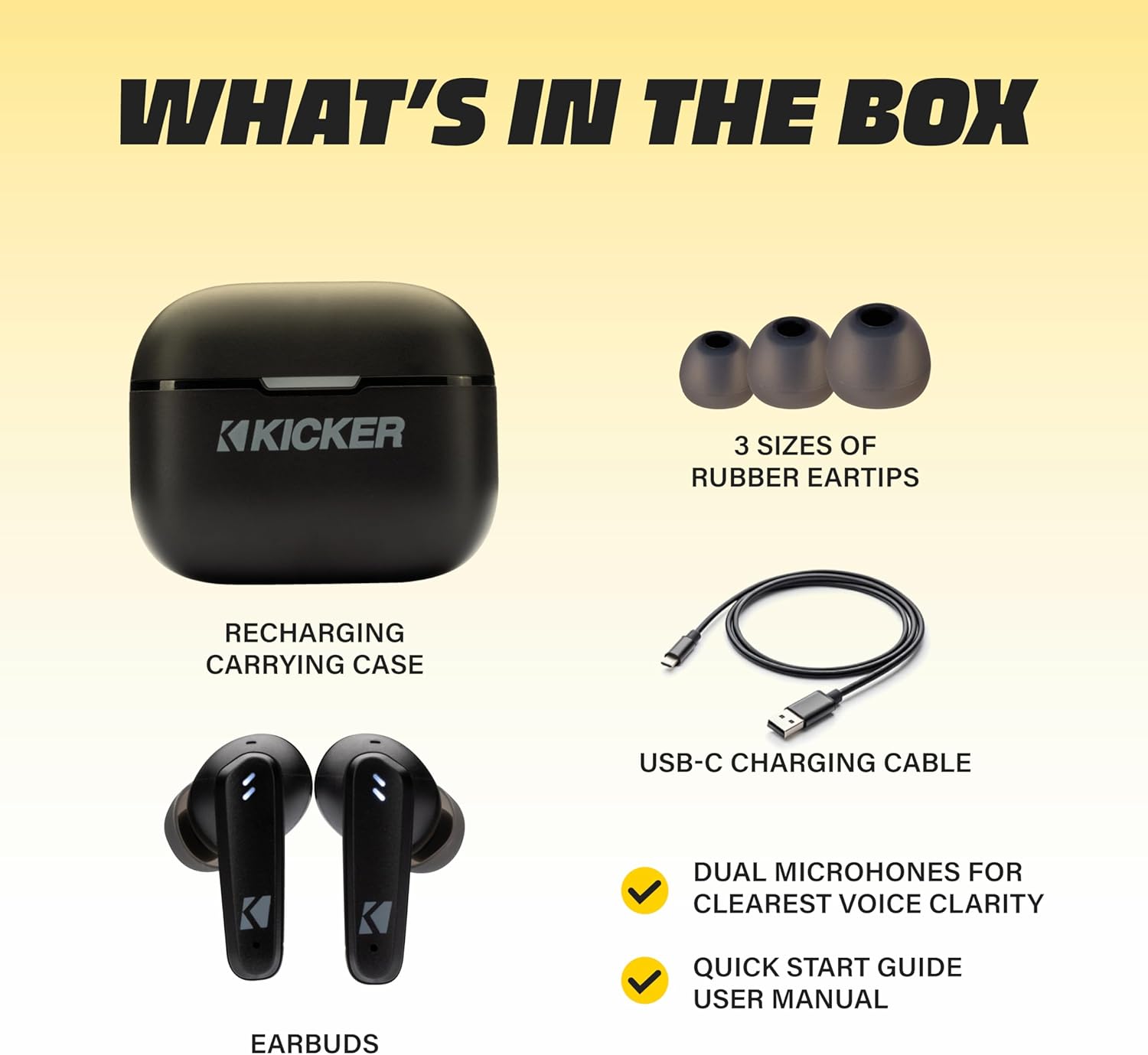
Image: The KICKER TW3 charging case being charged via a USB-C cable, with text indicating 5 hours of playtime for earbuds and 20 additional hours from the charging case, totaling 25 hours.
صيانة
تنظيف
Regularly clean your earbuds and charging case to ensure optimal performance and hygiene. Use a soft, dry, lint-free cloth. Do not use harsh chemicals or abrasive materials. Gently remove ear tips and clean them with mild soap and water, ensuring they are completely dry before reattaching.
مقاومة الماء (IPX4)
The KICKER TW3 earbuds are IPX4 sweatproof, meaning they are resistant to splashes and sweat. They are suitable for workouts and outdoor activities but should not be submerged in water.

Image: An icon indicating the earbuds are sweat and water resistant.
تخزين
When not in use, store the earbuds in their charging case to protect them and keep them charged. Avoid storing them in extreme temperatures.
استكشاف الأخطاء وإصلاحها
| مشكلة | الحل المحتمل |
|---|---|
| سماعات الأذن لا تقترن | Ensure earbuds are charged. Turn off and on your device's Bluetooth. Forget "KICKER TW3" in your device's Bluetooth settings and re-pair. |
| لا يوجد صوت من سماعة أذن واحدة | Ensure both earbuds are charged. Place both earbuds back in the case, close the lid, then open again to reset. Check device audio balance settings. |
| علبة الشحن لا تشحن | Check USB-C cable connection. Try a different USB power adapter or port. Ensure the charging port is clean and free of debris. |
| مؤتمر الرعاية التوليدية غير فعال | Ensure ear tips provide a proper seal. Switch between ANC and Transparency modes using touch controls to confirm functionality. |
تحديد
- نموذج: TWS3
- إصدار البلوتوث: 5.0
- النطاق اللاسلكي: حتى 10 مترا (33 قدما)
- التحكم في الضوضاء: Hybrid Active Noise Cancellation (up to -35dB), Environmental Noise Cancellation (ENC)
- وقت تشغيل سماعة الأذن: تصل إلى 5 ساعة
- إجمالي وقت اللعب مع الحقيبة: تصل إلى 25 ساعة
- وقت الشحن: حوالي 1.5 ساعات
- مقاومة الماء: IPX4 (مقاوم للعرق)
- الميكروفونات: Dual Microphones for clear voice clarity
- إيقاف التشغيل التلقائي: بعد 3 دقائق من انقطاع الإشارة
فيديو المنتج الرسمي
Video: An official product features video for the KICKER Bluetooth TW3 ANC Earbuds, showcasing their design, noise cancellation, and other key functionalities.
الضمان والدعم
KICKER products are designed for durability and performance. For warranty information, technical support, or any questions regarding your KICKER TW3 Wireless Earbuds, please refer to the official KICKER website or contact KICKER customer service directly. Keep your proof of purchase for warranty claims.
Contact KICKER Support: 1(800) 256-0800 or visit kicker.com/support