
1. المقدمة
This manual provides detailed instructions for the setup, operation, and maintenance of your THINKYA Mini DVD Player, Model B0FMRRN8M4. Please read this manual thoroughly before using the device to ensure proper functionality and to prevent damage.
The THINKYA Mini DVD Player is a compact, all-region free device designed for versatile media playback. It supports various disc formats and offers both HDMI and AV outputs for broad compatibility with televisions and projectors. Key features include 1080P HD output, a last memory function, and USB playback capability.
2. محتويات العبوة
تأكد من تضمين جميع العناصر المدرجة أدناه في الحزمة الخاصة بك:
- 1 x THINKYA Mini DVD Player
- 1 × جهاز التحكم عن بعد
- 1 × كابل HDMI
- كابل AV واحد (RCA)
- شنومكس x دس محول
- كابل شحن واحد (USB)
- 1 × دليل المستخدم (هذه الوثيقة)

Image: The THINKYA Mini DVD Player shown with its remote control, HDMI cable, AV cable, USB charging cable, and power adapter.
3. معلومات السلامة
- لا تعرض الجهاز للمطر أو الرطوبة أو درجات الحرارة العالية.
- Ensure proper ventilation around the player to prevent overheating.
- استخدم فقط محول الطاقة والكابلات المتوفرة.
- لا تحاول فتح أو إصلاح الجهاز بنفسك. أحل جميع أعمال الصيانة إلى فنيين مؤهلين.
- أبعد الجهاز عن المجالات المغناطيسية القوية.
4. انتهى المنتجview
4.1 تخطيط الجهاز
The THINKYA Mini DVD Player features a compact design with essential controls and ports for ease of use.
الصورة: لقطة مقربة view of the DVD player, highlighting its compact size and top-loading disc mechanism.
4.2 الأبعاد
- طول: تقريبا شومنكس بوصة
- عرض: تقريبا شومنكس بوصة
- ارتفاع: تقريبا شومنكس بوصة
- وزن: حوالي 1.79 رطل

Image: The compact DVD player positioned on a media console, demonstrating its small footprint next to a television.
5. الإعداد
5.1 الاتصال بجهاز العرض
The DVD player offers two primary connection methods: HDMI and AV (RCA).
5.1.1 HDMI Connection (Recommended for Smart TVs, 4K TVs, Projectors)
- قم بتوصيل أحد طرفي كابل HDMI المرفق بمنفذ HDMI OUT الموجود على مشغل أقراص DVD.
- Connect the other end of the HDMI cable to an available HDMI input port on your TV, projector, or monitor.
- حدد مدخل HDMI المناسب على جهاز العرض الخاص بك باستخدام جهاز التحكم عن بعد.
5.1.2 AV (RCA) Connection (For older TVs or alternative connections)
- Connect the red, white, and yellow plugs of the provided AV cable to the corresponding color-coded AV OUT ports on the DVD player.
- Connect the other end of the AV cable to the matching color-coded AV IN ports on your TV.
- Select the AV input on your display device using its remote control.

Image: Visual guide demonstrating how to connect the DVD player to a display using either HDMI or AV cables.
5.2 تشغيل الجهاز
- Connect the USB charging cable to the DC IN port on the DVD player.
- Connect the other end of the USB charging cable to the provided DC adapter.
- Plug the DC adapter into a standard wall outlet.
The player can also be powered via a power bank or car charger using the USB charging cable (not included).

Image: The DVD player connected to various power sources, including a wall outlet, a power bank, and a car charger.
5.3 إعداد جهاز التحكم عن بعد
The remote control requires two AAA batteries (not included). Insert them according to the polarity markings inside the battery compartment.
6. تعليمات التشغيل
تشغيل القرص 6.1
- اضغط على قوة button on the player or remote to turn on the device.
- Gently lift the disc cover.
- Place a compatible disc (CD, DVD, DVD-R/+R, DVD-/+RW, CD-R/-RW, VCD, SVCD, Discs recorded by DVD Recorder) onto the spindle, ensuring it is seated correctly.
- أغلق غطاء القرص. سيبدأ المشغل تلقائيًا في قراءة القرص.
- Use the remote control for playback functions such as تشغيل/إيقاف مؤقت, قف, تقديم سريع / تجديد، و المسار التالي/السابق.
Important: Blu-ray discs are NOT supported by this player.
This player is All Region Free, allowing playback of DVDs from any region worldwide.

Image: The DVD player with a disc inserted, showing text indicating its 'All Region Free' capability and a list of supported formats including CD, DVD, VCD, SVCD, and MP3.
6.2 تشغيل USB
- Insert a USB flash drive (up to 32GB, formatted as FAT) into the USB port on the side of the DVD player.
- اضغط على دي في دي / USB button on the player or remote to switch to USB input.
- Use the remote control's navigation buttons to browse and select media files (e.g., .MP3, .WAV, .AVI) from the USB drive.
- يضعط تشغيل/إيقاف مؤقت لبدء التشغيل.
6.3 وظيفة الذاكرة الأخيرة
The player features a 'Last Memory' function. If the player is powered off or playback is stopped, it will resume from the exact point where it left off when powered on again. This applies to both disc and USB playback.

Image: A visual representation of the 'Last Memory Function', depicting a scene playing, then the device powering off, and finally resuming playback from the same point when powered back on.
6.4 Audio/Video Settings
The player outputs video in 1080P HD resolution via HDMI. It supports both PAL and NTSC video systems, automatically adjusting to the disc's format.
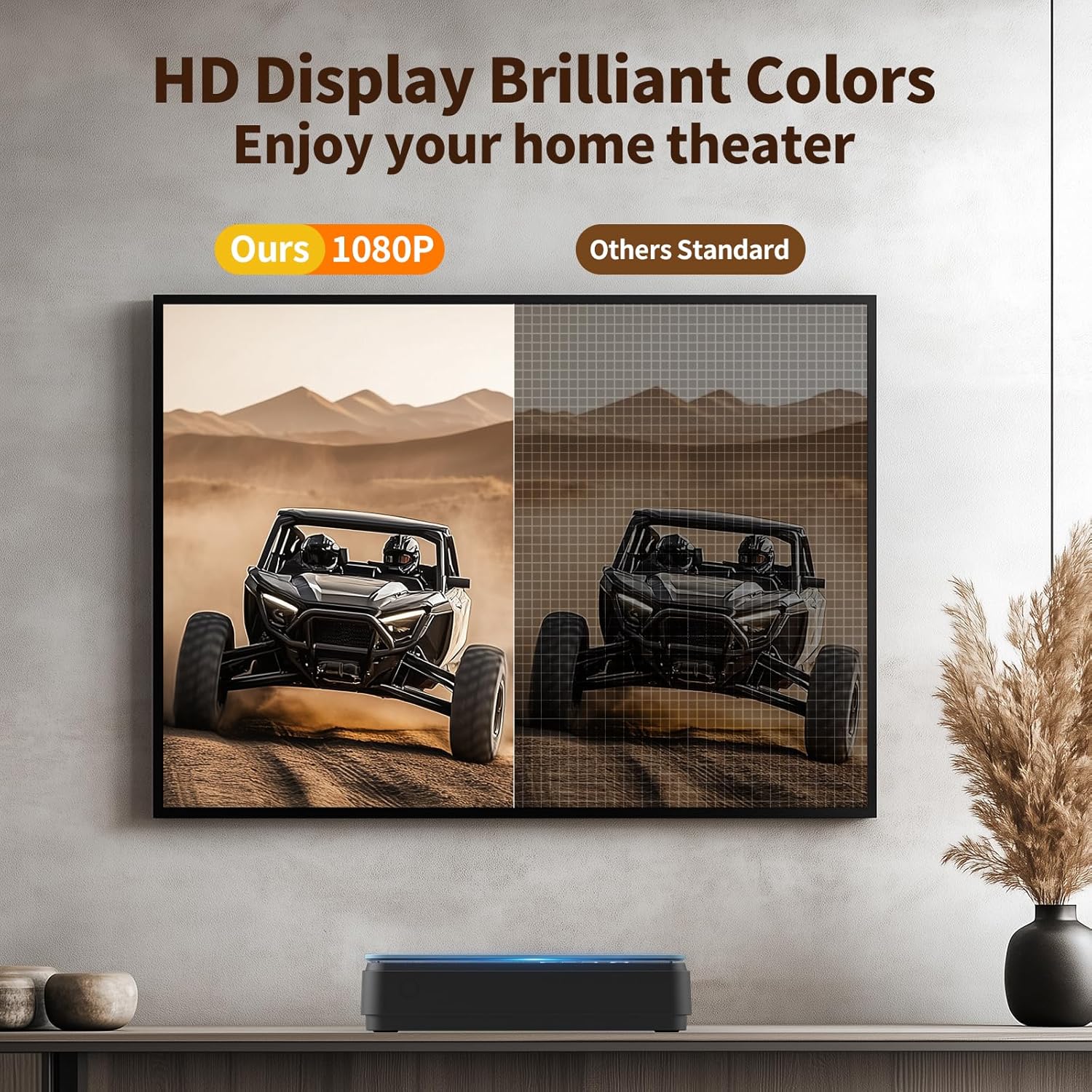
Image: A side-by-side comparison showing the enhanced clarity and vibrant colors of a 1080P HD display compared to a standard definition display.
7. الصيانة
7.1 تنظيف المشغل
- امسح الجزء الخارجي من المشغل بقطعة قماش ناعمة وجافة.
- Do not use liquid cleaners or abrasive materials, as they may damage the surface.
- For the disc lens, use a specialized DVD/CD lens cleaning disc if necessary.
7.2 العناية بالقرص
- قم بمعالجة الأقراص من حوافها لتجنب بصمات الأصابع والخدوش.
- تخزين الأقراص في علبها عندما لا تكون قيد الاستعمال.
- قم بتنظيف الأقراص باستخدام قطعة قماش ناعمة وخالية من الوبر، وامسحها من المركز إلى الخارج.
8. استكشاف الأخطاء وإصلاحها
إذا واجهت مشاكل مع مشغل أقراص DVD الخاص بك، فراجع المشاكل والحلول الشائعة التالية:
| مشكلة | السبب المحتمل | حل |
|---|---|---|
| لا يوجد طاقة | كابل الطاقة غير موصول؛ مأخذ الطاقة معطل | Ensure power cable is securely connected; try a different outlet. |
| لا توجد صورة/صوت | Incorrect input selected on TV; loose HDMI/AV cables | Select correct input on TV; check cable connections. |
| القرص لا يعمل | Disc is dirty/scratched; unsupported disc format; disc inserted incorrectly | Clean disc; ensure disc is compatible (no Blu-ray); reinsert disc correctly. The player features تصحيح الخطأ for minor disc imperfections. |
| جهاز التحكم عن بعد لا يعمل | Batteries low/incorrectly inserted; obstruction between remote and player | Replace batteries (AAA); ensure clear line of sight to the player's front panel. |
| Playback skipping/freezing | Disc is damaged; player is unstable | Try a different disc; ensure player is on a stable surface. The player has حماية ضد الصدمات. |
The player's إلغاء الضوضاء feature helps ensure quiet operation during disc loading.
9. المواصفات
| ميزة | مواصفة |
|---|---|
| ماركة | ثينكيا |
| رقم الموديل | B0FMRRN8M4 |
| نوع الوسائط المدعومة | CD, DVD, DVD-R/+R, DVD-/+RW, CD-R/-RW, VCD, SVCD, Discs recorded by DVD Recorder (Blu-ray NOT supported) |
| دقة | 1920x1080 (1080P HD) |
| نوع الموصل | HDMI, RCA (AV) |
| تكنولوجيا الاتصال | منفذ HDMI |
| المميزات الخاصة | Compact, All Region Free, Last Memory Function, USB Playback, Anti-shock, Error Correction, Noise Cancellation |
| وزن العنصر | 1.79 رطل |
| أبعاد الحزمة | 11.97 × 11.22 × 4.53 بوصة |
| رمز المنتج الموحد | 653998773199 |
| الشركة المصنعة | ثينكيا |
10. الضمان والدعم
For information regarding the product warranty, please refer to the warranty card included with your purchase or contact the seller directly. Specific warranty terms and conditions may vary.
If you require further assistance or have questions not covered in this manual, please contact THINKYA customer support through the retailer's platform or the official THINKYA webالموقع، إن وجد.