
مقدمة
Thank you for choosing the SuperRC M23 Mini RC Drone. This manual provides essential information for the safe operation, setup, maintenance, and troubleshooting of your drone. Please read this manual thoroughly before operating the drone to ensure proper function and to avoid damage or injury. This drone is designed for adult beginners and features a lightweight, portable design with an HD camera and intelligent flight functions.
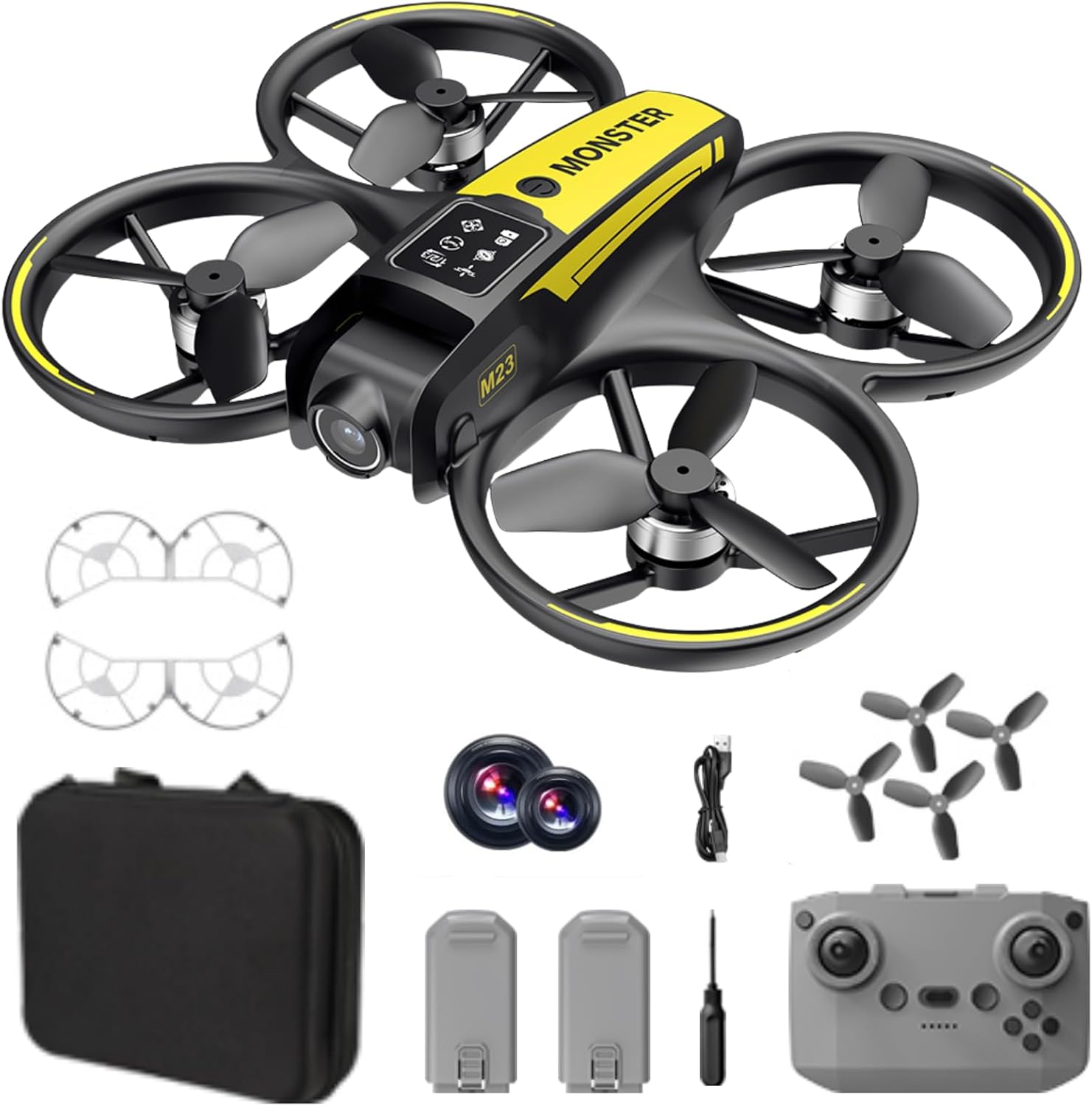
ماذا يوجد في الصندوق
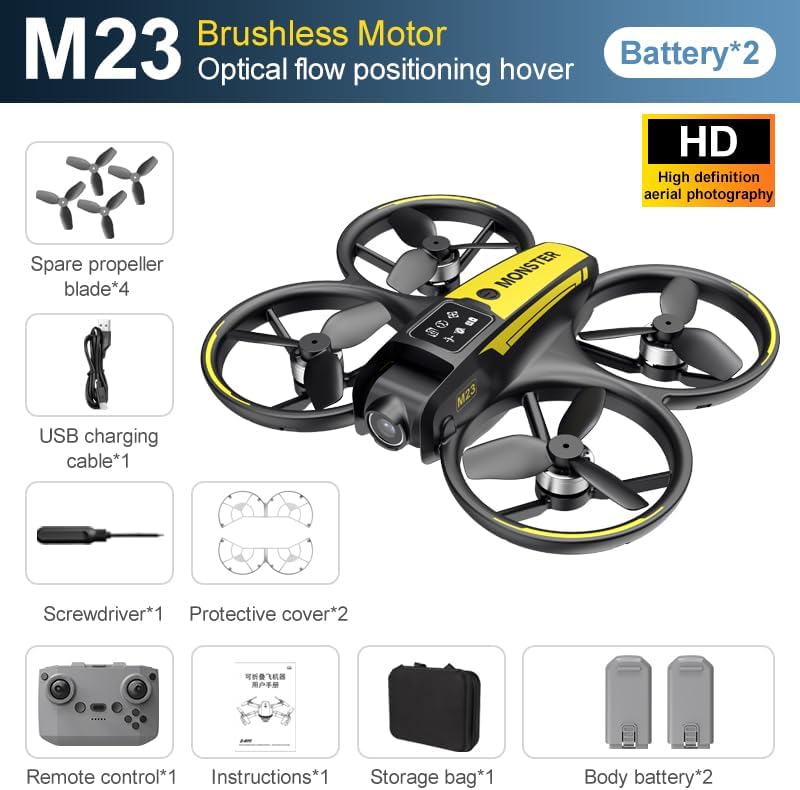
The SuperRC M23 drone package includes the following components:
- طائرة بدون طيار M23
- جهاز التحكم عن بعد
- 2 x 3.7V 1050mAh Rechargeable Batteries
- 4 مراوح احتياطية
- 2 x حماة المروحة
- بطاقة الذاكرة
- قارئ البطاقات
- مفك البراغي
- كابل شحن USB
- حقيبة التخزين
- دليل المستخدم (هذا المستند)

المنتج انتهىview
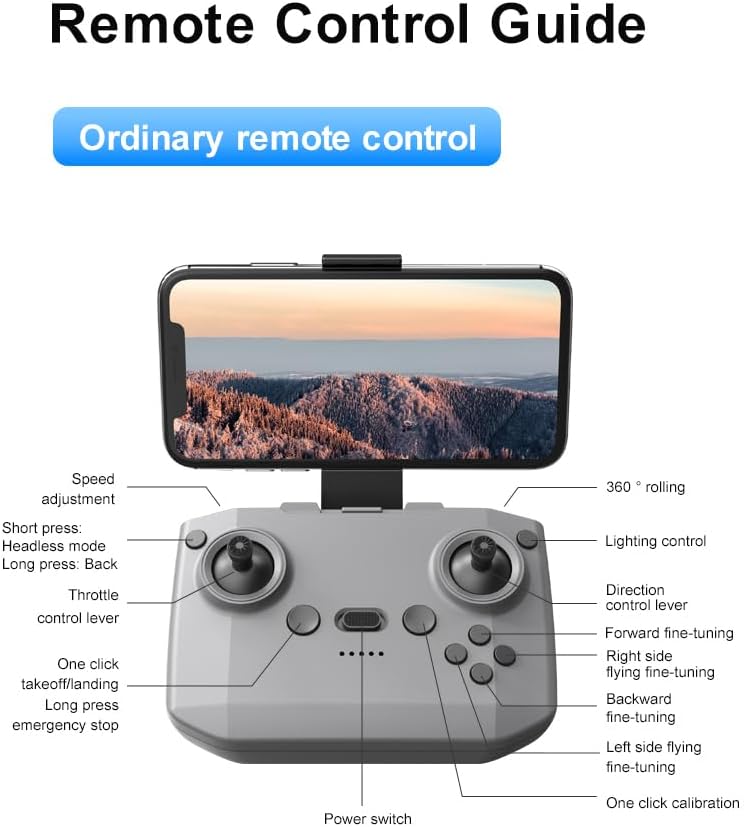
تخطيط التحكم عن بعد
Familiarize yourself with the remote control buttons and their functions before flight.
يثبت
1. تركيب البطارية
- تأكد من إيقاف تشغيل الطائرة بدون طيار وجهاز التحكم عن بعد.
- حدد مكان حجرة البطارية على الطائرة بدون طيار.
- Insert a charged 3.7V 1050mAh battery into the compartment until it clicks securely into place.
- For the remote control, open the battery cover and insert the required batteries (not specified in product data, assume standard AA/AAA, user should refer to physical manual for exact type).
2. تركيب المروحة
The drone comes with propellers pre-installed. If replacement is needed:
- Identify the 'A' and 'B' markings on the propellers and the corresponding motor arms.
- Attach 'A' propellers to 'A' motor shafts and 'B' propellers to 'B' motor shafts. Ensure they are firmly secured.
3. Propeller Guard Installation
For added safety, attach the propeller guards:
- Align each propeller guard with the designated slots on the drone's motor arms.
- Gently push until they snap into place.
4. الشحن
Charge the drone batteries using the provided USB charging cable.
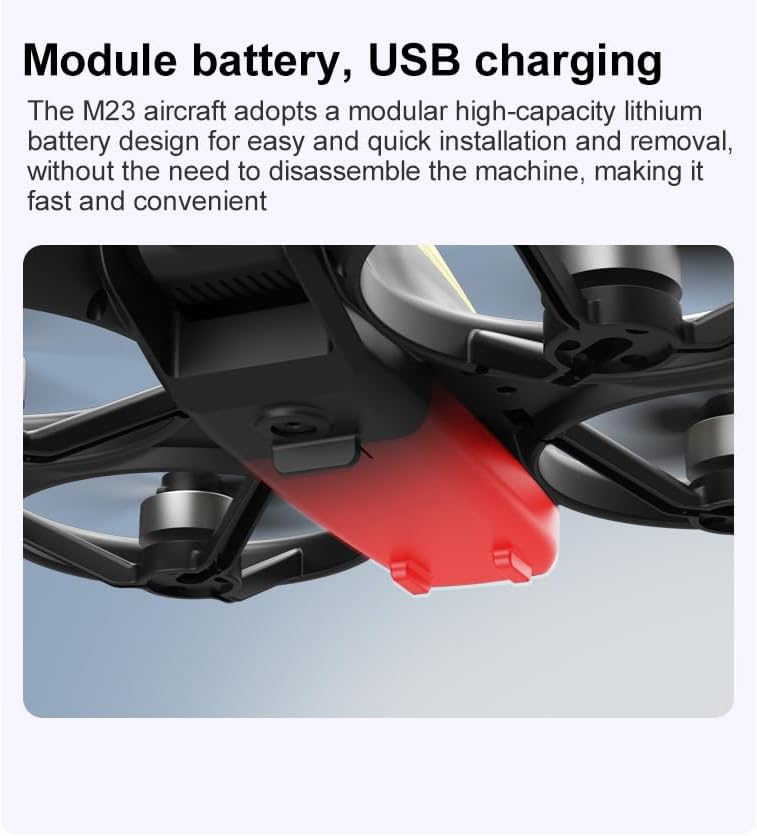
- قم بتوصيل كابل الشحن USB ببطارية الطائرة بدون طيار.
- Plug the other end into a USB power source (e.g., computer, USB wall adapter).
- The indicator light on the cable will show charging status (refer to physical manual for specific light indications).
- Charging time is approximately 60-90 minutes for a full charge.
تعليمات التشغيل
قائمة مراجعة ما قبل الرحلة
- تأكد من شحن بطاريات الطائرة بدون طيار وجهاز التحكم عن بعد بالكامل.
- Propellers are correctly installed and secure.
- Propeller guards are attached (recommended for beginners).
- اختر منطقة مفتوحة وخالية من العوائق والناس والحيوانات.
- تحقق من لوائح الطائرات بدون طيار المحلية قبل الطيران.
عمليات الطيران الأساسية
The following video demonstrates key flight features including one-key takeoff, optical flow positioning, 360-degree roll, and speed switching.
One-Key Takeoff and Landing
- اخلع: Place the drone on a flat surface. Press the One-Key Takeoff button on the remote control. The drone will automatically ascend and hover at a stable altitude.
- الهبوط: Press the One-Key Landing button. The drone will slowly descend and land automatically.
Flight Modes and Features
- الوضع بدون رأس: Press the Headless Mode button. In this mode, the drone's orientation is relative to the pilot, making it easier to control without worrying about the drone's front direction.
- تعديل السرعة: Use the speed adjustment button (or switch) on the remote control to cycle through low, medium, and high speeds. This allows for adaptable flight control based on skill level and environment.
- 360 درجة لفة: Press the 360° Roll button and then move the right joystick in any direction to perform an aerial flip. Ensure sufficient altitude before attempting.
- تحديد موضع التدفق البصري: The drone utilizes a bottom camera for optical flow positioning, which helps maintain stable hovering, especially indoors or in areas with good ground texture. This feature assists in precise altitude hold.
- مسار الرحلة: Through the mobile application, you can draw a desired flight path on your screen. The drone will then follow this trajectory automatically.

تشغيل الكاميرا
The M23 drone is equipped with an HD camera with a 90-degree adjustable lens for capturing photos and videos.

- تسجيل الصور/الفيديو: Use the dedicated buttons on the remote control or the mobile app to start/stop video recording or take photos.
- نقل الصور في الوقت الحقيقي: قم بتوصيل هاتفك الذكي بشبكة الواي فاي الخاصة بالطائرة بدون طيار لـ view الوقت الحقيقيtage from the drone's camera on your device.
صيانة
تنظيف
- Regularly clean the drone body with a soft, dry cloth.
- Ensure propellers are free from dust, dirt, or debris.
- Clean the camera lens gently with a microfiber cloth to maintain image quality.
تخزين
- Store the drone and its components in the provided storage bag to protect them from dust and physical damage.
- Keep the drone in a cool, dry place, away from direct sunlight and extreme temperatures.
العناية بالبطارية
- لا تقم بشحن البطاريات بشكل زائد أو تفريغها بشكل زائد.
- في حالة تخزين البطاريات لفترات طويلة، قم بشحنها إلى ما يقرب من 50-60% من سعتها.
- Avoid exposing batteries to high temperatures or direct sunlight.
استكشاف الأخطاء وإصلاحها
If you encounter issues with your SuperRC M23 drone, refer to the following common problems and solutions:
| مشكلة | السبب المحتمل | حل |
|---|---|---|
| الطائرة بدون طيار لا تستجيب لجهاز التحكم عن بعد | Low battery on drone or remote; Not paired correctly; Interference | Charge batteries; Re-pair drone and remote (refer to physical manual for pairing steps); Move to an area with less interference |
| انجرافات الطائرات بدون طيار أثناء الطيران | Not calibrated; Wind interference; Damaged propeller | Perform calibration (refer to physical manual); Fly in calm conditions; Replace damaged propellers |
| جودة صورة الكاميرا رديئة | Dirty lens; Low light conditions; Wi-Fi interference | Clean camera lens; Fly in well-lit areas; Ensure strong Wi-Fi connection |
| مدة الرحلة قصيرة | البطارية غير مشحونة بالكامل؛ بطارية قديمة؛ طيران عدواني | Ensure battery is fully charged; Consider replacing old batteries; Practice smoother flight maneuvers |
تحديد
Key technical specifications for the SuperRC M23 Mini RC Drone:
| ميزة | التفاصيل |
|---|---|
| اسم الموديل | M23-Drone |
| ماركة | سوبر آر سي |
| وزن العنصر | 0.2 Kilograms (Under 250g) |
| أبعاد العنصر (الطول × العرض × الارتفاع) | 7"L x 6"W x 2"H (approx. 18 x 15 x 5 cm) |
| مادة | بلاستيك |
| مستوى المهارة | مبتدئ |
| الفئة العمرية (الوصف) | بالغ |
| آلة تصوير | HD Camera with 90° Adjustable Lens |
| دقة التقاط الفيديو | 720 بكسل |
| قرار إخراج الفيديو | 720 بكسل |
| تنسيق التقاط الفيديو | إم بي 4 |
| تنسيق الصورة المدعومة | JPEG |
| تقنية الاستشعار البصري | سيموس |
| تكنولوجيا الاتصال | Wi-Fi, RF |
| نوع التحكم | جهاز التحكم عن بعد |
| سعة البطارية | 1050 مللي أمبير (لكل بطارية) |
| تكوين خلية البطارية | أيون الليثيوم |
| المميزات الخاصة | Adjustable, One Button Return, One Key Rotation, Rechargeable, Speed Adjustment, Headless Mode, Optical Flow Positioning |
الضمان والدعم
SuperRC provides a standard warranty for the M23 Mini RC Drone against manufacturing defects. Please retain your proof of purchase for warranty claims.
معلومات الضمان
- The warranty period typically covers defects in materials and workmanship under normal use.
- Damage resulting from misuse, accidents, unauthorized modifications, or improper maintenance is not covered.
- For specific warranty terms and conditions, please refer to the warranty card included in your product packaging or contact SuperRC customer service.
دعم العملاء
If you require further assistance, have questions, or need to report an issue, please contact SuperRC customer support through the following channels:
- الدعم عبر الإنترنت: Visit the official SuperRC webموقع للأسئلة الشائعة، وموارد الدعم، ونماذج الاتصال.
- دعم البريد الإلكتروني: Refer to your product packaging or the SuperRC webموقع لعنوان البريد الإلكتروني لخدمة العملاء.
- دعم التاجر: If purchased from a retailer, you may also contact their customer service for assistance.
When contacting support, please provide your product model (M23) and a detailed description of the issue.