
1. المقدمة
Thank you for choosing the Jesebang S75 Wireless Sport Earbuds. These earbuds are designed to provide a high-quality audio experience with features tailored for active lifestyles. This manual will guide you through the setup, operation, and maintenance of your new earbuds.
ماذا يوجد في الصندوق:
- S75 Wireless Earbuds (x2)
- حافظة الشحن اللاسلكي
- كابل شحن USB-C
- دليل المستخدم
- أطراف الأذن (3 أحجام: صغير، متوسط، كبير)

Image: Contents of the Jesebang S75 package.
2. انتهى المنتجview
The Jesebang S75 earbuds feature advanced technology for superior sound and user convenience.
المميزات الرئيسية:
- بلوتوث شنومكس: Ensures stable, fast, and low-latency wireless connection up to 15 meters.
- محركات ديناميكية مقاس 14.2 مم: Delivers powerful stereo sound with deep bass, clear mids, and bright highs.
- ENC Noise-Canceling Mic: Reduces up to 80% of background noise for clear calls.
- تصنيف IPX7 للماء: Protects against sweat and water splashes, ideal for workouts.
- خطافات أذن مريحة: Provides a secure and comfortable fit, preventing slippage during intense activities.
- 50 ساعة إجمالي وقت اللعب: 10 hours on a single charge, with an additional 40 hours from the charging case.
- شاشة عرض رقمية مزدوجة بتقنية LED: Shows battery levels for both the charging case and individual earbuds.
- الضوابط الذكية التي تعمل باللمس: Easy management of music, calls, and voice assistant.
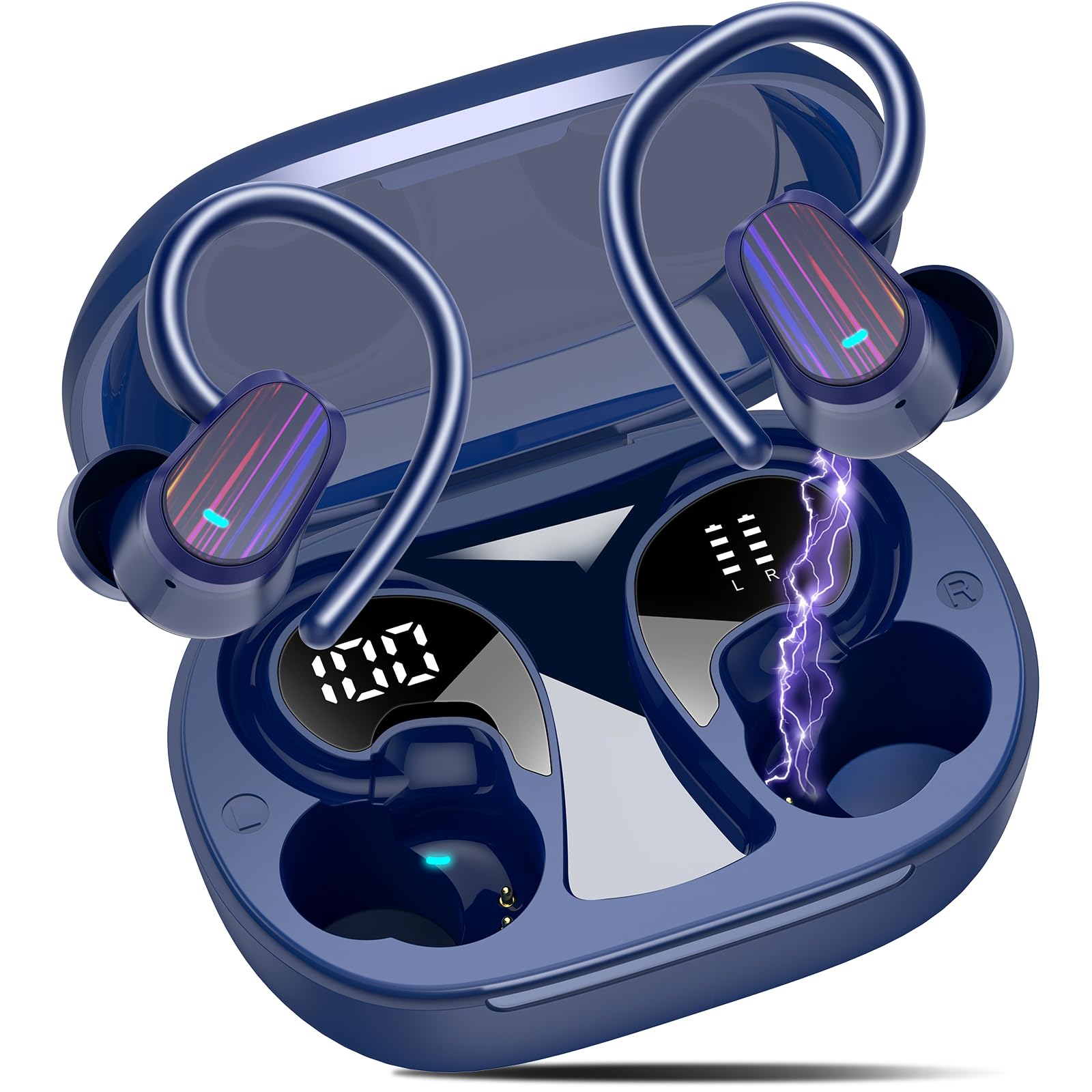
Image: Jesebang S75 Wireless Sport Earbuds and charging case.

Image: Internal structure highlighting the 14.2mm dynamic speaker for powerful stereo sound.

Image: ENC noise reduction technology for clear calls.
3. الإعداد
3.1 شحن سماعات الأذن والعلبة
قبل الاستخدام الأول، قم بشحن سماعات الأذن وعلبة الشحن بالكامل.
- Connect the provided USB-C charging cable to the charging port on the back of the case.
- قم بتوصيل الطرف الآخر من الكابل بمحول طاقة USB (غير متضمن) أو بمنفذ USB الخاص بالكمبيوتر.
- ستعرض شاشة LED الرقمية الموجودة على علبة الشحن نسبة البطاريةtage of the case and individual earbuds. Ensure both earbuds and the case are fully charged (100%) before initial use.

Image: Charging the earbuds and case with LED display.
3.2 الاقتران بجهازك
The earbuds use Bluetooth 5.4 for a seamless connection.
- الاقتران لأول مرة: افتح علبة الشحن. ستدخل سماعات الأذن تلقائيًا في وضع الاقتران.
- على جهازك (الهاتف الذكي، الجهاز اللوحي، الكمبيوتر)، انتقل إلى إعدادات البلوتوث وقم بتشغيل البلوتوث.
- Look for "S75" in the list of available devices and select it to connect.
- Once paired, the earbuds will automatically reconnect to the last paired device when you open the charging case.

Image: One-step auto pairing process.

Image: Bluetooth 5.4 Technology.
4. التشغيل
4.1 ارتداء سماعات الأذن
The S75 earbuds are designed with soft and elastic earhooks for a secure and comfortable fit.
- Choose the correct size eartips (S, M, L) for the best fit and sound quality.
- ضع سماعة الأذن في قناة أذنك.
- Gently adjust the earhook over your ear until it feels secure and comfortable.

Image: Comfortable design with IPX7 waterproof rating and flexible earhooks.

Image: Instructions for easy and stable wearing of the earbuds.
4.2 عناصر التحكم باللمس الذكية
The earbuds feature highly sensitive touch sensors for easy control.
- تشغيل/إيقاف مؤقت: Single tap on either earbud (L/R).
- الرد على المكالمات: Short tap on either earbud (L/R).
- تعليق المكالمات: Long tap on either earbud (L/R).
- رفع الصوت: نقرة واحدة على سماعة الأذن اليمنى.
- اخفض الصوت: نقرة واحدة على سماعة الأذن اليسرى.
- المسار التالي: Long tap (2s) on the Right earbud.
- المسار السابق: Long tap (2s) on the Left earbud.
- تنشيط مساعد الصوت: Triple click on either earbud (L/R).

Image: Smart touch control functions.
5. الصيانة
تضمن الصيانة المناسبة طول عمر سماعات الأذن والأداء الأمثل لها.
5.1 التنظيف
- Regularly clean the eartips with a soft, dry cloth.
- Wipe the earbuds and charging case with a slightly damp قطعة قماش ، ثم جفف جيدا.
- تجنب استخدام المواد الكيميائية القاسية أو المواد الكاشطة.
5.2 التخزين
- قم بتخزين سماعات الأذن في علبة الشحن الخاصة بها عند عدم استخدامها لحمايتها وإبقائها مشحونة.
- احتفظ بسماعات الأذن وعلبتها في مكان بارد وجاف، بعيدًا عن درجات الحرارة القصوى وأشعة الشمس المباشرة.

Image: IPX7 Waterproof design for daily use.
6. استكشاف الأخطاء وإصلاحها
في حال واجهت أي مشاكل، يرجى الرجوع إلى الحلول الشائعة التالية:
6.1 سماعات الأذن غير مقترنة
- تأكد من شحن وسادات الأذن.
- تأكد من تمكين البلوتوث على جهازك.
- أعد وضع سماعات الأذن في العلبة، وأغلق الغطاء، وانتظر بضع ثوانٍ، ثم افتحه مرة أخرى لإعادة الدخول إلى وضع الاقتران.
- Forget the device "S75" from your device's Bluetooth list and try pairing again.
6.2 لا يوجد صوت أو مستوى الصوت منخفض
- تحقق من مستويات الصوت على كل من جهازك وسماعات الأذن.
- Ensure the earbuds are properly seated in your ears and the eartips provide a good seal.
- أعد توصيل سماعات الأذن بجهازك.
6.3 قضايا الشحن
- تأكد من توصيل كابل الشحن بشكل آمن بكل من العلبة ومصدر الطاقة.
- جرّب كابل USB-C أو محول طاقة مختلفًا.
- تأكد من أن نقاط اتصال الشحن الموجودة على سماعات الأذن وداخل العلبة نظيفة وخالية من الحطام.
7. المواصفات
| ميزة | التفاصيل |
|---|---|
| اسم الموديل | س75 |
| نسخة البلوتوث | 5.4 |
| مدى البلوتوث | 15 مترا |
| حجم برنامج تشغيل الصوت | 14.2 مليمتر |
| التحكم في الضوضاء | ميكروفون إلغاء الضوضاء ENC |
| مستوى مقاومة الماء | مقاومة للماء بدرجة IPX7 |
| عمر البطارية (سماعات الأذن) | حتى ساعتين |
| إجمالي وقت اللعب (مع الحقيبة) | حتى ساعتين |
| واجهة الشحن | يو اس بي-سي |
| وضع الأذن | فوق الأذن |
| مادة | المطاط والسيليكون |
| وزن العنصر | 3.84 أونصات |
8. معلومات السلامة
Please read and follow these safety guidelines to prevent damage to your device or injury to yourself.
- لا تقم بتفكيك أو تعديل سماعات الأذن أو علبة الشحن.
- احتفظ بالجهاز بعيدًا عن درجات الحرارة العالية وأشعة الشمس المباشرة واللهب المكشوف.
- Avoid exposing the device to excessive moisture, although it is IPX7 waterproof, prolonged submersion is not recommended.
- استخدم فقط كابل الشحن المقدم أو كابل USB-C معتمدًا للشحن.
- تجنب استخدام سماعات الأذن بمستويات صوت عالية للغاية لفترات طويلة لمنع تلف السمع.
- يحفظ بعيدًا عن متناول الأطفال والحيوانات الأليفة.
9. الضمان والدعم
Specific warranty details are not provided in this manual. For warranty information, technical support, or customer service, please refer to the product packaging or contact Jesebang customer support directly through their official webالموقع أو بائع التجزئة الذي تم شراء المنتج منه.
10. فيديو المنتج
فيديو: أكثر منview of the Jesebang Wireless Earbuds, highlighting their sports features and Bluetooth connectivity.