
1. المقدمة
Thank you for choosing the SAGUD inskam370 Digital Handheld Microscope. This portable device is designed for exploring the microscopic world with ease, featuring up to 500X magnification and a clear 2-inch IPS screen. It is suitable for users of all ages, from curious children to adult collectors, for examining insects, plants, coins, jewelry, and more. This manual provides essential information for proper setup, operation, and maintenance of your microscope.
2. انتهى المنتجview
المميزات الرئيسية:
- تصميم محمول: Lightweight and compact, ideal for on-the-go exploration.
- شاشة IPS مقاس 2 بوصة: Provides clear, real-time viewing of magnified images.
- التكبير 500X: Powerful magnification to observe intricate details.
- أضواء LED قابلة للتعديل: Built-in 8 LED lights with 3 brightness modes for optimal illumination.
- بطارية قابلة لإعادة الشحن: Integrated 400mAh battery offers approximately 1.5 hours of continuous use.
- تسجيل الصور والفيديو: Capture images and videos directly on the device.
- توافق الكمبيوتر الشخصي: Connects to Windows & MacOS systems for larger display and sharing.
- مساحة تخزين قابلة للتوسعة: Built-in storage for up to 100 photos, expandable via Micro SD card (not included).
محتويات الحزمة:
- SAGUD inskam370 Digital Handheld Microscope
- كابل شحن USB
- حبل العنق
- دليل المستخدم
3. الإعداد
- اشحن الجهاز: Before first use, fully charge the microscope using the provided USB cable. Connect the cable to the microscope's charging port and a compatible USB power source (e.g., computer, wall adapter). The charging indicator will show status.
- أدخل بطاقة Micro SD (اختياري): To save more photos and videos, insert a Micro SD card (up to 128GB, not included) into the designated slot. Ensure the card is inserted correctly.
- ربط الحبل: Secure the included lanyard to the microscope for convenient carrying and to prevent accidental drops.
4. تعليمات التشغيل
4.1 تشغيل/إيقاف التشغيل
- لتشغيل: Press and hold the Power button (usually marked with a power symbol) for a few seconds until the screen illuminates.
- لإيقاف التشغيل: اضغط مع الاستمرار على زر الطاقة مرة أخرى حتى يتم إيقاف تشغيل الشاشة.
4.2 Magnification and Focus Adjustment
- Place the microscope directly over the object you wish to observe.
- Adjust the focus wheel (typically located on the side or bottom) until the image on the 2-inch IPS screen is clear and sharp.
- The microscope offers up to 500X magnification, allowing for detailed examination.

Image: The digital microscope demonstrating various magnification levels on a butterfly wing, from 100X to 500X.
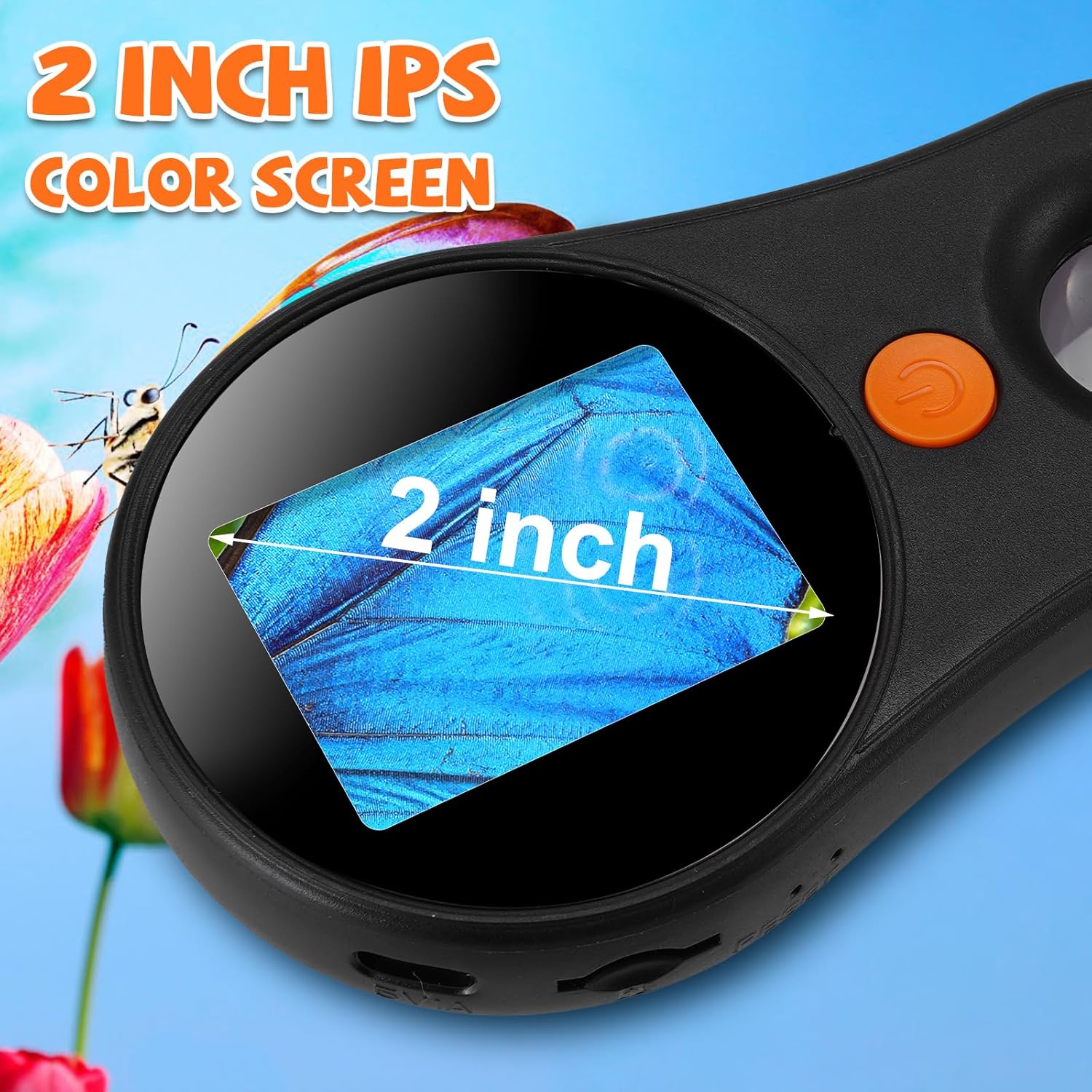
الصورة: تفصيلية view of the microscope's 2-inch IPS color screen, showing a magnified section of a butterfly wing.
4.3 LED Light Adjustment
- The microscope features 8 built-in LED lights.
- Use the dedicated light adjustment button (refer to device diagram for exact location) to cycle through 3 different brightness levels or turn the lights off.

Image: The microscope's adjustable 8 LED lights, demonstrating brightness levels from off to 100% on a ladybug specimen.
4.4 التقاط الصور وتسجيل مقاطع الفيديو
- Press the Photo/Video button (often marked with a camera or video icon) to capture still images or start/stop video recording.
- Captured media is saved to the internal memory or the inserted Micro SD card.
- The device can store up to 100 photos internally.
4.5 التوصيل بجهاز كمبيوتر
- Connect the microscope to a Windows or MacOS computer using the USB cable.
- The device can function as a webكاميرا، مما يسمح لك بـ view the magnified image on a larger screen and share live observations.

Image: The digital microscope connected to a laptop via USB, showing the magnified view of a leaf on the computer screen.
4.6 Using Specimen Slides
- If using prepared specimen slides, place them directly under the microscope lens.
- Adjust the focus and lighting as needed to get a clear view من العينة.

Image: A user holding the digital microscope over a green leaf, with the magnified image visible on the microscope's screen and a connected laptop.
4.7 فيديو المنتج الرسمي
Video: This video demonstrates the SAGUD Digital Handheld Microscope in use, showcasing its ability to magnify various objects like fabric, currency, skin, and jewelry. It highlights the device's screen and controls.
5. الصيانة
- تنظيف: Use a soft, dry cloth to clean the microscope body. For the lens and screen, use a specialized lens cleaning cloth and solution to avoid scratches.
- تخزين: خزّن المجهر في مكان بارد وجاف بعيداً عن أشعة الشمس المباشرة ودرجات الحرارة القصوى.
- العناية بالبطارية: لإطالة عمر البطارية، تجنب تفريغها بالكامل بشكل متكرر. اشحن الجهاز بانتظام، حتى في حال عدم استخدامه لفترات طويلة.
6. استكشاف الأخطاء وإصلاحها
- الجهاز لا يعمل: تأكد من شحن البطارية. وصّل الجهاز بمصدر طاقة وحاول مرة أخرى.
- صورة ضبابية: Adjust the focus wheel carefully. Ensure the microscope lens is close enough to the object.
- Screen is too dark/bright: Adjust the LED light brightness using the dedicated button.
- لا يمكن حفظ الصور/الفيديوهات: Check if a Micro SD card is inserted correctly and has sufficient free space. The internal memory might be full if no SD card is used.
- لا يمكن الاتصال بالكمبيوتر: Ensure the USB cable is securely connected to both the microscope and the computer. Try a different USB port or cable.
7. المواصفات
| ميزة | مواصفة |
|---|---|
| الحد الأقصى للتكبير | 500 × |
| شاشة | شاشة IPS مقاس 2.0 بوصة |
| نوع مصدر الضوء | LED (8 LEDs, 3 brightness modes) |
| مصدر الطاقة | تعمل بالبطارية (بطارية ليثيوم أيون واحدة متضمنة) |
| سعة البطارية | 400mAh (approx. 1.5 hours runtime) |
| مادة | بلاستيك |
| وزن العنصر | 5.3 أونصة (0.15 كجم) |
| أبعاد الحزمة | 6.69 × 5.12 × 3.15 بوصة |
| رقم الموديل | inskam370 |
8. الضمان والدعم
For any questions, technical support, or warranty inquiries regarding your SAGUD inskam370 Digital Handheld Microscope, please contact SAGUD customer service through the retailer's platform or the official SAGUD webيرجى الاحتفاظ بإثبات الشراء الخاص بك للمطالبة بالضمان.