
مقدمة
The FREEZE2TRIM Vital Smart Glasses W100 are advanced eyewear designed to integrate smart features into your daily life. These glasses offer open-ear Bluetooth audio, AI-powered translation across 164 languages, voice assistant control, and blue light blocking lenses. They are lightweight and designed for comfort and convenience, whether for work, travel, or leisure.
This manual provides essential information for setting up, operating, and maintaining your Vital Smart Glasses W100 to ensure optimal performance and longevity.
Video: Vital Smart Glasses Overviewيقدم هذا الفيديو نظرة عامةview من ميزات المنتج وتصميمه.
ماذا يوجد في الصندوق
Upon unboxing your Vital Smart Glasses W100, please ensure all the following items are present:
- Vital Smart Glasses W100
- Magnetic USB-C Charging Cable
- قطعة قماش للتنظيف
- حافظة صلبة واقية
- Rear Temple Pieces (Grip Sleeves)

Image: Vital Smart Glasses W100 box contents. This image displays the smart glasses, magnetic charging cable, cleaning cloth, and protective hard case.
دليل الإعداد
- شحن النظارات: Peel the protective film from the temples. Attach the magnetic USB-C cable to the charging ports on the inside of each temple. The hinge LED will glow red while charging and turn green when fully charged. A full charge typically takes about 1 hour and 30 minutes.
- تشغيل الطاقة: Open the temples of the glasses. An infrared sensor will detect this action, and the glasses will power on automatically, entering pairing mode.
- الاقتران عبر البلوتوث: On your smartphone, enable Bluetooth. In the list of available devices, select "W100" to connect. Wait for the "Connected" voice prompt.
- Download the Ear Dance App: امسح رمز الاستجابة السريعة الموجود في الدليل أو قم بزيارة الموقع https://download.watchfun.cn/?code=eardance to download the free Ear Dance app from the Apple App Store or Google Play Store.
- Register and Connect in App: Launch the Ear Dance app. Tap "Register" on the welcome screen to create an account and set a password. Then, tap "Connect" to bind the glasses to the app.
Note: Following this sequence is crucial for stable pairing and enabling all smart glasses functions. Skipping steps may lead to pairing failures.
Image: Vital Smart Glasses W100 setup. This image illustrates the steps for charging, Bluetooth pairing, and connecting the glasses to the Ear Dance app.
Video: APP Usage Tutorial. This video provides a detailed tutorial on how to use the Ear Dance application with the smart glasses.
تعليمات التشغيل
Audio & Call Control
- الرد/إنهاء المكالمة: Single tap on either temple button.
- رفض المكالمة: Press and hold either temple button for two seconds.
- تشغيل الموسيقى: Single tap to play/pause.
- المسار التالي: Double tap on either temple button.
- المسار السابق: Triple tap on either temple button (requires app setting).
- التحكم في مستوى الصوت: Swipe forward on the temple for volume up, swipe backward for volume down.
The open-ear speakers allow you to listen to audio while remaining aware of your surroundings. Environmental Noise Cancellation (ENC) microphones help mute background noise during calls.

Image: Bluetooth Calling & Voice Assistant. This image shows the smart glasses connected to a phone, indicating their capability for calls and voice assistance.
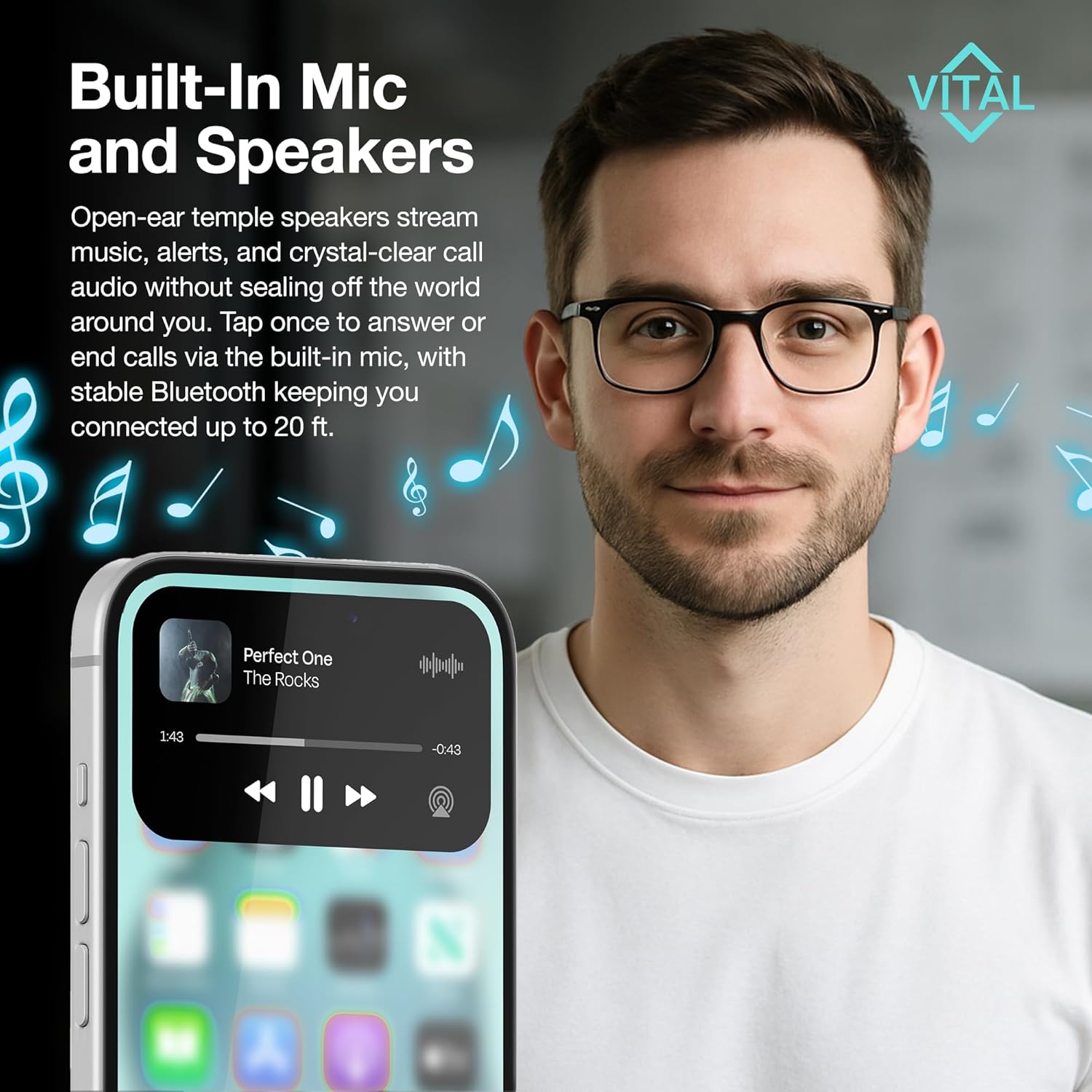
Image: Built-In Mic and Speakers. This image highlights the open-ear speakers and built-in microphone for music and calls, with a phone showing music playback.
AI Translation Modes (via Ear Dance App)
The Ear Dance app provides various AI-powered translation modes:
- دردشة الذكاء الاصطناعي: Routes spoken questions through the glasses' microphone and replies through the speakers.
- Translation Machine: Translates conversations using the phone's microphone and speaker. Useful if glasses are charging.
- Glasses + Phone Mode: Sends what you hear through the glasses to the app, which instantly returns spoken and on-screen subtitles in your chosen language. Accuracy improves within the 20-foot Bluetooth range.
- ترجمة الصور: Captures printed text via your phone's camera and displays the translation in seconds.
- Audio & Video Call Translation: Adds real-time subtitles to any call by sharing an app-generated link with participants (they do not need the app).

Image: Break Language Barriers Effortlessly with The App. This image showcases the different translation features available through the Ear Dance app, including real-time translation, photo translation, and call translation.
ملاحظات صوتية
Tap the Recording button in the app, choose the recording language, speak, then tap the circle icon to save. Each note is automatically labeled by timestamp and accessible from the Recording List.
التحكم بالكاميرا
A remote-shutter button on the glasses controls your phone's camera, allowing for hands-free photo and video capture.
مساعد صوتي
Press and hold either temple button for two seconds to activate your smartphone's voice assistant.
البطارية والشحن
The Vital Smart Glasses W100 are powered by a 170 mAh lithium-polymer battery.
- الشحن: Use the magnetic USB-C cable. The hinge LED glows red while charging and turns green when full.
- عمر البطارية: Up to seven hours of mixed use (translation, calls, music) or approximately thirty hours on standby.
- الشحن السريع: Fifteen minutes on the charger typically restores about one hour of listening or translating.
- إدارة الطاقة: Folding the temples triggers an infrared sensor that shuts down the electronics to conserve power.
Image: Bluetooth Calling & Voice Assistant with Battery Life. This image shows the smart glasses with an overlay indicating 170 mAh battery, 22h daily battery life, 10h music playback, 7h continuous calls, and 1 week standby time.
الصيانة والعناية
- تنظيف: Wipe lenses with the included cleaning cloth.
- تخزين: Store the frame in the protective hard case when not in use.
- يتجنب: Solvents, high heat, or full submersion in water.
استكشاف الأخطاء وإصلاحها
- Pairing Failures: Ensure the setup sequence (charge, power on, Bluetooth pair, then app connection) is followed exactly.
- Audio Drops: Confirm the distance between the glasses and your phone is under 6 meters (~20 feet).
- مشاكل الميكروفون: Verify that the Ear Dance app has microphone permission enabled in your phone's settings.
- Feature Dependency: All translation features rely on an active internet connection.
تحديد
| ماركة | FREEZE2TRIM |
| رقم الموديل | viture xr pro |
| وزن العنصر | 5.9 أونصات |
| سعة البطارية | 170 مليamp ساعات (بوليمر الليثيوم) |
| تكنولوجيا الاتصال | بلوتوث 5.3 |
| نظام التشغيل | iOS (compatible with Android via app) |
| المميزات الخاصة | Lightweight, Music Player, Phone Call, Voice Call, Voice Control, AI Translation, UV400, Blue-Light Blocker |
| سعة تخزين الذاكرة | 0.1 جيجا بايت |
الضمان والدعم
For warranty information or technical support, please contact FREEZE2TRIM customer service directly through the Amazon messaging system. Our team is available to assist with any product-related inquiries or issues you may encounter.
Protection plans are available for purchase separately, including 2-Year and 3-Year options, as well as a Complete Protect plan covering eligible past and future purchases.