
FAUOSWUK H8
FAUOSWUK H8 Wireless Intercom System User Manual
الموديل: H8
مقدمة
شكرا لك على الشراءasing the FAUOSWUK H8 Wireless Intercom System. This manual provides essential information for the safe and efficient use of your intercom system. Please read it thoroughly before operation and retain it for future reference.
The FAUOSWUK H8 is a versatile 2-way voice intercom designed for various environments, including homes, offices, and other settings requiring clear and convenient communication. It features a long transmission range and user-friendly operation.
المنتج انتهىview
المميزات الرئيسية:
- Two-Unit Pack: Includes two intercom units, allowing for direct two-way communication.
- Two-Way Talk Function: Enables clear communication between units without shouting.
- نطاق الإرسال الطويل: Up to 1000m in open areas and 20-50m through walls, suitable for various environments.
- Ringtone Call Mode: Switch between intercom and ringtone call modes for different communication needs.
- Clear Indicator Lights: Intercom light and power light provide clear status indication.
- بطارية تدوم طويلاً: Equipped with a built-in rechargeable battery and intelligent power-saving chip for extended use.
- تصميم متين: Features a plastic and silicone structure with a highlight UV process and interior waterproof design for buttons.
محتويات الحزمة:

Image: Contents of the FAUOSWUK H8 Wireless Intercom System package, showing two intercom units, two charging bases, and two USB cables.
- 2 x FAUOSWUK H8 Wireless Intercom Units
- 2 قواعد شحن
- شنومكس x أوسب الكابلات
- 1 × دليل المستخدم (هذه الوثيقة)
يثبت
1. شحن الوحدات:
Before initial use, ensure both intercom units are fully charged. Connect each USB cable to its respective charging base and then to a standard USB power adapter (not included) or a computer USB port. Place each intercom unit onto its charging base. The power indicator light will show charging status (e.g., red for charging, green for fully charged, if applicable, though specific light behavior is not detailed in provided data).

Image: Two FAUOSWUK H8 intercom units placed in their charging bases.
2. التشغيل:
Once charged, press and hold the power button (location not specified, assume standard side button) on each unit until the power indicator light illuminates. The units are designed for immediate use upon turning on, with no complex pairing required as they are pre-configured to communicate with each other.
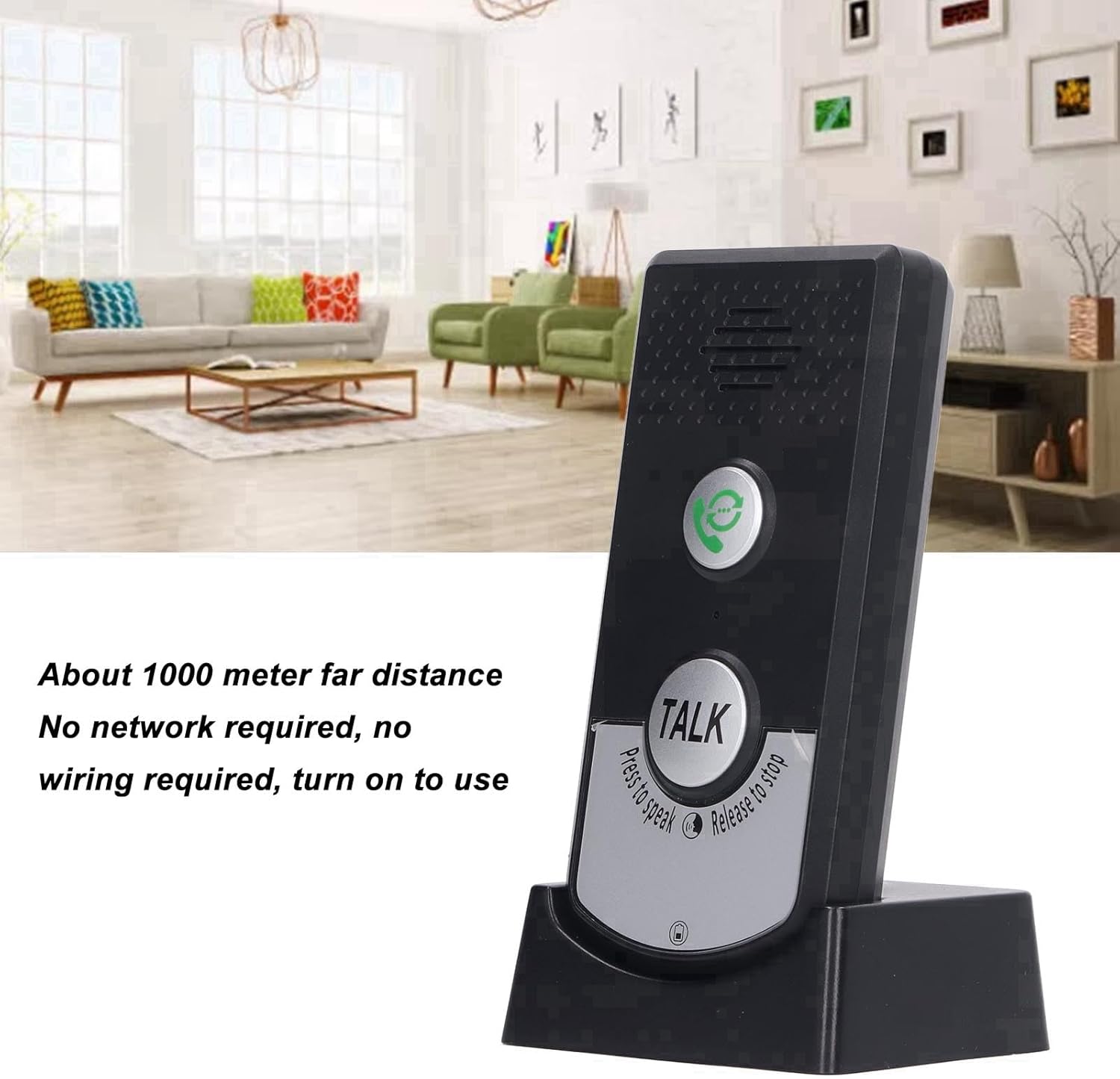
Image: A single FAUOSWUK H8 intercom unit highlighting its wireless capabilities and ease of use.
3. التنسيب:
Place the intercom units in desired locations within their effective transmission range. Consider areas where communication is most needed, such as different rooms in a home, separate offices, or between a main area and a workshop.

الصورة: السابقamples of where the FAUOSWUK H8 intercom can be used, such as in a home or office setting.
تعليمات التشغيل
1. Initiating a Call:
To initiate a call, press the "Call" button (typically a button with a phone icon) on your unit. The other unit will ring, indicating an incoming call.
2. Two-Way Talk:
Once a call is established or to simply speak to the other unit, press and hold the large "TALK" button. Speak clearly into the microphone. Release the "TALK" button when you are finished speaking to allow the other party to respond. This is a push-to-talk (PTT) system.

Image: Detail of the FAUOSWUK H8 intercom unit, highlighting the "TALK" button and its functionality.
3. Ending a Call:
Calls typically end automatically after a period of inactivity or by pressing the call button again, depending on the specific mode. Refer to the indicator lights for connection status.
4. أضواء المؤشر:
- زر الانارة: Indicates the unit's power status (on/off) and charging status.
- Intercom Light: Indicates when the intercom is active or in communication mode.
صيانة
- تنظيف: امسح الأجهزة بقطعة قماش ناعمة وجافة. لا تستخدم المنظفات الكاشطة أو المذيبات.
- العناية بالبطارية: To prolong battery life, avoid fully discharging the units frequently. Charge them regularly.
- تخزين: Store the intercoms in a cool, dry place when not in use for extended periods.
- مقاومة الماء: While the buttons have an interior waterproof design, the units are not fully waterproof. Avoid exposing them to excessive moisture or submerging them in water.
استكشاف الأخطاء وإصلاحها
| مشكلة | السبب المحتمل | حل |
|---|---|---|
| لا يوجد طاقة/الوحدة لا تعمل. | تم تفريغ البطارية. | Charge the unit using the provided USB cable and base. |
| Cannot communicate between units. | Units are out of range or obstacles are blocking the signal. | Move units closer together or to locations with fewer obstructions. Ensure both units are powered on. |
| جودة الصوت رديئة أو ثابتة. | Interference from other electronic devices or weak signal. | Move units away from other electronics. Check range. |
| Call button does not ring the other unit. | Other unit is off, out of range, or battery is low. | Verify the other unit is powered on, charged, and within range. |
تحديد

Image: Dimensions of the FAUOSWUK H8 Wireless Intercom Unit.
- نموذج: H8
- مادة: نظام ABS
- درجة حرارة العمل: -20 درجة فهرنهايت إلى 55 درجة مئوية (-4 درجة فهرنهايت إلى 131 درجة فهرنهايت)
- مسافة الإرسال: 1000m (approx. 3280 ft) in open area, 20-50m (approx. 65-164 ft) through walls
- تردد التشغيل: 410M إلى 490M
- مصدر الطاقة: بطارية قابلة لإعادة الشحن مدمجة
- الأبعاد (تقريبًا): 12.5cm (4.9in) Height, 7cm (2.8in) Width, 6cm (2.3in) Depth (refer to image for visual representation)
الضمان والدعم
FAUOSWUK products are designed for reliability and performance. For warranty information or technical support, please refer to the contact details provided with your purchase or visit the official FAUOSWUK webيرجى تجهيز رقم الطراز (H8) وتفاصيل الشراء عند الاتصال بالدعم.
Ask a question about this manual
Ask about setup, troubleshooting, compatibility, parts, safety, or missing instructions. Manuals+ will review the question and use this page’s manual context to help answer it.