
Surge SG60094
Surge Wireless Pro Controller User Manual
الموديل: SG60094
مقدمة
This manual provides instructions for the Surge Wireless Pro Controller, Model SG60094. It covers setup, operation, maintenance, troubleshooting, and specifications. Please read this manual thoroughly before using the controller.
The Surge Wireless Pro Controller is designed for multi-platform compatibility, featuring Hall Effect thumb sticks and triggers for precision control.
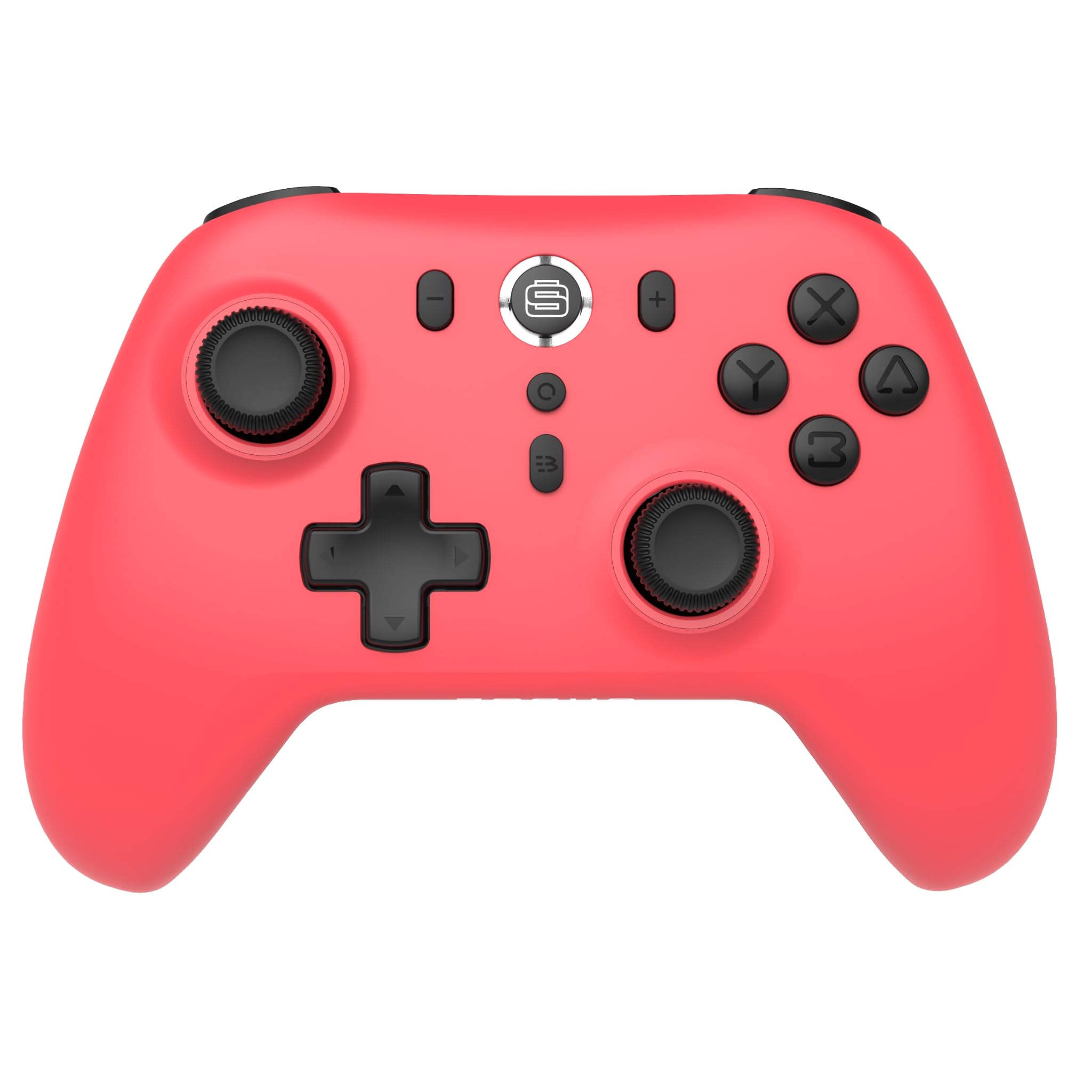
الصورة: الجبهة view of the Surge Wireless Pro Controller in Neon Red.
الميزات الرئيسية
- التوافق مع منصات متعددة: Supports Nintendo Switch/Switch 2 (Note: No C Button/Audio Port on Switch 2), Windows PC, Steam Deck, Android, and iOS devices.
- Hall Effect Thumb Sticks & Triggers: Engineered for precise control and to prevent stick drift.
- Turbo Functionality: Offers 3 adjustable turbo levels for rapid-fire actions.
- ردود فعل الاهتزاز: Features 4 customizable vibration levels for enhanced haptic feedback.
- عناصر التحكم في الحركة: Compatible with games that utilize motion sensing.
- Console Wake Up: Ability to wake the Nintendo Switch console from sleep mode (Nintendo Switch only).
- بطارية قابلة لإعادة الشحن: Built-in 600mAh Li-polymer battery provides up to 10 hours of gameplay per charge.
- شحن USB-C: Includes a 1-meter USB-C charging cable.
تعليمات الإعداد
1. الشحن الأولي
Before first use, fully charge the controller. Connect the included USB-C cable to the controller's charging port and the other end to a USB power source (e.g., console, PC, USB wall adapter). The charging indicator will show status.

Image: The controller connected to a USB-C charging cable.
2. الاقتران بجهاز نينتندو سويتش
- على جهاز نينتندو سويتش الخاص بك، انتقل إلى قائمة الصفحة الرئيسية.
- يختار وحدات التحكم، ثم تغيير القبضة/الترتيب.
- اضغط مع الاستمرار على زر الاقتران on the top of the Surge Wireless Pro Controller until the player indicator lights begin to flash.
- Once paired, the player indicator light(s) will remain solid.
- To wake the console from sleep mode, press the Home button on the controller.
3. Pairing with PC, Android, or iOS
The pairing process may vary slightly depending on your device's operating system. Generally, you will need to enable Bluetooth on your device and search for new devices.
- Ensure Bluetooth is enabled on your PC, Android, or iOS device.
- On the Surge Wireless Pro Controller, press and hold the زر الاقتران until the indicator lights flash.
- On your device, select "Surge Pro Controller" from the list of available Bluetooth devices.
- اتبع أي تعليمات تظهر على الشاشة لإكمال عملية الاقتران.
فيديو: أكثر منview of the 8Bitdo Ultimate 2 Wireless Controller, demonstrating general wireless controller setup principles.
تعليمات التشغيل
تصميم زر

Image: Diagram showing the button layout of the Surge Wireless Pro Controller.
- العصي التناظرية اليسرى/اليمنى: For movement and camera control. Features Hall Effect technology for enhanced durability and precision.
- D- الوسادة: للمدخلات الاتجاهية.
- أزرار A/B/X/Y: أزرار الإجراءات القياسية.
- أزرار اليسار/اليمين: أزرار الكتف.
- أزرار ZL/ZR: مشغلات تناظرية مع مستشعرات تأثير هول.
- زر الصفحة الرئيسة: يعود إلى القائمة الرئيسية للجهاز.
- زر التقاط الشاشة: يلتقط لقطات الشاشة.
- أزرار الزائد (+) / الناقص (-): للتنقل في قوائم اللعبة.
- زر توربو: تفعيل/إلغاء تفعيل وظيفة التوربو.
- زر الاقتران: يستخدم لإقران البلوتوث.
توربو وظيفة
To activate turbo for a button, press and hold the زر توربو, then press the desired action button (A, B, X, Y, L, R, ZL, ZR). Repeat the process to deactivate. There are 3 adjustable turbo levels; refer to the full product manual for detailed adjustment instructions.
ضبط الاهتزاز
The controller offers 4 levels of vibration intensity. Specific button combinations or software may be required to adjust these levels. Consult the full product manual or manufacturer's webللحصول على تعليمات دقيقة، تفضل بزيارة الموقع.
صيانة
- تنظيف: استخدم قطعة قماش ناعمة وجافة لتنظيف وحدة التحكم. تجنب استخدام المواد الكيميائية القاسية أو المواد الكاشطة.
- تخزين: قم بتخزين وحدة التحكم في مكان بارد وجاف بعيدًا عن أشعة الشمس المباشرة ودرجات الحرارة القصوى.
- العناية بالبطارية: لإطالة عمر البطارية، تجنب تفريغها بالكامل بشكل متكرر. اشحن وحدة التحكم بانتظام، حتى لو لم تكن قيد الاستخدام لفترات طويلة.
- العناية بالكابلات: Handle the USB-C charging cable carefully. Avoid bending or twisting it excessively.
استكشاف الأخطاء وإصلاحها
| مشكلة | حل |
|---|---|
| وحدة التحكم لا تعمل بالطاقة. | تأكد من شحن وحدة التحكم بالكامل. قم بتوصيلها بمصدر طاقة باستخدام كابل USB-C. |
| تعذر الاقتران بالجهاز. | Make sure Bluetooth is enabled on your device. Press and hold the pairing button on the controller until lights flash. Ensure the controller is not already paired with another device. Try restarting both the controller and the device. |
| Stick drift or inaccurate input. | The controller features Hall Effect sticks to minimize drift. If issues persist, ensure the controller's firmware is up to date. Contact customer support if the problem continues. |
| الاهتزاز لا يعمل. | Check in-game settings to ensure vibration is enabled. Verify the vibration intensity level on the controller. |
| Console Wake Up not functioning. | This feature is only supported on Nintendo Switch. Ensure the controller is properly paired with the Switch. |
تحديد
- رقم الموديل: إس جي 60094
- بطارية: 1 Nonstandard Battery (600mAh Li-polymer, included)
- عمر البطارية: حتى 10 ساعة (تقريبًا)
- منفذ الشحن: يو اس بي-سي
- الاتصال: بلوتوث لاسلكي
- أبعاد: 20.1 × 14 × 6.6 سم (تقريبًا)
- وزن: 310 جرام (تقريبي)
- بلد المنشأ: الصين
الضمان والدعم
For warranty information and customer support, please refer to the official Surge website or contact support directly at support@surgegaming.com.
يأتي المنتج عادةً مع ضمان من الشركة المصنعة يغطي عيوب المواد والتصنيع. يرجى الاحتفاظ بإثبات الشراء لتقديم مطالبات الضمان.
Ask a question about this manual
Ask about setup, troubleshooting, compatibility, parts, safety, or missing instructions. Manuals+ will review the question and use this page’s manual context to help answer it.