
مقدمة
This manual provides detailed instructions for setting up, operating, maintaining, and troubleshooting your DBIT N300 2.4GHz WiFi Router (Model T1 Pro). Please read this guide carefully to ensure proper use and optimal performance of your device.

The DBIT N300 T1 Pro WiFi Router, designed for reliable 2.4GHz wireless connectivity.
تعليمات الإعداد
Follow these steps for the initial setup of your DBIT N300 WiFi Router:
- قم بتوصيل الجهاز: Connect the router to the power adapter and plug it into an electrical outlet. Connect the WAN port of the DBIT N300 router to your existing modem or superior router using the provided Ethernet cable.
- الاتصال بشبكة Wi-Fi الخاصة بالموجه: On your computer or mobile device, connect to the default Wi-Fi network name (SSID) of the DBIT N300 router. The default SSID and password are usually found on a label on the bottom of the router.
- الوصول إلى Web الواجهة: افتح web browser and enter the default login URL, typically "192.168.10.1", into the address bar. Log in using the default username and password (also found on the router label).
- تكوين إعدادات Wi-Fi: Follow the on-screen guide to configure your Wi-Fi network name (SSID) and password. It is recommended to change the default settings for security.
- Reconnect and Enjoy: After saving your settings, your devices will disconnect from the old Wi-Fi network. Reconnect your devices to the newly configured Wi-Fi network.

Visual guide for the easy and straightforward setup process.

Diagram illustrating the connection flow from internet to modem, router, and terminal devices.
التوصيلات المادية
The DBIT N300 router features several ports for wired connections:
- منفذ WAN: Connects to your internet source (modem).
- منافذ الشبكة المحلية (LAN1، LAN2، LAN3): قم بالاتصال بالأجهزة السلكية مثل أجهزة الكمبيوتر أو أجهزة التلفزيون الذكية أو وحدات التحكم في الألعاب.
- التيار المباشر الداخل: منفذ إدخال الطاقة.
- زر WPS/إعادة الضبط: Used for WPS connection or factory reset.
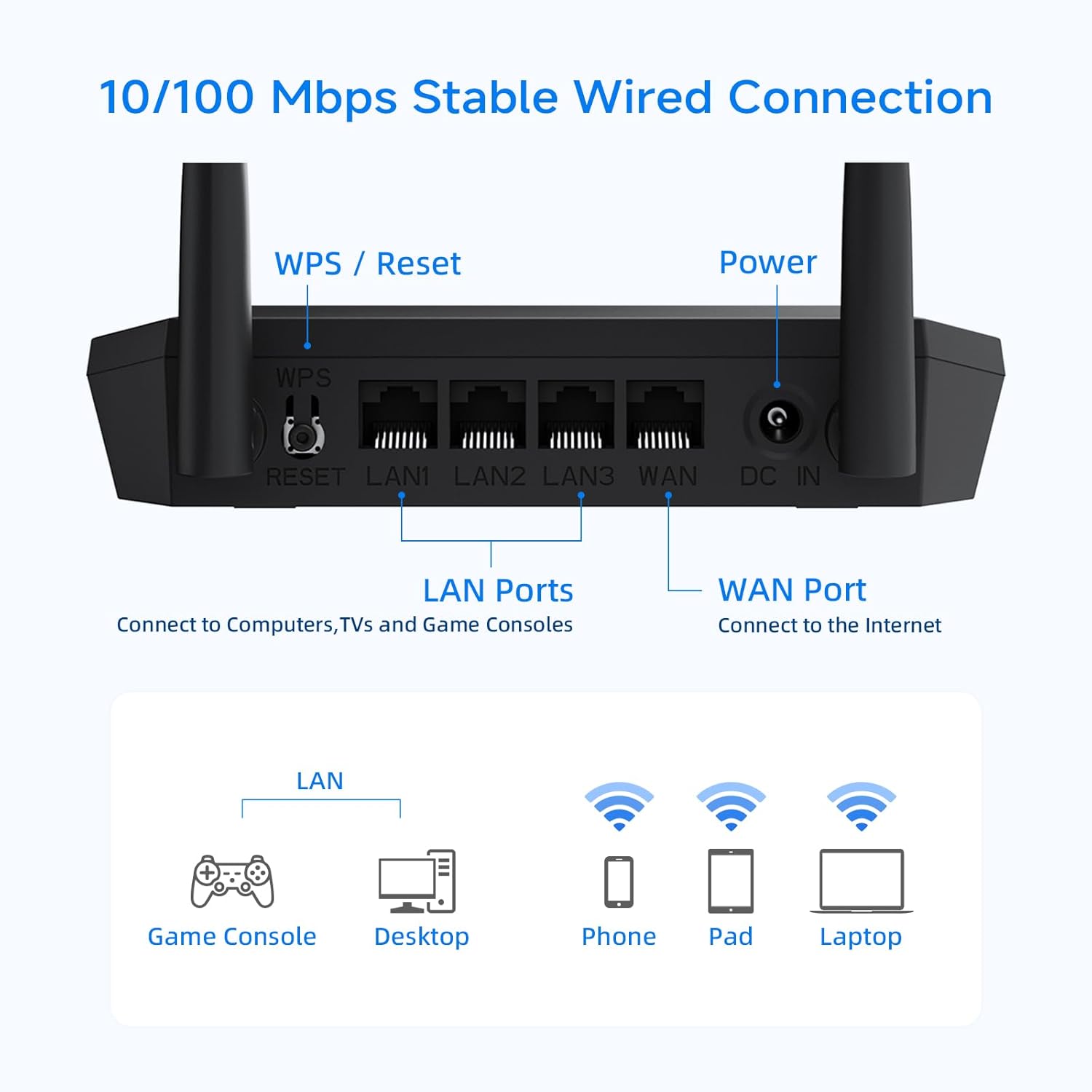
تفصيلية view of the router's rear panel, showing the WPS/Reset button, LAN ports, WAN port, and power input.
أوضاع التشغيل والميزات
وضع الموجه اللاسلكي
In this standard mode, the router connects to your modem and broadcasts a Wi-Fi signal, allowing multiple devices to access the internet wirelessly.
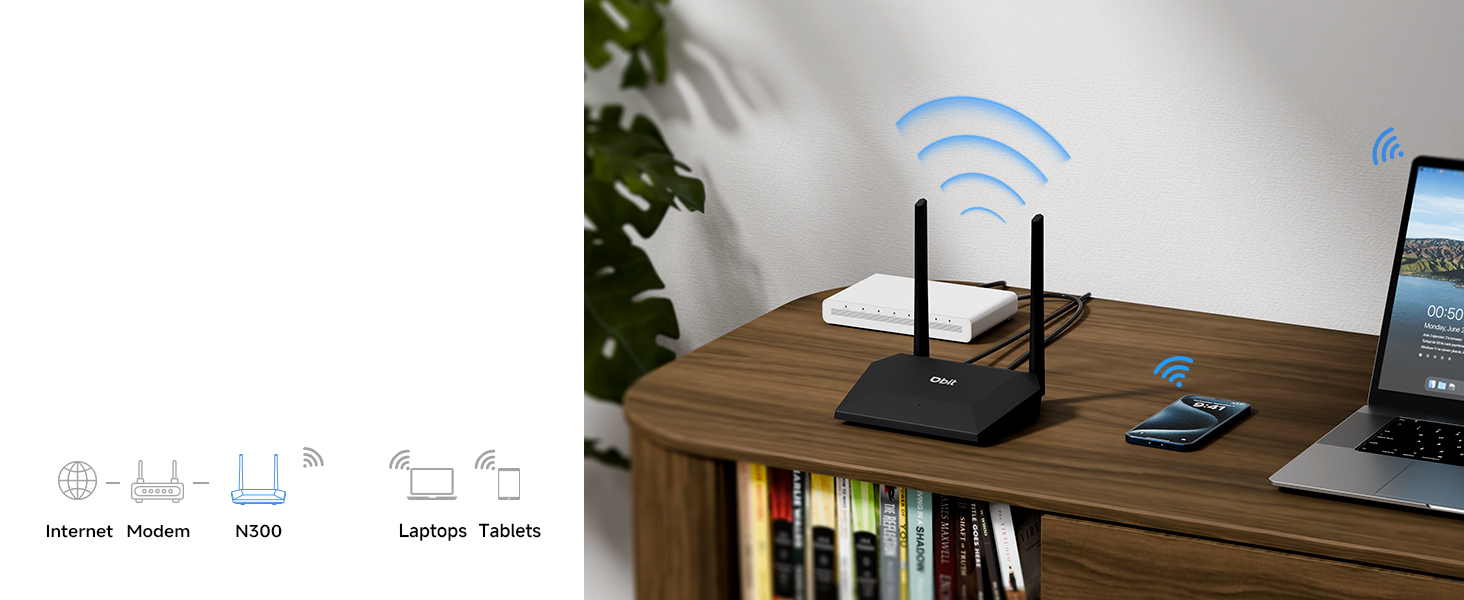
Illustration of the router operating in standard wireless router mode.
WISP/Wireless Repeater Mode
The DBIT N300 can function as a wireless repeater (WISP mode) to extend your existing Wi-Fi coverage. In this mode, the router wirelessly connects to an existing network and rebroadcasts the signal, effectively eliminating dead zones in larger areas.
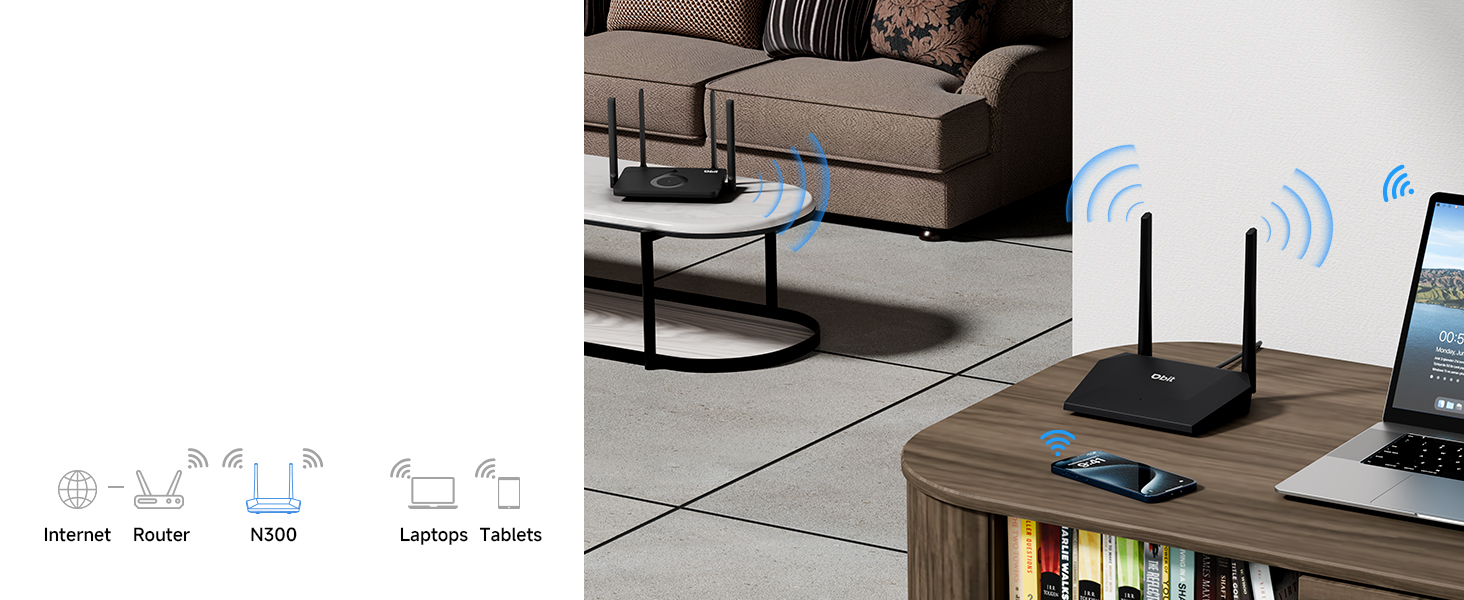
Diagram showing the router extending Wi-Fi coverage as a wireless repeater.
شبكة الضيوف
Create a separate Wi-Fi network for guests. This feature provides internet access to visitors while isolating them from your main network, enhancing your network's security and privacy.

Illustration of the secure and separate Guest WiFi network feature.
الرقابة الأبوية
Manage internet access for specific devices using Parental Controls. Features include:
- WLAN Schedule: Set specific times for Wi-Fi to be active or inactive, useful for managing screen time.
- Internet Access Control: Block specific devices from accessing the internet entirely.

Image representing the parental control features for managing internet usage.
Quality of Service (QoS) Speed Limit
Prioritize bandwidth for critical activities such as video calls or gaming. This prevents one device from consuming all available bandwidth, ensuring a smoother online experience for all connected devices.

Graphic illustrating the QoS speed control feature for bandwidth management.
IPTV/VLAN Support
The router supports IPTV (IGMP Proxy) and VLAN, ensuring optimal performance for IPTV services. This delivers high-quality video streaming without lag or buffering.

Image showing the router connected to a television, indicating IPTV support.
أمان WPA2
The DBIT N300 router utilizes the advanced WPA2-PSK security protocol to encrypt your wireless connection. This protects your network from unauthorized access and safeguards your personal data.
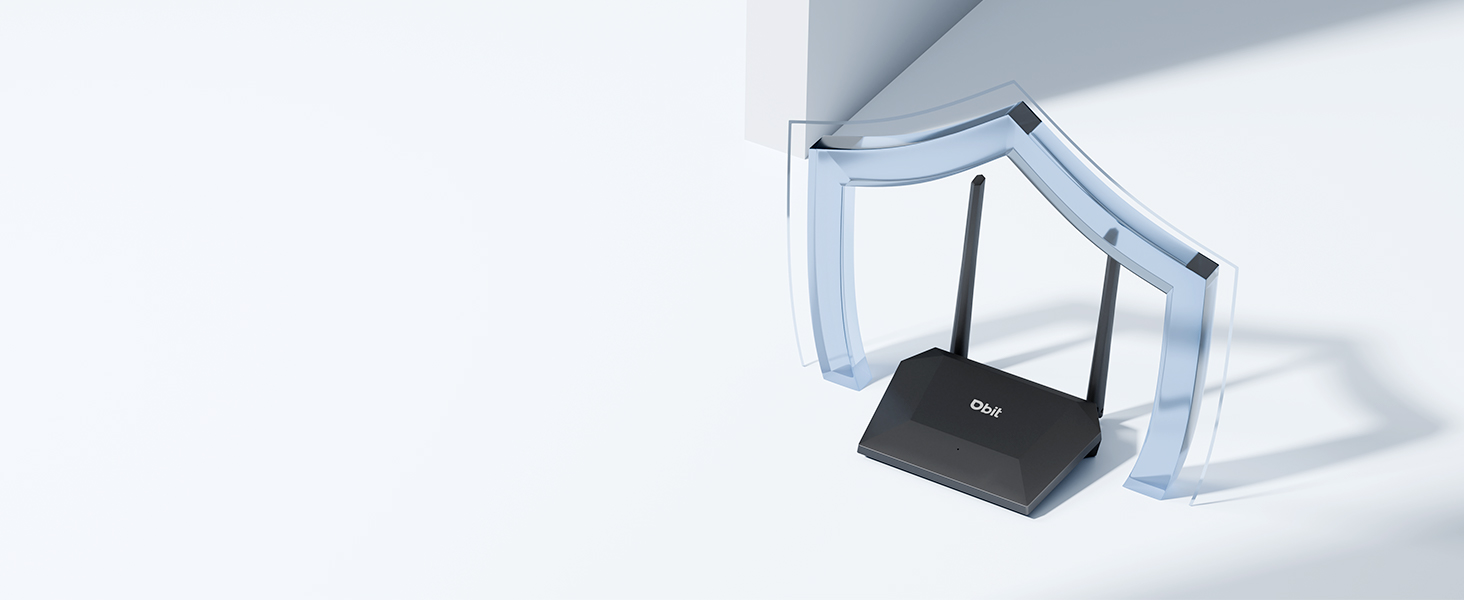
Image of the router with a shield icon, symbolizing robust WPA2 security.
اتصال WPS
WPS (Wi-Fi Protected Setup) allows for easy connection of WPS-enabled devices to your wireless network by simply pressing the WPS button on the router.

A finger pressing the WPS button on the router for easy device connection.
صيانة
To ensure the longevity and optimal performance of your DBIT N300 WiFi Router, consider the following maintenance tips:
- الموقع: ضع جهاز التوجيه في مكان مركزي، بعيدًا عن العوائق والأجهزة الإلكترونية الأخرى التي قد تسبب التداخل.
- تنظيف: نظّف الجزء الخارجي من جهاز التوجيه بشكل دوري باستخدام قطعة قماش ناعمة وجافة. تجنّب استخدام المنظفات السائلة أو البخاخات.
- تحديثات البرامج الثابتة: تحقق من الشركة المصنعة website regularly for firmware updates. Keeping your router's firmware updated can improve performance, add new features, and enhance security.
- دورة الطاقة: If you experience connectivity issues, try power cycling the router (unplugging it for 10-15 seconds and then plugging it back in).
استكشاف الأخطاء وإصلاحها
فيما يلي حلول للمشاكل الشائعة التي قد تواجهها:
- لا يوجد اتصال بالإنترنت:
- تأكد من أن المودم الخاص بك يعمل بشكل صحيح.
- تأكد من توصيل جميع الكابلات بشكل آمن بجهاز التوجيه والمودم.
- أعد تشغيل كل من المودم والراوتر.
- إشارة Wi-Fi ضعيفة أو مناطق ميتة:
- انقل جهاز التوجيه إلى موقع أكثر مركزية.
- Minimize physical obstructions (walls, large furniture) between the router and your devices.
- Consider using the router in WISP/Repeater mode to extend coverage.
- Difficulty Changing SSID or Password:
- Ensure you are accessing the correct web واجهة URL (e.g., 192.168.10.1) and using the correct login credentials.
- Refer to the detailed instructions in the router's web interface or the manufacturer's online resources for specific steps.
- Router Resets to Factory Settings After Power Loss:
- This behavior is not typical. Ensure the router is connected to a stable power source.
- If the issue persists, contact DBIT customer support for assistance, as this may indicate a hardware fault.
- WPS Connection Issues:
- Ensure your device supports WPS and that the WPS function is enabled on both the router and the device.
- Try connecting manually by entering the Wi-Fi password.
تحديد
| ميزة | التفاصيل |
|---|---|
| ماركة | ديبيت |
| اسم الموديل | T1 Pro N300 WiFi Router |
| رقم موديل العنصر | تي 1 برو |
| أبعاد المنتج | 5.91 × 5.04 × 5.91 بوصة |
| وزن العنصر | 4.6 أونصات |
| لون | أسود |
| فئة نطاق التردد | نطاق واحد (2.4 جيجاهرتز) |
| معيار الاتصال اللاسلكي | 802.11b، 802.11g، 802.11n |
| تكنولوجيا الاتصال | إيثرنت، واي فاي |
| المميزات الخاصة | Guest Mode, IPTV, WPS, Wireless Repeater Mode, WPA2-PSK Security |
| الأجهزة المتوافقة | جهاز ألعاب، حاسوب شخصي، جهاز لوحي، تلفزيون ذكي، هاتف ذكي، طابعة، كاميرا مراقبة |
| المكونات المضمنة | T1 Pro N300 WiFi Router, Power Adapter, Ethernet Cable, Quick Installation Guide |
معلومات الضمان
DBIT products typically come with a limited manufacturer's warranty. For specific details regarding the warranty period and terms for your T1 Pro N300 WiFi Router, please refer to the warranty card included in the product packaging or visit the official DBIT webالموقع. احتفظ بإيصال الشراء الخاص بك كإثبات للشراء في حالة مطالبات الضمان.
دعم العملاء
If you encounter any issues or have questions that are not addressed in this manual, please contact DBIT customer support. You can typically find support contact information on the official DBIT webالموقع أو من خلال بائع التجزئة الذي اشتريت منه المنتج.
For online resources and frequently asked questions, visit the متجر DBIT على أمازون أو الجهة الرسمية للشركة المصنعة webموقع.