
مقدمة
شكرا لك على الشراءasing the AGPTEK M6U MP3 Player. This device is designed to provide a high-quality portable audio experience with its 64GB internal storage and Bluetooth 5.3 connectivity. This manual will guide you through the setup, operation, and maintenance of your new MP3 player to ensure optimal performance and longevity.
محتويات الحزمة
يرجى التحقق من الحزمة للعناصر التالية:
- AGPTEK M6U MP3 Player (1 unit)
- USB Type-C Cable (for data transfer and charging) (1 unit)
- Wired Earphones (can be used as FM antenna) (1 unit)
- User Manual (multi-language, including English) (1 unit)
المنتج انتهىview
The AGPTEK M6U MP3 Player features a sleek design with a 2.4-inch LCD screen and intuitive controls. Familiarize yourself with the device's physical components.

صورة: The AGPTEK M6U MP3 Player, showcasing its compact size and user interface. The device is held in a hand, highlighting its portability and the layout of its screen and physical control buttons.
The player is equipped with a durable zinc alloy body, providing a comfortable grip. It features a responsive display for easy navigation through menus and media files.
يثبت
1. شحن الجهاز
Before initial use, fully charge the MP3 player. Connect the provided USB Type-C cable to the player's charging port and the other end to a USB power adapter (not included) or a computer's USB port.
- تستغرق عملية الشحن الكامل عادة من ساعتين إلى ثلاث ساعات.
- The battery charges to 80% capacity in approximately 1.5 hours.
- A fully charged battery provides up to 40 hours of music playback.

صورة: The AGPTEK M6U MP3 Player displaying its battery charging status and indicating a long playback time. The image visually represents the charging process and extended battery life.
2. تشغيل/إيقاف التشغيل
- لتشغيل: اضغط مع الاستمرار على زر الطاقة (الذي يوجد عادةً على الجانب) حتى تضيء الشاشة.
- لإيقاف التشغيل: اضغط مع الاستمرار على زر الطاقة حتى يظهر خيار إيقاف التشغيل على الشاشة، ثم قم بالتأكيد.
3. نقل الموسيقى Files
Connect the MP3 player to your computer using the provided USB Type-C cable. The player will appear as a removable disk drive. You can then drag and drop your music files (FLAC, MP3, WMA, WAV, APE, ACELP, AAC, Audible, OGG) directly into the player's storage.

صورة: The AGPTEK M6U MP3 Player screen showing various album covers and music playback information, with an overlay indicating internal memory. This illustrates the player's capacity for storing thousands of songs.
The player comes with 64GB of internal memory. You can also expand storage using a microSD card.
4. اقتران بلوتوث
To connect your AGPTEK M6U to Bluetooth headphones or speakers:
- Go to the Bluetooth menu on your MP3 player.
- قم بتمكين البلوتوث.
- ضع سماعات الرأس/مكبر الصوت بتقنية البلوتوث في وضع الاقتران.
- Select your device from the list of available devices on the MP3 player's screen.
- The player supports automatic reconnection to previously paired devices upon power-on.
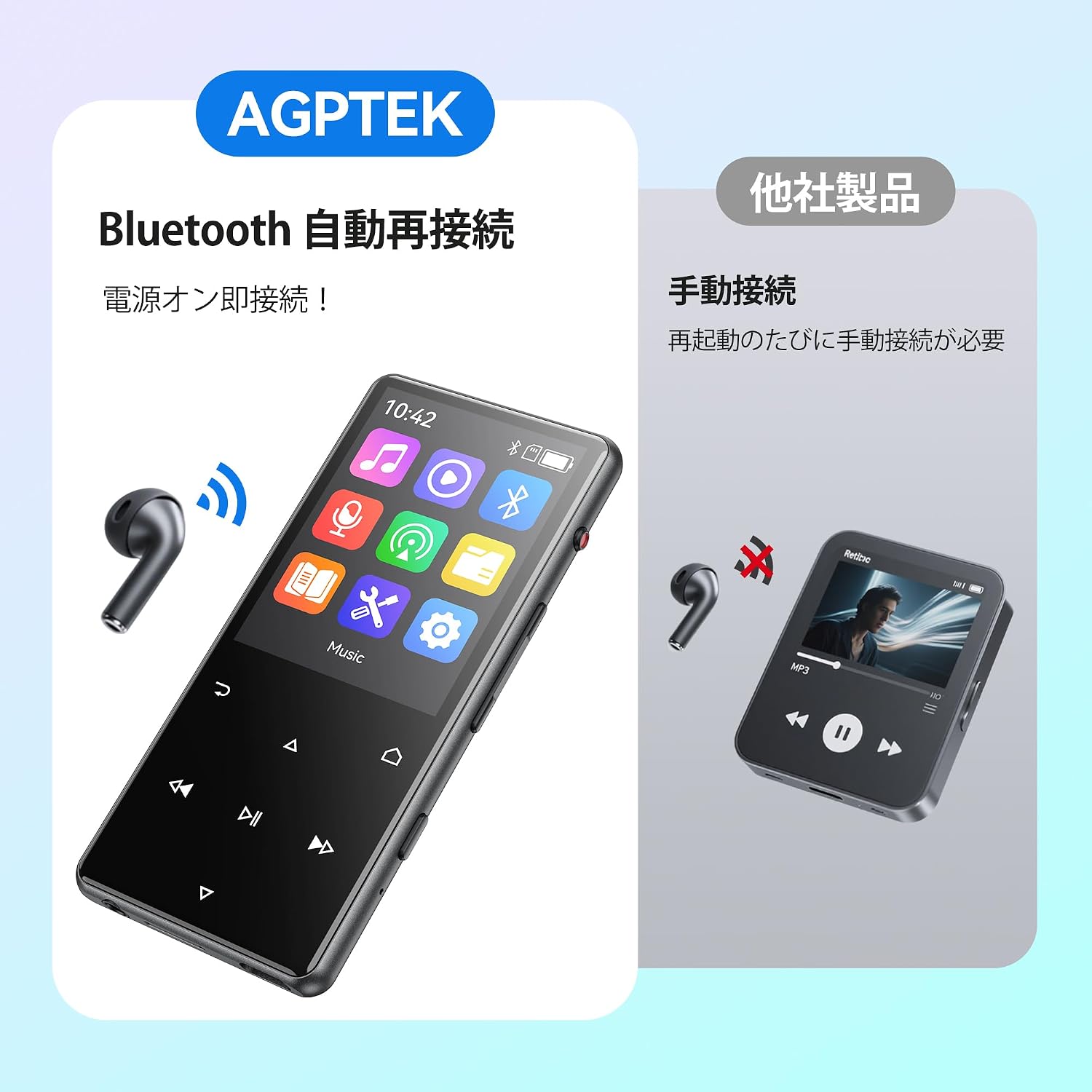
صورة: The AGPTEK M6U MP3 Player connected wirelessly to a pair of Bluetooth earbuds, illustrating the automatic reconnection feature. The screen shows the Bluetooth icon, indicating an active connection.
تعليمات التشغيل
1. التنقل الأساسي
Use the touch screen or physical buttons (Play/Pause, Next/Previous, Volume) to navigate through menus and control playback. The interface is designed for intuitive use.
2. تشغيل الموسيقى
From the main menu, select "Music" to browse your audio files. You can sort by artist, album, genre, or view all songs. Tap a song to begin playback.
- Press the Play/Pause button to start or pause music.
- Use the Next/Previous buttons to skip tracks.
- قم بضبط مستوى الصوت باستخدام عناصر التحكم المخصصة لمستوى الصوت.
3. تسجيل الصوت
The AGPTEK M6U features a one-key recording function, allowing you to quickly capture audio. This is useful for lectures, meetings, or personal notes.

صورة: The AGPTEK M6U MP3 Player screen showing an active recording session, indicated by a large microphone icon and a filename. This highlights the device's one-key recording capability, useful for capturing ideas or discussions instantly.
To start a recording, locate the dedicated recording button (if available, otherwise navigate through the menu). Recordings are saved in MP3 or WAV format.
4. راديو FM
To use the FM radio function, connect the wired earphones to the player. The earphones act as an antenna. Navigate to the FM Radio application from the main menu, then scan for available stations.
5. الإعدادات
Access the "Settings" menu to customize various aspects of your player, including display brightness, language, date and time, equalizer settings, and system information.
صيانة
- تنظيف: استخدم قطعة قماش ناعمة وجافة لتنظيف الجهاز. تجنب استخدام المنظفات السائلة أو المواد الكاشطة.
- تخزين: قم بتخزين المشغل في مكان بارد وجاف بعيدًا عن أشعة الشمس المباشرة ودرجات الحرارة القصوى.
- العناية بالبطارية: لإطالة عمر البطارية، تجنب تفريغها بالكامل بشكل متكرر. اشحنها بانتظام، حتى في حال عدم استخدامها لفترات طويلة.
- تحديثات البرامج: Periodically check the official AGPTEK webقم بزيارة الموقع للاطلاع على أي تحديثات متاحة للبرامج الثابتة لضمان الأداء الأمثل والميزات الجديدة.
استكشاف الأخطاء وإصلاحها
| مشكلة | حل |
|---|---|
| الجهاز لا يعمل. | Ensure the battery is charged. Connect the player to a power source for at least 10 minutes, then try powering on again. |
| لا يمكن الاتصال بسماعات البلوتوث. | Make sure Bluetooth is enabled on both the player and the headphones. Put headphones in pairing mode. Ensure they are within range and not connected to another device. |
| موسيقى files are not recognized. | تحقق من أن الموسيقى files are in a supported format (FLAC, MP3, WMA, WAV, APE, ACELP, AAC, Audible, OGG). Ensure files are transferred correctly to the player's internal storage or microSD card. |
| الشاشة لا تستجيب. | Try restarting the device. If the issue persists, a factory reset might be necessary (note: this will erase all data). |
تحديد
| ميزة | التفاصيل |
|---|---|
| ماركة | AGPTEK |
| رقم الموديل | م6يو |
| الذاكرة الداخلية | 64 جيجا بايت |
| حجم الشاشة | 2.4 بوصة |
| تكنولوجيا العرض | شاشة الكريستال السائل |
| تكنولوجيا الاتصال | يو اس بي، بلوتوث 5.3 |
| الأجهزة المتوافقة | PC, Headphones |
| نوع الوسائط | microSD Card (expandable storage) |
| تنسيقات الصوت المدعومة | FLAC, MP3, WMA, WAV, APE, ACELP, AAC, Audible, OGG |
| تنسيقات التسجيل المدعومة | مبشنومك، واف |
| تنسيقات الفيديو المدعومة | AMV, AVI (240*320) |
| عمر البطارية (متوسط) | حتى ساعتين |
| لون | أسود |
| أصل | الصين |
الضمان والدعم
The AGPTEK M6U MP3 Player comes with a 180-day warranty from the date of purchase. This warranty covers manufacturing defects under normal use.
For technical support, warranty claims, or further assistance, please contact AGPTEK customer service through their official website or the retailer where you purchased the product. Please have your model number (M6U) and proof of purchase ready when contacting support.
معلومات هامة حول السلامة
- لا تعرض الجهاز لدرجات حرارة عالية، أو أشعة الشمس المباشرة، أو الرطوبة العالية.
- تجنب إسقاط الجهاز أو تعريضه لصدمات قوية.
- لا تحاول تفكيك الجهاز أو إصلاحه بنفسك. سيؤدي ذلك إلى إلغاء الضمان.
- Use only approved charging cables and accessories.
- Listen to audio at moderate volumes to prevent hearing damage.