
OKP Life L1
OKP Life L1 Lidar Robot Vacuum Cleaner User Manual
الموديل: لنومك
1. المقدمة
Thank you for choosing the OKP Life L1 Lidar Robot Vacuum Cleaner. This manual provides essential information for the safe operation, maintenance, and troubleshooting of your device. Please read it thoroughly before use and retain it for future reference.
2. تعليمات السلامة الهامة
To reduce the risk of injury or damage, read these safety instructions carefully and keep them handy when setting up, using, and maintaining your robot.
- يمكن استخدام هذا الجهاز من قبل الأطفال الذين تبلغ أعمارهم 8 سنوات فأكثر والأشخاص ذوي القدرات البدنية أو الحسية أو العقلية المحدودة أو الذين يفتقرون إلى الخبرة والمعرفة إذا تم الإشراف عليهم أو توجيههم فيما يتعلق باستخدام الجهاز بطريقة آمنة وفهم المخاطر التي ينطوي عليها.
- يجب مراقبة الأطفال والتأكد من عدم لعبهم بالجهاز.
- لا يجوز للأطفال القيام بأعمال التنظيف والصيانة دون إشراف.
- استخدم فقط محول الطاقة الأصلي الذي توفره لك الشركة المصنعة.
- لا تستخدم الروبوت في البيئات التي تحتوي على لهب مكشوف أو أشياء هشة.
- Ensure the robot is used on dry surfaces only.
- احتفظ بالشعر والملابس الفضفاضة والأصابع وجميع أجزاء الجسم بعيدًا عن الفتحات والأجزاء المتحركة.
3. محتويات العبوة
تأكد من وجود جميع المكونات في العبوة:
- OKP Life L1 Robot Vacuum Cleaner
- قاعدة الشحن
- محول الطاقة
- فرش جانبية (زوجان)
- HEPA Filter (1 extra)
- أداة التنظيف
- دليل المستخدم
4. انتهى المنتجview
Familiarize yourself with the components of your OKP Life L1 robot vacuum.

الشكل 4.1: قمة view of the OKP Life L1 Lidar Robot Vacuum Cleaner alongside its mobile application interface. The robot is white with a dark grey Lidar sensor on top and a power button. The app shows cleaning status and control options.
مكونات الروبوت:
- مستشعر ليدار: للملاحة ورسم الخرائط بدقة.
- زر الطاقة: To start/pause cleaning or power on/off.
- صندوق القمامة: يجمع الحطام.
- الفرش الجانبية: قم بكنس الحطام إلى مسار الفرشاة الرئيسي.
- Main Brush Roll: Agitates and lifts debris from floors.
- شحن جهات الاتصال: For automatic recharging at the dock.
- أجهزة استشعار المنحدرات: امنع الروبوت من السقوط على الدرج.
- المصد: يكشف العوائق.
5. الإعداد والاستخدام الأولي
5.1 تجهيز الروبوت
- قم بإزالة جميع الأغشية الواقية والملصقات من الروبوت وقاعدة الشحن.
- قم بتركيب الفرش الجانبية عن طريق الضغط عليها على الأعمدة حتى تسمع صوت طقطقة.
5.2 Placing the Charging Dock
Place the charging dock against a wall in an open, uncluttered area. Ensure there is at least 0.5 meters (1.6 feet) of clear space on both sides and 1.5 meters (4.9 feet) in front of the dock. Plug in the power adapter.
5.3 الرسوم الأولية
Place the robot on the charging dock. The indicator light will show charging status. Fully charge the robot before its first use (approximately 5-6 hours).
5.4 Connecting to the OKP Life App
The OKP Life L1 supports remote control via the OKP Life App. This allows for scheduling, mode customization, and real-time monitoring.
- Download the "OKP Life" app from your mobile device's app store.
- تسجيل حساب وتسجيل الدخول.
- Follow the in-app instructions to add your L1 robot vacuum. Ensure your Wi-Fi network is 2.4GHz.
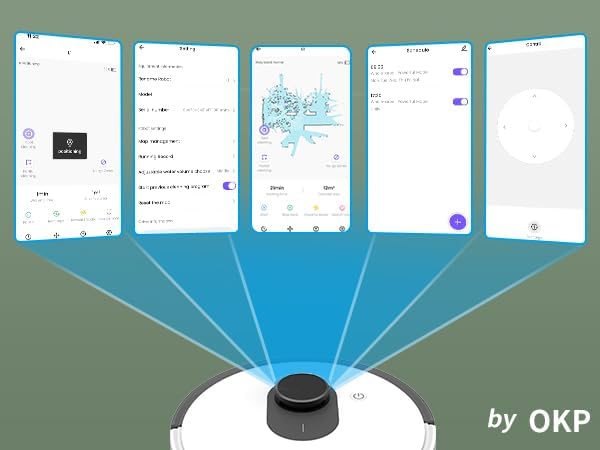
الشكل 5.1: Various screenshots of the OKP Life mobile application, demonstrating features like device connection, settings, mapping, and remote control options.
5.5 تكامل التحكم الصوتي
The L1 is compatible with Amazon Alexa and Google Assistant for hands-free operation.
- Ensure your robot is connected to the OKP Life App.
- افتح تطبيق Alexa أو Google Home.
- بحث عن the "OKP Life" skill/service and enable it.
- Link your OKP Life account.
- You can now use voice commands such as "Alexa, turn on L1" or "Hey Google, start cleaning with L1."

الشكل 5.2: The OKP Life L1 robot vacuum on a rug, with an Amazon Echo Dot speaker and a smartphone displaying the control app. This illustrates the voice and app control capabilities.
6. تشغيل مكنسة الروبوت
6.1 Cleaning Modes and Navigation
The L1 utilizes advanced LDS laser radar and SLAM navigation to create accurate real-time maps of your home, optimizing cleaning routes and ensuring comprehensive coverage.

الشكل 6.1: The OKP Life L1 robot vacuum navigating a living room, with blue lines illustrating its precision LiDAR mapping and navigation path.
يوفر الروبوت أوضاع تنظيف متنوعة يمكن الوصول إليها عبر التطبيق:
- التنظيف التلقائي: يقوم الروبوت بتنظيف منزلك بالكامل بذكاء.
- تنظيف البقع: ينظف منطقة محددة بجهد مركز.
- منطقة نظيفة: حدد غرفًا أو مناطق معينة على الخريطة للتنظيف.
- التنظيف المجدول: حدد أوقاتًا محددة ليقوم الروبوت بالتنظيف تلقائيًا.

الشكل 6.2: The OKP Life L1 robot vacuum next to a smartphone displaying its app, which shows a floor plan map where a user can select a specific zone for vacuuming using the LiDAR sensor data.

الشكل 6.3: The OKP Life L1 robot vacuum on a rug, with a smartphone displaying the app's features including No-Go Zones, Real-time Mapping, Recharge Resume, Partial Cleaning, and Spot Cleaning.
6.2 Suction Power and Carpet Boost
The L1 features a 4000Pa suction motor for effective cleaning. It automatically increases suction power when detecting carpets for deeper cleaning.

الشكل 6.4: The OKP Life L1 robot vacuum moving from a hard floor to a carpet, illustrating its ability to boost suction power for effective carpet cleaning.
6.3 No-Go Zones and Invisible Walls
Use the OKP Life App to define "No-Go Zones" or "Invisible Walls" to prevent the robot from entering specific areas or protecting fragile items.

الشكل 6.5: The OKP Life L1 robot vacuum demonstrating its ability to respect "No-Go Zones" (preventing entry into a pet area) and "Invisible Walls" (blocking access to a specific room entrance).
6.4 تجنب العوائق
Freemove 3.0 obstacle avoidance technology ensures the robot navigates smoothly around furniture, stairs, walls, and pets, minimizing collisions and preventing it from getting stuck.
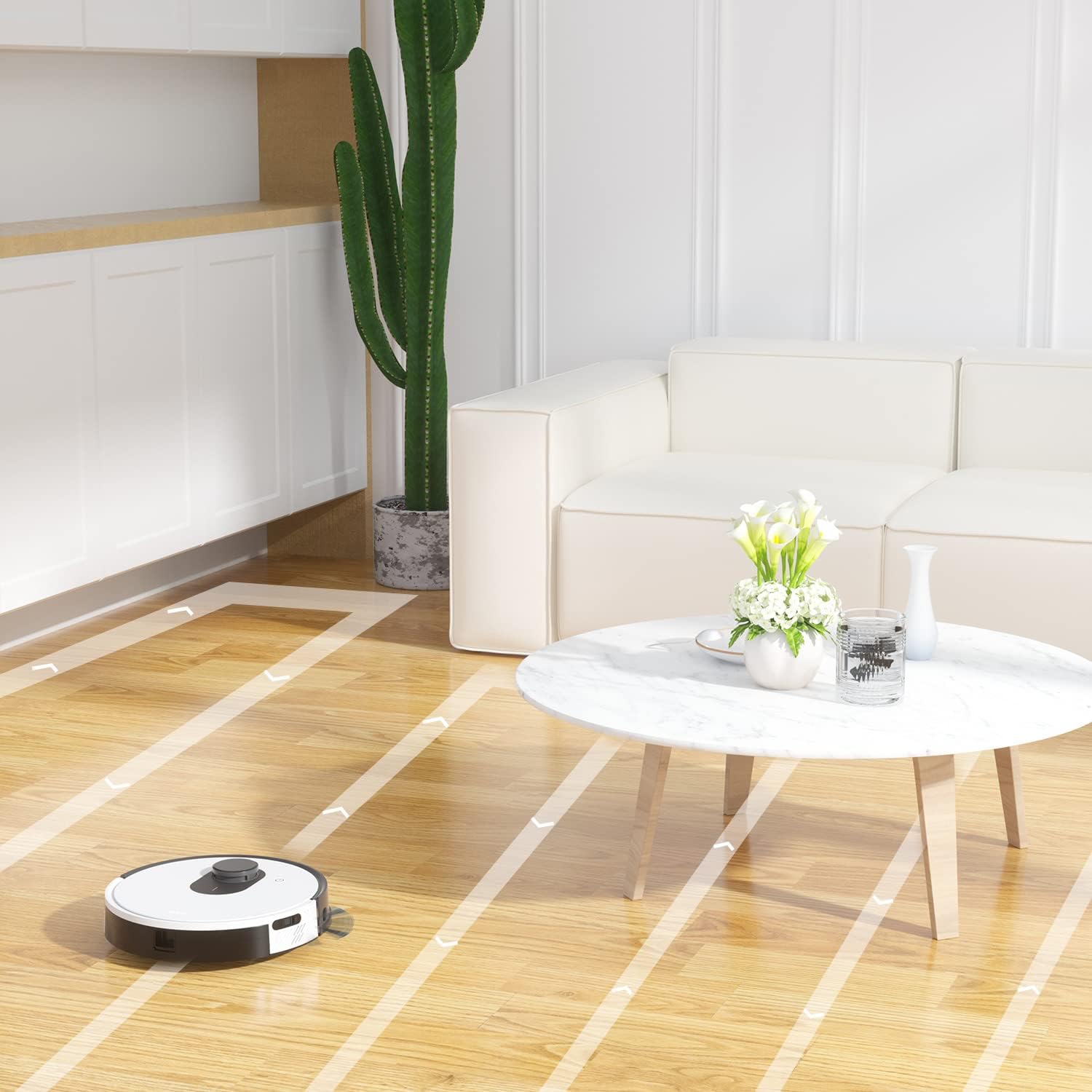
الشكل 6.6: The OKP Life L1 robot vacuum cleaning a room, illustrating its efficient path planning and obstacle avoidance capabilities.
6.5 إدارة البطارية
The robot features a 4000mAh battery, providing up to 200 minutes of continuous cleaning. When the battery is low or cleaning is complete, the robot automatically returns to its charging dock.
7. الصيانة
تضمن الصيانة الدورية الأداء الأمثل للمكنسة الكهربائية الروبوتية الخاصة بك.
7.1 إفراغ سلة المهملات
Empty the dustbin after each cleaning cycle. Press the dustbin release button, remove the dustbin, and discard collected debris. Clean the filter inside the dustbin.
7.2 Cleaning the Main Brush Roll
The self-cleaning brush roll reduces hair tangles. However, periodically remove the main brush roll and use the provided cleaning tool to remove any tangled hair or debris.
7.3 تنظيف الفرش الجانبية
Check side brushes regularly for wear or damage. Remove any tangled hair or debris. Replace worn brushes as needed.
7.4 تنظيف أجهزة الاستشعار ونقاط اتصال الشحن
Wipe the cliff sensors, bumper sensor, and charging contacts on both the robot and the charging dock with a clean, dry cloth to ensure proper function.
7.5 استبدال المرشح
Replace the HEPA filter every 3-6 months, or more frequently depending on usage, to maintain optimal suction performance.
8. استكشاف الأخطاء وإصلاحها
راجع هذا القسم للتعرف على المشكلات الشائعة وحلولها.
| مشكلة | السبب المحتمل | حل |
|---|---|---|
| الروبوت لا يعمل. | انخفاض مستوى البطارية؛ تم إيقاف تشغيل الجهاز. | اشحن الروبوت؛ تأكد من تشغيل مفتاح الطاقة. |
| لا يمكن للروبوت العودة إلى قاعدة الشحن. | قاعدة الشحن مسدودة؛ الروبوت بعيد جدًا عن القاعدة. | Clear obstacles around the dock; Manually place robot near dock. |
| قوة الشفط ضعيفة. | سلة المهملات ممتلئة؛ الفلتر مسدود؛ الفرشاة الرئيسية متشابكة. | أفرغ سلة المهملات؛ نظف/استبدل الفلتر؛ نظف الفرشاة الرئيسية. |
| الروبوت يتعطل بشكل متكرر. | Loose cables/rugs; Small obstacles. | Clear floor of obstructions; Use No-Go Zones. |
| مشاكل اتصال التطبيق. | Incorrect Wi-Fi (not 2.4GHz); Router issues. | Ensure 2.4GHz Wi-Fi; Restart router and robot; Re-pair in app. |
9. المواصفات
| ميزة | التفاصيل |
|---|---|
| ماركة | OKP الحياة |
| اسم الموديل | L1 Lidar Robot Vacuum |
| ميزة خاصة | HEPA Filtration, Vacuums |
| لون | أبيض سحابي |
| أبعاد المنتج | 12 بوصة طول × 12 بوصة عرض × 3.5 بوصة ارتفاع |
| المكونات المضمنة | بطارية |
| عمر البطارية | Up to 200 minutes (4000mAh battery) |
| السعة (صندوق القمامة) | 500 مليلتر |
| البطاريات المطلوبة | 1 بطارية ليثيوم أيون (مضمنة) |
| الأجهزة المتوافقة | أمازون إيكو، جوجل هوم، الهواتف الذكية |
| وزن العنصر | 7 رطل |
| الشركة المصنعة | OKP الحياة |
| رقم موديل العنصر | L1 |
10. الضمان والدعم
For warranty information and technical support, please refer to the official OKP Life webالموقع أو تواصل مع خدمة العملاء. احتفظ بإيصال الشراء كإثبات للشراء.
الدعم عبر الإنترنت: Visit the official OKP Life webموقع للأسئلة الشائعة وأدلة استكشاف الأخطاء وإصلاحها ومعلومات الاتصال.
خدمة العملاء: Refer to your product packaging or the OKP Life webللحصول على تفاصيل الاتصال الخاصة بخدمة العملاء، يرجى زيارة الموقع الإلكتروني.
Ask a question about this manual
Ask about setup, troubleshooting, compatibility, parts, safety, or missing instructions. Manuals+ will review the question and use this page’s manual context to help answer it.