
1. المقدمة
This manual provides essential instructions for setting up, operating, maintaining, and troubleshooting your MIRO A1 Unlocked 4G Cell Phone. Please read this guide thoroughly to ensure proper use and to maximize the device's performance.

Figure 1: MIRO A1 Smartphone
2. محتويات العبوة
تأكد من وجود جميع العناصر في العبوة:
- MIRO A1 Smartphone (1 unit)
- البطارية (1 وحدة)
- شاحن (1 وحدة)
- كابل USB (وحدة واحدة)
- دليل المستخدم (1 وحدة)

الشكل 2: الملحقات المضمنة
3. الإعداد
3.1. تركيب البطارية
- قم بإزالة الغطاء الخلفي للهاتف بعناية.
- قم بمحاذاة نقاط توصيل البطارية مع الأطراف الموجودة داخل الهاتف.
- اضغط برفق على البطارية في مكانها حتى تثبت بإحكام.
- أعد تركيب الغطاء الخلفي، وتأكد من تثبيته في مكانه بنقرة.

الشكل 3: تركيب البطارية
3.2. تركيب بطاقة SIM وبطاقة MicroSD
The MIRO A1 supports Dual SIM cards and a MicroSD card for expandable storage.
- With the back cover removed, locate the SIM card slots and the MicroSD card slot.
- Insert your Nano SIM card(s) into the designated SIM slots with the gold contacts facing down.
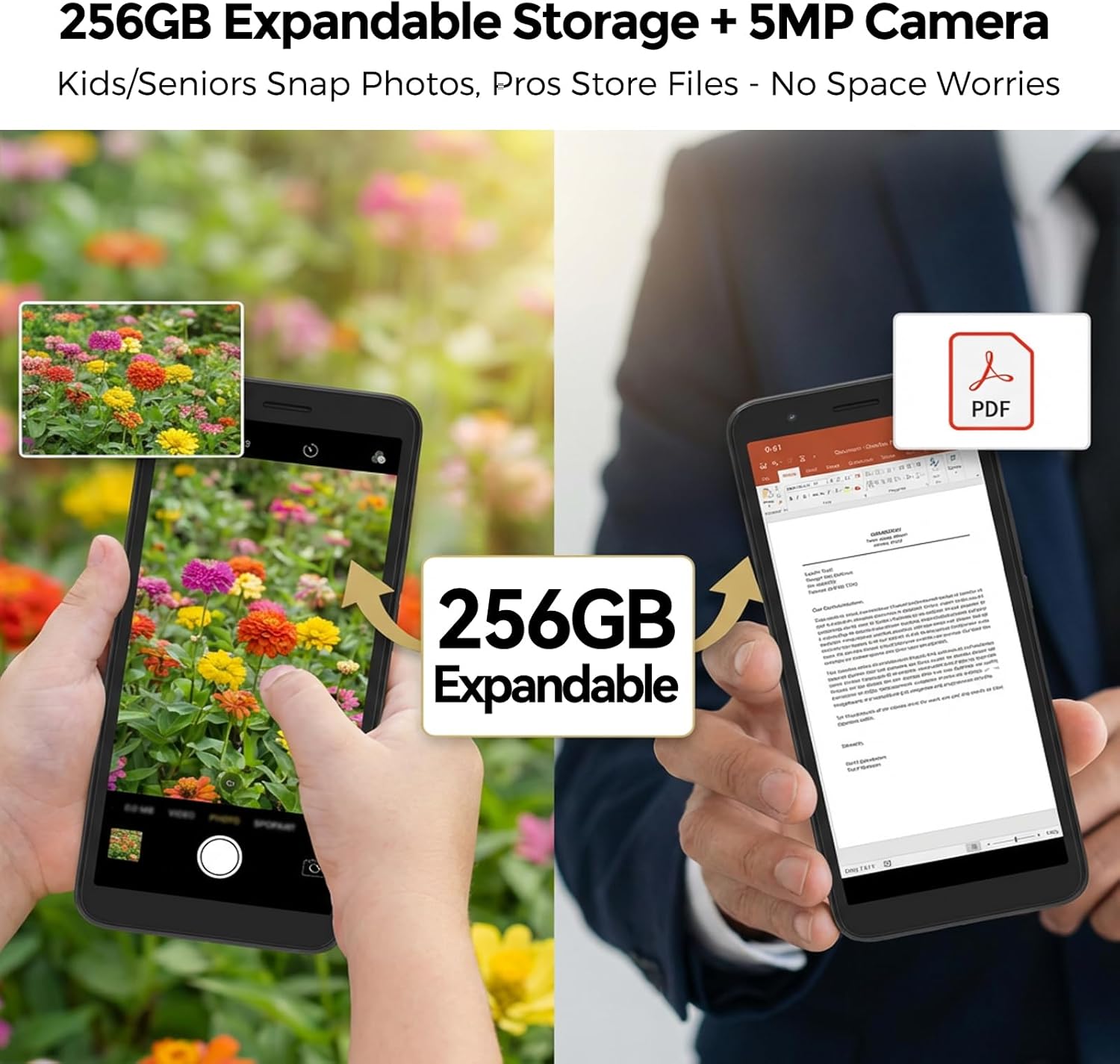
- If using a MicroSD card for additional storage (up to 256GB), insert it into the MicroSD card slot.
- Ensure all cards are seated correctly.
الشكل 4: تثبيت بطاقة SIM
3.3. الشحن الأولي والتشغيل
- Connect the USB cable to the phone's USB Type C port and the charger.
- Plug the charger into a power outlet. Allow the phone to charge for at least 30 minutes before first use.
- Press and hold the Power button (usually on the side) until the MIRO logo appears.
- Follow the on-screen prompts to complete the initial setup of the Android 14 Go Edition operating system.
4. تعليمات التشغيل
4.1. التنقل الأساسي
The MIRO A1 runs on Android 14 Go Edition, designed for efficient performance. Use touch gestures to navigate:
- مقبض: حدد عنصرًا أو افتح تطبيقًا.
- انتقاد: التمرير عبر الشاشات أو القوائم.
- قرصة: تكبير أو تصغير الصور و web الصفحات.
- ضغطة طويلة: الوصول إلى القوائم السياقية أو نقل أيقونات التطبيق.
4.2. إجراء المكالمات وإرسال الرسائل
- Open the 'Phone' app to dial numbers or access contacts.
- Open the 'Messages' app to send and receive SMS/MMS.
- For Dual SIM users, you can select which SIM to use for calls or messages before initiating them.
4.3. استخدام الكاميرا
The MIRO A1 features a 5MP rear camera and a 2MP front camera.
- افتح تطبيق "الكاميرا" من الشاشة الرئيسية أو درج التطبيقات.
- اضغط على زر الغالق لالتقاط صورة.
- يمكنك التبديل بين الكاميرا الأمامية والخلفية باستخدام رمز تبديل الكاميرا.

Figure 5: Camera Module
4.4. إدارة التخزين
Your MIRO A1 comes with 32GB of internal storage, expandable up to 256GB via a MicroSD card.
- للتحقق من استخدام مساحة التخزين، انتقل إلى الإعدادات > التخزين.
- نقل الصور ومقاطع الفيديو وغيرها files to the MicroSD card to free up internal space.

Figure 6: Expandable Storage
4.5. اتصال واي فاي
- اذهب الى الإعدادات > الشبكة والإنترنت > Wi-Fi.
- قم بتشغيل Wi-Fi.
- حدد الشبكة المطلوبة من القائمة وأدخل كلمة المرور إذا طُلب منك ذلك.
5. الصيانة
5.1. العناية بالبطارية
- تجنب درجات الحرارة القصوى، التي يمكن أن تؤدي إلى تدهور عمر البطارية.
- لا تترك الهاتف يشحن لفترات طويلة بعد وصوله إلى 100%.
- إذا كانت البطارية قابلة للإزالة، فتأكد من تثبيتها بشكل صحيح.
5.2. تنظيف الجهاز
- استخدم قطعة قماش ناعمة وخالية من الوبر لتنظيف الشاشة وجسم الهاتف.
- تجنب استخدام المواد الكيميائية القاسية أو المواد الكاشطة.
- حافظ على المنافذ خالية من الغبار والحطام.
5.3. تحديثات البرامج
Periodically check for system updates to ensure your phone has the latest features and security patches. Go to الإعدادات > النظام > تحديث النظام.
6. استكشاف الأخطاء وإصلاحها
6.1. الهاتف لا يعمل
- تأكد من تركيب البطارية وشحنها بشكل صحيح.
- Connect the phone to the charger and wait a few minutes before attempting to power on again.
- إذا كانت البطارية قابلة للإزالة، فحاول إزالتها وإعادة إدخالها.
6.2. Network Issues
- تحقق مما إذا تم إدخال بطاقة SIM بشكل صحيح.
- Verify that your mobile data is enabled in الإعدادات> الشبكة والإنترنت> شبكة الهاتف المحمول.
- أعد تشغيل الهاتف.
- Confirm with your carrier that your plan is active and compatible with an unlocked 4G device.
6.3. Storage Full
- Delete unnecessary apps, photos, and videos.
- يتحرك files to a MicroSD card if one is installed.
- مسح بيانات ذاكرة التخزين المؤقت للتطبيقات في الإعدادات > التطبيقات والإشعارات > [اسم التطبيق] > التخزين والذاكرة المؤقتة.
6.4. إعادة ضبط المصنع
If persistent issues occur, a factory reset may be necessary. This will erase all data on your phone. Back up important data before proceeding.
- اذهب الى الإعدادات > النظام > خيارات إعادة التعيين.
- يختار مسح جميع البيانات (إعادة ضبط المصنع).
- تأكيد قرارك
7. المواصفات
| ميزة | مواصفة |
|---|---|
| ماركة | ميرو |
| اسم الموديل | MIRO A1 |
| نظام التشغيل | أندرويد 14 إصدار Go |
| ذاكرة الوصول العشوائي (RAM) | 2 جيجا بايت |
| التخزين الداخلي | 32 جيجا بايت |
| تخزين قابل للتوسيع | ما يصل إلى 256 جيجابايت (مايكرو إس دي) |
| حجم الشاشة | 5.99 بوصة |
| دقة | 576 × 1152 |
| الكاميرا الخلفية | 5 ميجا بكسل |
| الكاميرا الأمامية | 2 ميجا بكسل |
| سعة البطارية | 3000 مللي أمبير |
| عدد فتحات بطاقة SIM | Dual SIM (Nano) |
| الاتصال | 4G, Wi-Fi, Bluetooth, 3.5mm Headphone Jack, USB Type C |
| الأمن البيومتري | التعرف على بصمات الأصابع |
| وزن | 182 جرام (6.42 أونصة) |
8. الضمان والدعم
8.1. معلومات الضمان
The MIRO A1 smartphone comes with a ضمان محدود لمدة عامين يسري هذا الضمان من تاريخ الشراء، ويغطي عيوب التصنيع فقط. ولا يغطي الأضرار الناجمة عن سوء الاستخدام أو الحوادث أو التعديلات غير المصرح بها أو التلف الناتج عن الاستخدام العادي.
8.2. دعم العملاء
For technical assistance, warranty claims, or further inquiries, please contact MIRO customer support through the retailer where you purchased the device or refer to the official MIRO webموقع لمعلومات الاتصال.