
مقدمة
شكرا لك على الشراءasing the Hisense 43A69Q 4K UHD Smart VIDAA TV. This manual provides essential information for setting up, operating, and maintaining your television. Please read it thoroughly before using the product to ensure safe and correct operation. Keep this manual for future reference.
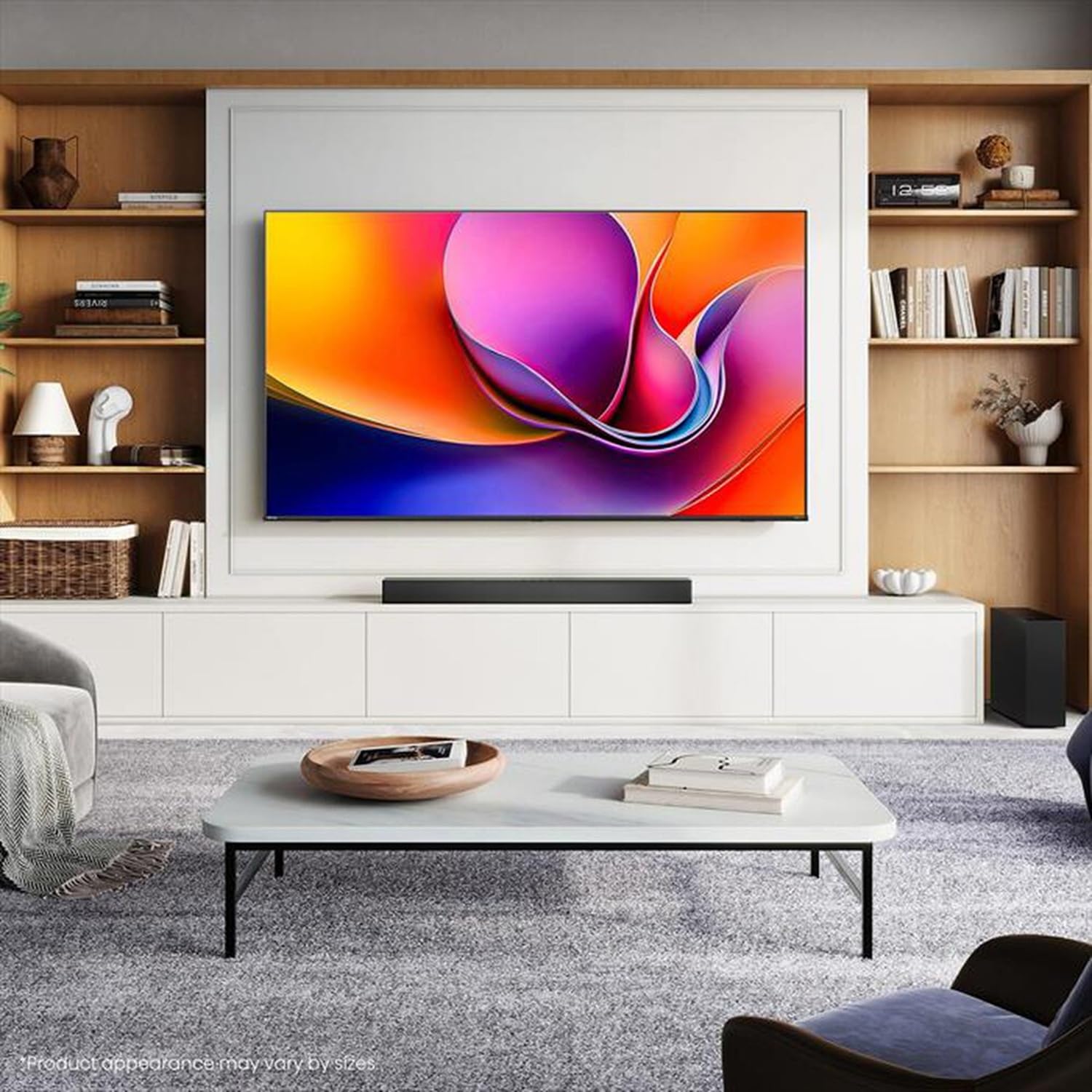
Image: Hisense 43A69Q 4K UHD Smart VIDAA TV. This image shows the television from the front, highlighting its slim bezel design and display.
معلومات السلامة
اتبع دائمًا احتياطات السلامة الأساسية التالية عند استخدام التلفزيون الخاص بك:
- لا تعرض التلفزيون للمطر أو الرطوبة.
- Do not open the TV cabinet. Refer all servicing to qualified personnel.
- تأكد من التهوية الجيدة حول التلفزيون. لا تسد فتحات التهوية.
- حماية سلك الطاقة من أن يمشي عليه أحد أو يضغط عليه.
- افصل التلفاز أثناء العواصف الرعدية أو عند عدم استخدامه لفترات طويلة.
- أبقِ التلفاز بعيداً عن مصادر الحرارة مثل المشعات، أو فتحات التدفئة، أو المواقد، أو غيرها من الأجهزة التي تنتج الحرارة.
ماذا يوجد في الصندوق
تأكد من وجود جميع المكونات:
- Hisense 43A69Q 4K UHD Smart VIDAA TV
- جهاز التحكم عن بعد بالبطاريات
- سلك الطاقة
- TV Stand Components (2 legs)
- براغي لتثبيت الحامل
- إعداد دليل سريع
- دليل المستخدم (هذا المستند)
يثبت
1. فك التعبئة
Carefully remove the TV from its packaging. It is recommended that two people handle the TV to prevent damage or injury. Retain the packaging materials for future transport or servicing.
2. تركيب الحامل
If you are not wall-mounting the TV, attach the stand:
- ضع التلفاز ووجهه لأسفل على سطح ناعم ونظيف لمنع تلف الشاشة.
- قم بمحاذاة كل ساق من أرجل الحامل مع الفتحات المقابلة لها في الجزء السفلي من التلفزيون.
- ثبّت كل ساق بالمسامير المرفقة. تأكد من إحكام ربطها جيداً.
- ارفع التلفاز بحرص إلى وضعية عمودية على سطح مستوٍ وثابت.
3. التركيب على الحائط (اختياري)
The Hisense 43A69Q is compatible with VESA standard wall mounts (200x300 mm). Wall mount kits are sold separately. Follow the instructions provided with your wall mount kit and ensure professional installation if you are unsure.
4. توصيل الأجهزة الخارجية
قم بتوصيل أجهزتك بمنافذ التلفزيون:
- HDMI: Connect Blu-ray players, game consoles, or set-top boxes to the HDMI ports (HDMI1, HDMI2, HDMI3). This model features HDMI 2.1 with ALLM and VRR (60Hz) support on all ports, and eARC on HDMI3.
- USB: Plug in USB drives for media playback (2 USB 2.0 ports).
- هوائي / كابل: Connect your antenna or cable TV signal to the RF tuner input.
- إيثرنت: For a stable wired internet connection, connect an Ethernet cable to the RJ45 port.
- الصوت خارج: Use the S/PDIF optical output for digital audio to a soundbar or receiver, or the headphone jack for private listening.
5. Power On & First-Time Setup
After connecting all devices:
- قم بتوصيل سلك الطاقة بالتلفزيون ثم بمقبس الحائط.
- اضغط على زر الطاقة الموجود على جهاز التحكم عن بعد أو على التلفزيون نفسه.
- اتبع الإرشادات التي تظهر على الشاشة للإعداد الأولي، بما في ذلك تحديد اللغة، واتصال الشبكة (Wi-Fi أو Ethernet)، ومسح القنوات.
- Log in to your VIDAA account or create a new one to access smart features.
تشغيل التلفزيون
1. التحكم عن بعدview
Familiarize yourself with the remote control buttons for basic functions like power, volume, channel, input selection, and smart app shortcuts.
2. Navigating VIDAA Smart OS
The VIDAA Smart OS provides a user-friendly interface. Use the directional buttons and OK button on your remote to navigate menus, launch applications, and adjust settings.
3. استخدام الميزات الذكية
Access pre-installed applications like Netflix, YouTube, and Amazon Prime Video directly from the home screen. Additional apps can be downloaded from the VIDAA App Store.
4. إعدادات الصورة والصوت
Adjust picture modes (Standard, Dynamic, Cinema, Game) and sound modes (Standard, Music, Speech) to optimize your viewing experience. Advanced settings allow fine-tuning of brightness, contrast, color, and audio equalizer.
This TV supports Dolby Vision and HDR10 for enhanced picture quality, and DTS Virtual X for immersive audio.
5. ميزات الاتصال
- واي فاي وبلوتوث: Connect wirelessly to your home network and Bluetooth devices like headphones or speakers.
- مشاركة الشاشة: Use built-in screen sharing features (e.g., AirPlay 2 support) to mirror content from compatible mobile devices.
- وضع اللعب بلس: For gaming, enable Game Mode PLUS to reduce input lag (≤ 20 ms) and utilize VRR (Variable Refresh Rate) for smoother gameplay.
صيانة
1. تنظيف التلفزيون
لتنظيف الشاشة، امسحها برفق بقطعة قماش ناعمة وخالية من الوبر. أما بالنسبة للبقع الصعبة، فامسحها برفق بقطعة قماش ناعمة وخالية من الوبر.ampen the cloth with water or a specialized screen cleaner. Never spray cleaner directly onto the screen. Clean the TV cabinet with a soft, dry cloth.
2. تحديثات البرامج
Your TV may receive software updates to improve performance and add new features. Ensure your TV is connected to the internet. You can usually check for updates in the TV's settings menu under 'System' or 'About TV'.
استكشاف الأخطاء وإصلاحها
إذا واجهت مشكلات، فجرب الحلول الشائعة التالية:
- لا يوجد طاقة: تأكد من توصيل سلك الطاقة بإحكام بكل من التلفزيون ومقبس الحائط. جرب مقبسًا آخر.
- لا صورة/صوت: Ensure the correct input source is selected. Check all cable connections. Restart connected devices.
- جهاز التحكم عن بعد لا يعمل: استبدل البطاريات. تأكد من عدم وجود عوائق بين جهاز التحكم عن بُعد ومستشعر الأشعة تحت الحمراء الخاص بالتلفزيون.
- مشاكل الاتصال بالشبكة: أعد تشغيل جهاز التوجيه والمودم. أعد توصيل التلفزيون بشبكة Wi-Fi أو تحقق من كابل Ethernet.
- جودة الصورة رديئة: تحقق من توصيلات الهوائي/الكابل. اضبط إعدادات الصورة. تأكد من أن محتوى المصدر ذو جودة عالية.
For persistent problems, consult the Hisense support webالموقع أو الاتصال بخدمة العملاء.
تحديد
| ميزة | مواصفة |
|---|---|
| ماركة | هايسنس |
| اسم الموديل | 43A69Q |
| حجم الشاشة | 43 بوصة (108 سم) |
| دقة | 4K Ultra HD 3840x2160 |
| معدل التحديث | 60 هرتز |
| نظام التشغيل | نظام التشغيل الذكي VIDAA |
| تقنية اتش دي ار | HDR, HDR10, HDR10+ decoding, Dolby Vision, HLG |
| تكنولوجيا الصوت | DTS Virtual X (2x7W speakers) |
| منافذ HDMI | 3 (HDMI 2.1 with ALLM, VRR (60Hz); HDMI3 also with eARC) |
| منافذ USB | 2 (USB 2.0) |
| الاتصال | Wi-Fi (IEEE 802.11 a/b/g/n/ac-2.4G,5G), Bluetooth, Ethernet |
| التوافق مع VESA | 200x300 ملم |
| فئة كفاءة الطاقة (SDR/HDR) | E / G |
| الأبعاد (مع الحامل) | 963 مم (العرض) × 608 مم (الارتفاع) × 222 مم (العمق) |
| الوزن الصافي (مع الحامل) | 6.9 كجم |
الضمان والدعم
Hisense products are covered by a manufacturer's warranty. Please refer to the warranty card included with your product or visit the official Hisense webالموقع للحصول على شروط وأحكام الضمان التفصيلية الخاصة بمنطقتك.
For technical support, troubleshooting assistance, or service requests, please contact Hisense customer support through their official webالموقع أو معلومات الاتصال المقدمة في وثائق المنتج الخاص بك.