
FCOB SP530E
FCOB SP530E WiFi Bluetooth LED Controller and COB LED Strip Light User Manual
الموديل: SP530E
1. المقدمة
This manual provides detailed instructions for the installation, operation, and maintenance of your FCOB SP530E WiFi Bluetooth LED Controller and accompanying 6000K Daylight White COB LED Strip Light. Please read this manual thoroughly before use to ensure proper functionality and safety.
2. معلومات السلامة
- تأكد من حجم امدادات الطاقةtage matches the product specifications (24V). Incorrect voltagه يمكن أن تلحق الضرر بالجهاز.
- Do not expose the controller or LED strip to moisture or extreme temperatures.
- افصل الطاقة قبل إجراء أي توصيلات أو القيام بأي أعمال صيانة.
- Avoid bending the LED strip sharply to prevent damage to the internal circuitry.
- يحفظ بعيدًا عن متناول الأطفال.
3. محتويات العبوة
تأكد من وجود جميع العناصر في الحزمة الخاصة بك:
- SP530E WiFi Bluetooth LED Controller
- 6000K Daylight White COB LED Strip Light (32.8FT)
- موصلات طاقة التيار المستمر
- Mounting Clips and Screws
- مفك براغي صغير

Image 3.1: Contents of the FCOB SP530E LED Controller and Strip Light kit, including the controller, COB LED strip, power connectors, mounting clips, and a screwdriver.
4. المواصفات
- نموذج تحكم: SP530E
- الاتصال: WiFi, Bluetooth LE5.0
- حجم الإدخالtage: العاصمة 5-24V
- قنوات الإخراج: 6-channel (PWM), SPI
- ماكس الناتج الحالي: 10 أمبير
- درجة حرارة العمل: -20 درجة مئوية إلى 60 درجة مئوية
- نوع شريط LED: شريط إضاءة LED COB
- طول شريط LED: 32.8 قدم (10 متراً)
- كثافة الصمام: 320 LED / متر
- درجة حرارة اللون: 6000K ضوء النهار الأبيض
- زاوية الشعاع: 180°
- قابلة للقطع: Every 1.97 inches (5cm) at marked lines
- حجم المكونات العاصمة: 5.5 مم × 2.1 مم
5. الإعداد والتثبيت
5.1 LED Strip Preparation
- القياس والقطع: If a shorter length is required, cut the COB LED strip only at the designated cutting marks (usually indicated by a scissor icon or copper pads).

Image 5.1: Illustration showing correct and incorrect cutting points for the LED strip. Always cut along the marked lines to ensure functionality.
- سطح نظيف: Ensure the mounting surface is clean, dry, and smooth for optimal adhesive performance.
- قشر ولصق: Remove the backing from the adhesive tape on the back of the LED strip and firmly press the strip onto the desired surface.
- تثبيت بالمشابك: For added security, use the provided mounting clips and screws, especially for longer runs or uneven surfaces.
5.2 Controller Wiring
The SP530E controller supports both PWM (non-addressable) and SPI (addressable) LED strips, including combined setups. Refer to the labels on the controller for correct wiring.
- PWM LED Strips (e.g., Monochrome, CCT, RGB, RGBW, RGBCCT): Connect the corresponding wires from your LED strip to the V+, R, G, B, CW, WW terminals on the controller. Ensure polarity is correct.
- SPI LED Strips (e.g., WS2811, WS2812B): Connect the Data (DAT) wire from your SPI strip to the DAT terminal on the controller. Connect the Ground (GND) wire to the GND terminal.
- توصيل الطاقة: Connect the DC power adapter (not included) to the DC Power Jack Socket (5.5mm x 2.1mm) on the controller. Ensure the power supply is rated for 24V and has sufficient current capacity for your LED strips.

Image 5.2: The SP530E controller is compatible with various PWM and SPI LED strip types, including single color, CCT, RGB, RGBW, and RGBCCT configurations. The image also shows the associated mobile application interface.
6. التشغيل
طرق التحكم 6.1
The SP530E controller offers multiple ways to manage your LED lighting:
- التحكم في التطبيق: Connect via 2.4GHz WiFi or Bluetooth LE5.0 using the dedicated mobile application (Banlanx APP). This allows for comprehensive control over colors, effects, brightness, and scheduling.
- 2.4G RF Remote / Smart Panel Control: Compatible with separately purchased 2.4G RF touch remotes or wall-mounted smart panels for convenient local control.
- التحكم الصوتي من طرف ثالث: Integrate with smart home systems like Amazon Alexa or Google Home for voice-activated control (requires initial setup through the mobile app).

Image 6.1: Visual representation of the three primary control methods: mobile application, 2.4G RF remote/smart panel (sold separately), and third-party voice assistants like Amazon Alexa and Google Home.
6.2 Mobile Application (Banlanx APP)
Download the Banlanx APP from your device's app store. Follow the in-app instructions to pair your SP530E controller via WiFi or Bluetooth.
- الأوضاع الديناميكية: Choose from various pre-programmed dynamic lighting effects.
- ألوان جامدة: Select any static color from a color wheel or adjust white light temperature.
- تأثيرات الموسيقى: Synchronize lighting with music using player streaming, mobile microphone, or the controller's built-in microphone.
- تأثيرات DIY: Create and customize your own lighting patterns and sequences.
- المؤقتات: Set schedules for turning lights on/off or activating specific modes.
- ضبط السطوع: Adjust the overall brightness level from 0% to 100%.

Image 6.2: Screenshots of the Banlanx mobile application, showcasing features such as dynamic modes, music synchronization, parameter settings, timers, and pattern customization.

Image 6.3: The SP530E controller's music effects feature, allowing synchronization of LED strip or matrix lighting with audio input from player streaming, mobile microphone, or the built-in microphone.
6.3 خفض سطوع الشاشة
The controller allows for precise brightness adjustment of the connected LED strips. This can be controlled via the mobile application, RF remote, or voice commands.
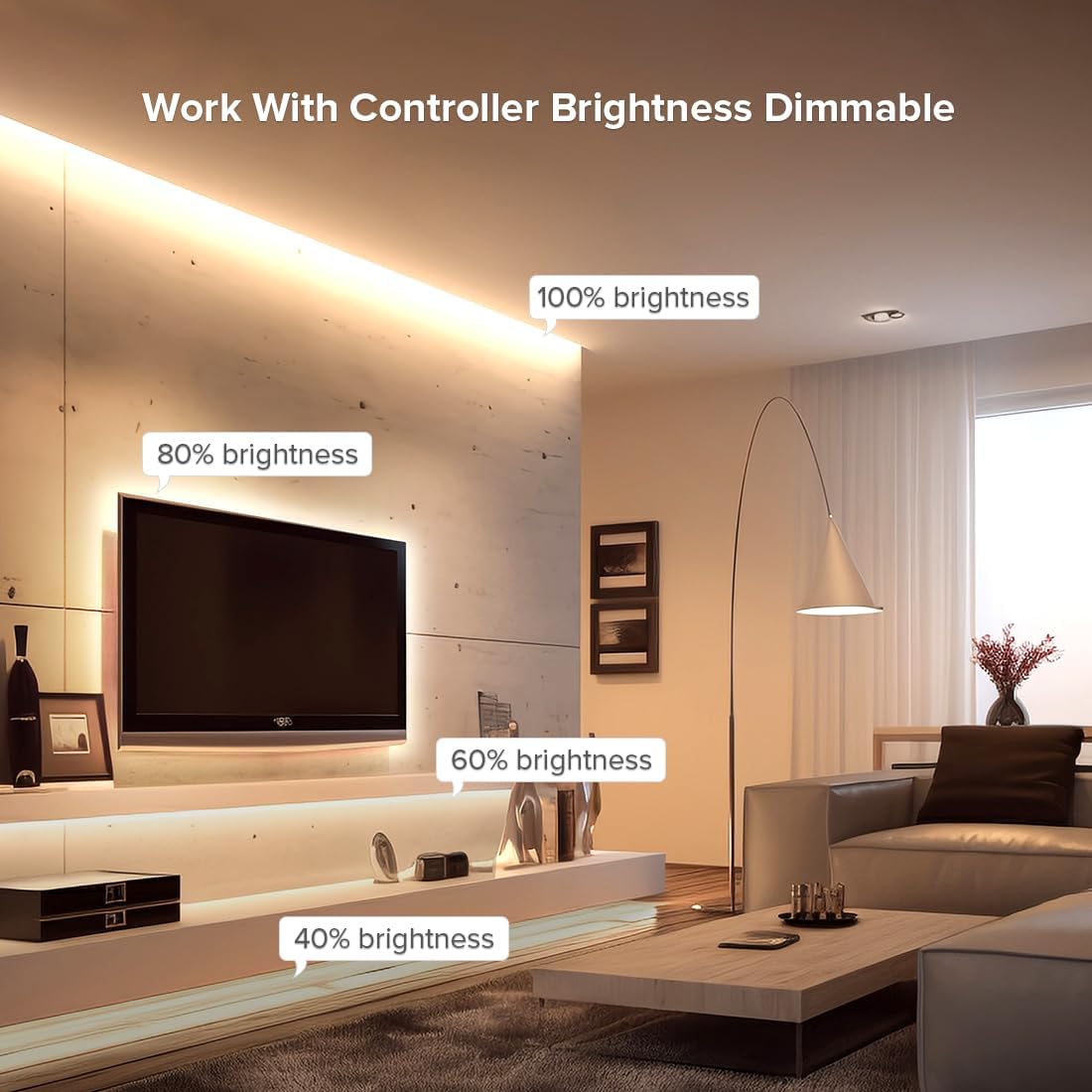
الصورة 6.4: سابقample of an LED strip installed in a living room setting, demonstrating various brightness levels (100%, 80%, 60%, 40%) achievable with the controller.
7. الصيانة
- تنظيف: Gently wipe the LED strip and controller with a dry, soft cloth. Do not use harsh chemicals or abrasive cleaners.
- تقتيش: Periodically check connections for any signs of wear or damage.
- تخزين: If storing the product for an extended period, ensure it is kept in a dry, cool environment away from direct sunlight.
8. استكشاف الأخطاء وإصلاحها
| مشكلة | السبب المحتمل | حل |
|---|---|---|
| شريط LED لا يضيء | No power; incorrect wiring; faulty strip/controller | Check power supply connection; verify wiring polarity; test with another strip/controller if available. |
| Incorrect colors or effects | Incorrect strip type selected in app; wiring issue | Ensure correct LED strip type (PWM/SPI, RGB/CCT, etc.) is configured in the Banlanx APP. Recheck wiring. |
| Controller not connecting to app | WiFi/Bluetooth off; incorrect network; controller too far | Ensure WiFi/Bluetooth is enabled on your phone. Connect to a 2.4GHz WiFi network. Move closer to the controller. Reset controller if necessary (refer to app for reset procedure). |
| Strip sections not working after cutting | Cut at wrong location | Only cut at designated marks. Sections cut incorrectly cannot be repaired. |
9. الضمان والدعم
For warranty information and technical support, please refer to the FCOB official webالموقع أو تواصل مع بائع التجزئة. احتفظ بإيصال الشراء كإثبات للشراء.
Ask a question about this manual
Ask about setup, troubleshooting, compatibility, parts, safety, or missing instructions. Manuals+ will review the question and use this page’s manual context to help answer it.