
1. المقدمة
This manual provides essential information for using your Redmi 15 5G smartphone. Please read it carefully to ensure proper operation and to maximize the device's features. Keep this manual for future reference.

الصورة: الأمامية والخلفية view of the Redmi 15 5G smartphone.
2. ماذا يوجد في الصندوق
تأكد من وجود جميع العناصر في عبوة المنتج الخاص بك:
- الهاتف الذكي Redmi 15 5G
- شاحن
- كابل يو اس بي
- أداة إخراج SIM
- بطاقة الضمان
- دليل المستخدم (هذا المستند)
- حافظة حماية
3. انتهى الجهازview
Familiarize yourself with the physical components of your Redmi 15 5G.
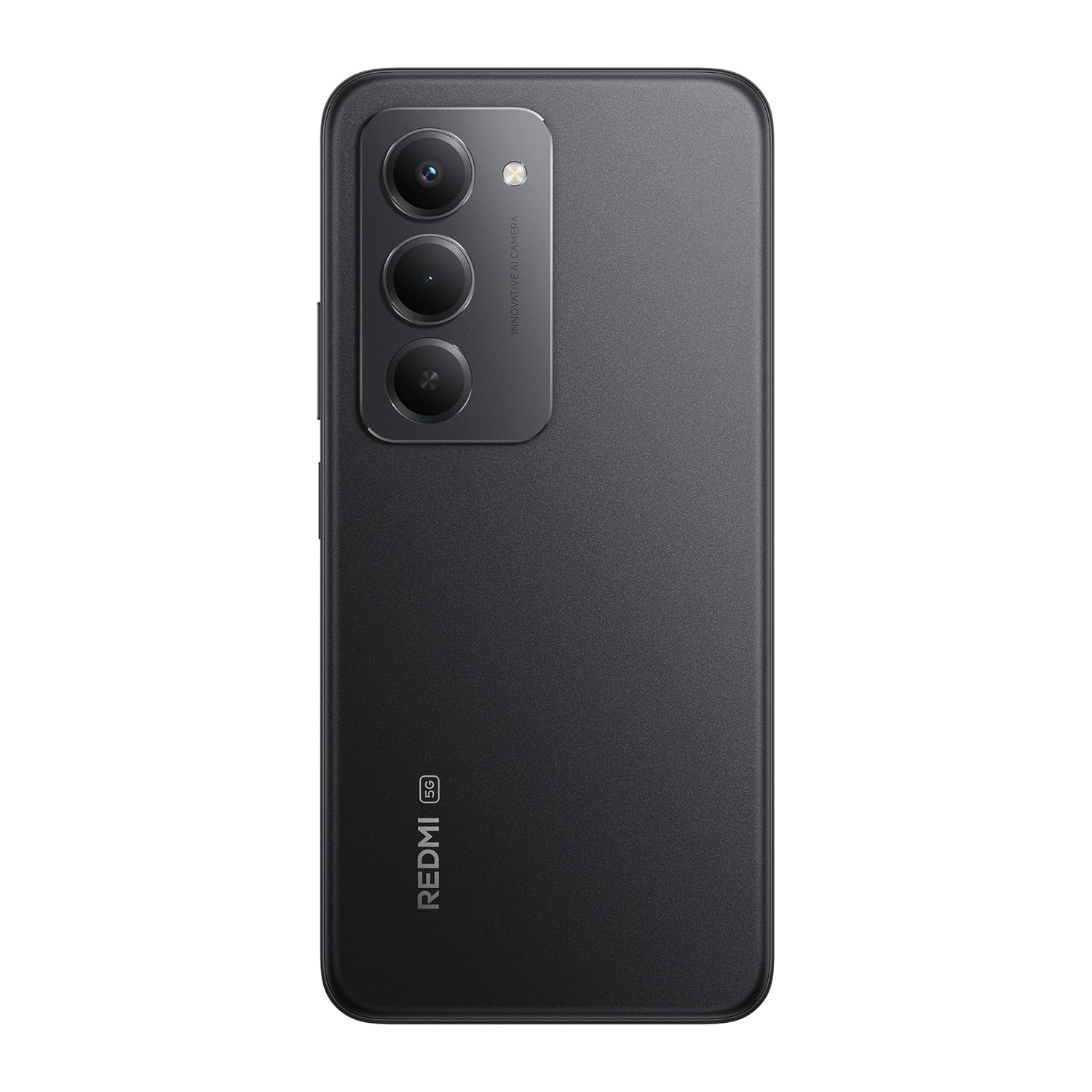
الصورة: الخلفية view of the Redmi 15 5G, highlighting the camera array.

الصورة: الجانب view of the Redmi 15 5G, illustrating button placement.
المميزات الرئيسية:
- عرض: 17.53cm (6.9") FHD+ display with up to 144Hz refresh rate.
- المعالج: Qualcomm Snapdragon 6s Gen 3.
- آلة تصوير: 50MP AI Dual Camera system.
- بطارية: Massive 7000mAh battery with 33W charging and 18W reverse charging.
- متانة: مقاومة الغبار والماء IP64.
- نظام التشغيل: نظام أندرويد 15 مع نظام التشغيل هايبر أو إس من شاومي.
4. الإعداد
4.1. Inserting SIM/SD Card
- حدد مكان درج بطاقة SIM على جانب جهازك.
- أدخل أداة إخراج شريحة SIM في الفتحة الصغيرة المجاورة للدرج واضغط بقوة حتى يخرج الدرج.
- ضع بطاقة Nano-SIM و/أو بطاقة microSD في الفتحات المخصصة لها في الدرج. تأكد من أن نقاط التلامس الذهبية متجهة لأسفل.
- ادفع الدرج بعناية إلى داخل الجهاز حتى يستقر في مكانه.
4.2. التشغيل الأولي والإعداد
- Press and hold the Power button (located on the side) until the Redmi logo appears.
- اتبع التعليمات التي تظهر على الشاشة لاختيار لغتك ومنطقتك والاتصال بشبكة Wi-Fi وإعداد حساب Google الخاص بك.
- سيتم إرشادك خلال عملية إعداد ميزات الأمان مثل فتح القفل ببصمة الإصبع أو التعرف على الوجه.
4.3. شحن الجهاز
قبل الاستخدام الأول، يوصى بشحن جهازك بالكامل.
- قم بتوصيل كابل USB بالشاحن.
- قم بتوصيل الشاحن بمأخذ الطاقة.
- Connect the USB cable to the Type-C port at the bottom of your phone.
- سيظهر مؤشر الشحن على الشاشة.

Image: Illustration of 18W reverse charging capability.
5. تشغيل جهازك
5.1. التنقل الأساسي
- يلمس: اضغط على أيقونة لفتح تطبيق أو تحديد عنصر.
- انتقاد: Slide your finger across the screen to scroll or navigate between screens.
- قرصة: استخدم إصبعين للتكبير أو التصغير في الصور web الصفحات.
- الإيماءات: Configure navigation gestures in Settings for a full-screen experience.
5.2. إجراء المكالمات وإرسال الرسائل
- افتح هاتف تطبيق للاتصال بالأرقام أو تحديد جهات الاتصال.
- افتح رسائل تطبيق لكتابة وإرسال الرسائل النصية.
5.3. استخدام الكاميرا
The Redmi 15 5G features a 50MP AI Dual Camera.
- افتح آلة تصوير برنامج.
- اختر الوضع الذي تريده (صورة، بورتريه، فيديو، إلخ).
- اضغط على زر الغالق لالتقاط الصور أو بدء/إيقاف تسجيل الفيديو.
- Utilize AI features like AI Sky and AI Erase for enhanced photography.

Image: Close-up of the 50MP AI Dual Camera module.

Image: Demonstrating AI Sky and AI Erase camera capabilities.
5.4. إدارة البطارية
Your device is equipped with a 7000mAh battery.
- To check battery status, go to الإعدادات> البطارية.
- Enable Battery Saver mode to extend battery life.
- The device supports 33W fast charging and 18W reverse charging.

Image: Battery performance metrics for the 7000mAh battery.
5.5. الاتصال
- واي فاي: الاتصال بالشبكات اللاسلكية عبر الإعدادات > Wi-Fi.
- بلوتوث: قم بإقرانه مع أجهزة بلوتوث أخرى عبر الإعدادات > البلوتوث.
- بيانات الجوال: Manage your cellular data connection via الإعدادات > شبكة الجوال.
5.6. Software (Android 15 with Xiaomi HyperOS)
Your Redmi 15 5G runs on Android 15 with Xiaomi HyperOS, offering a customized user experience and regular security updates.

Image: Software update policy for Xiaomi HyperOS.
6. الصيانة
6.1. تنظيف جهازك
- استخدم قطعة قماش ناعمة وخالية من الوبر لتنظيف الشاشة والجسم.
- تجنب استخدام المواد الكيميائية القاسية أو المواد الكاشطة.
- افصل الجهاز عن الطاقة قبل التنظيف.
6.2. تحديثات البرامج
تحقق بانتظام من وجود تحديثات للبرامج لضمان الأداء الأمثل والأمان.
- اذهب الى الإعدادات > حول الهاتف > إصدار MIUI.
- مقبض التحقق من التحديثات.
- اتبع التعليمات التي تظهر على الشاشة لتنزيل وتثبيت أي تحديثات متاحة.
6.3. العناية بالبطارية
- تجنب تعريض الجهاز لدرجات حرارة شديدة.
- لا تترك البطارية تنفد بالكامل بشكل متكرر.
- Use only the official charger and cable provided.
6.4. مقاومة الغبار والماء (IP64)
The Redmi 15 5G is rated IP64 for dust and water resistance. This means it is protected against dust ingress and splashing water from any direction. However, it is not designed for submersion in water. Avoid exposing the device to high-pressure water or prolonged submersion.

Image: Durability features including IP64 dust and water resistance.
7. استكشاف الأخطاء وإصلاحها
إذا واجهت مشاكل مع جهازك، فجرب الحلول التالية:
- الجهاز لا يعمل: تأكد من شحن البطارية. وصّل الشاحن وانتظر بضع دقائق قبل إعادة تشغيل الجهاز.
- مشاكل الشحن: Check if the charger and cable are properly connected. Try a different power outlet.
- مشاكل الشبكة: Ensure your SIM card is correctly inserted. Check network settings in الإعدادات > شبكة الجوالأعد تشغيل الجهاز.
- التطبيق لا يستجيب: Force close the app from the recent apps screen or go to Settings > Apps > [App Name] > Force stop.
- الأداء البطيء: Clear cache, uninstall unused apps, or restart the device.
- اعدادات المصنع: كحل أخير، يمكنك إجراء إعادة ضبط المصنع (الإعدادات > حول الهاتف > إعادة ضبط المصنع). تحذير: سيؤدي هذا إلى مسح جميع البيانات على جهازك. انسخ بياناتك المهمة احتياطيًا قبل المتابعة.
8. المواصفات
| ميزة | مواصفة |
|---|---|
| نظام التشغيل | Android 15, Xiaomi HyperOS |
| كبش | 6 جيجا بايت |
| أبعاد المنتج | 16.8 × 0.8 × 8 سم |
| رقم موديل العنصر | 25057RN09I |
| تقنيات الاتصال | بلوتوث، يو اس بي، واي فاي |
| المميزات الخاصة | Dust resistance, Water resistance (IP64) |
| دقة العرض | 1080 × 2340 بكسل |
| مقبس الصوت | النوع ج |
| لون | أسود منتصف الليل |
| تصنيف طاقة البطارية | 7000 مللي أمبير |
| وزن العنصر | 217 جرام |
| سرعة وحدة المعالجة المركزية | حتى 2.3 جيجاهرتز |
9. الضمان والدعم
9.1. معلومات الضمان
Your Redmi 15 5G comes with a limited manufacturer's warranty. Please refer to the بطاقة الضمان included in your product package for detailed terms and conditions, including coverage period and service procedures.
9.2. دعم العملاء
For further assistance, technical support, or service inquiries, please visit the official Redmi support website or contact their customer service. Contact details can typically be found on the warranty card or the official Redmi webموقع.